

Customer Experience Programs
What's on this page
About Programs
The Customer Experience Program provides guidance on best practices in customer experience program management. This program does not generate prebuilt surveys or dashboards, but allows you to use your own content or choose from available libraries of certified surveys and questions.
Creating a Customer Experience Program
Go to the catalog and select Customer Experience Program under Projects from scratch.
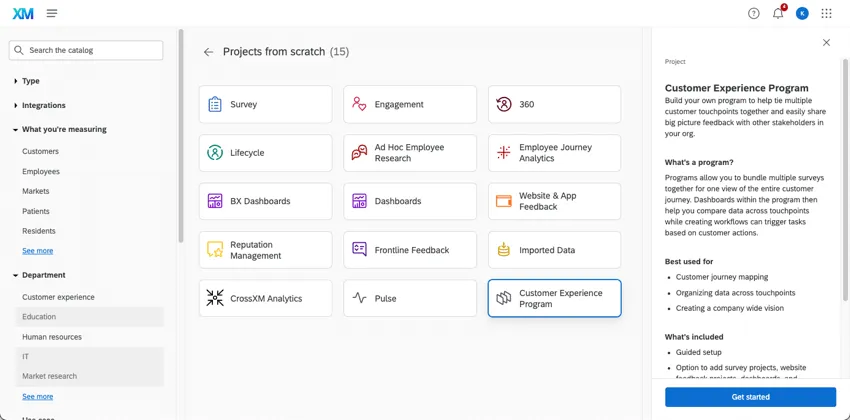
Once you’ve created a Customer Experience Program, you can add projects inside it. Make brand new dashboards, surveys, and website projects, or add existing ones to your program.
You can also create a program in the CX Programs Hub.
CX Programs Hub
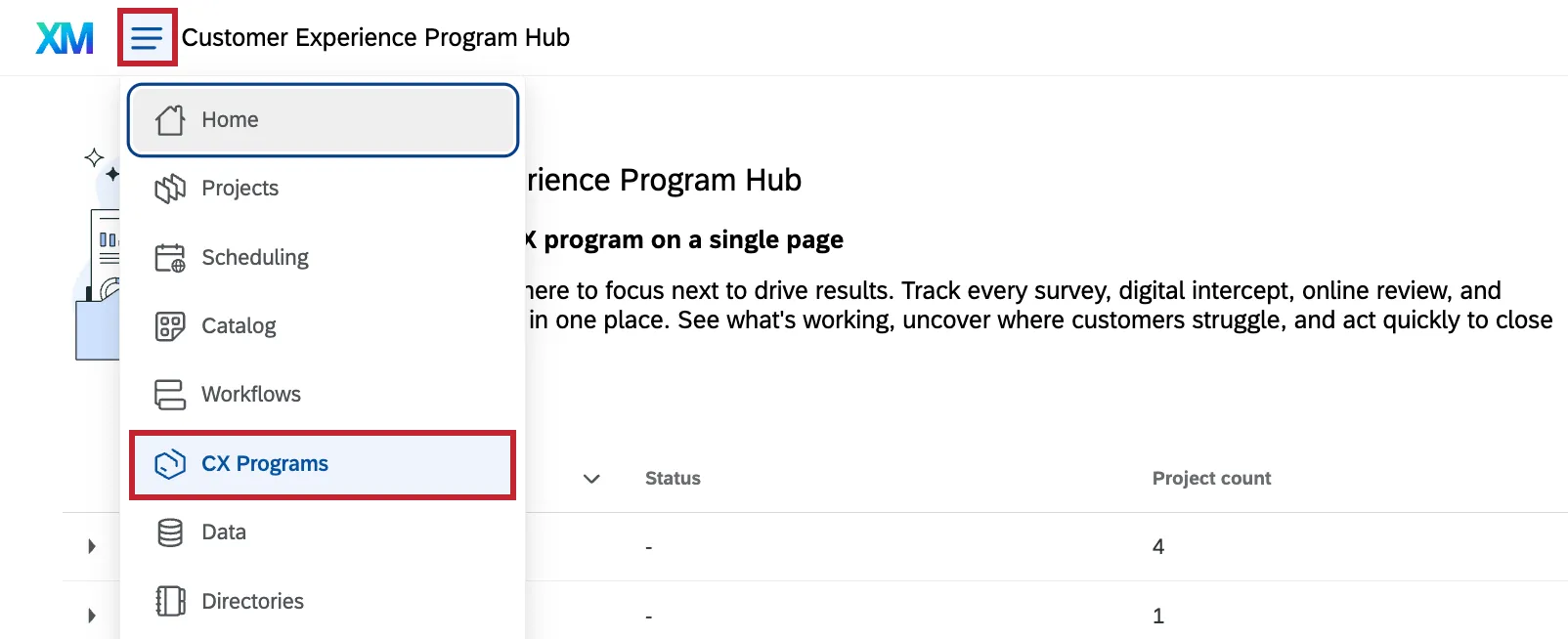
To access this page, select CX Programs from the global navigation menu.
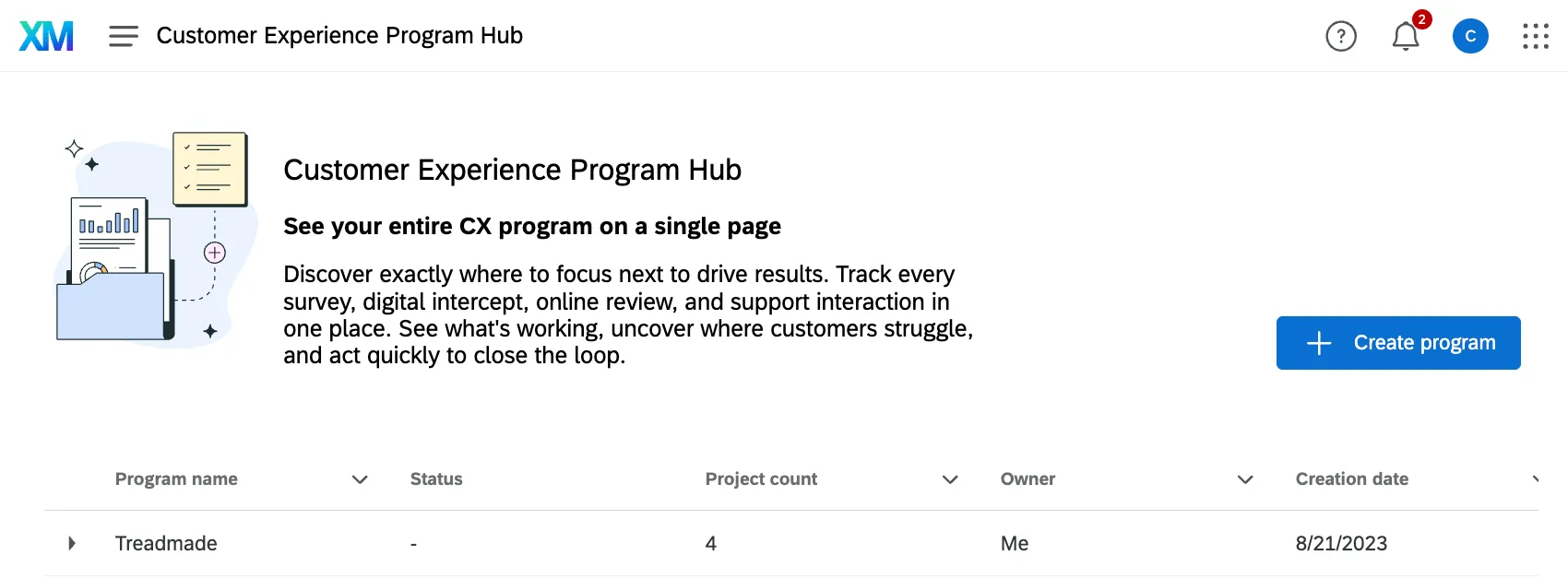
In this page you can view all Customer Experience programs you have access to, or create new ones.
Guidance
The guidance in the Overview tab helps you progress through the most vital steps of your program setup. From here you can view helpful widgets displaying your data and expand your program through suggested actions.
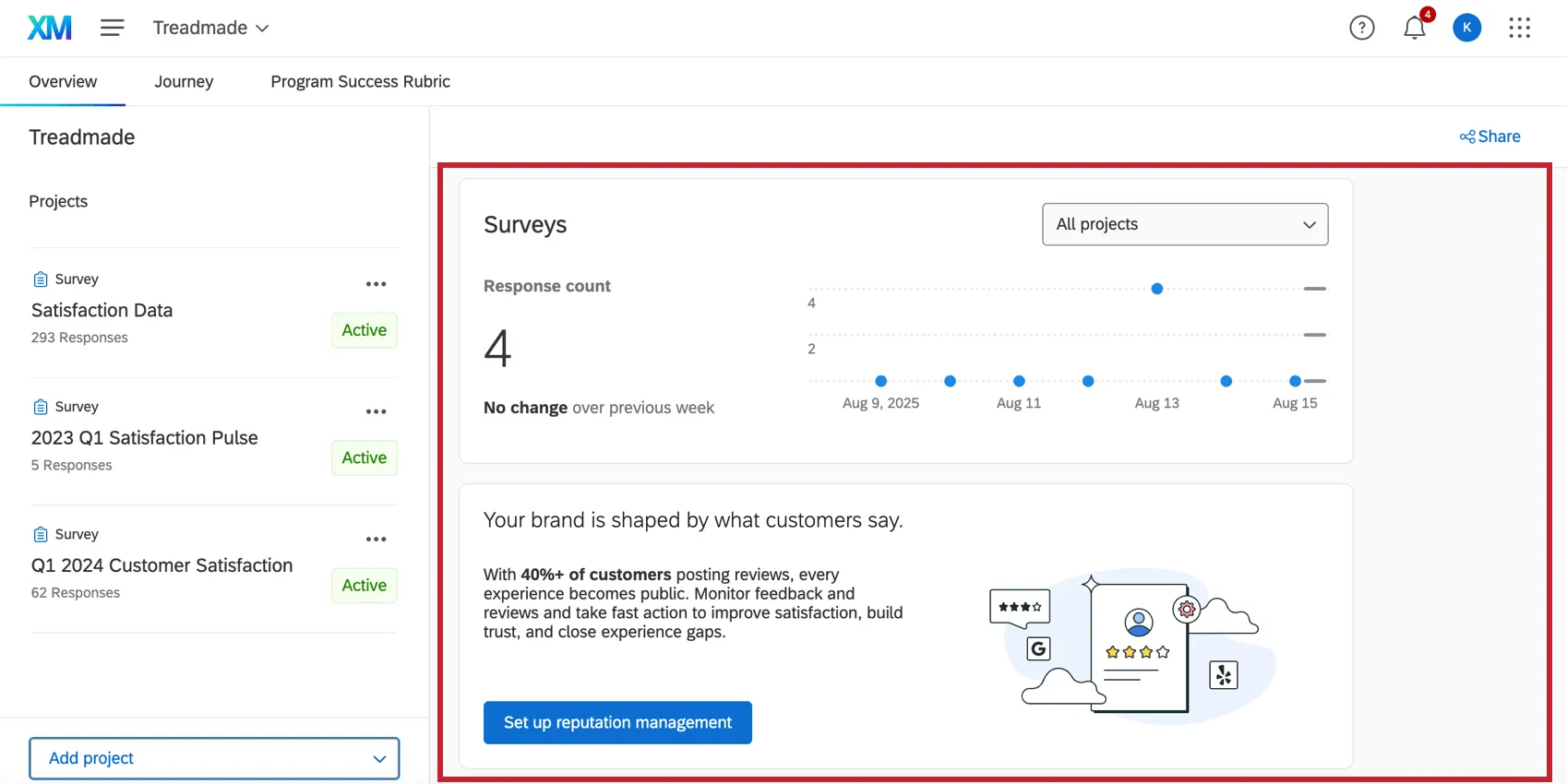
Qtip: The visualizations shown in the overview tab can support up to 60 projects. They only show data from the last 7 days.

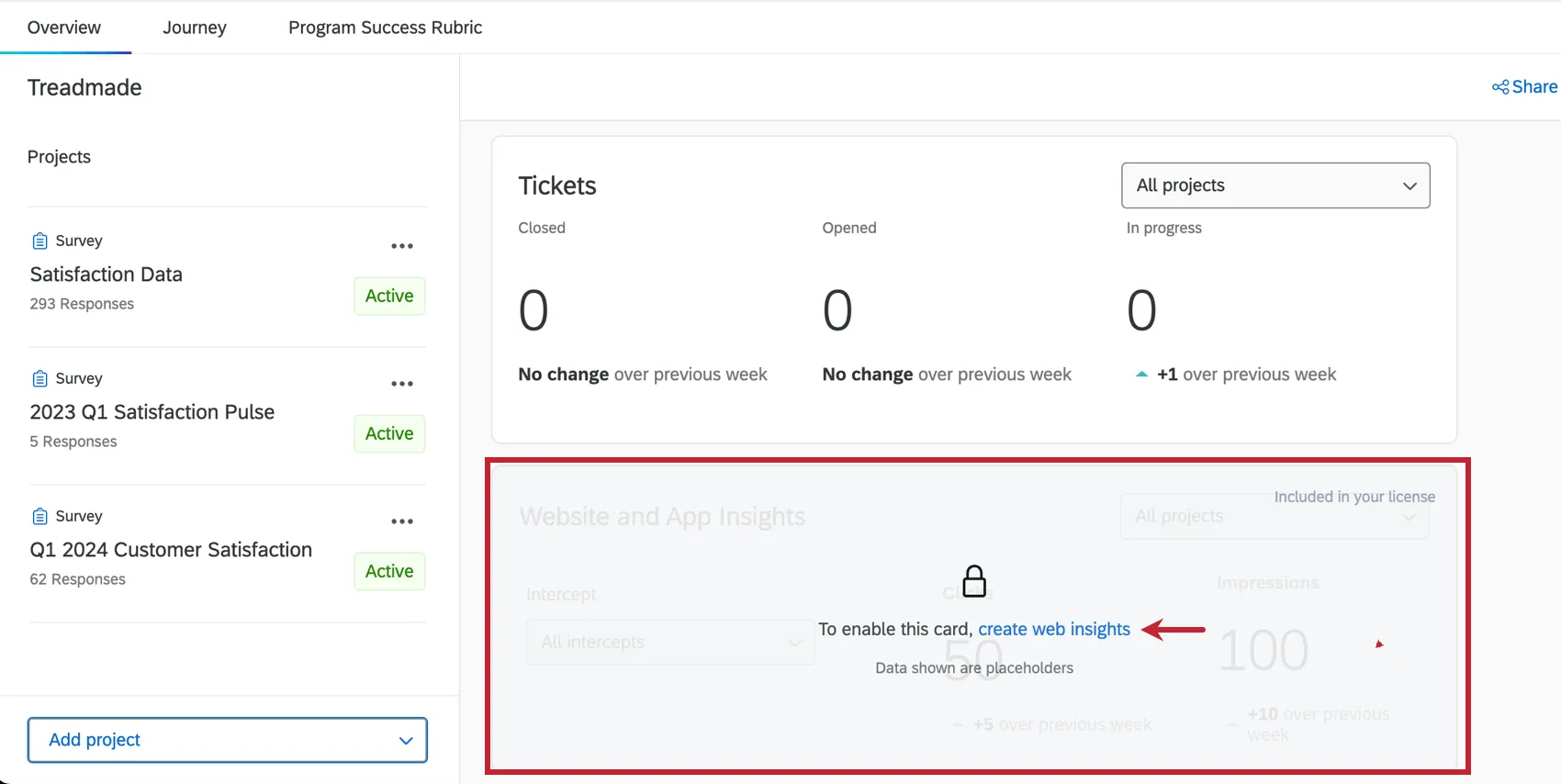
Locked cards recommend the next steps to continue setting up your program. When you click on a recommendation, you’ll be taken directly to the specific part of the platform to complete the setup step.
Headlines Featuring CX Program Insights
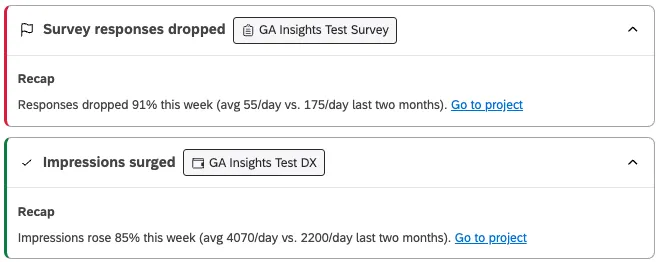
The Headlines section of your CX program Overview highlights recent, significant changes in your program’s activity. Headlines draw from data across your program, using response numbers, reviews, impressions, open tickets, and more to help you spot hidden issues before they become problems.
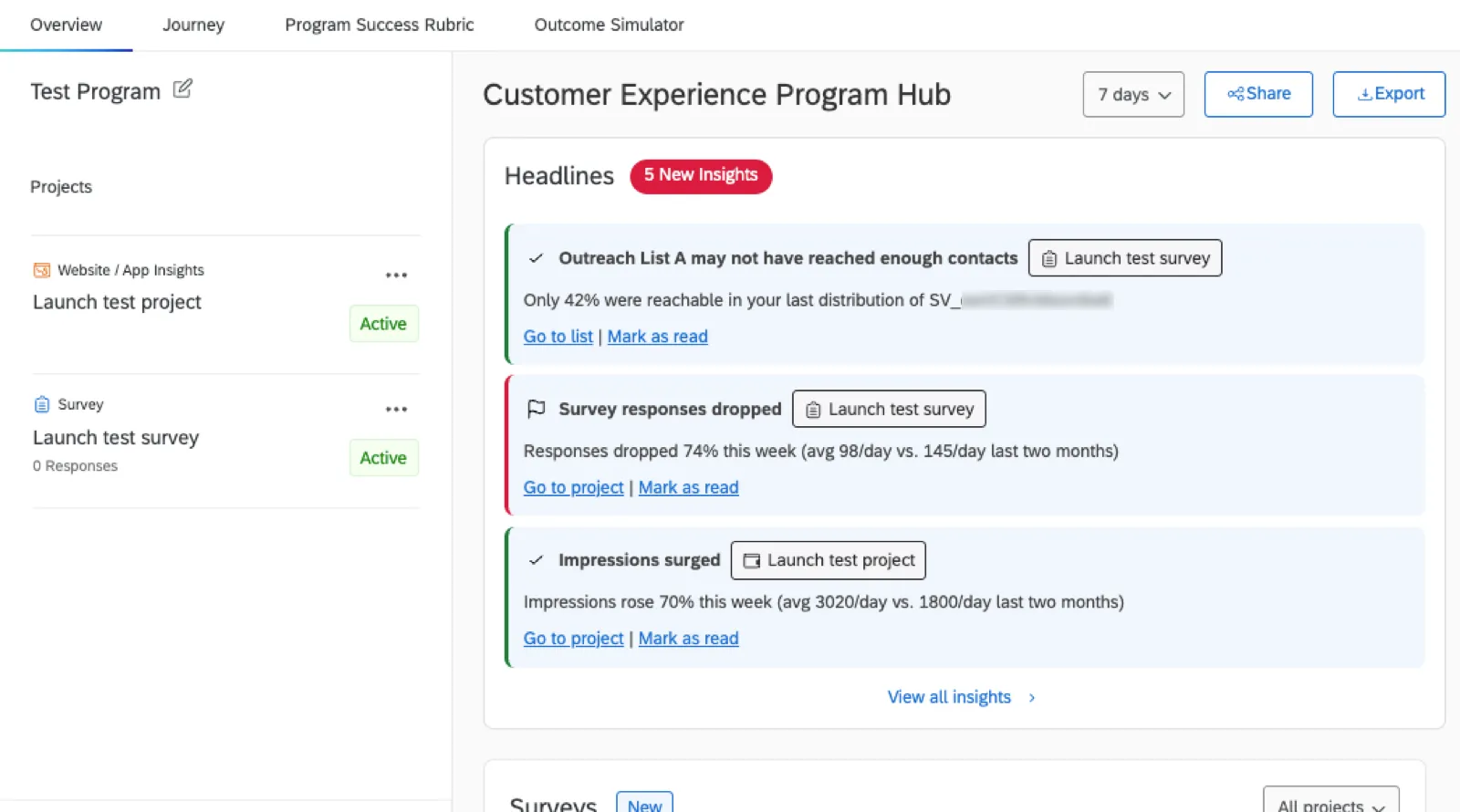
Qtip: CX program insights will also appear to anyone you’ve shared your Customer Experience Program with.
Click Go to project to go to the specific project named in the insight and investigate the cause.
Only 3 headlines appear at once. Click Mark as read to dismiss an insight, allowing any other available new insights to come to the top of the queue.
List of Insights Tracked
Below is a list of the types of insights tracked. What’s tracked is dependent on the type of projects added to your program.
Qtip: In order to be tracked, tickets must be created from a workflow attached to a survey project in the program. Learn more about workflows in projects.
Source | Type of insight |
|---|---|
Survey completion rate is below 80%. | |
Survey responses decreased significantly over the last week. | |
Impressions dropped significantly over the last week. | |
Clicks dropped significantly over the last week. | |
Tickets marked as closed dropped significantly over the last week. | |
Open tickets increased significantly over the last week. | |
Average resolution time for tickets increased significantly over the last week. | |
The number of reviews received decreased significantly over the last week. | |
Average review rating decreased significantly over the last week. |
Qtip: In general, significance is determined using t-tests comparing time periods. Calculations used may vary.
Viewing All Insights and Headline History
Even if you don’t dismiss them, insights that are no longer relevant will eventually move to the Headline History. Insights appear for about 7 days before moving to the history.
Qtip: As you visit a program less and less, insights are no longer generated. This is to ensure you’re only getting insights for active programs.
If you’d like to see a larger history of insights surfaced in your program, click View all insights.
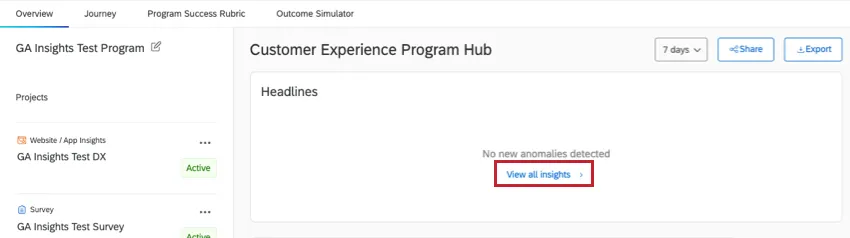
Qtip: The time filter at the top of the Overview page does not affect the headlines and insights displayed.
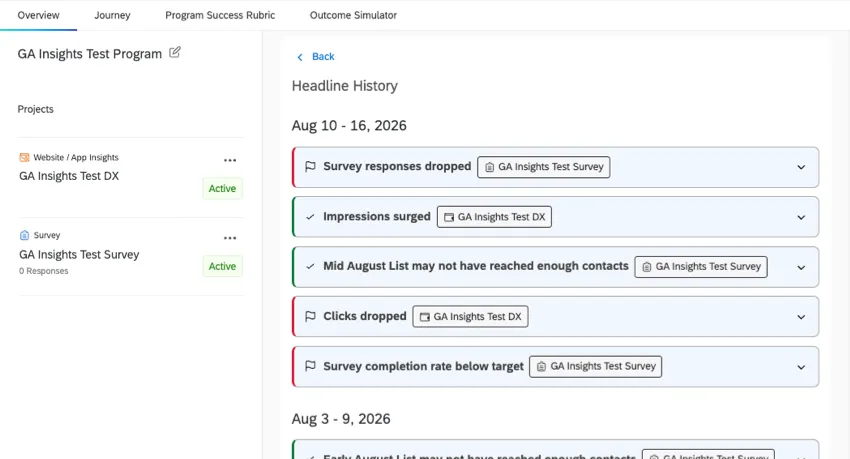
Click on an insight to learn more details about it.
Customer Experience Journeys
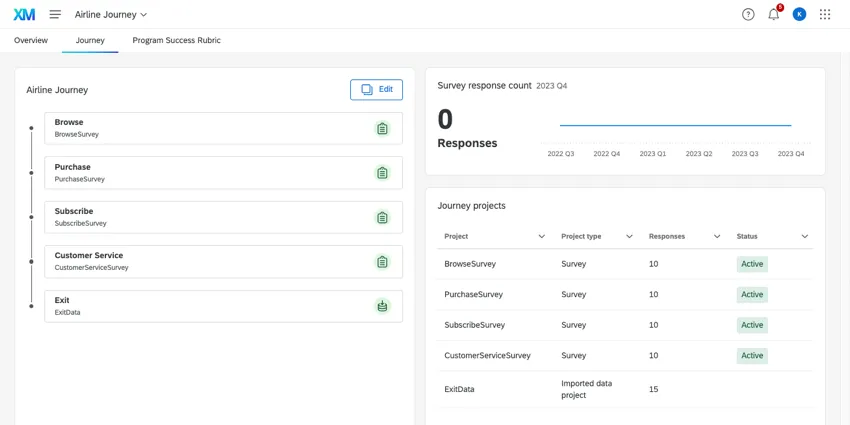
Customer Experience programs have a unique tab called Journeys. In this tab, you can map out customer journeys that you then track throughout your project.
For detailed steps, see Journeys in Customer Experience Programs.
Program Success Rubric
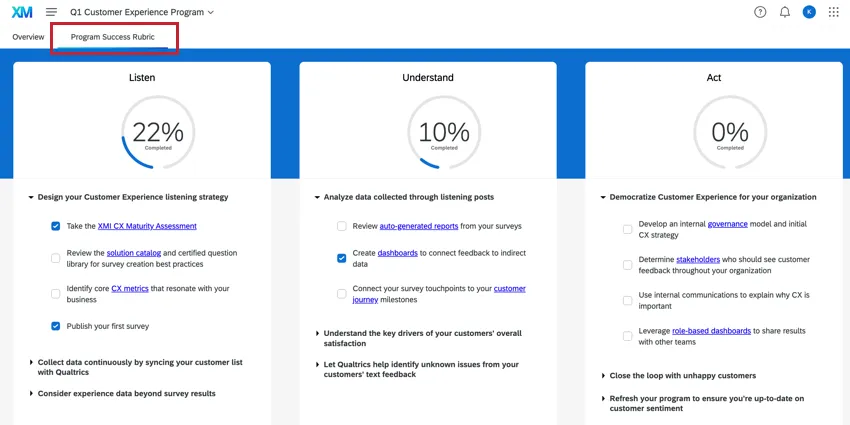
Use the Program Success Rubric tab to keep track of suggestions from Qualtrics subject matter experts that can improve your program. The score for each area will increase as you check-off items.
Business Outcome Simulator
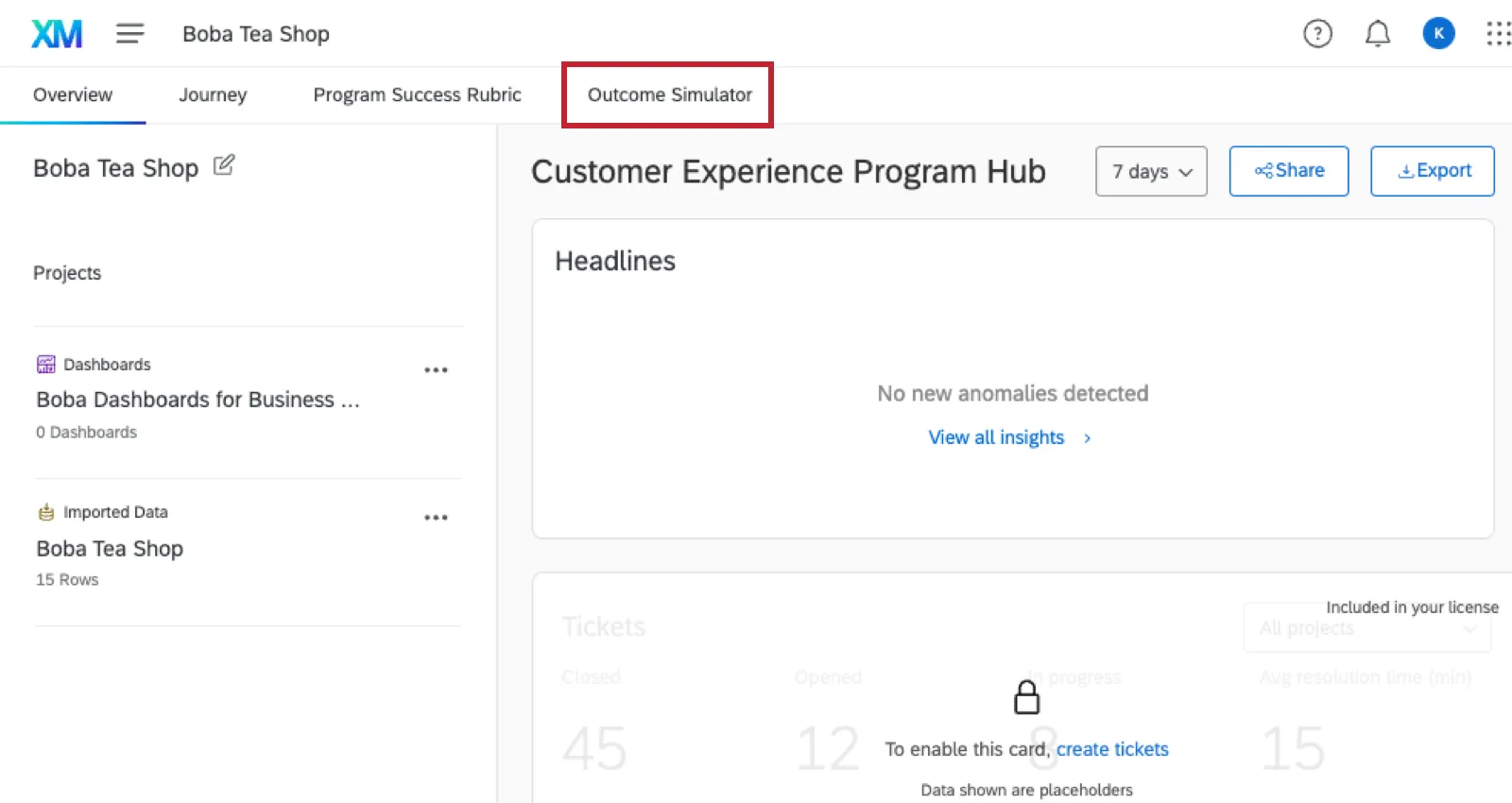
In the Outcome Simulator section of your program, you can evaluate how experience drivers can impact core metrics like NPS or CSAT, isolating the most valuable areas of investment. This tool can then help you simulate possible outcomes of targeted effort on these drivers, providing you with thorough, data-backed predictions you can share in leadership dashboards. From there, you can add your results to a CX Dashboard in the form of a widget.
For more details, see the Business Outcome Simulator support page.
Managing Projects and Sharing Programs
Once you’ve created a program, all the resources for your program are listed on the left side of the page. Customer Experience Programs do not have any pre-built resources, so this list will be blank until you add projects to your program.
To learn more about adding projects to a program, removing them, and more, see Projects in a Program.
You can share your entire program with other members of your organization. Anyone you share the program with will have the same level of access you do – that means they will be able to edit all projects, delete projects from the program, delete the program, view guidance, and invite other users to collaborate on the program.
To learn more, see Sharing a Program.
That's great! Thank you for your feedback!
Thank you for your feedback!