

Step 4: Setting Your Feedback Preferences
What's on this page
About Setting Your Feedback Preferences
This page explains setting up your account preferences for your Frontline Feedback project. We will walk through entering the project the first time as a frontline employee in addition to setting subscription preferences for feedback requests.
Entering a Frontline Feedback Project as a New Frontline Employee
The way you access a Frontline Feedback project that’s been shared with you depends on how it’s been shared with you.
Brand-wide sharing
If a project has been made available to all users, they’ll do the following:
Individual sharing
For users who’ve been given individual access to the project, they’ll do the following:
Qtip: Your Frontline Feedback display name will be the name on your Qualtrics account at the time of account creation. Changing your Qualtrics account name will not change your display name in Frontline Feedback projects.

Subscribing to Email Notifications
Frontline Feedback allows users to subscribe to email notifications for feedback requests. By default, users are subscribed to all feedback requests that they create. Users can then decide to subscribe to specific tags and collections on feedback requests. More information about tags and collections can be found on our page about Managing Feedback.
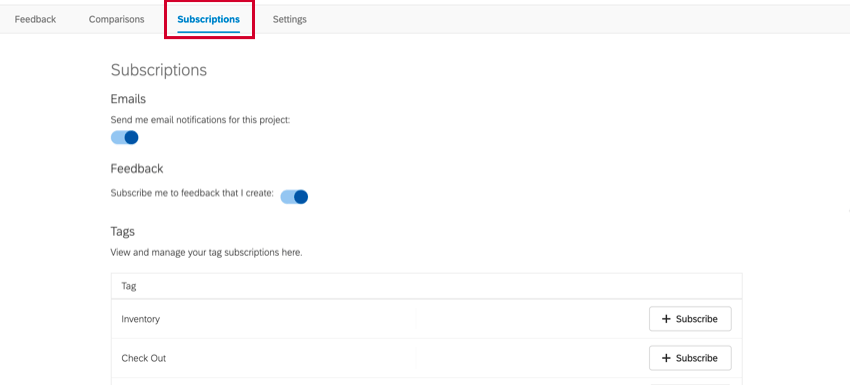
For information about the different subscription settings available to you, check out our page on Subscribing to Feedback.
FAQs
How can I stay up to date on new Qualtrics features?
How can I stay up to date on new Qualtrics features?
To access these release notes, you need an XM Community account. These accounts are free for any users with a Qualtrics account. This support page contains information for how to register an XM Community account.
Once you're logged into the XM Community, head over to the Weekly Product Updates Introduction Post. This post contains all the information you need to get started with subscribing to product updates!
That's great! Thank you for your feedback!
Thank you for your feedback!