

Salesforce Extractor
What's on this page
About the Salesforce Extractor Task
The Salesforce Extractor task can be used to import data from Salesforce for use in Qualtrics. The following data can be imported from Salesforce:
- Object records (such as Accounts, Contacts, and Opportunities).
- Emails connected to closed Cases.
- Report data.
Extracting Objects from Salesforce
This section covers how to set up this task to import object records (such as Accounts, Contacts, and Opportunities) from Salesforce. On the first run, the task will import all specified records. On subsequent runs, it will pull in new or updated records since the last run.
Qtip: Any Salesforce accounts you’ve previously connected as well as accounts set up by Brand Administrators will be available here.
Attention: You may have up to 5 external connections to your Salesforce account for this task. If you add more than 5 connections, the oldest connection will be severed.

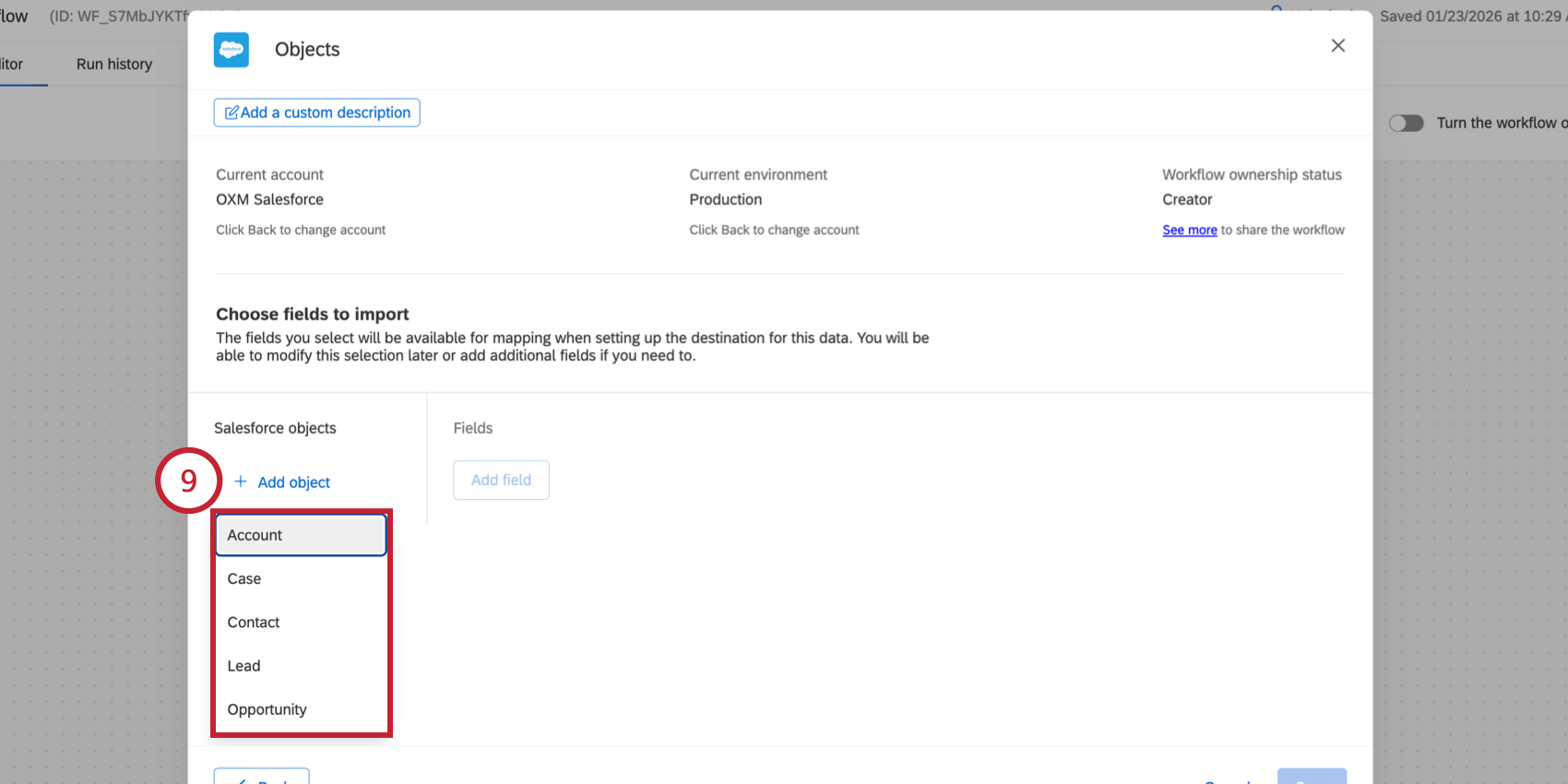
The following Salesforce objects available for import:
- Account
- Case
- Contact
- Lead
- Opportunity Qtip: If you don’t have any objects here, then the connection between your Salesforce account and Qualtrics is invalid or expired. Return to the account selection screen by clicking “Back” and then add a new Salesforce account.

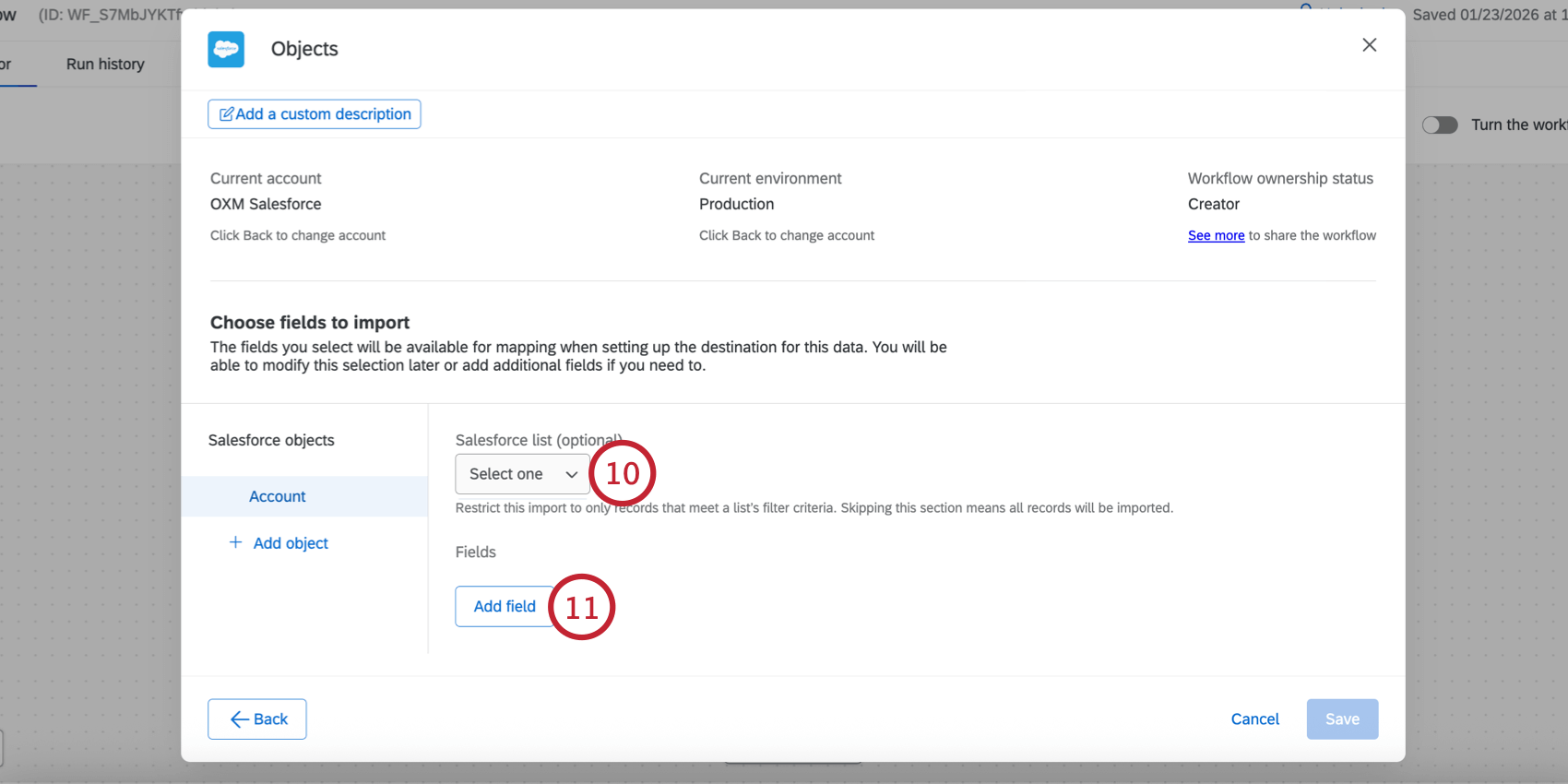
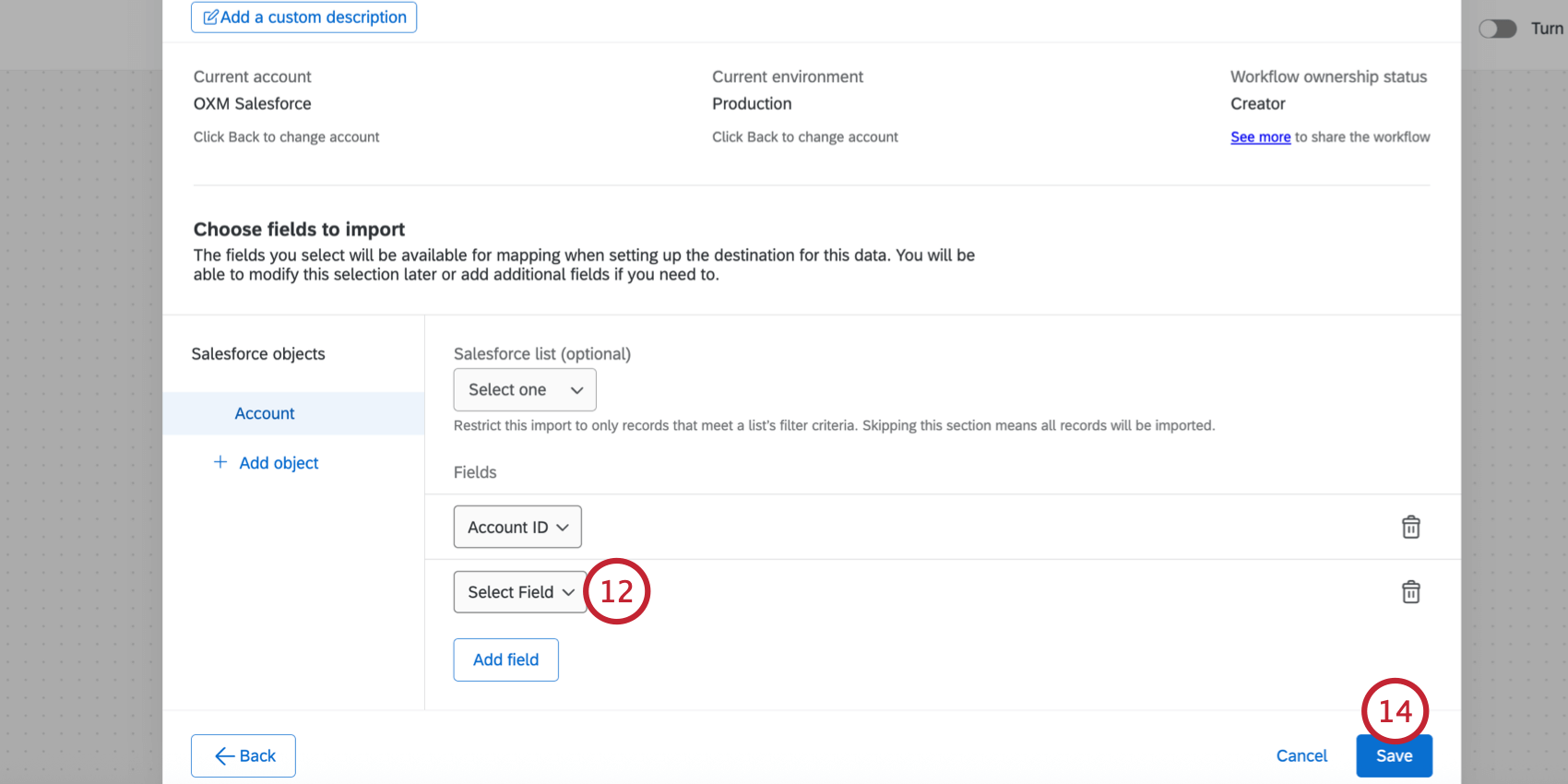
Qtip: Click the trash can icon next to a field or object to remove it from the task.
Troubleshooting Salesforce Object Imports
If your workflow fails to complete, head over to the workflow run history to get more information about the failure. Below are common errors and their resolutions:
- “Your credentials to Salesforce are invalid, please reconnect”
- The credentials used with the task are invalid and need to be re-entered. To fix this issue, edit the task that failed and choose another valid credential or add a new one.
- “ListView {{listviewId}} for sObject {{sObjectName}} does not exists”
- The list used in the task is not accessible to the user or has been deleted. To fix this issue, edit the task that failed and select the object that has an invalid list. Then, choose a new list to use. The {{listviewId}} field in the error message contains the list’s ID in Salesforce and the {{sObjectName}} field is the object’s name in Salesforce.
- sObject {{sObjectName}} does not exists
- The object used with the task is not accessible to the user or has been deleted. To fix this issue, edit the task that failed, remove the invalid object, and save the task. The {{sObjectName}} field in the error message contains the object’s name in Salesforce.
- Field {{fieldName}} in sObject {{sObjectId}} does not exists
- The field used in the task is not accessible to the user or has been deleted. To fix this issue, edit the task that failed, remove the invalid field, and save the task. The {{fieldName}} field in the error message contains the field’s name in Salesforce and the {{sObjectId}} field is the object’s ID in Salesforce.
- Could not determine data isolation
- If this error occurs, please contact Qualtrics support.
- Unexpected error occurred
- If this error occurs, please contact Qualtrics support.
- An error occurred with Sandbox
- If there are any errors with Sandbox, it is recommended to use a non-Sandbox version in order to resolve the issue. Sandbox environments are intended for testing purposes, and won’t always perform the same as non-Sandbox environments.
Extracting Emails from Salesforce
This section covers how to extract emails from Salesforce to use in an email data project (as part of omnichannel listening management).
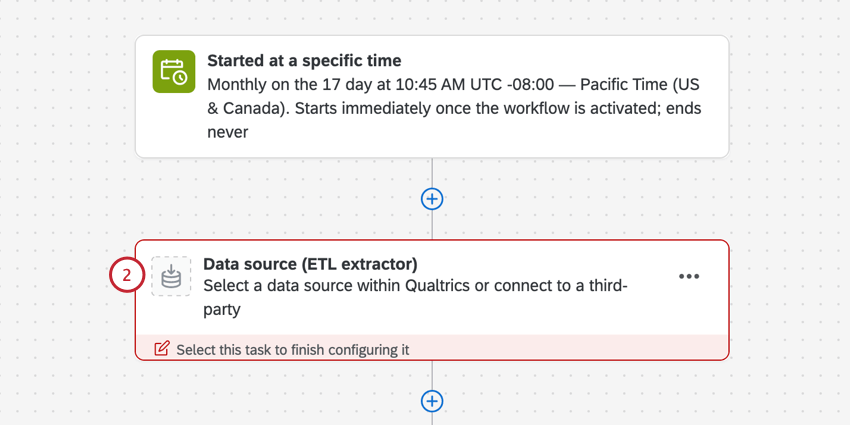
From the Workflows tab of your OXM project, create a new ETL workflow.
Select Data source (ETL extractor).
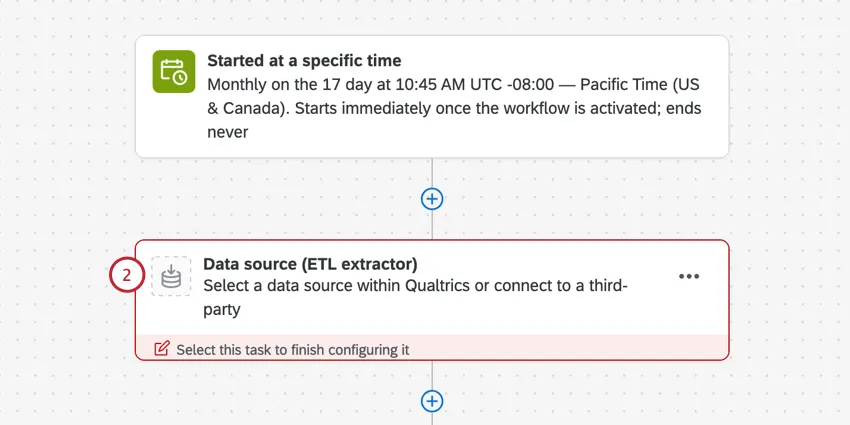
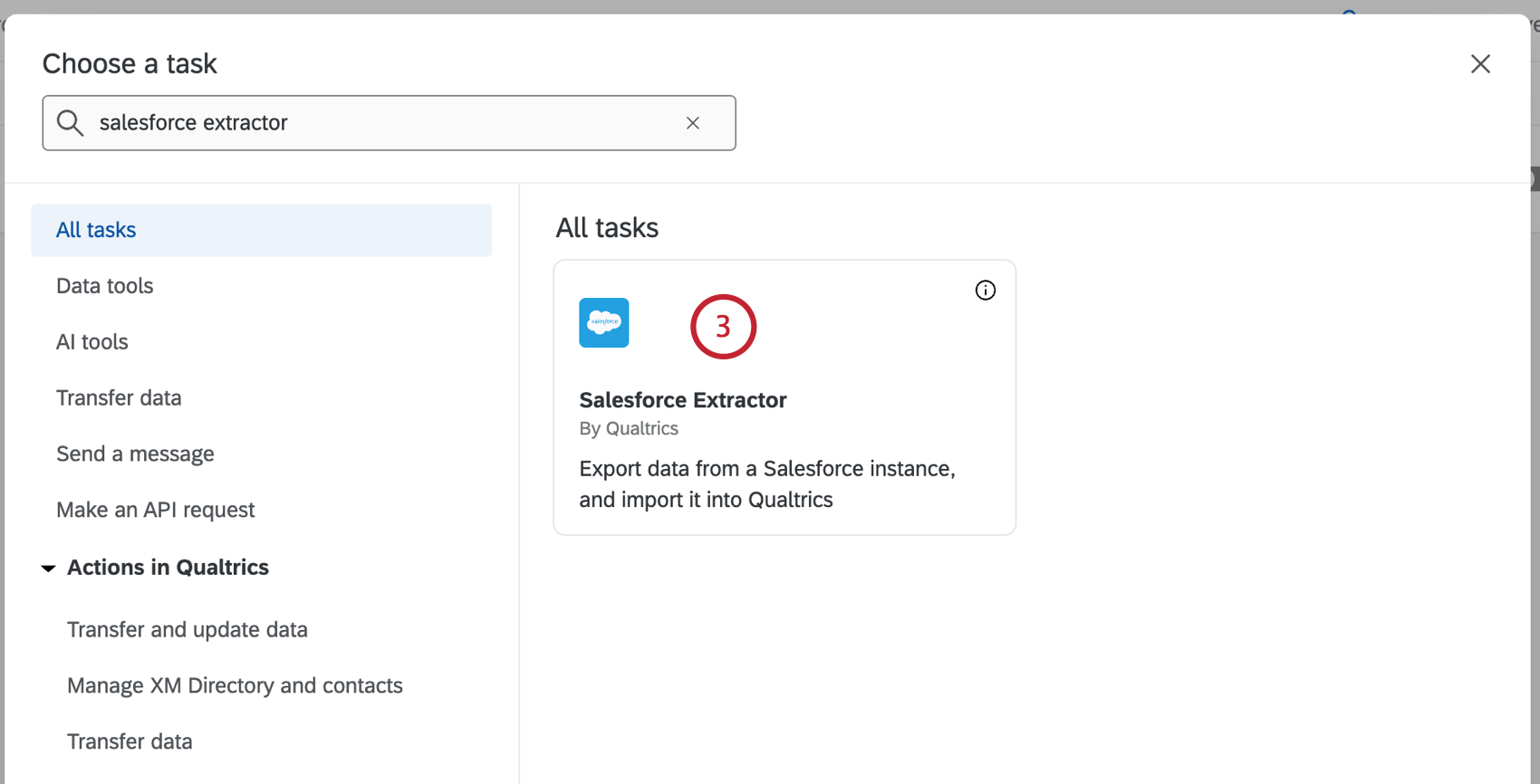
Search for the Salesforce Extractor task.
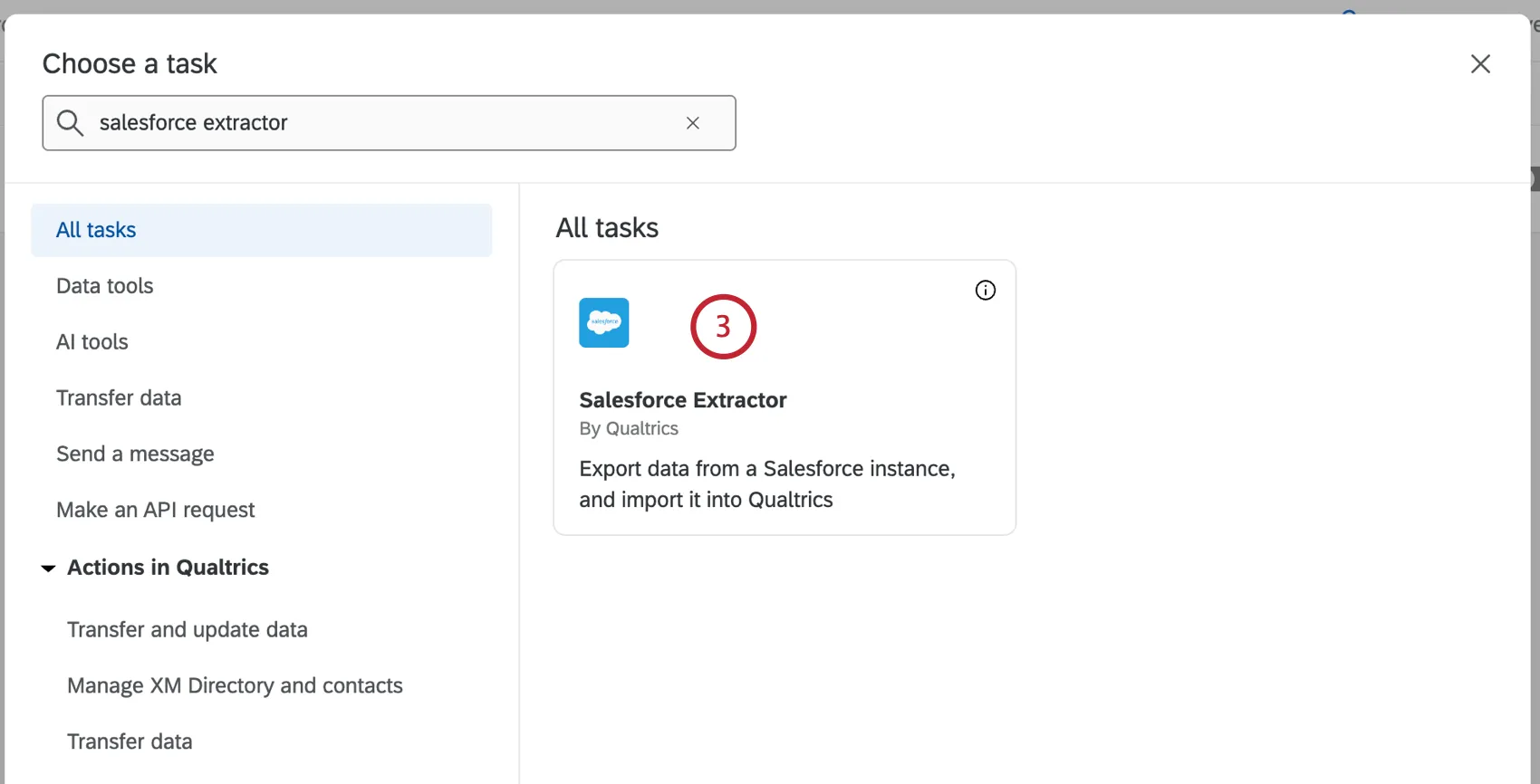
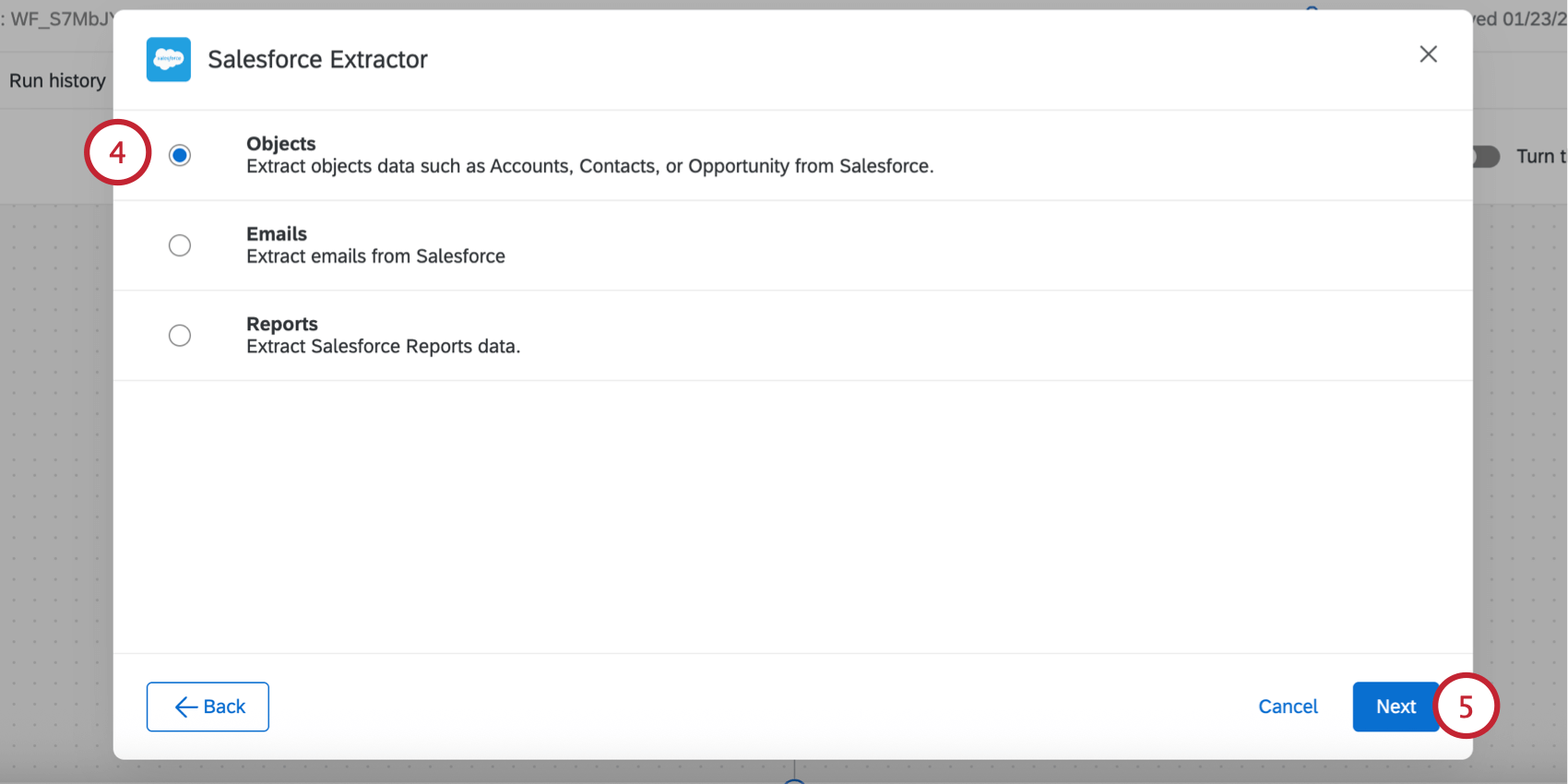
Select Emails.
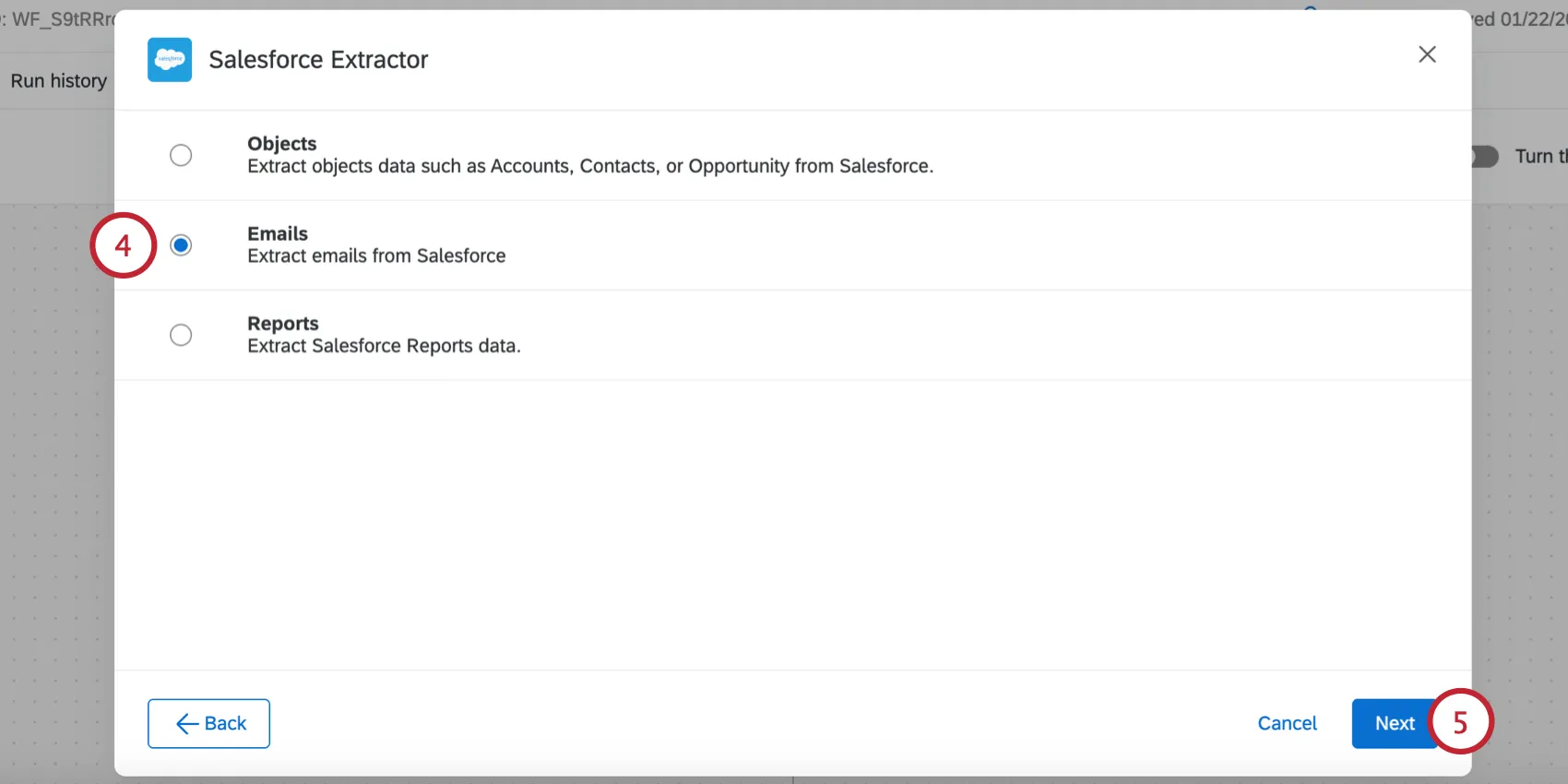
Click Next.
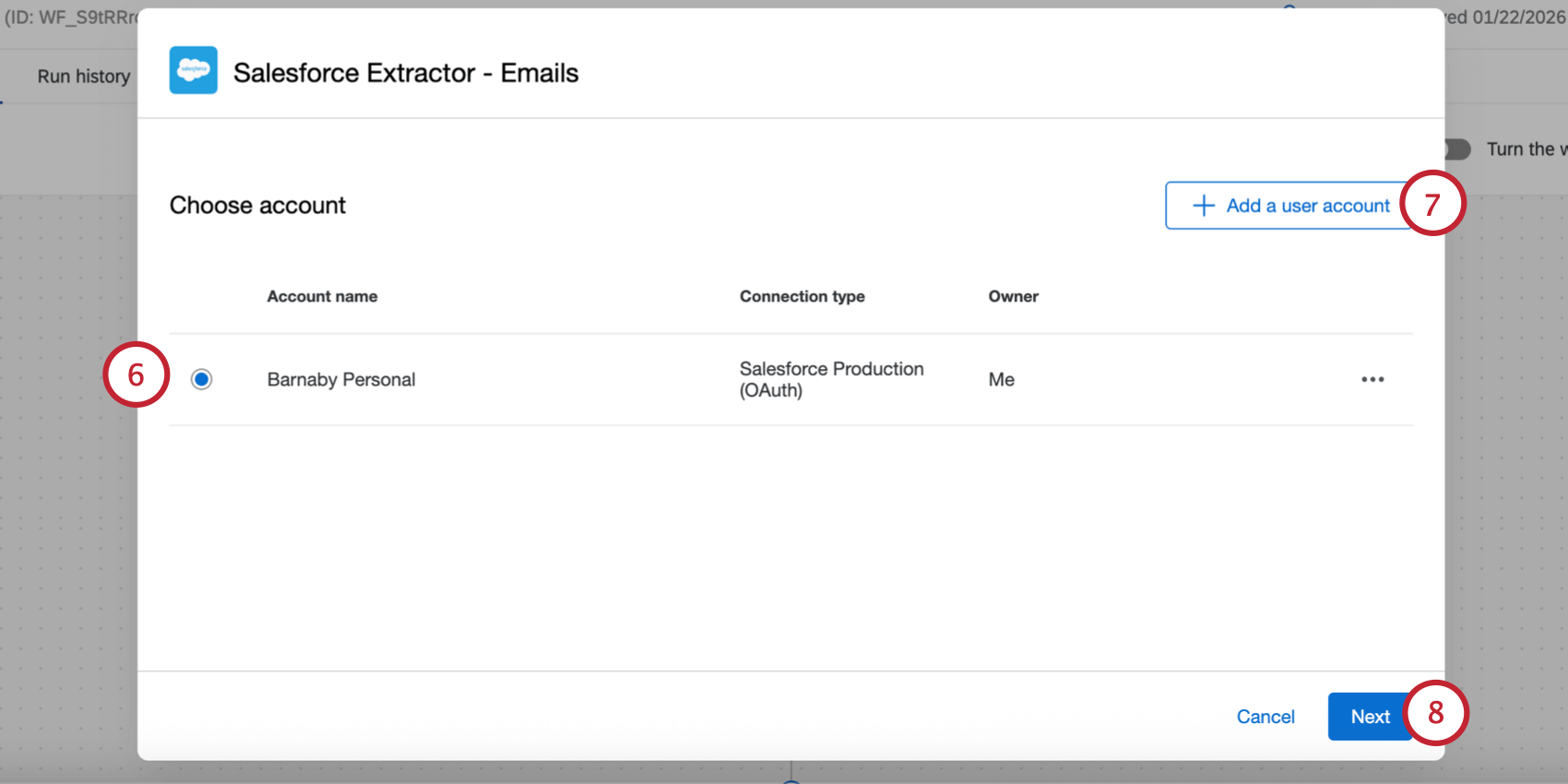
Select the Salesforce account to import data from.
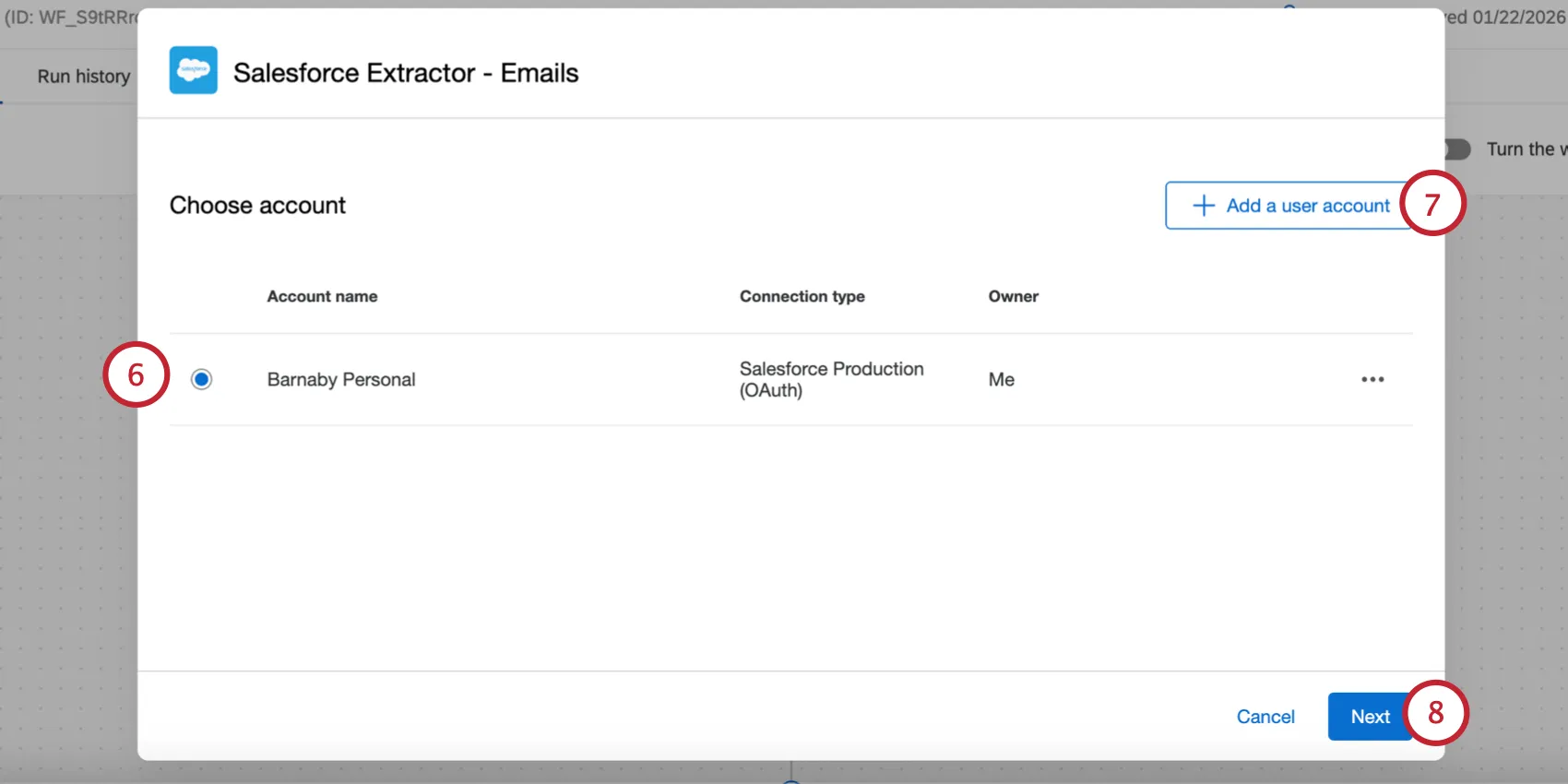
If you’d like to add a new Salesforce account, click Add a user account.
Qtip: Any Salesforce accounts you’ve previously connected as well as accounts set up by Brand Administrators will be available here.
Attention: You may have up to 5 external connections to your Salesforce account for this task. If you add more than 5 connections, the oldest connection will be severed.
Click Next.
Select the Salesforce Case status you’d like to import. You can select more than 1 status.
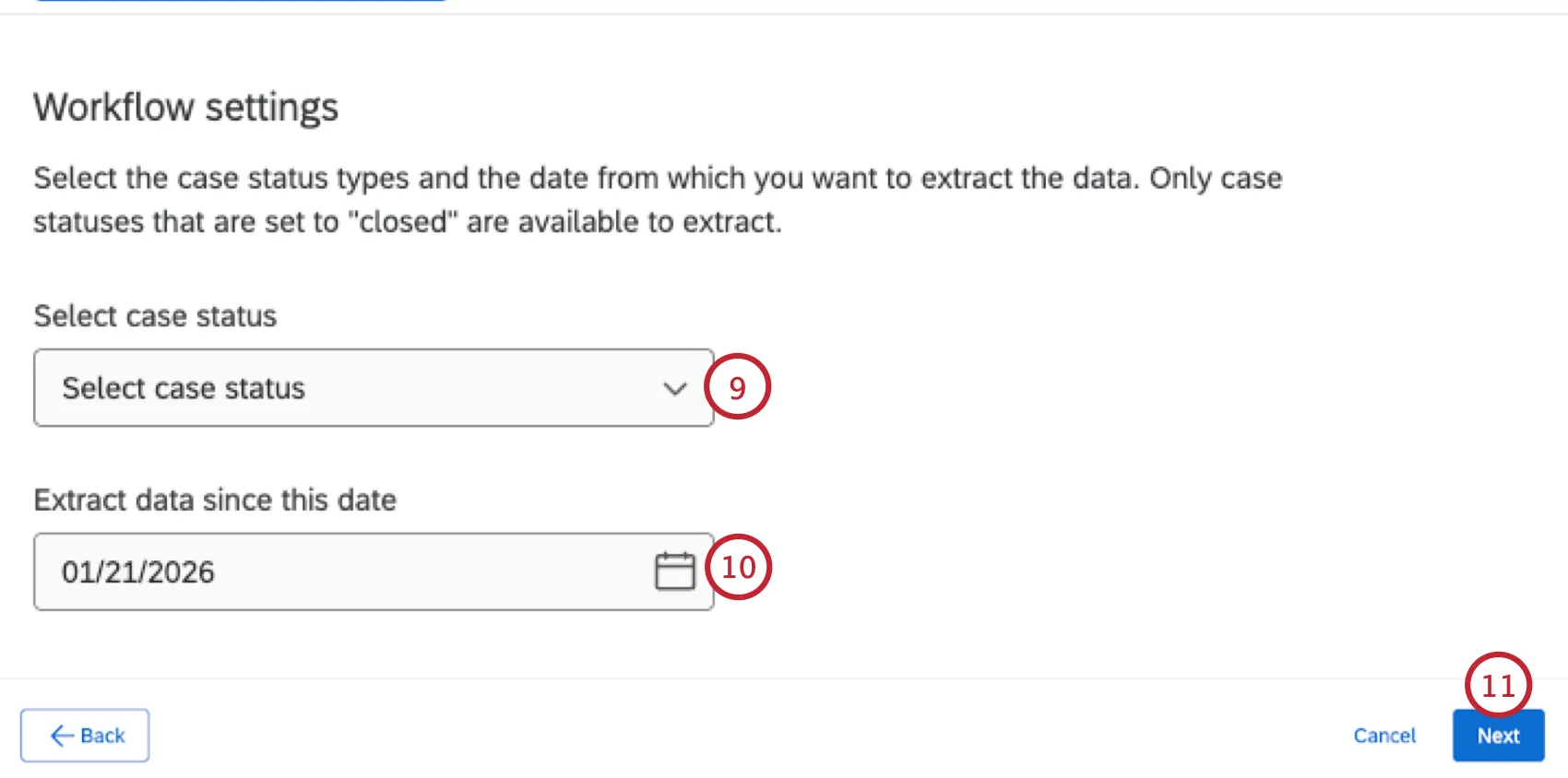
Attention: You can only select case statuses that are considered “closed” in Salesforce. The default “Closed” status is one of these, and you may have additional custom statuses that are also “closed,” which is set by an Administrator in Salesforce.
Choose the date to determine which emails are extracted. The first time this task runs, it will extract emails that have their case “Closed Date” between your selected date and first task execution date (which is set by the schedule when you build the ETL workflow).
Qtip: On subsequent executions, it will only extract emails if the case’s “Closed Date” is between the previous execution and current execution (which are determined by your ETL schedule).
Qtip: You can set a custom timeframe to extract data from a specific date range by clicking the Run Immediately button at the top of your workflow. This allows you to “override” the default data extraction behavior above. See Extracting Data From a Specific Date Range for step-by-step instructions. Please note that this option is only available when extracting emails from Salesforce.
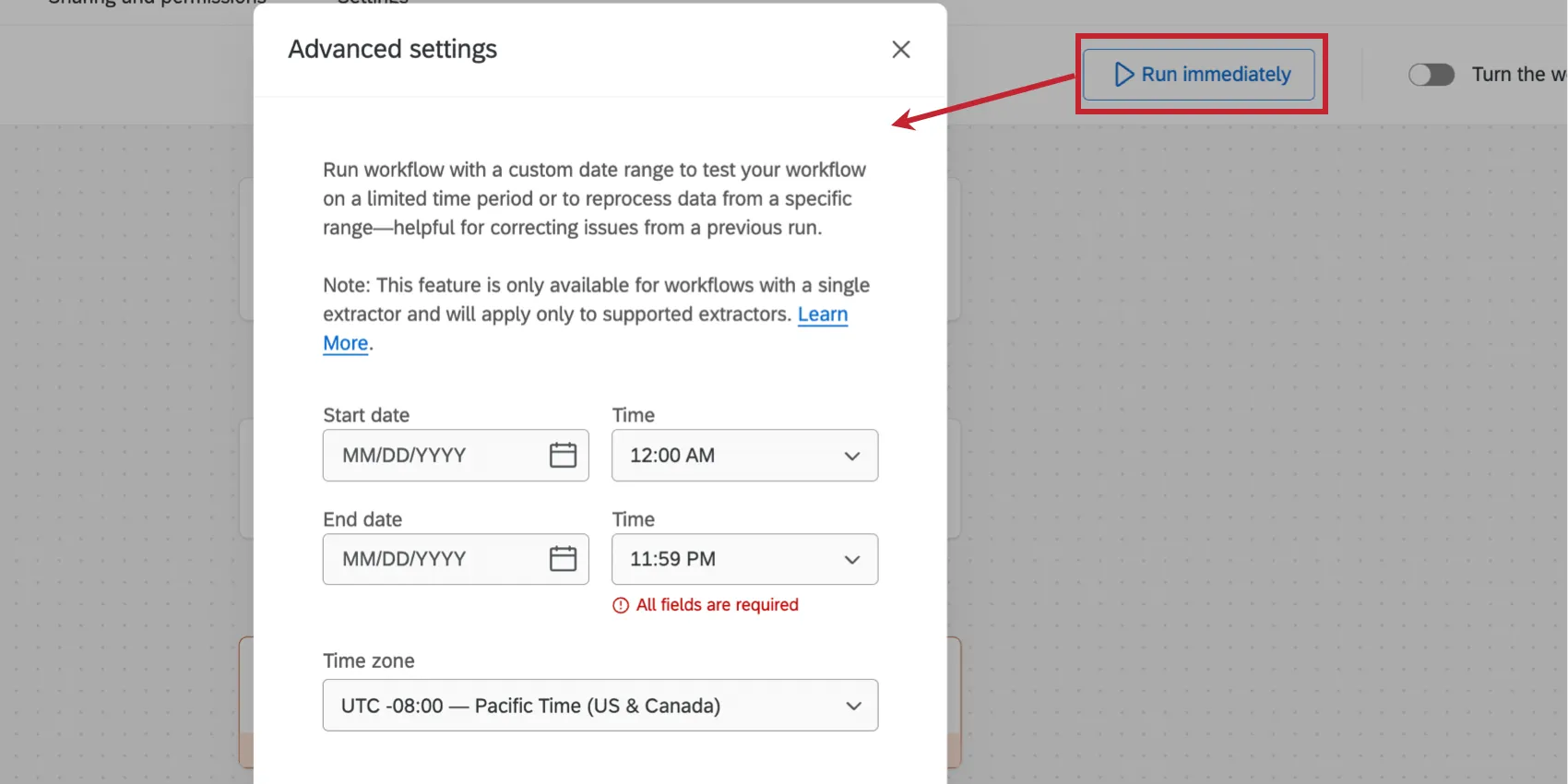
Click Next.
On the next page of the extractor, you will see the Salesforce fields connected to the EmailMessage object in Salesforce.
Attention: Compound fields from Salesforce will not appear here since they cannot be imported to Qualtrics.
The left side of the table contains optional fields that can be imported, if you’d like. Some fields are marked as “Preferred” since they can be useful in an OXM project.
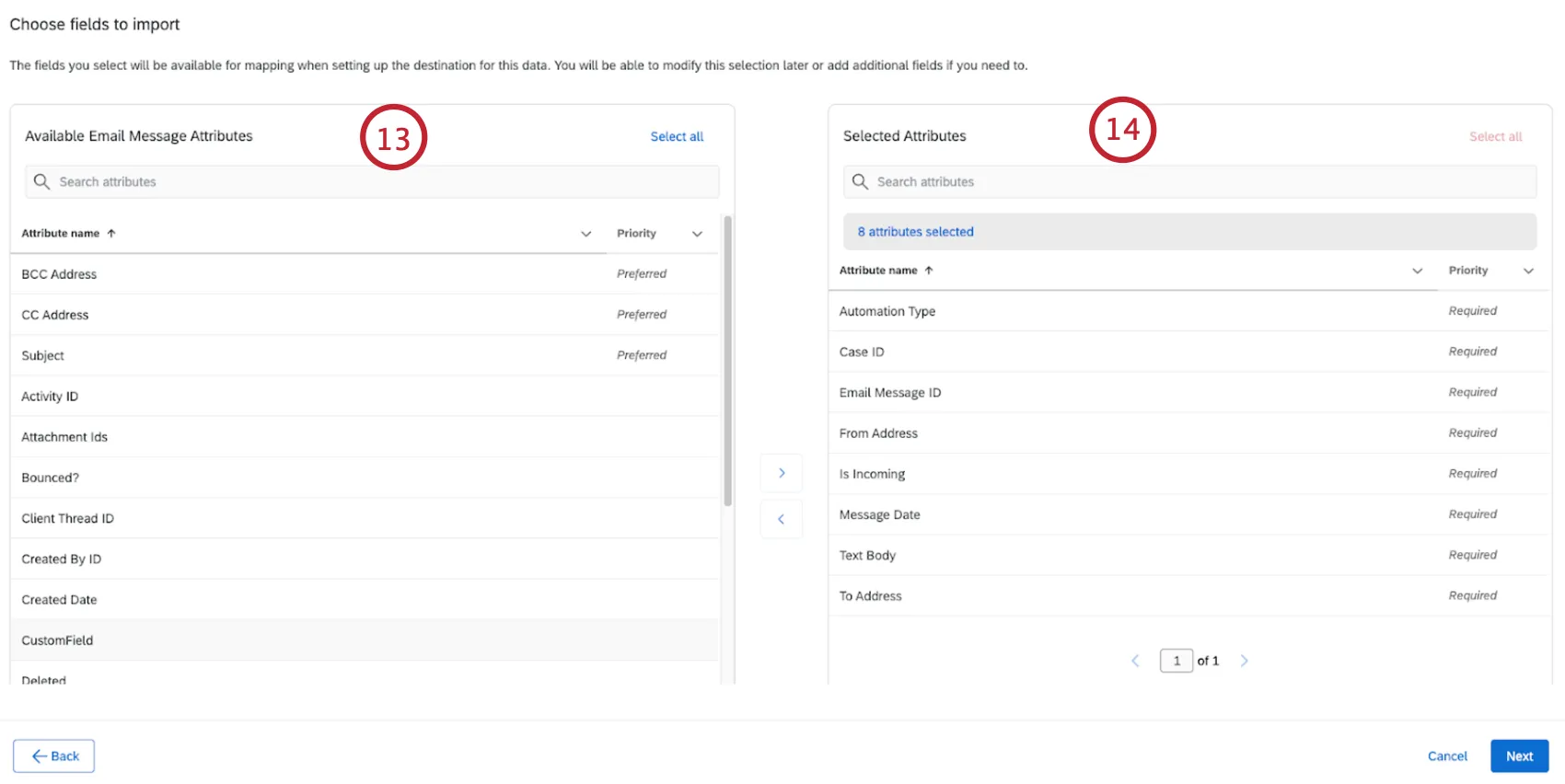
The right side of the table has fields that will be imported into Qualtrics.
Qtip: Some attributes are required and will already be in this column. They cannot be removed.
To move a field between the two sides of the table, click the field and then the arrow button. You can click on multiple fields to select them at the same time.
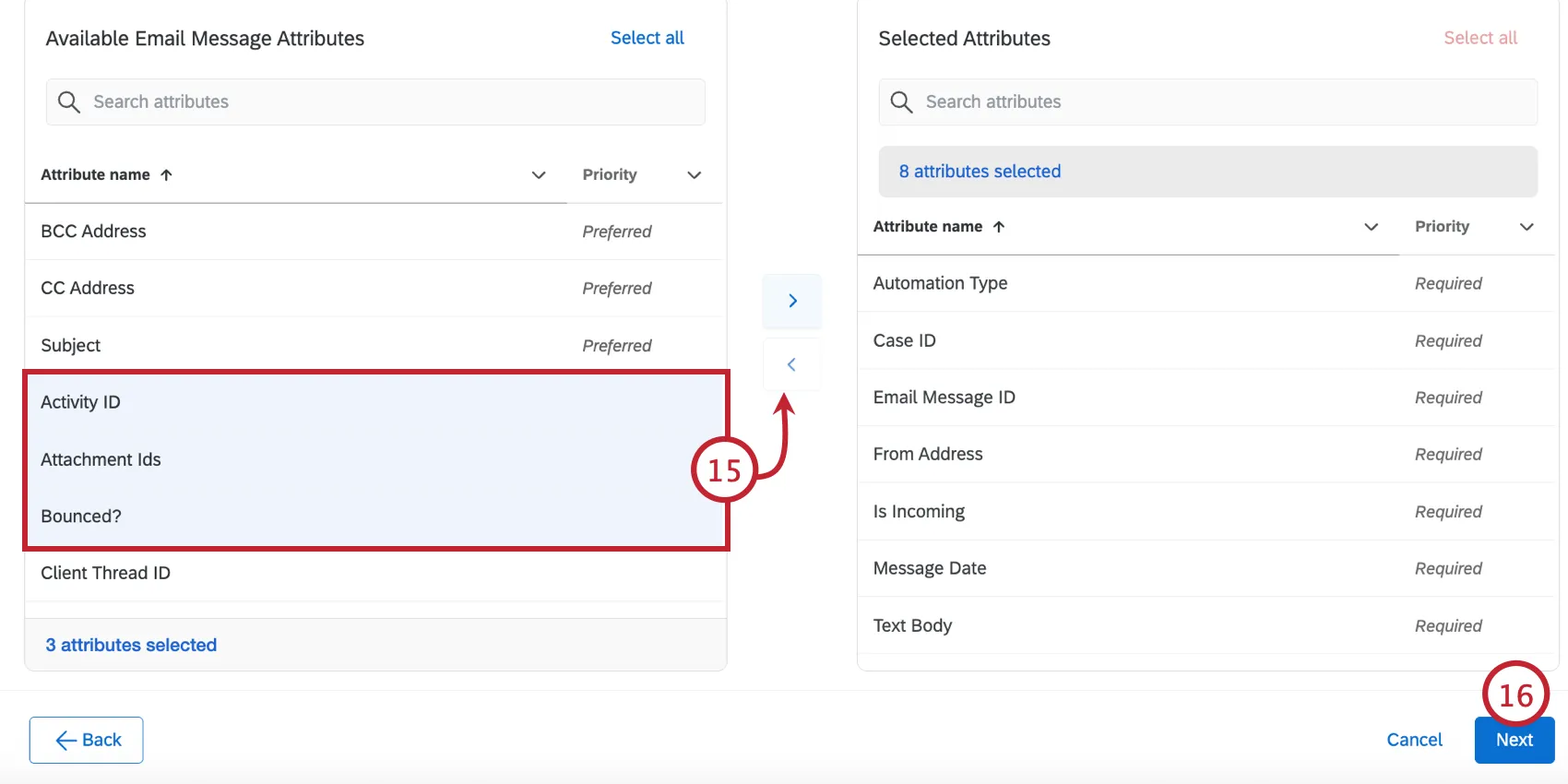
Click Next.
The next page contains Case fields. Only Cases with emails will be imported into Qualtrics. You can adjust the fields that are imported into Qualtrics using the same method as before.
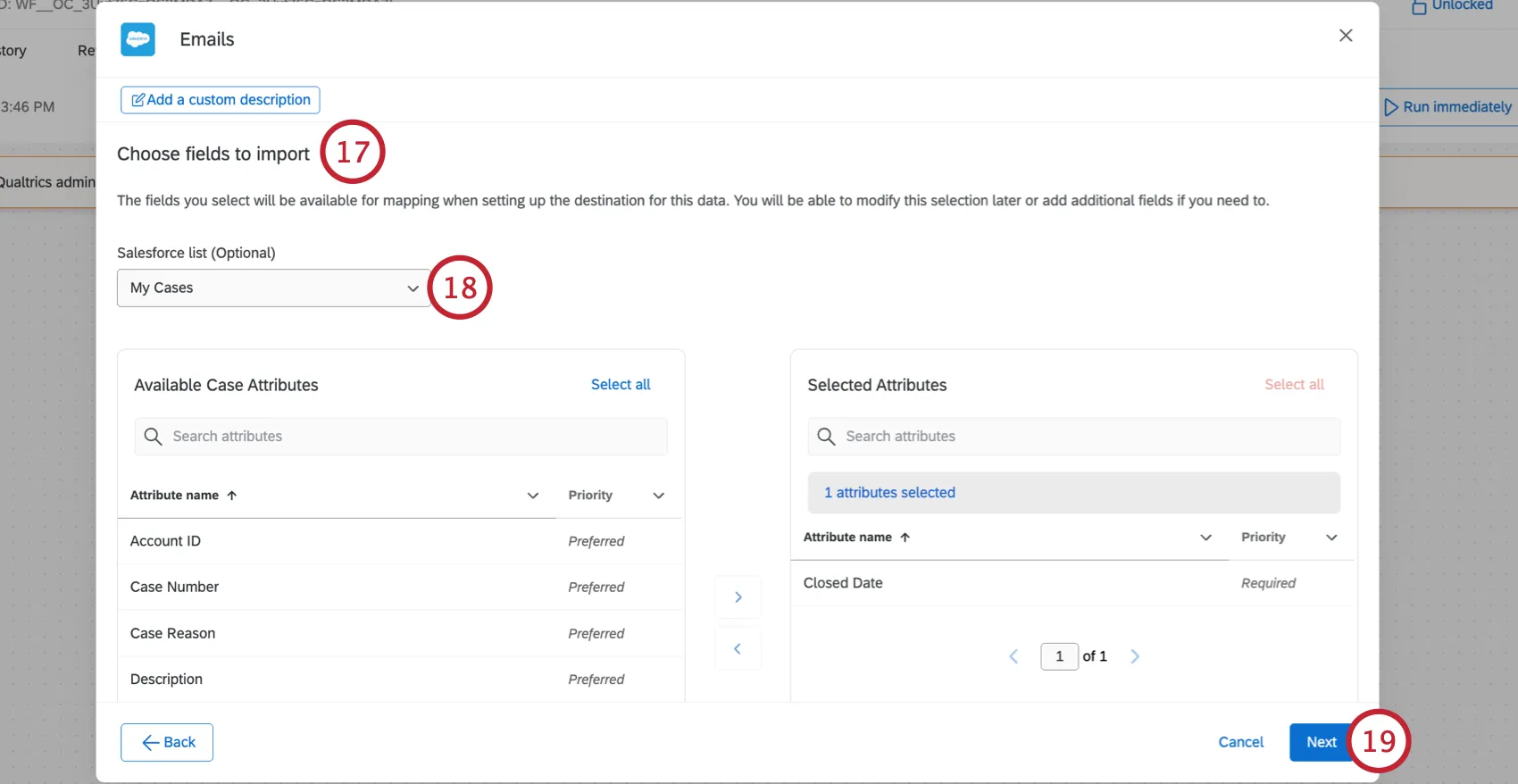
You can select the list view connected to Case object. The task will extract only emails that are connected to the Cases that are on this list view, if it is selected.
Attention: The extractor will still only select email from closed Cases.
Click Next.
The last page contains fields connected to the Account object (which is connected to the Case object in Salesforce via AccountId). You can adjust the fields that are imported into Qualtrics using the same method as before.
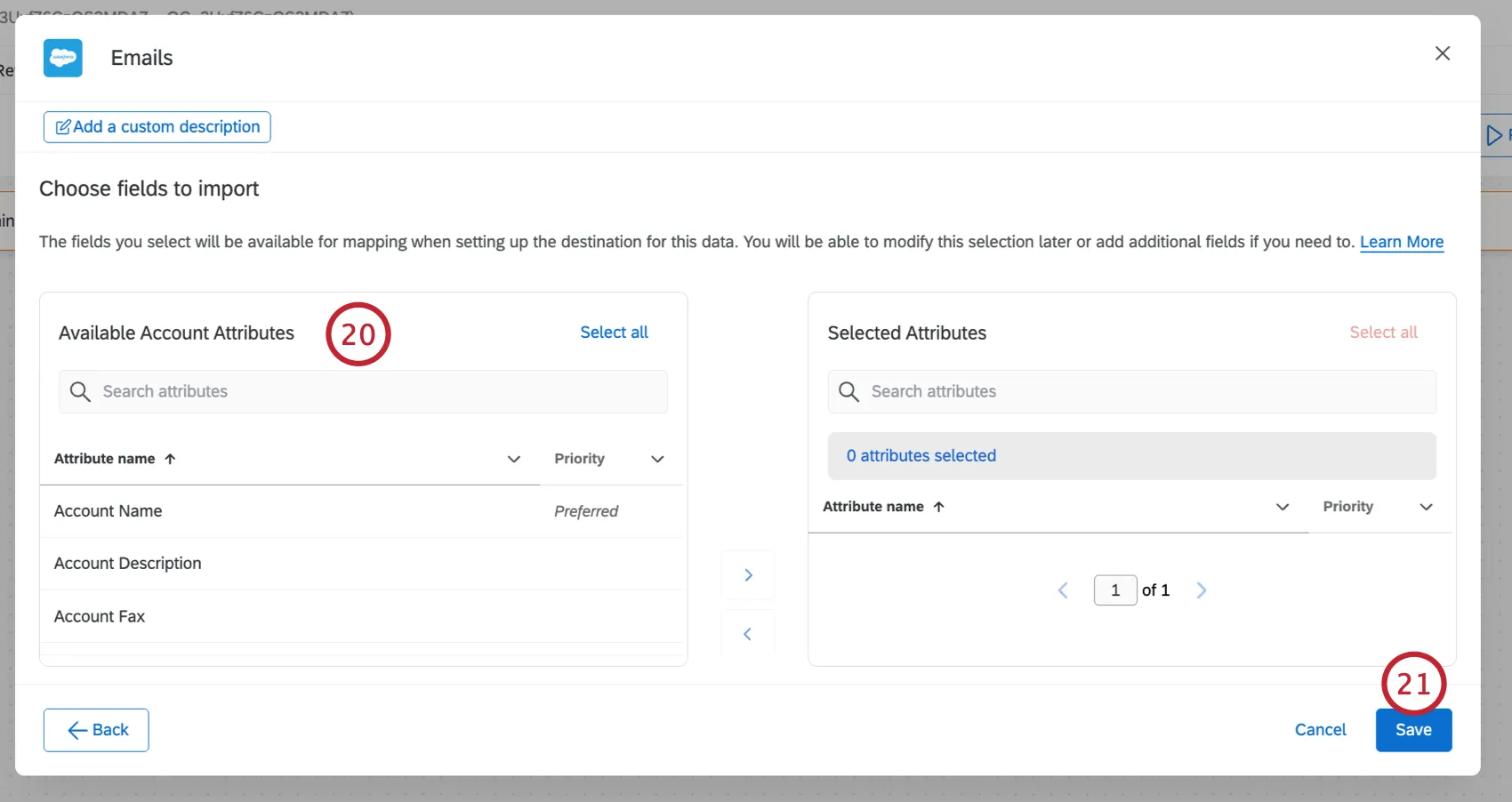
Click Save.
After extracting data from Salesforce, you must tell Qualtrics where to save the data with a data loader task. When extracting emails from Salesforce, you’ll use the Load Data to Conversational Analytics Task to load the data to an Email Data Project.
Qtip: Not every attribute will available when loading your data to an email project via the Load Data to Conversational Analytics Task. Only attributes from Case and Account objects will be available for mapping in loader or transform tasks. The Email attributes will become the Transcript that corresponds to the Transcript Content field. The email project will use the Transcript Content to analyze your emails.
Extracting Report Data from Salesforce
Qtip: This task replaced the “Import Salesforce Report Data” task. It offers the same functionality with a streamlined setup.
This section covers how to extract data from Salesforce reports to use in Qualtrics.
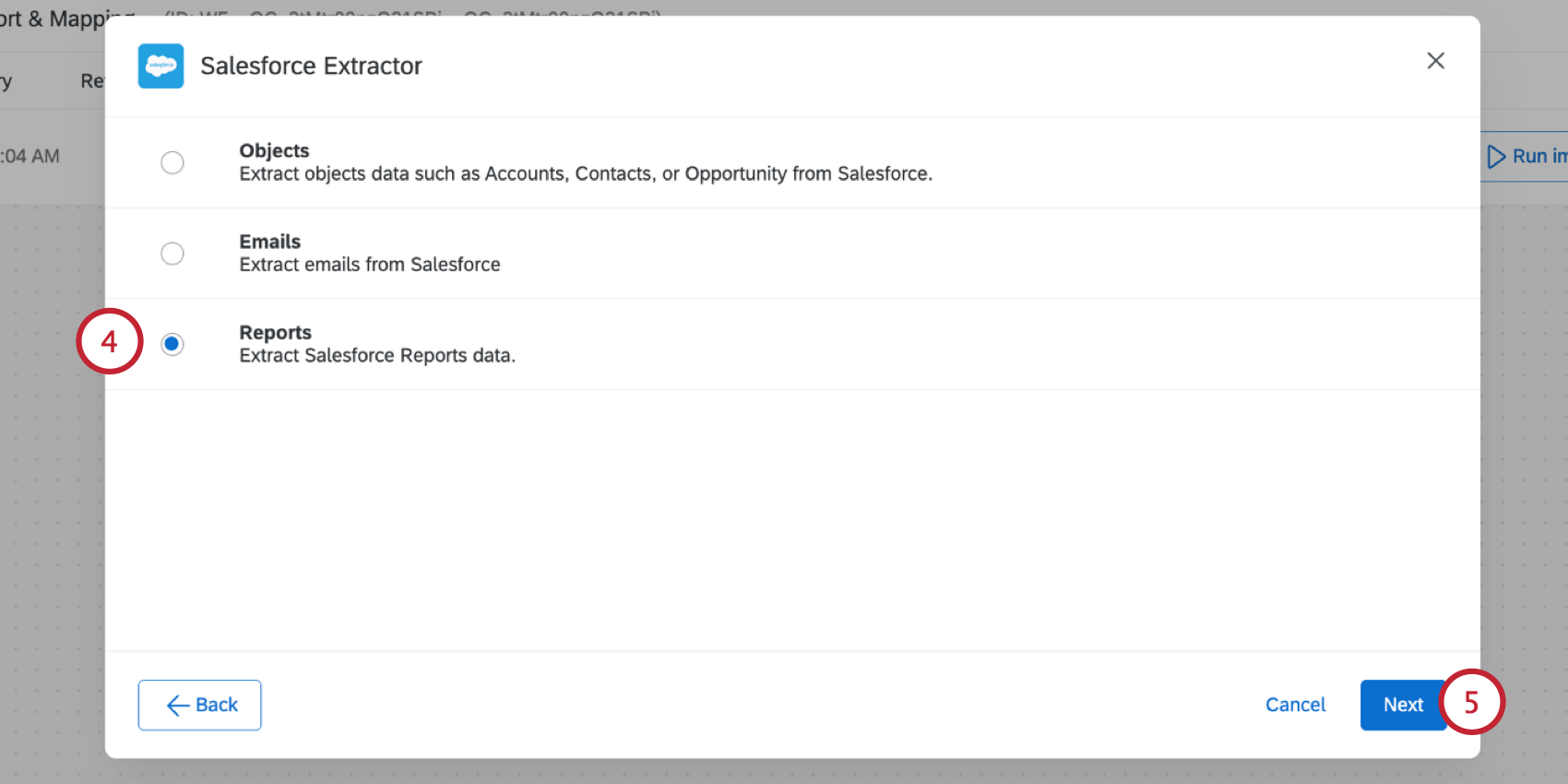
Qtip: Any Salesforce accounts you’ve previously connected as well as accounts set up by Brand Administrators will be available here.
Attention: You may have up to 5 external connections to your Salesforce account for this task. If you add more than 5 connections, the oldest connection will be severed.
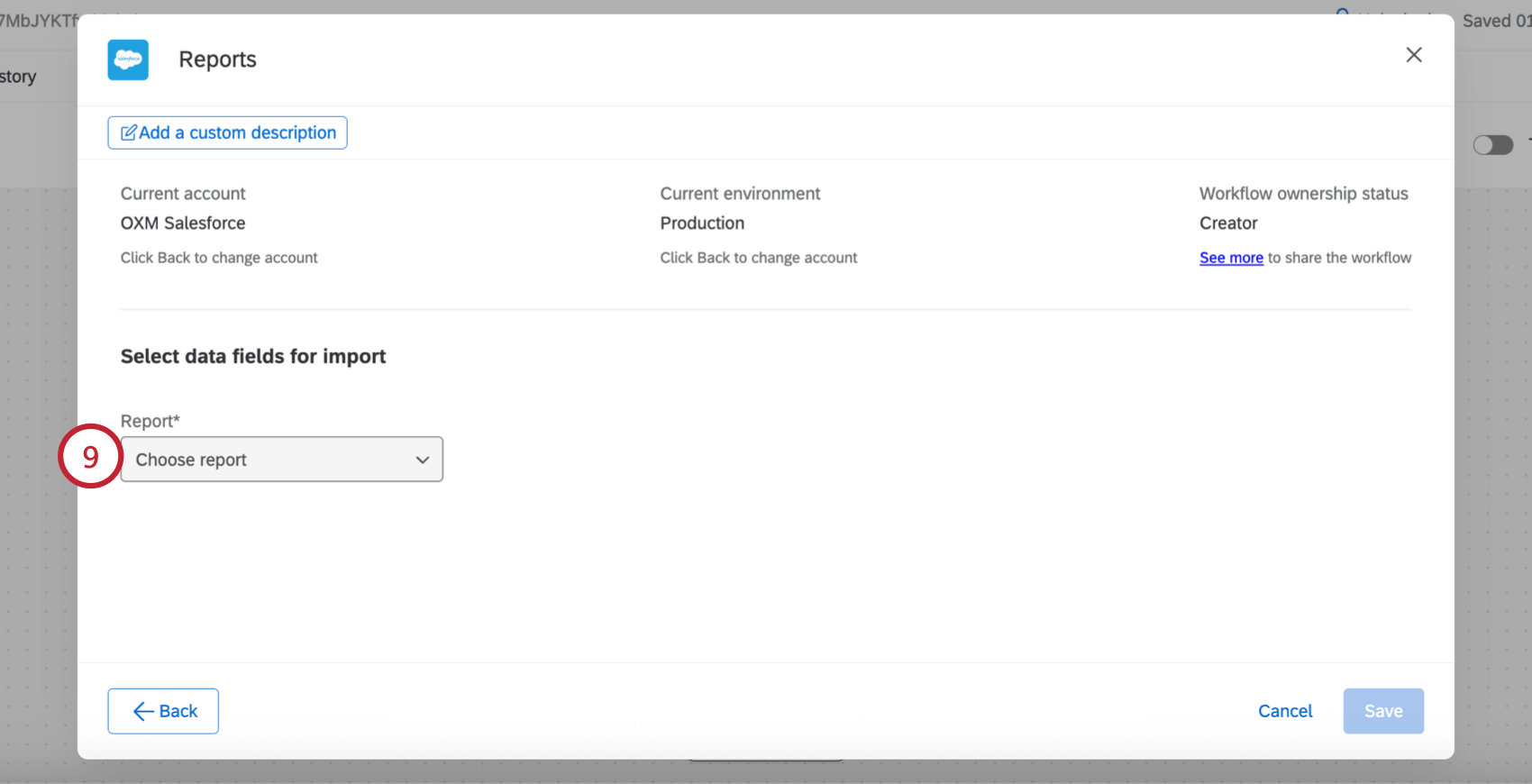
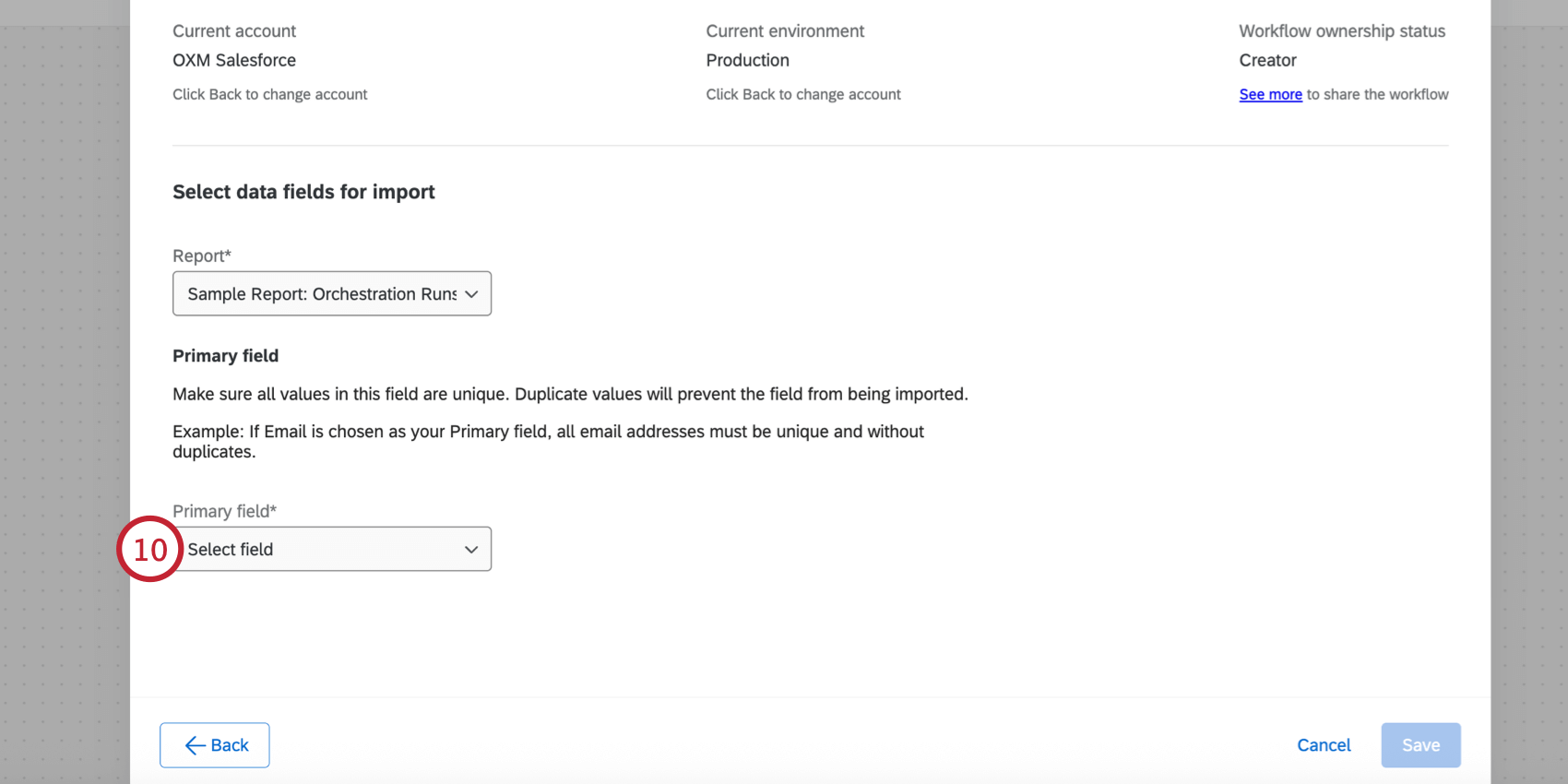
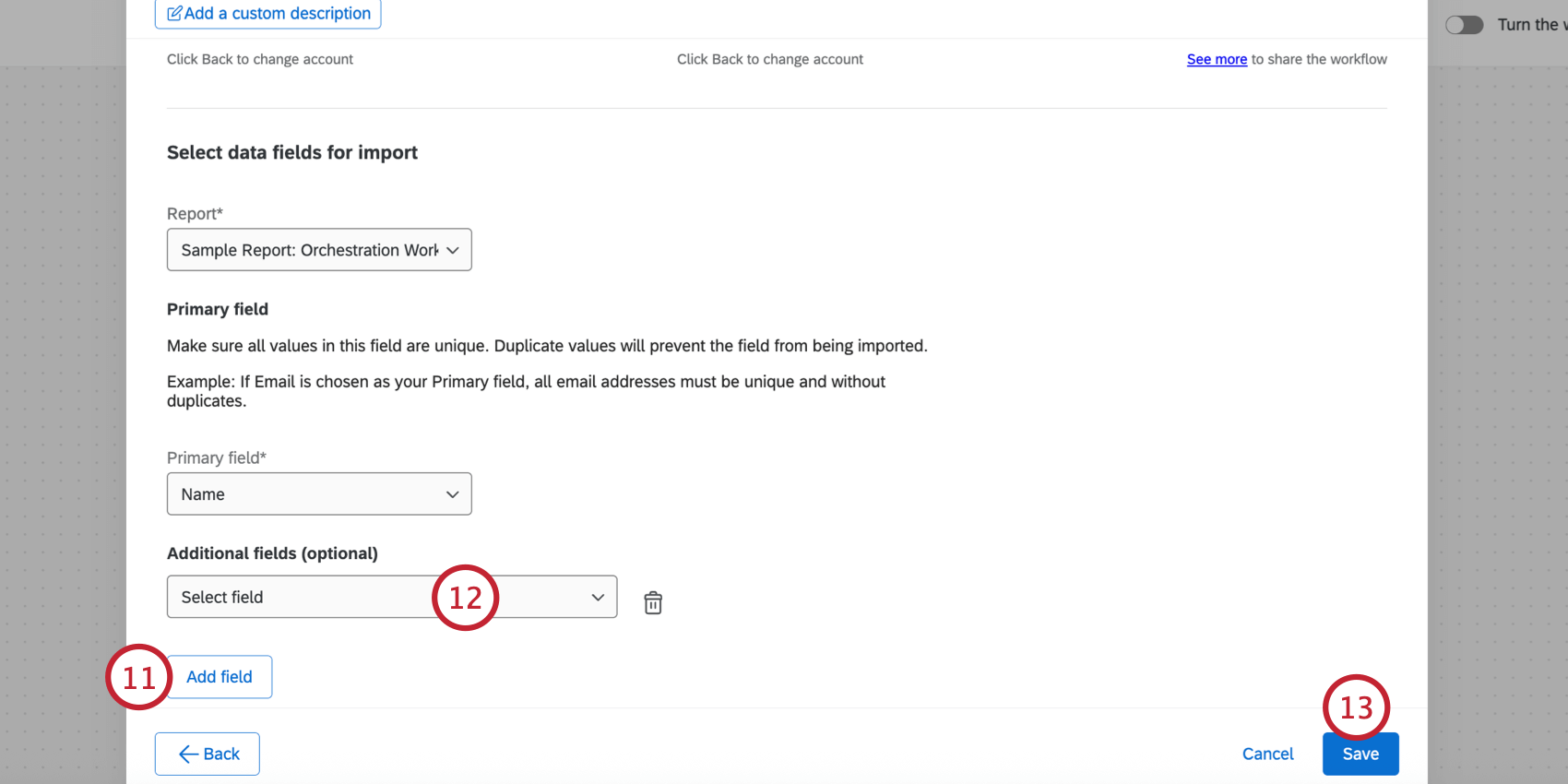
Qtip: To remove a field from your mapping, click the trash can icon.
Next, you’ll need to save your data to Qualtrics using a loader task. Typically, this is the “Add Contacts and Transactions to XM Directory” task.
That's great! Thank you for your feedback!
Thank you for your feedback!