

Load Data to Discover Task
What's on this page
Attention: To use this task you must have an XM Discover account linked to your Qualtrics account. For more information, see Linking XM User Accounts.

About the Load Data to Discover Task
The Load Data to Discover task is used to send data from Qualtrics to Discover. To use this task, you must first load data into Qualtrics using a data extractor task.
Qtip: For information on general limits that apply to ETL workflows, see Workflow Limits. For any task-specific limits, refer to the information on this page.

Setting up a Load Data to Discover Task
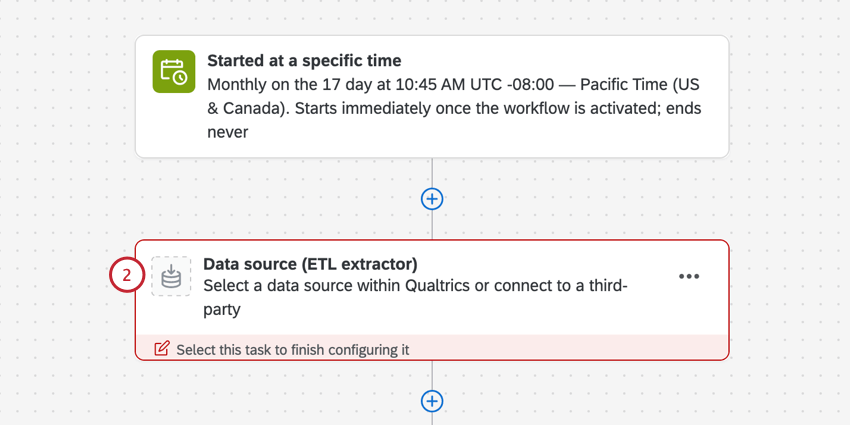
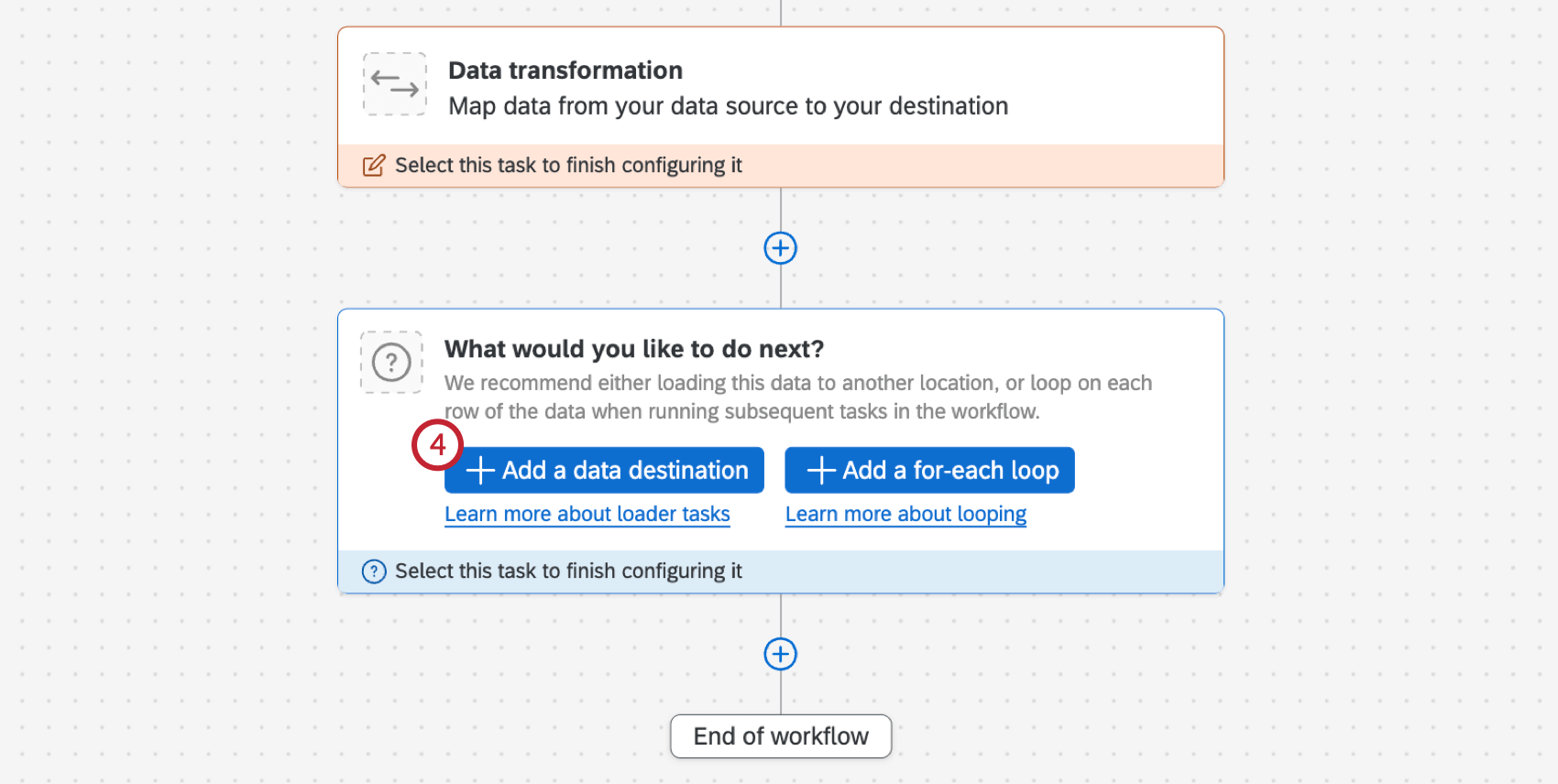
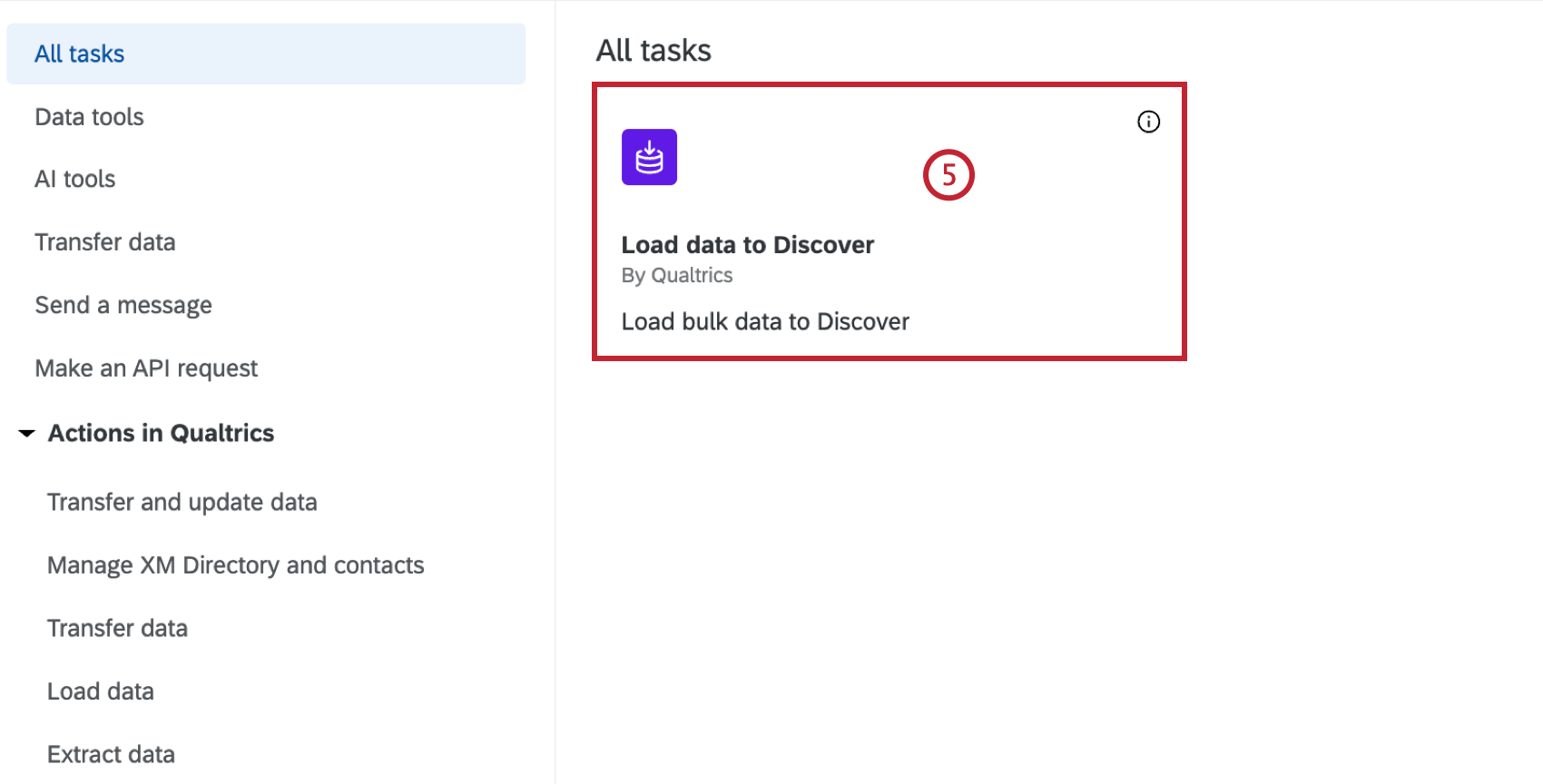
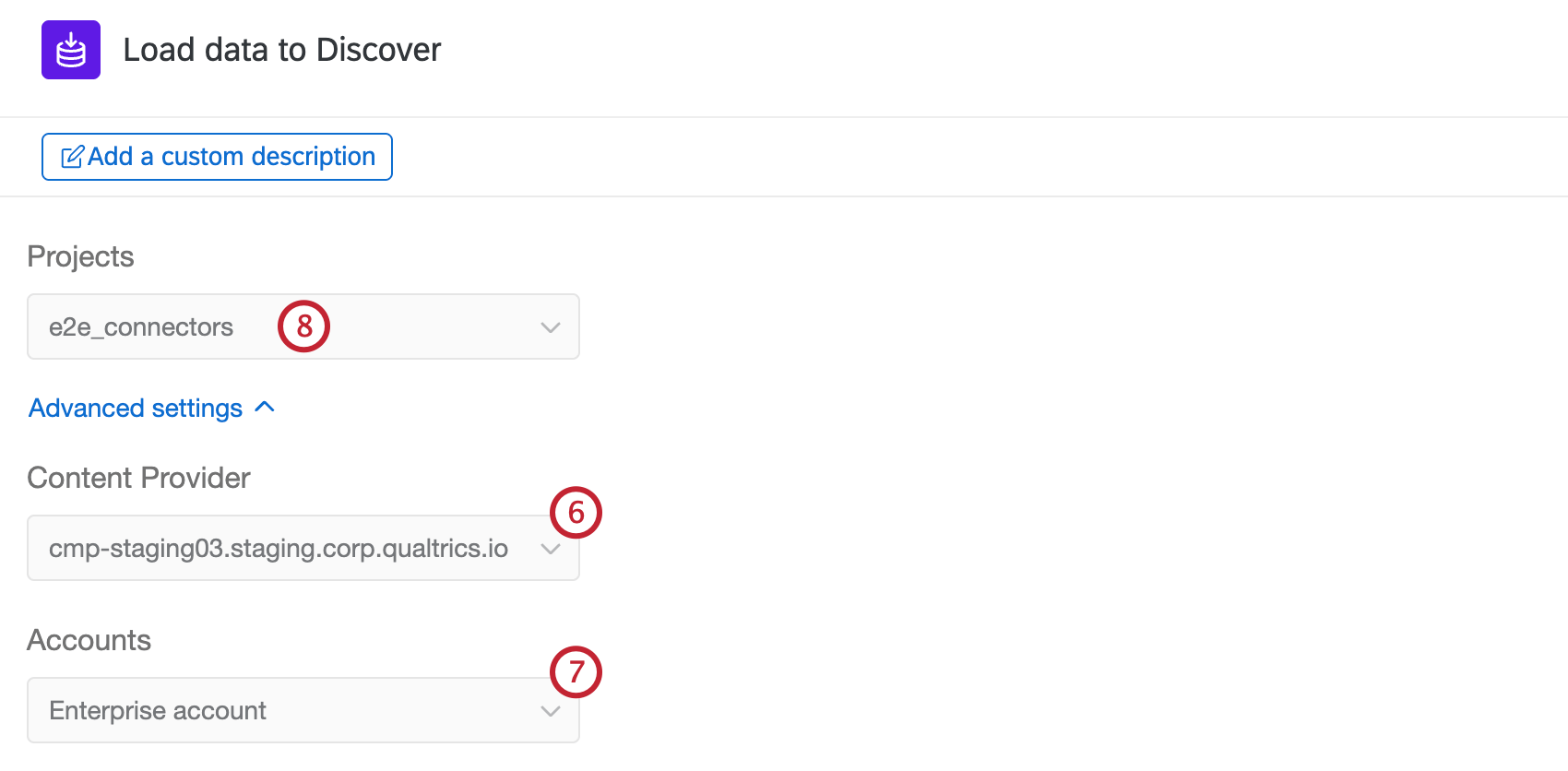
Attention: You must have “Read Only” or “Administrator” project permissions to be able to select a project in this task.
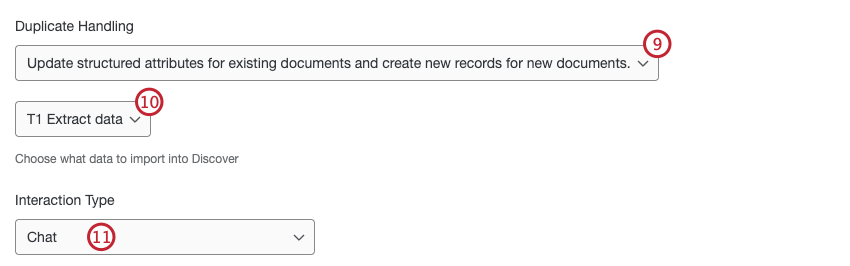
- Chat: Web chat, in-app chats, instant messages, SMS text conversations, and direct message chats between an individual and a customer support team. This does not include community chats between a customer and a group of individuals like Discord or Slack channels.
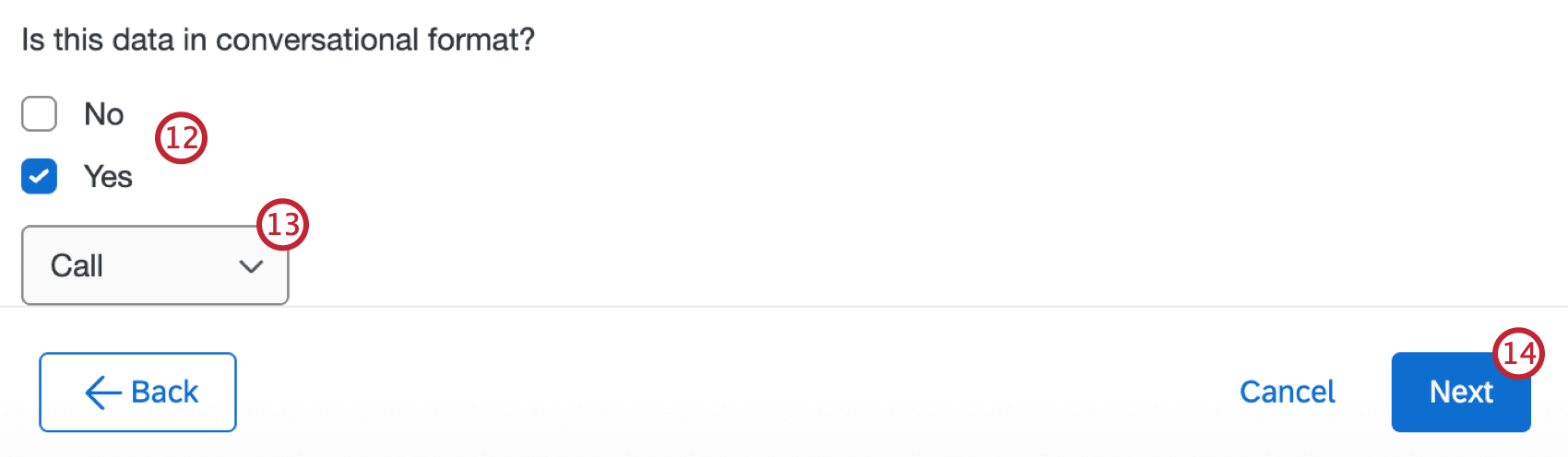
- Call: A customer-provided transcript of a telephone call or voicemail, or an audio file or a call recording.
- Review: A single public review thread left by an individual on an online review site.
- Social: A post, including any replies, in a single thread on a social media platform that mentions the business or location being researched.
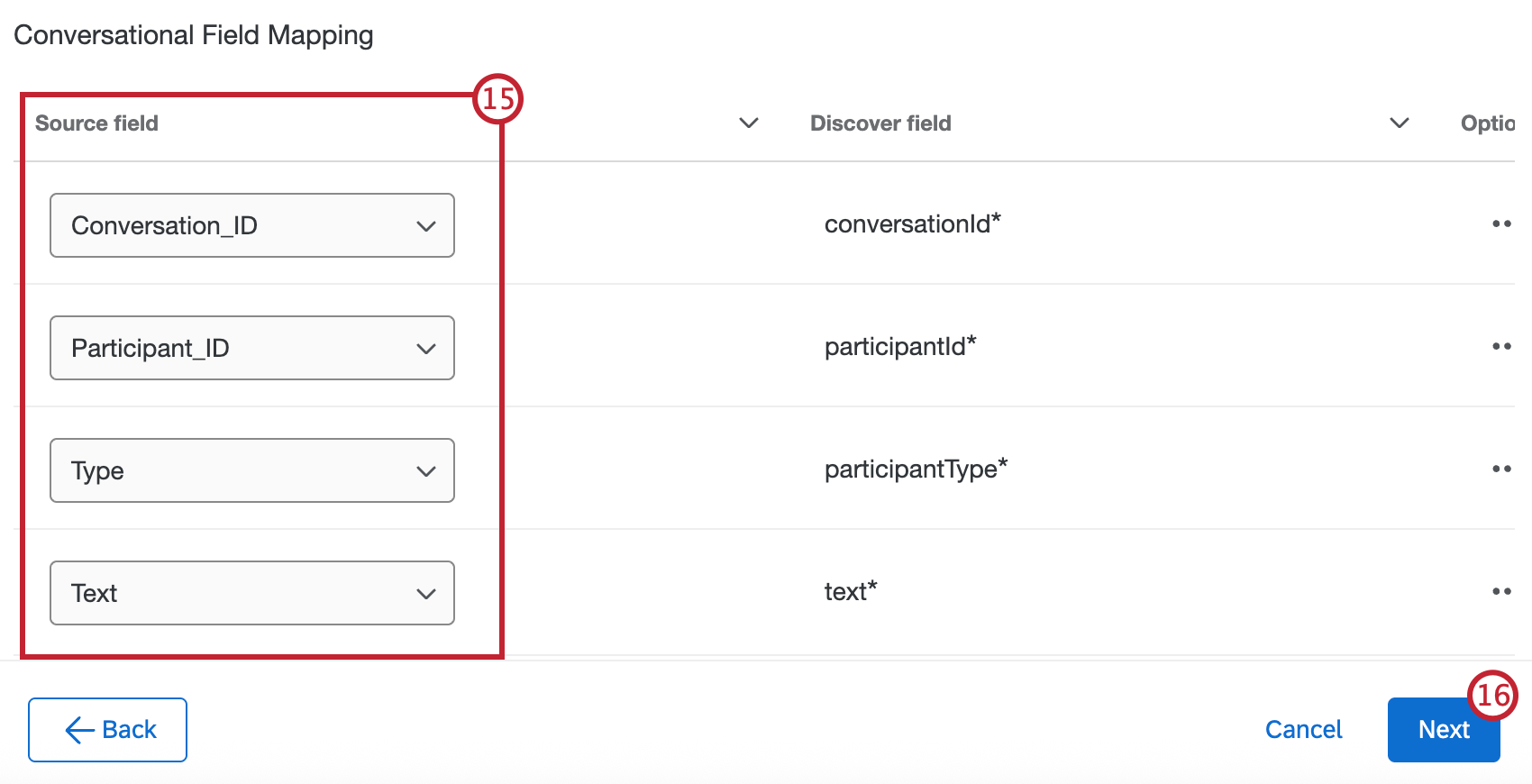
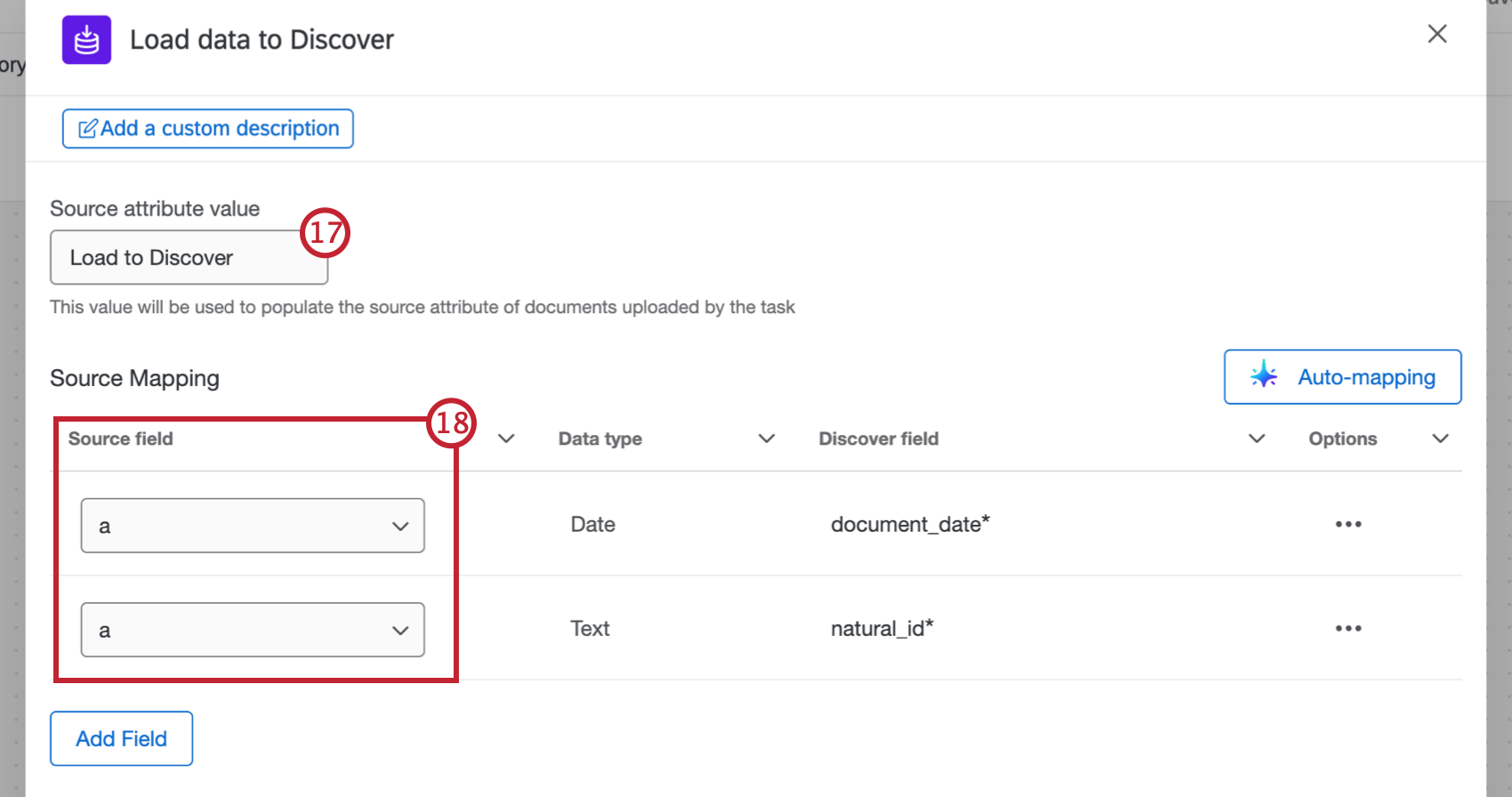
Mapping Data Fields
Attention: When mapping fields, Document Date must be in ISO-8601 or YYYY-MM-DD HH:mm:ss format. If you are using data from an imported data project, the recorded date must be reformatted with the Basic Transform Task before it is loaded to Discover.
Mapping Fields Manually
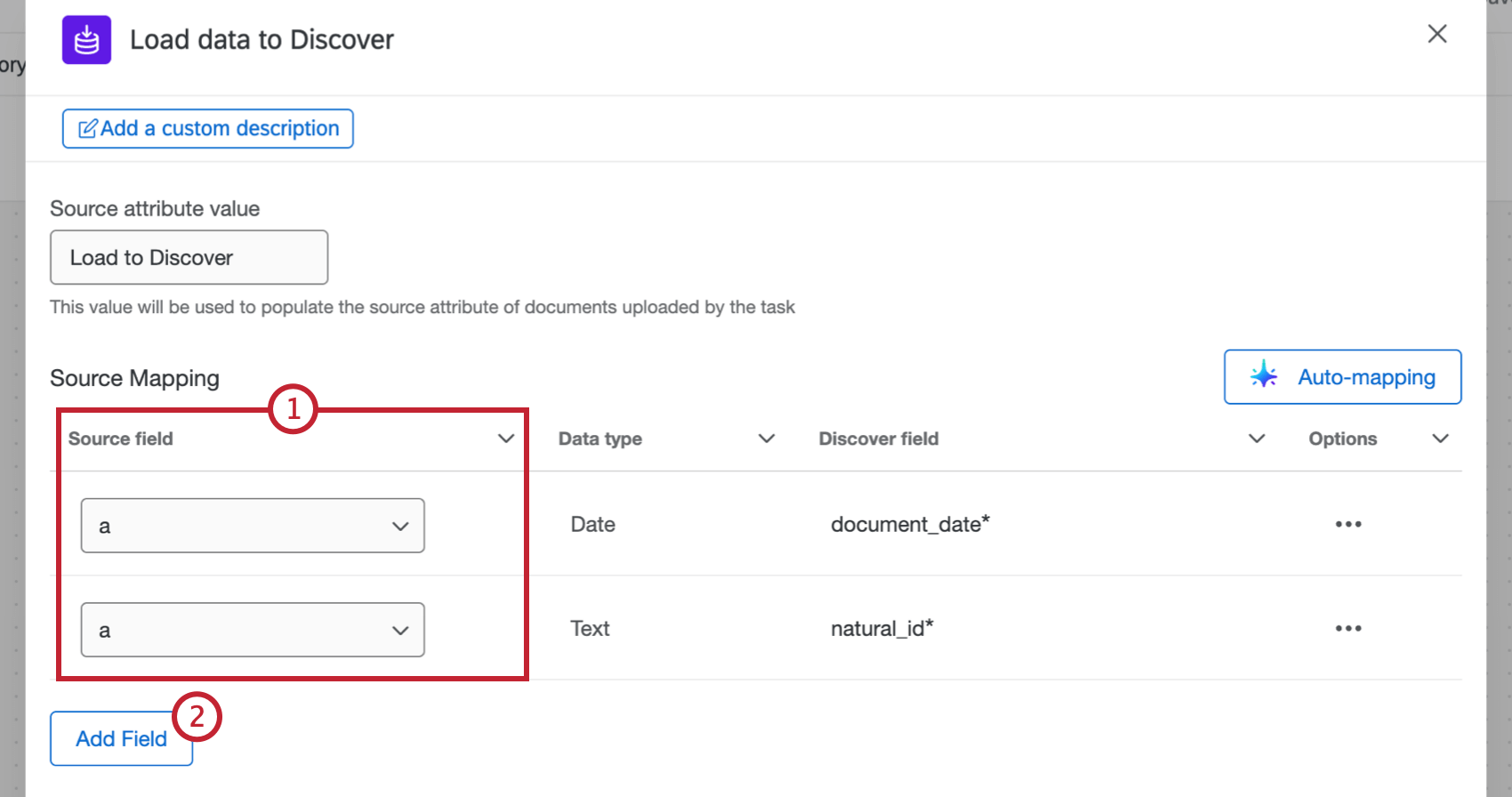
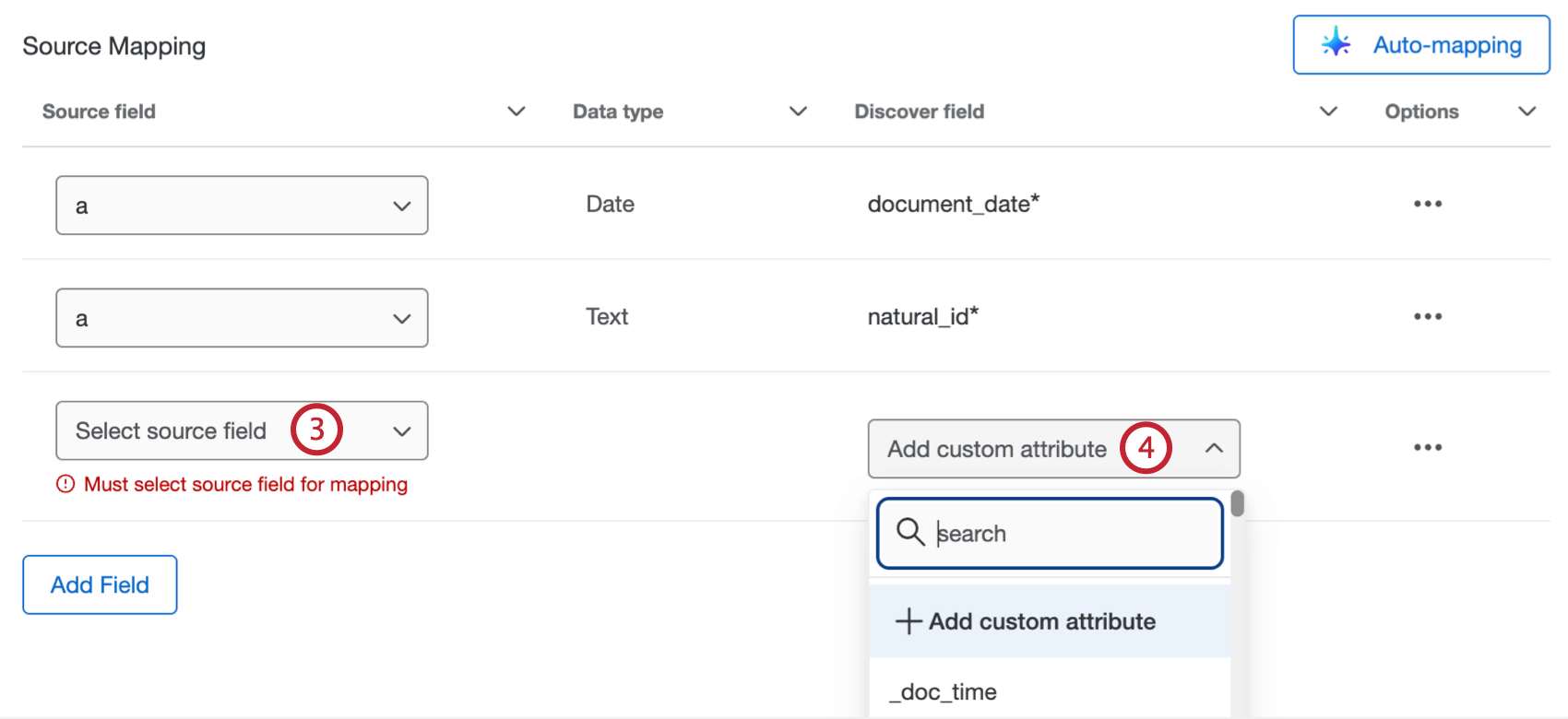
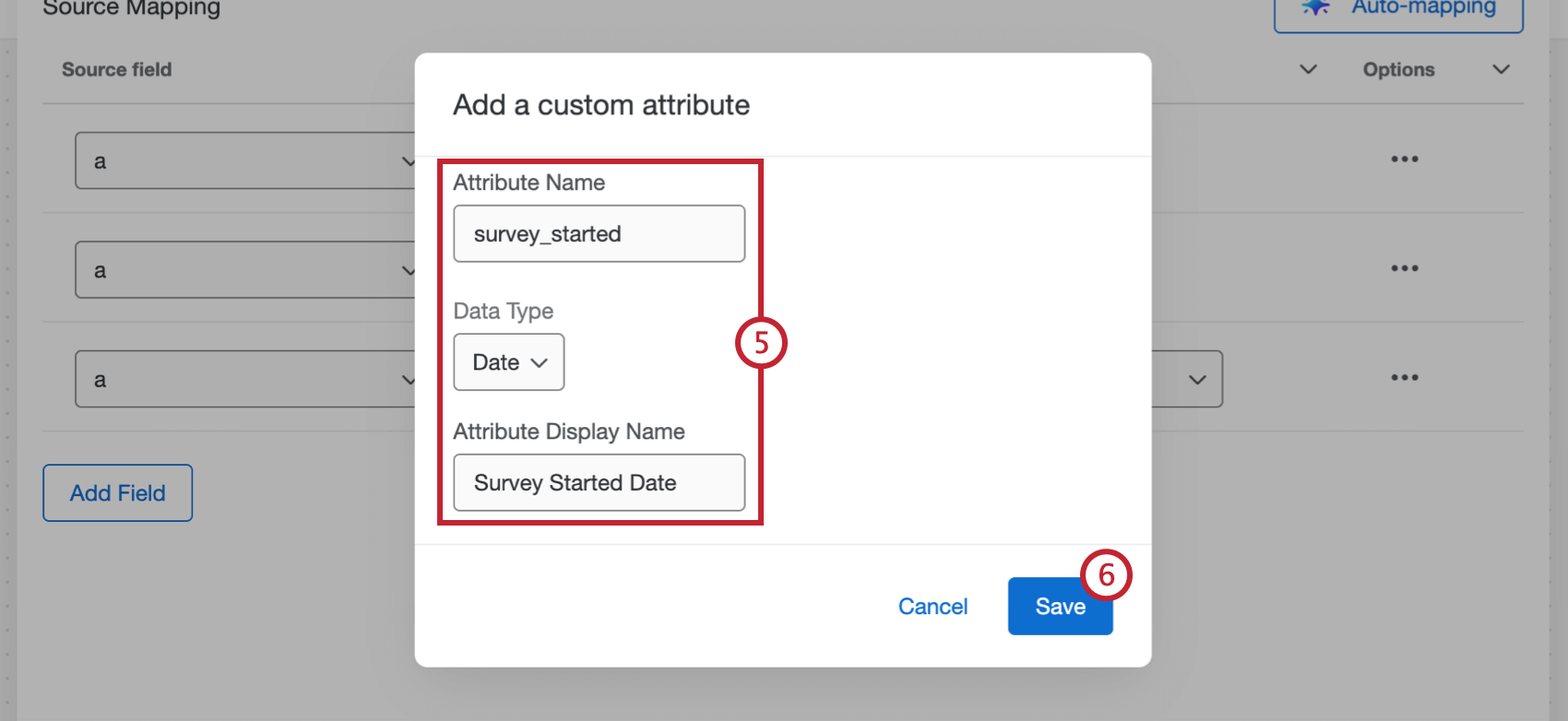
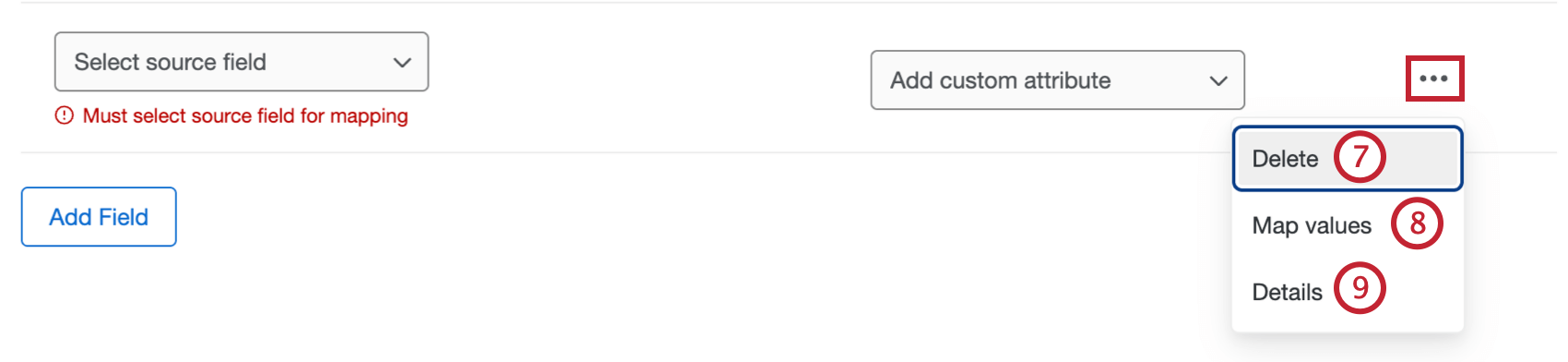
Qtip: After selecting Map values, you can assign a static text value to a field. To do this, select a source field for the row, then specify a default value that will always be assigned if no other mapped values are provided.
Mapping Fields Automatically
Attention: You can only use auto-mapping if a Brand Administrator has enabled the Enable AI Assistance in Configuring Workflows permission for your organization in the Admin tab.
Attention: Auto-mapping is not currently available for customers in the FedRAMP environment.
To map your task fields automatically using AI, follow these steps:
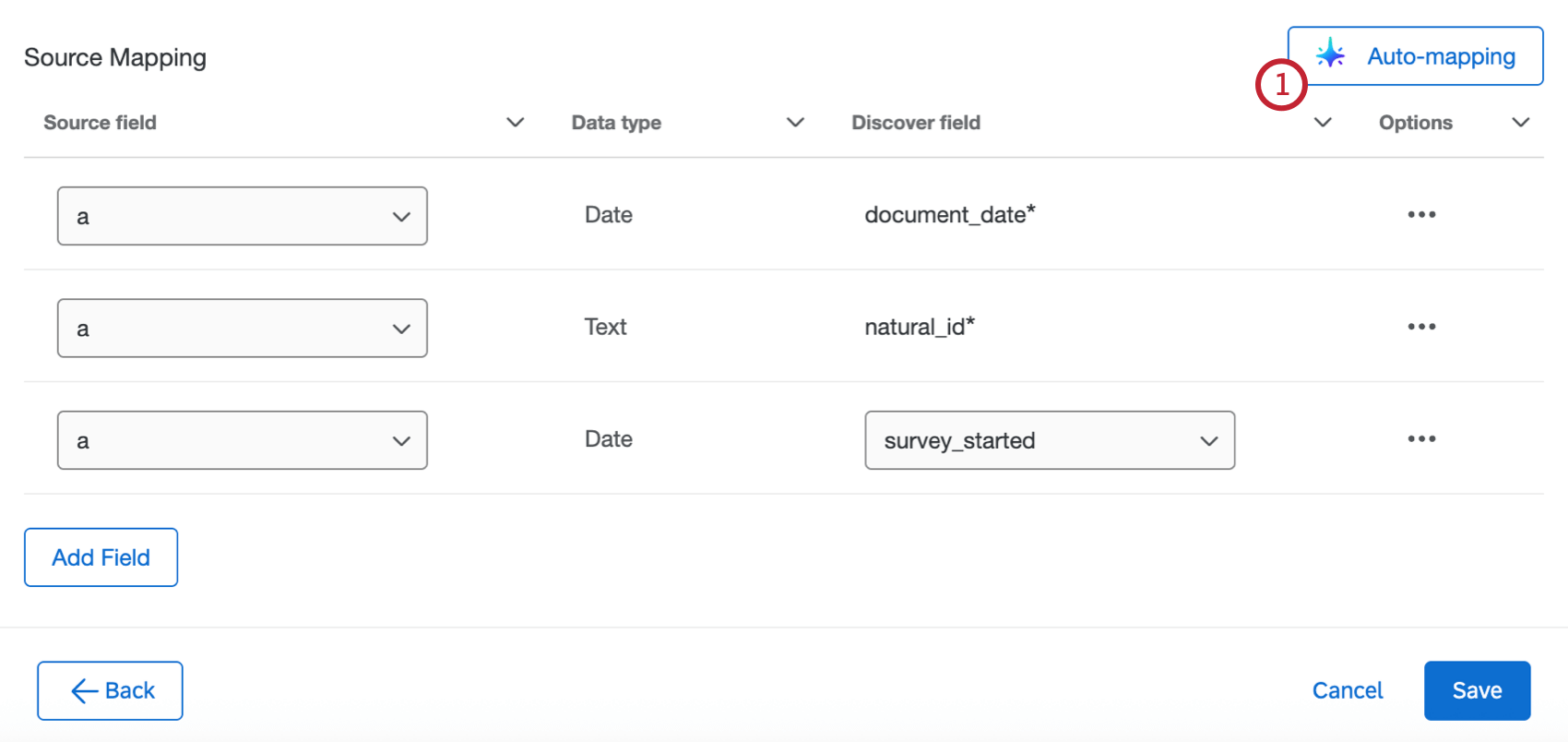
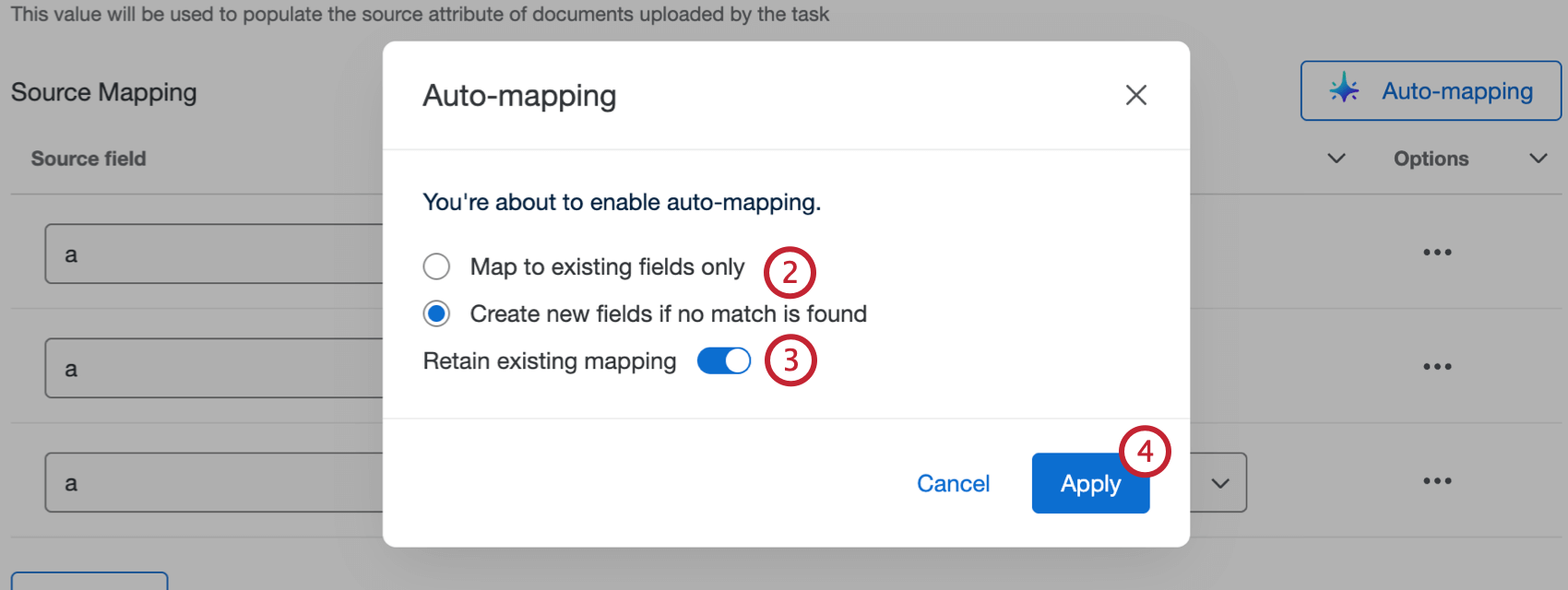
- Map to existing fields only: Only automatically map fields that already exist in Discover.
- Create new fields if no match is found: Automatically map fields that already exist in Discover, and create new fields if a matching one doesn’t exist.
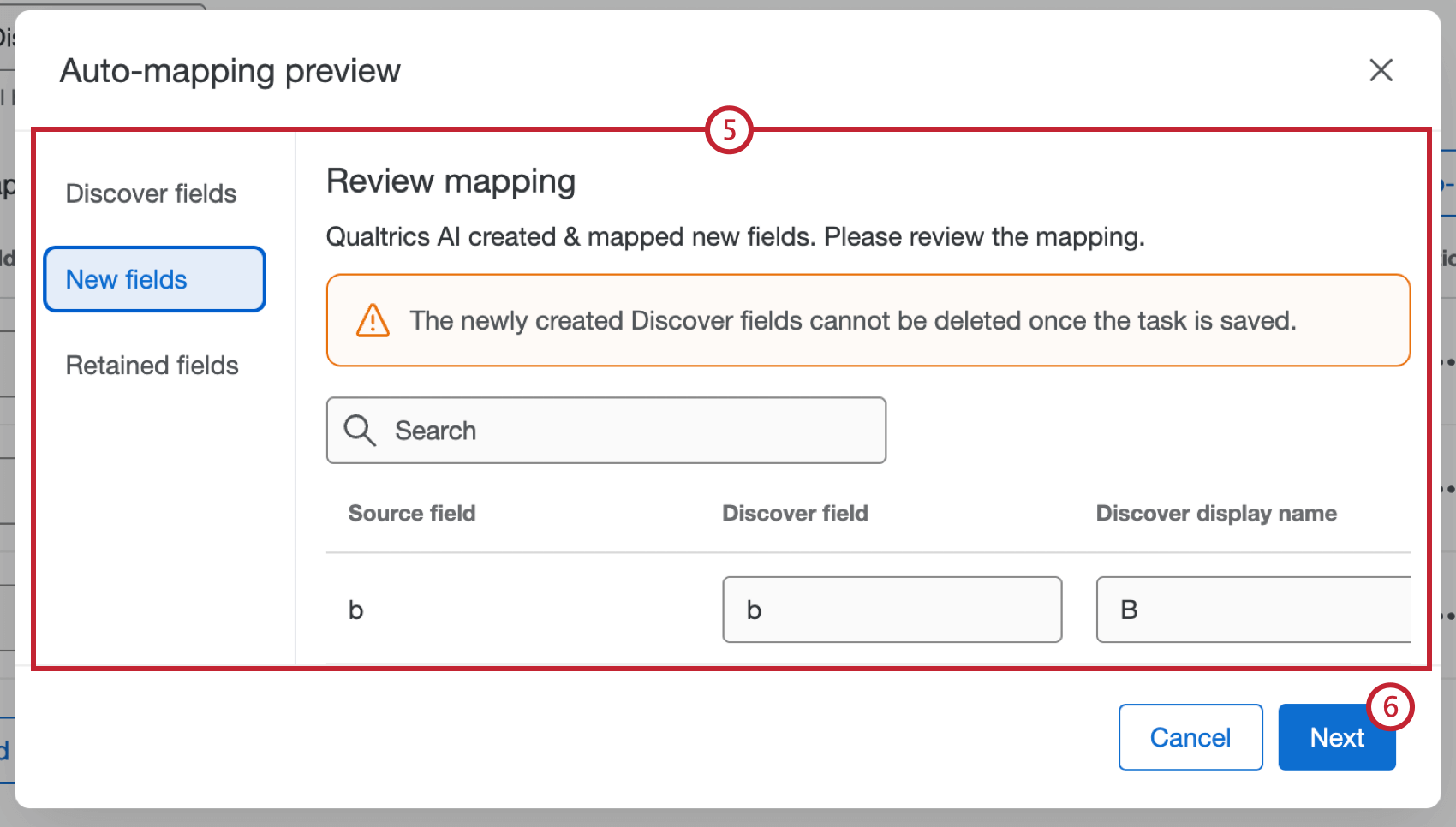
Attention: Any newly created Discover fields cannot be deleted once the task is saved.
Viewing the Run History
After you’ve run the task, you can view the status and more information in the Run History.
The task will have a status of Succeeded even if some or all of the documents failed to be loaded to Discover. You can download the task data file to see the upload status of individual documents. For more information, see Downloading Data Files.
FAQs
Do I have access to all extensions available through the Workflows templates?
Do I have access to all extensions available through the Workflows templates?
Is there a link to all Workflows events and tasks?
Is there a link to all Workflows events and tasks?
What are Workflows templates?
What are Workflows templates?
What are workflows? / Where are actions?
What are workflows? / Where are actions?
There are no changes to workflow functionality as part of this update.
Are changes to members of my employee directory reflected in my project’s participants?
Are changes to members of my employee directory reflected in my project’s participants?
If you update someone’s unique identifier, first name, last name, or login information, this information will always be reflected in any projects that person is a participant in.
That's great! Thank you for your feedback!
Thank you for your feedback!