

AI Response Task
What's on this page
About the AI Response Task
The AI response task enables you to run prompts using a generative language model, and integrate the responses into your workflows. This allows you to build workflows that enable scenarios such as summarizing text, extracting information from text, generating responses based on text, generating code, classifying text, translating text, and more.
This task runs similarly to the OpenAI Tasks, but it uses AWS as the subprocessor, and the data does not leave the Qualtrics ecosystem.
Example: Let’s say you send a CX survey to your customers to ask them about their recent in-store experience. You want to create a personalized response to their feedback. You can use the AI Response task to generate a response to the customer that incorporates elements of their initial feedback.

Qtip: To facilitate a secure and confidential collaboration with third-party LLM vendors, we prioritize strict privacy and security standards to safeguard our customers’ data. If you’re interested in learning more, see our dedicated security and privacy guide for AI. While we have guardrails in place and are continually refining our products, artificial intelligence may at times generate output that is inaccurate, incomplete, or outdated. Prior to using any output from Qualtrics’ AI features, you must review the output for accuracy and ensure that it is suitable for your use case. Output from Qualtrics’ AI features is not a substitute for human review or professional guidance.

Attention: The performance of this task may vary in languages other than English.

Usage Limits
There is a limit to the amount of times this task can be run, per month, across all users in the same license. This limit resets on the first of the month.
Expect a minimum of 2,700 task executions per month. This baseline is calculated assuming a large average request size of 4,000 tokens (about 3,000 words). If your average task is smaller, then you will be able to run significantly more executions.
You can think of tokens as the building blocks of your text. On average, 1 token is equal to about 0.75 words. The total token count of a task includes your input text and the generated output. The number of tokens a task requires depends on the length and complexity of the input. In general, short multiple-choice questions and answers are very token-efficient, while detailed, open-ended questions use more tokens to generate a response.
If you reach your monthly usage limit, then the AI response task will fail when it attempts to run. You can view failed tasks in your workflow run history; the task’s JSON output will contain an error about the limit.
Setting Up an AI Response Task
Qtip: To use the AI Response task, a Brand Admin must first enable the Organization-wide Setting. Then, to give a user access, they need both Use AI Response Task (general AI user permission) and AI Response Task (extension user permission) enabled.
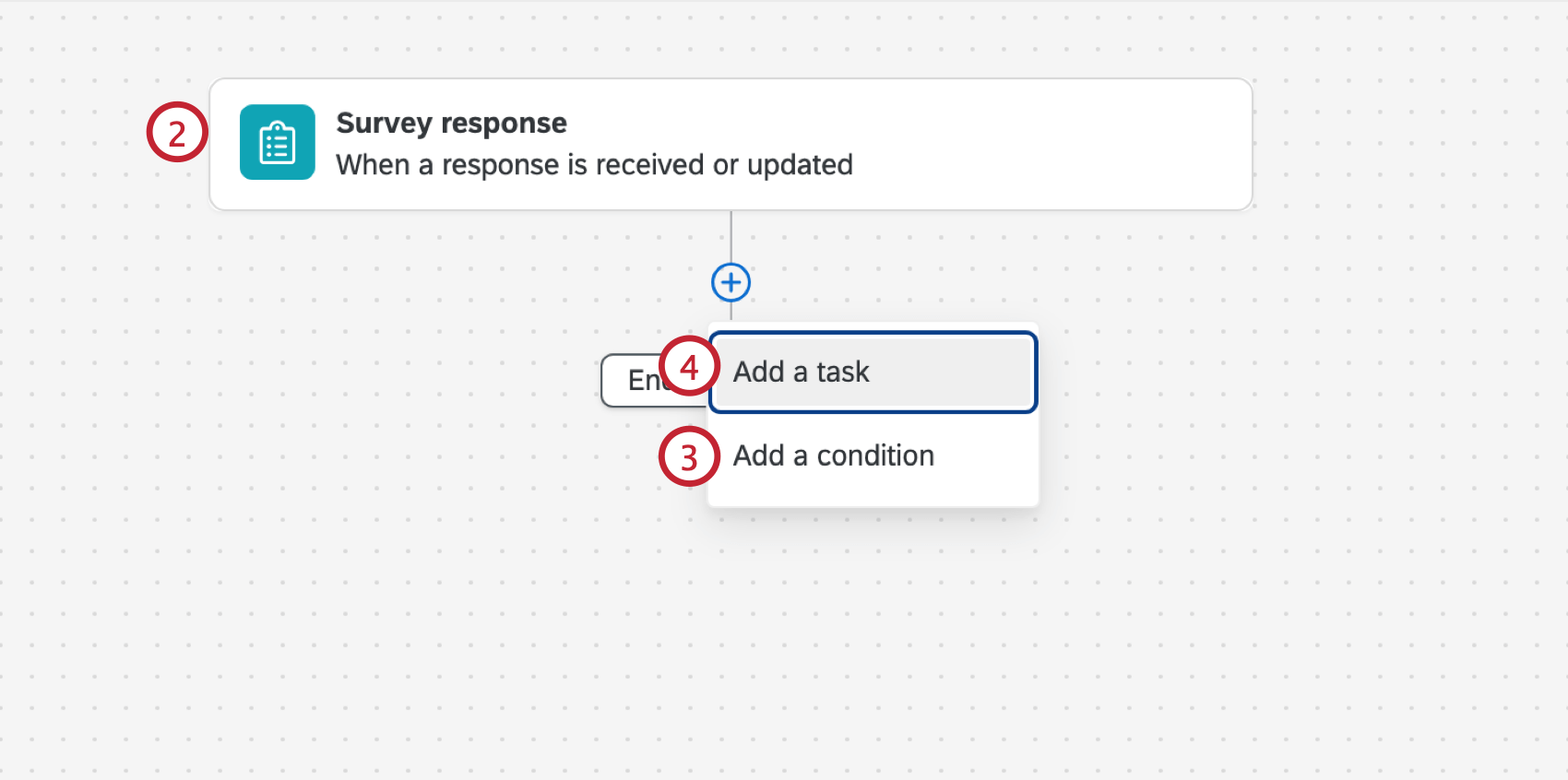
Qtip: Other common events include the ticket event, third party events (such as the Zendesk and Salesforce Workflow Rule events), and dataset record events for online review data.
Example: For example, if you want to respond to only negative customer feedback, you add a condition based on the response’s sentiment.
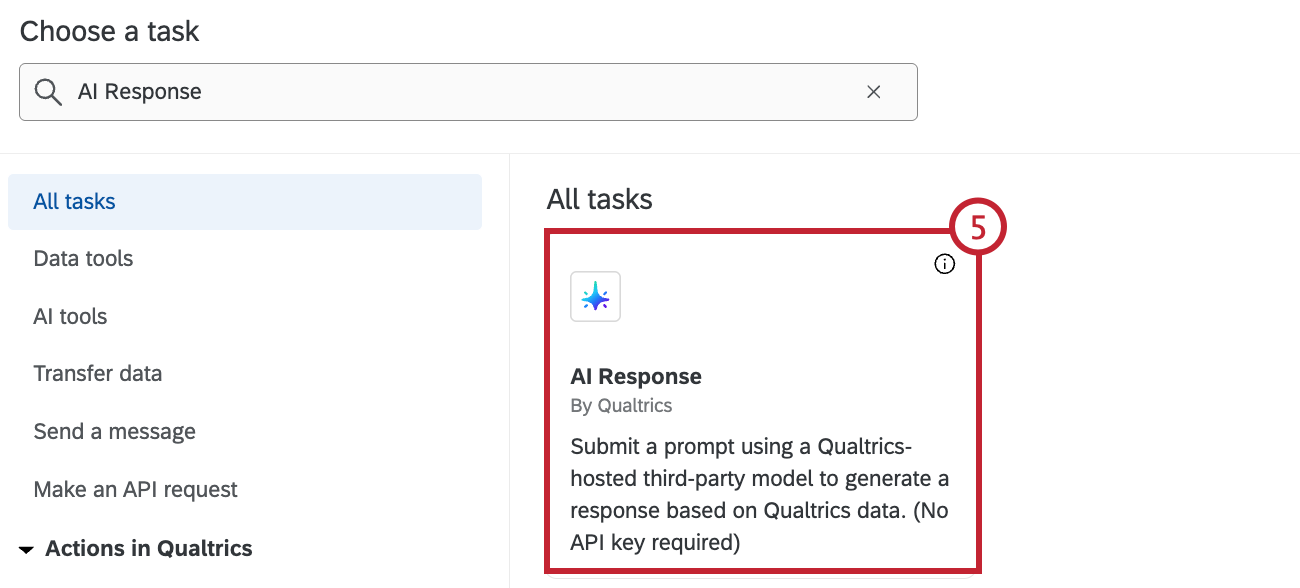
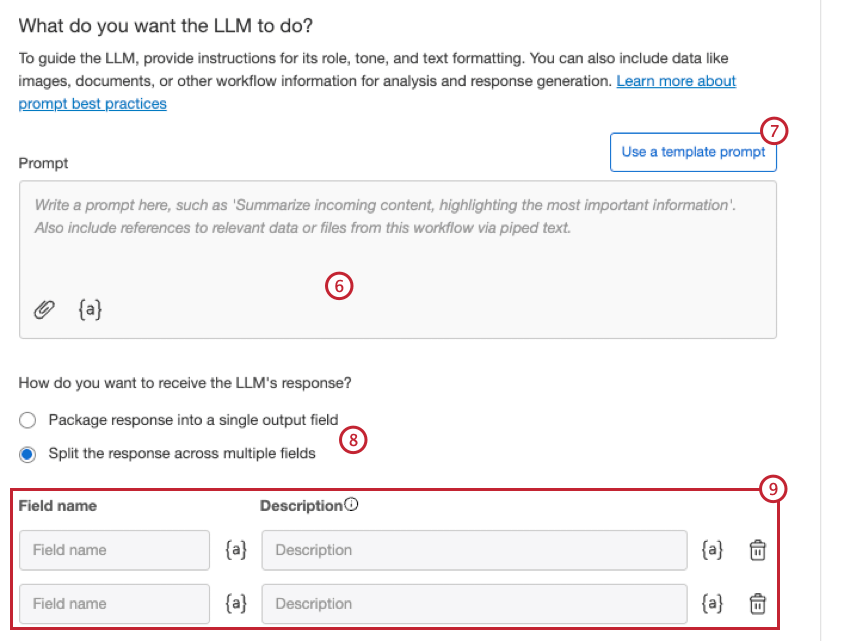
- Summarize text: Summarizes the incoming text to highlight what’s most important.
- Compose a reply to customer feedback: Reply to reviews, complaints, and more with a professional tone.
- Categorize text: Create a list of categories and assign them to incoming text.
- Translate text: Translate text from one language into another.
- Describe image: Describes an incoming image.
- Extract text from image: Extracts text from an incoming image.
- Analyze document: Analyzes an incoming document.
- Extract key points: Extracts key points from a document.
Attention: Selecting a template prompt will replace the current prompt you have, and cannot be undone.
- Package response into a single output field
- Split the response across multiple fields
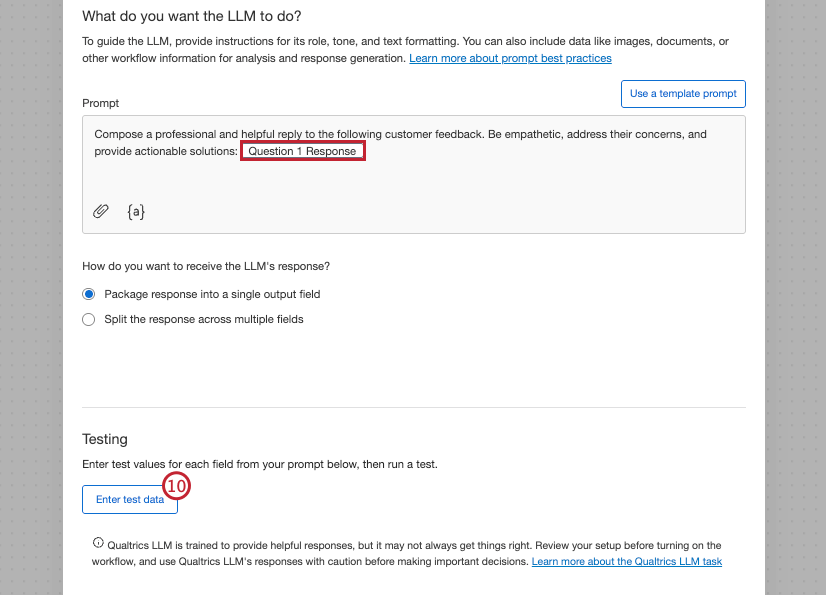
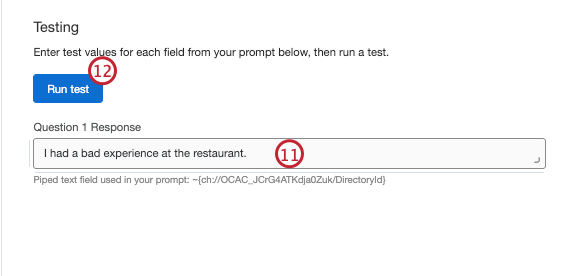
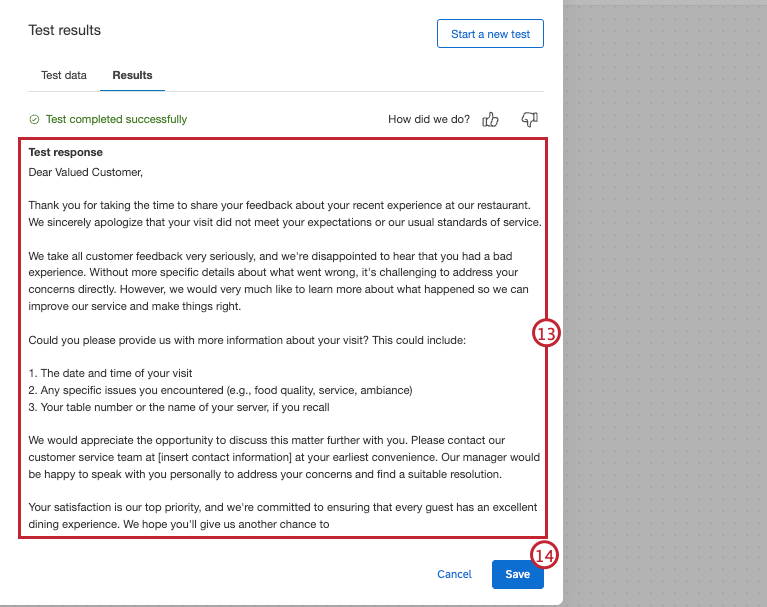
That's great! Thank you for your feedback!
Thank you for your feedback!