

Mobile Site Exit Surveys
What's on this page
About Mobile Site Exit Surveys
Exit surveys are surveys that respondents are presented with when they leave your site. To collect overall feedback from your website, we recommend asking questions once you know your website visitors have finished their visit completely and have left the website. This ensures that the feedback you get is about their entire experience, from start to finish. On this page, we’ll cover how to create an exit survey specifically for the mobile experience.
Desktop Site Exit Surveys
If you’re looking for information on how to create exit surveys for desktop visitors, check out the below resources:
- Opt-in on site exit: An initial invite is displayed and asks if the visitor would be interested in giving feedback once they leave the site. If they agree, a separate pop under creative loads. This pop under hides behind the web page until they exit the site. Once the visitor exits, the survey invitation window comes forward. Visit Opt-In Survey Upon Site Exit for more information on setting this up.
- Exit intent: When using this option in your intercept options, the intercept will display as soon as the visitor has moved their cursor outside of the viewing area of the browser. Visit Display Intercept for more information on how to set this up.
- Engagement: Using your own web analytics data, determine how long an average person spends on your web site. Using “Time spent on site” or “Page count” logic, you can set up your intercept to display around the time that most people are close to finishing their session.
Mobile Site Exit Surveys Overview
For mobile web visitors, exit surveys are a little bit more difficult to set up. It is not possible to load a window underneath a mobile browser, so opt-in on site exit can’t be an option here. Additionally, there’s no way to track mouse movement since the visitor is using their fingers to navigate. In order to still ask visitors questions when they exit the website, we have to build the intercept differently. The below steps summarize the process for creating a mobile exit survey. We’ll go into more detail for each step in the following sections.
Qtip: If you’re interested in SMS distribution, reach out to Account Services.

Attention: Before continuing, make sure that you’ve already created the feedback survey you want respondents to answer about your website.

Step 1: Creating a Contact Information Collection Survey
The first step to building a mobile exit survey is to create a survey to collect your mobile visitors’ contact information.
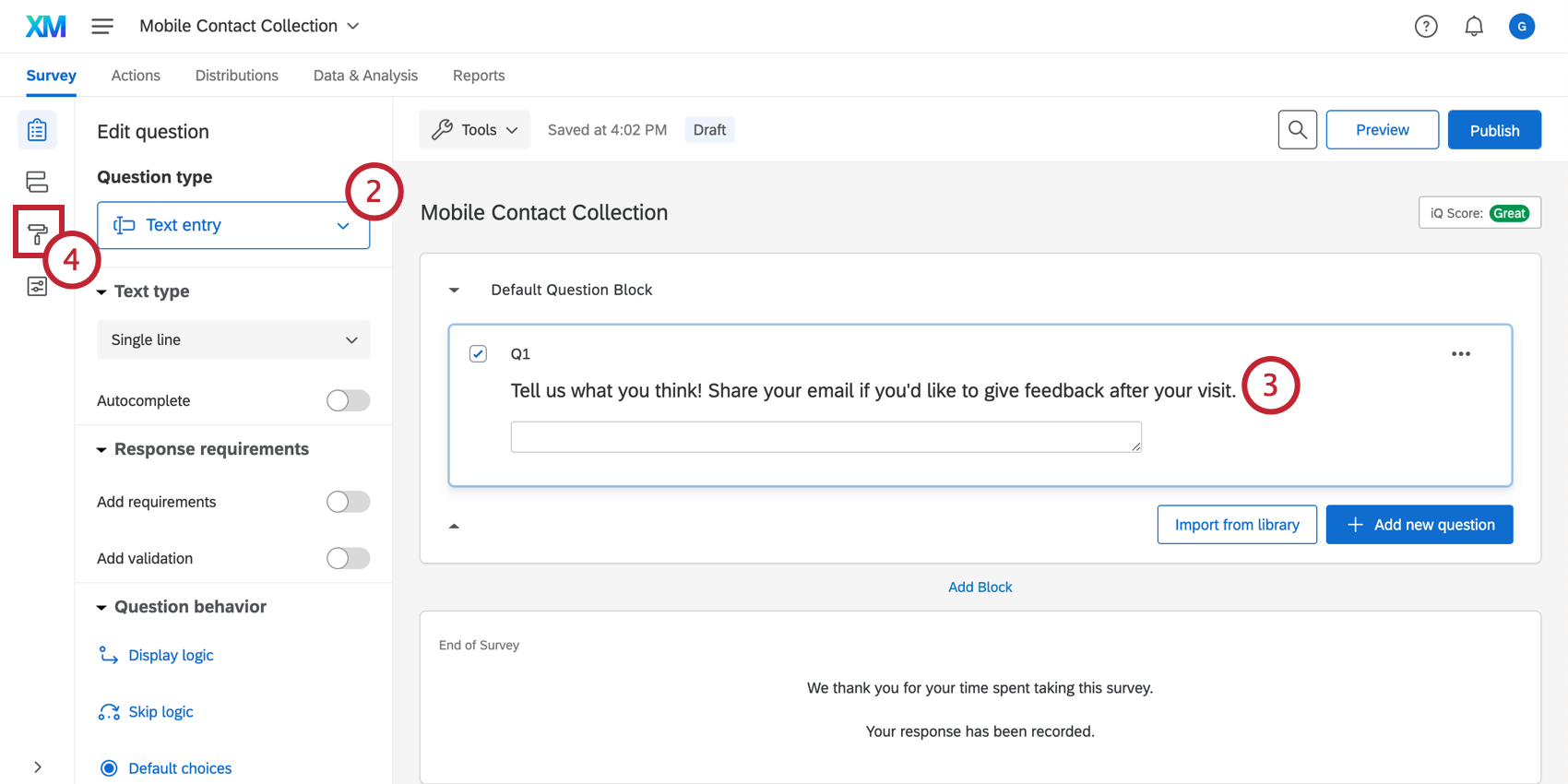
Example: For email, you can use, “Tell us what you think. Share your email to give feedback after your visit.” For SMS, you can use, “Share your phone number to receive an SMS feedback questionnaire after your visit.”

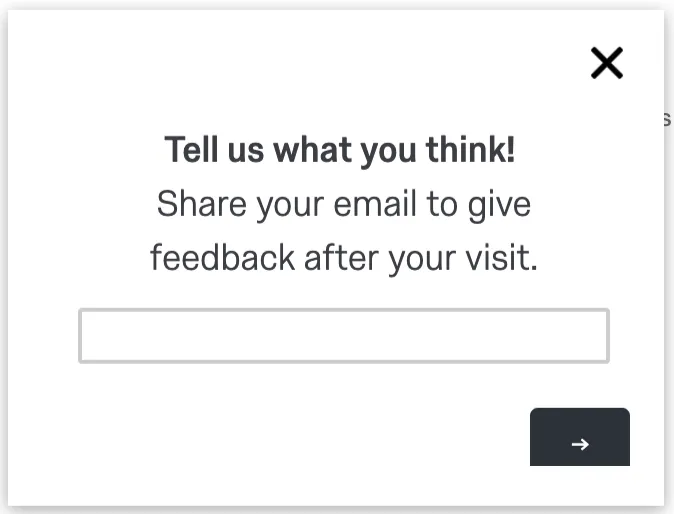
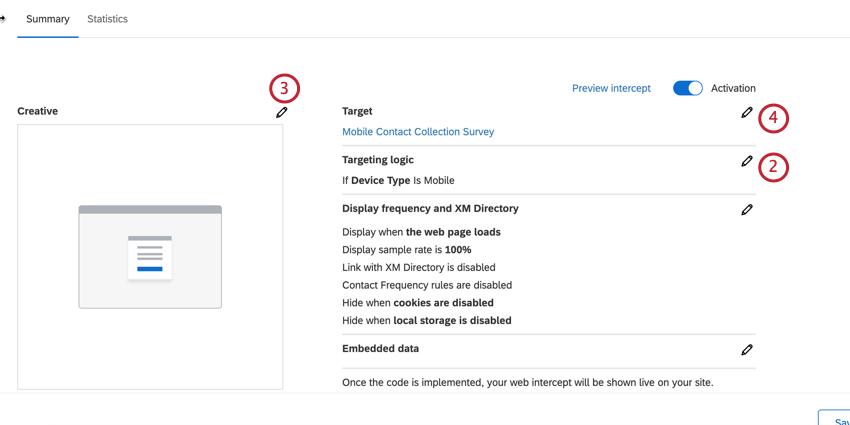
Example: Here’s an example intercept once it’s all set up. It has a very plain theme with a simple message asking for contact information.
Step 2: Set up a Distribution Workflow
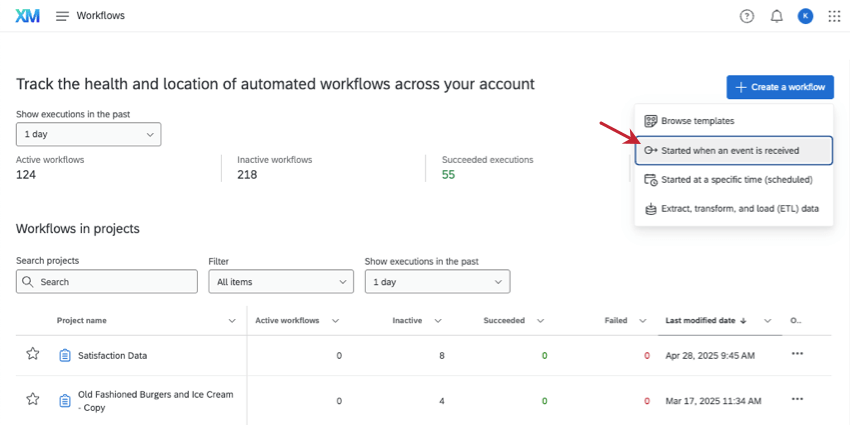
Next, you’ll need to create a distribution workflow to send the respondent your feedback survey.
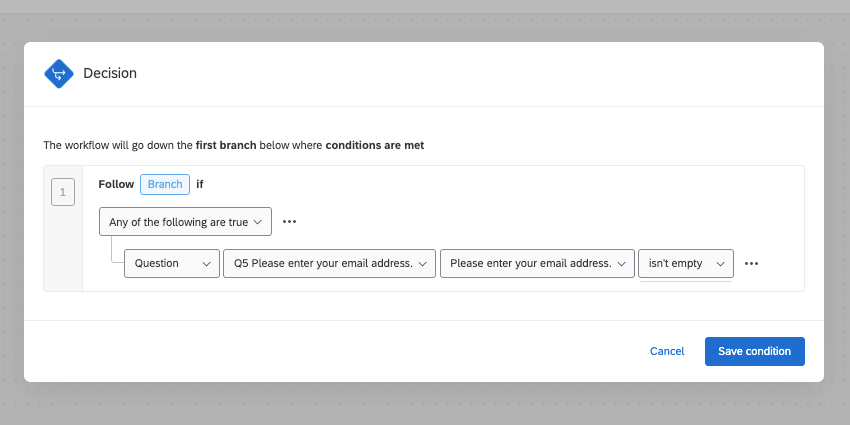
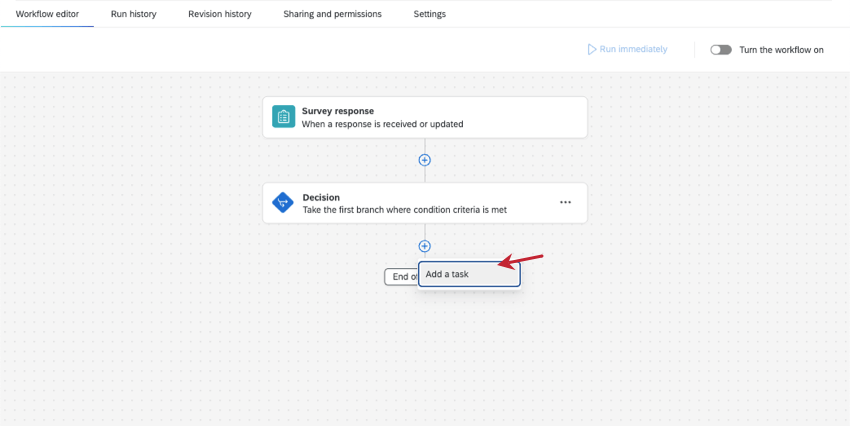
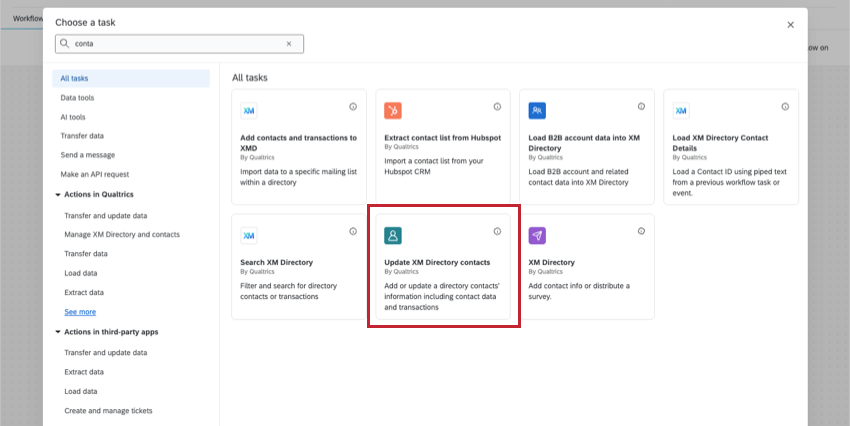
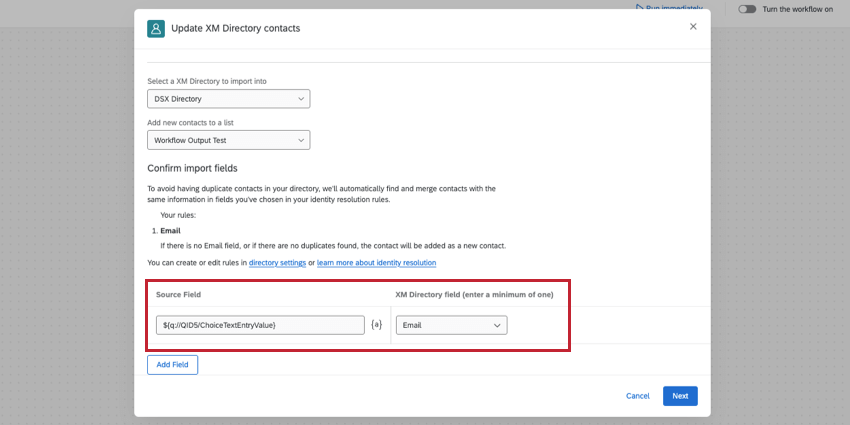
- Regardless of your distribution type, your directory may have rules that require you to fill out certain fields, such as the email, external reference ID (unique ID number for the contact), or a last name.
- If distributing via email, use piped text in the Email field to save the respondent’s contact information as the email address they provided in the survey.
- If distributing via SMS, use piped text to save the phone number provided in the survey as their Phone number.
- Add other contact info fields as desired.
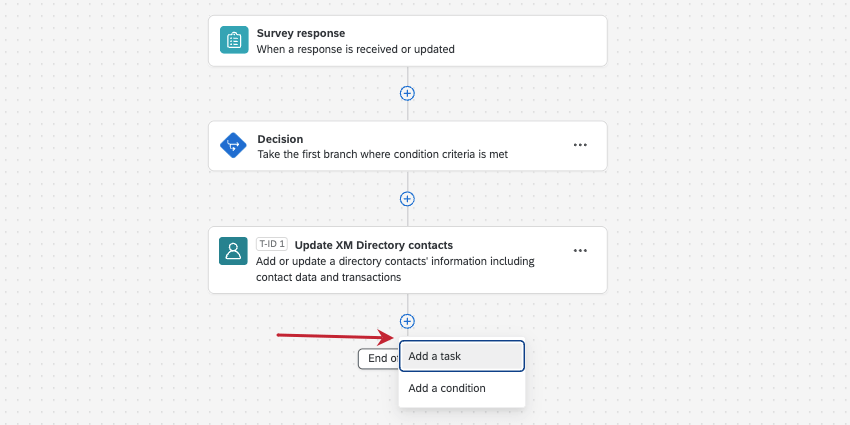
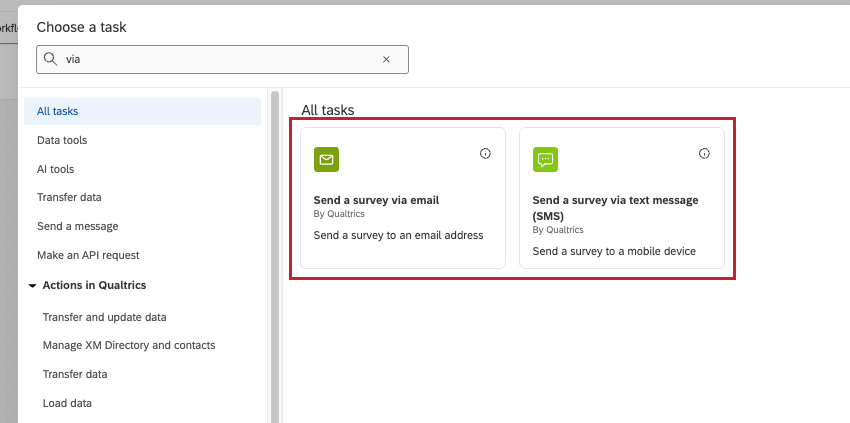
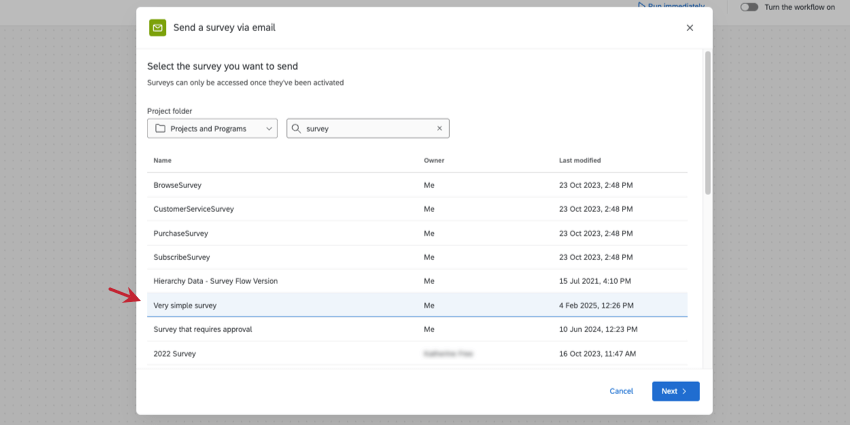
Qtip: This is the survey where you’ll collect feedback after mobile site exit. This is a new, separate survey from the one you created in step 1.
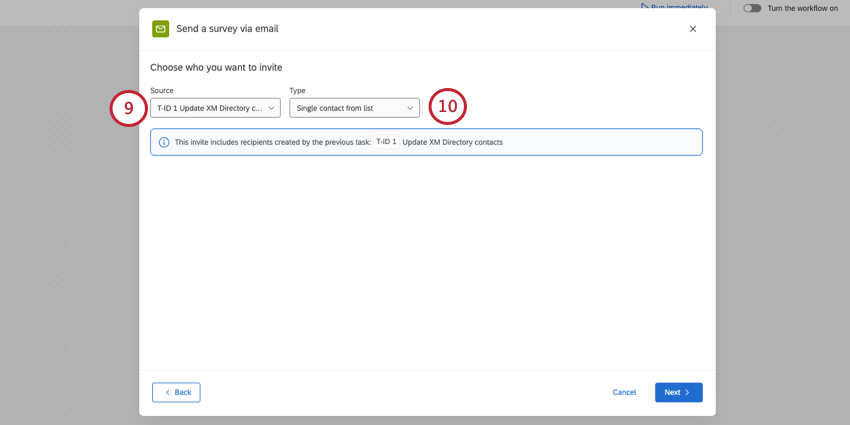
- Enter you or your team’s details for the From Address, From Name, and Reply-To Email.
- Do not schedule a reminder.
- Set up your subject and message using the template below.
Recommended Subject & Message:
Below is a template subject line and message for your XM Directory task. Feel free to modify it as needed.
Subject Line: Please share feedback about your recent visit to {{COMPANY NAME }}
Message:
We are continually trying to improve the website experience and your opinions and feedback are very important to us. Please take 2 minutes and share your feedback about your recent visit to {{WEBSITE NAME}}.
We appreciate your thoughtful response.
${l://SurveyLink?d=Click here to begin}
Follow the link to opt out of future emails:
${l://OptOutLink?d=Click here to unsubscribe}
Step 3: Building the Mobile Creative and Intercept
Now that the survey and workflow are created, we now need to create the creative and intercept that will display to mobile visitors.
Qtip: If using the guided setup to create your intercept, you’ll configure the following options while doing the guided setup.
That's great! Thank you for your feedback!
Thank you for your feedback!