

Peer & Parent Reporting (Studio)
What's on this page
About Peer and Parent Reporting
Peer and parent reporting can help you see how your KPIs stack against other units within the organization based on your organization hierarchy’s structure and your position in it. You can use the insights from these reports to determine if there is a call for action.
Peer reporting shows data for siblings, or hierarchy nodes, that share the immediate parent with you. For example, peer reporting lets you compare your location to other locations in your region. Parent reporting shows data for levels above you in the organization hierarchy, starting at your level and going all the way to the root node level. For example, parent reporting lets you compare your location to your region.
You can switch between peer and parent reporting modes. For more information, see the Setting the Personalization Type for Parent Reporting section (step 5) below.
Setting Up a Dashboard for Peer and Parent Reporting
Attention: This action requires a Manage Settings permission.

Attention: To enable peer and parent reporting, the organization hierarchy must be published and synchronized with the content provider that hosts your data. For more information, see Organization Hierarchies in XM Discover and Managing Organization Hierarchies. Your Discover representative can help configure the publication of the organization hierarchies.
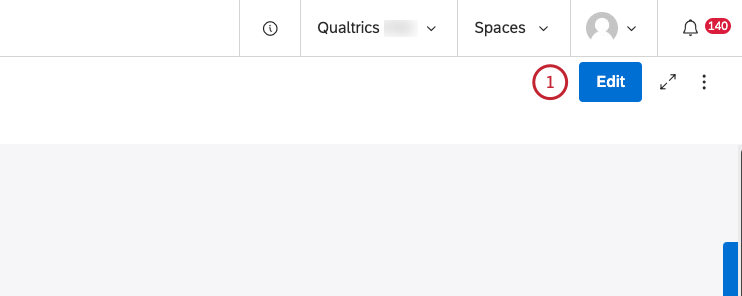
Grouping Data by Organization Hierarchy for Peer and Parent Reporting
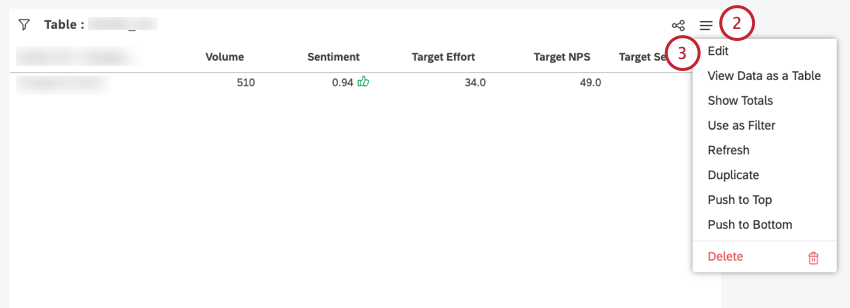
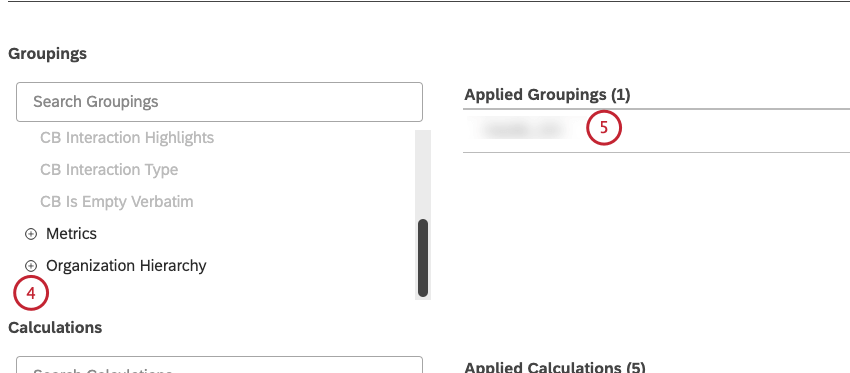
Setting the Personalization Type for Parent Reporting
Qtip: You don’t need to set the personalization type for the widget for peer reporting as peer reporting is enabled by default.

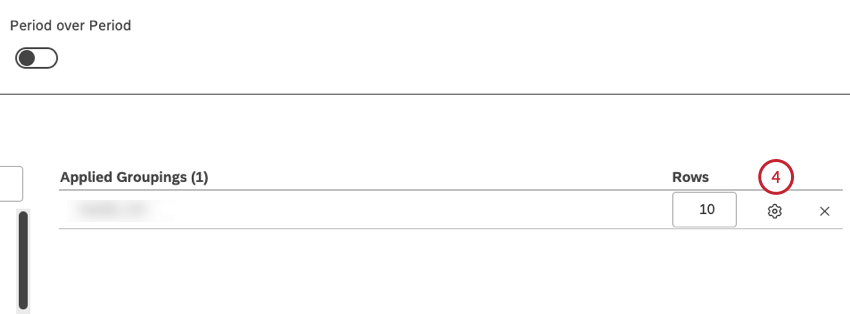
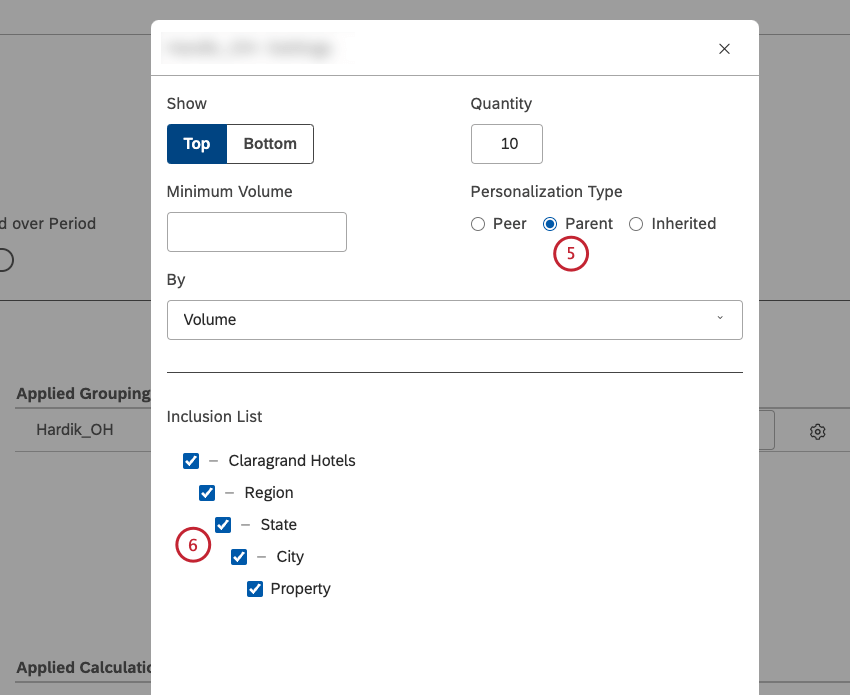
Qtip: To switch to peer reporting, simply select the Peer checkbox in the Personalization Type section.
Qtip: The peer reporting option is enabled by default.
Qtip: Alternatively, you can deselect the checkbox next to a hierarchy level to exclude it from the report.
That's great! Thank you for your feedback!
Thank you for your feedback!