

Alerts Basic Overview (Studio)
What's on this page
About Alerts
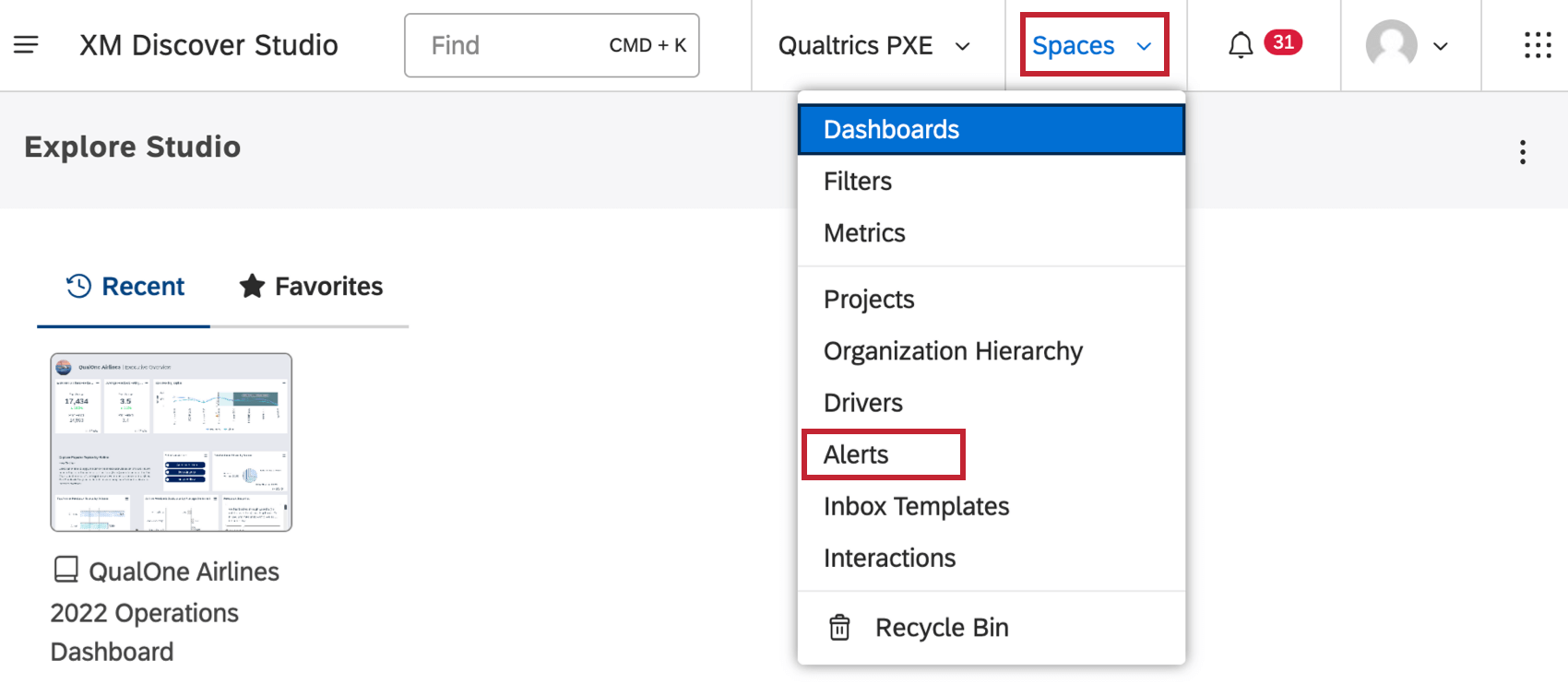
You can create alerts in Discover that let you know and other users know when certain events happen with your data. If you want to create or manage alerts, click the profile icon and select Alerts.
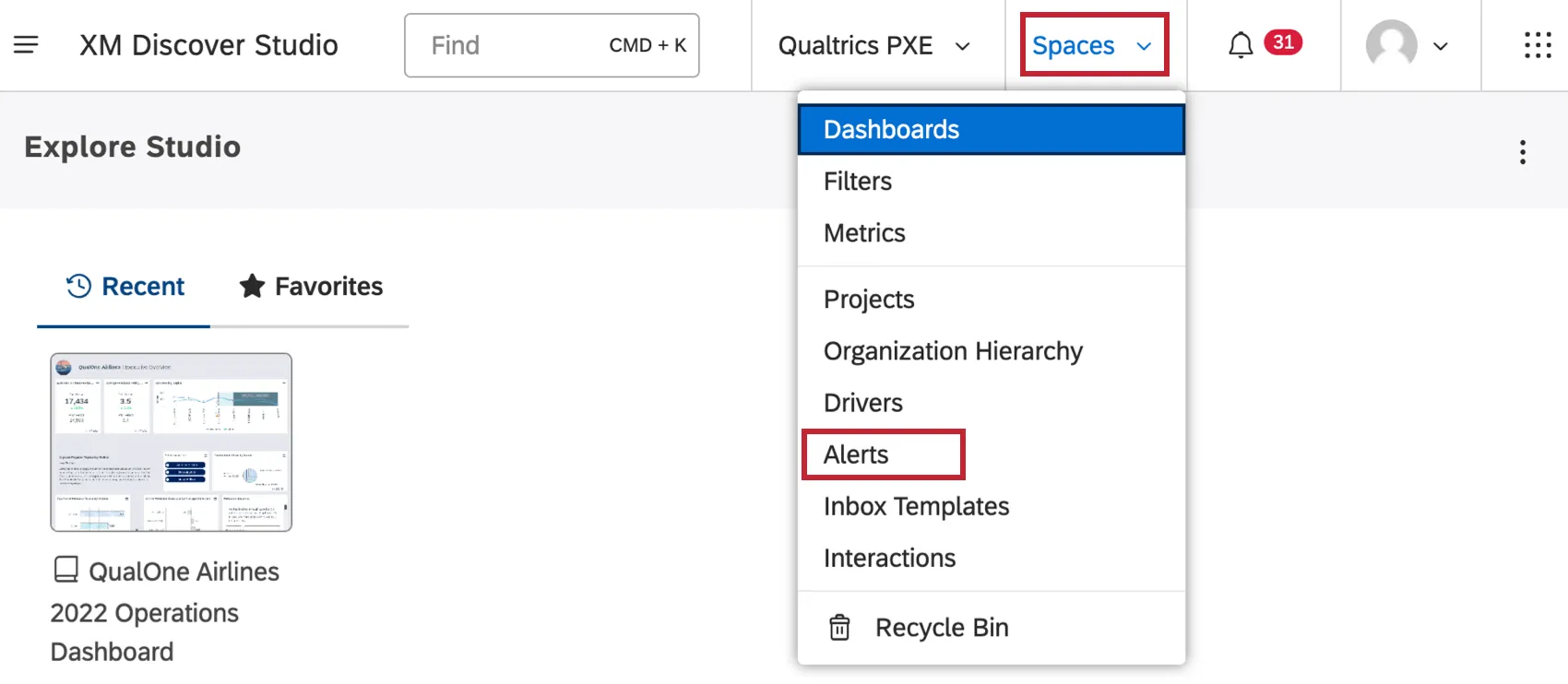
There are 2 kinds of alerts you can create: verbatim and metric.
Verbatim Alerts
Verbatim alerts let you decide which topics you want to be notified about. Every time a certain topic is mentioned in customer feedback, an alert is triggered, letting you investigate the issue and act on it.
Interaction Alerts
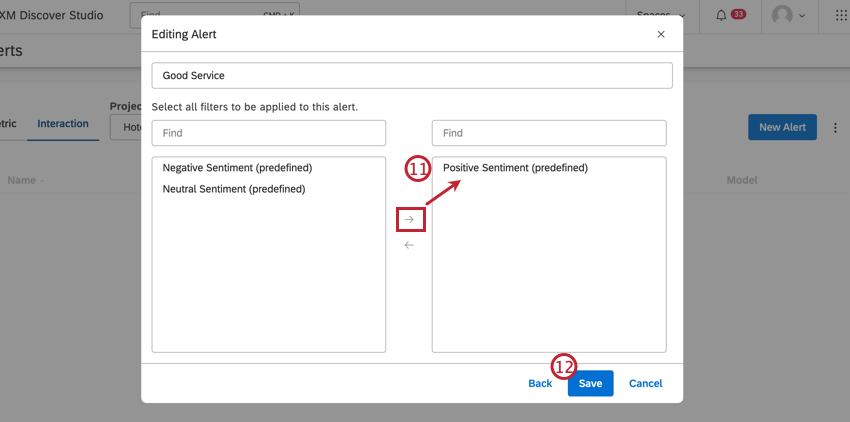
Interaction alerts are the same as verbatim alerts, but they are created and managed in Studio.
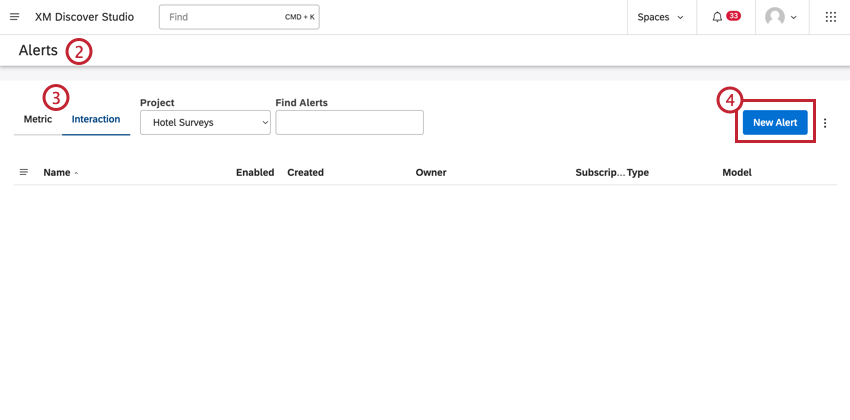
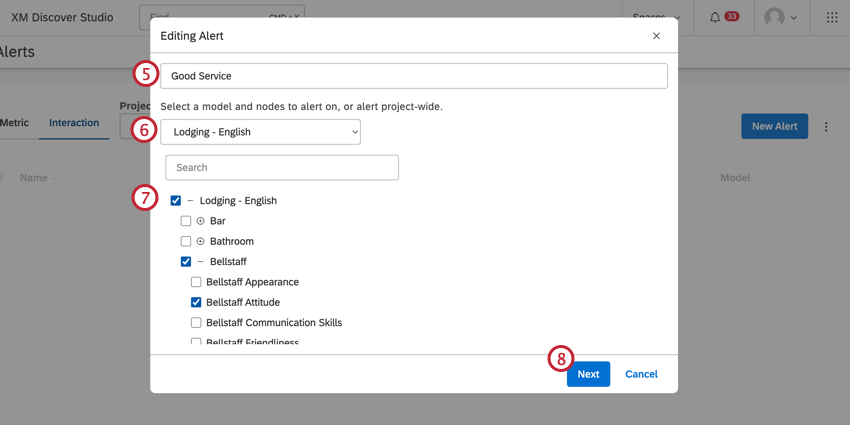
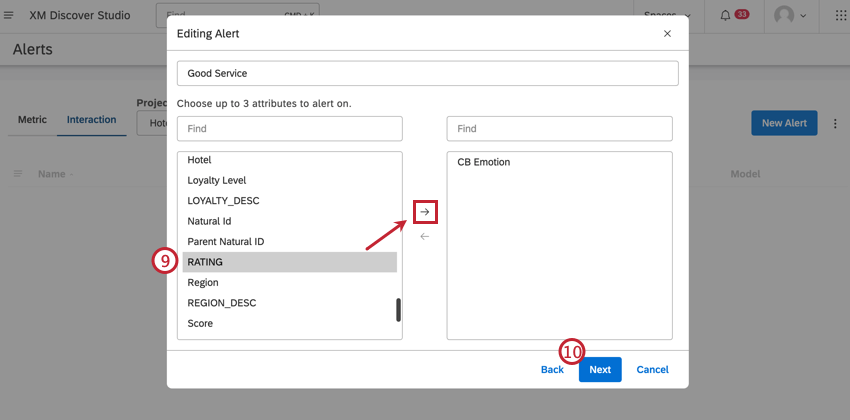
Qtip: Attributes act as filters for the alert conditions. The alert will not fire unless the selected attributes are populated in the relevant document.

MANAGING INTERACTION ALERTS
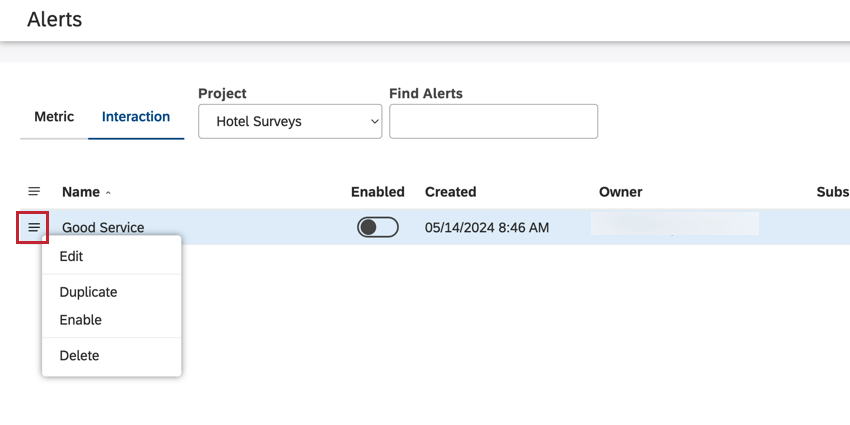
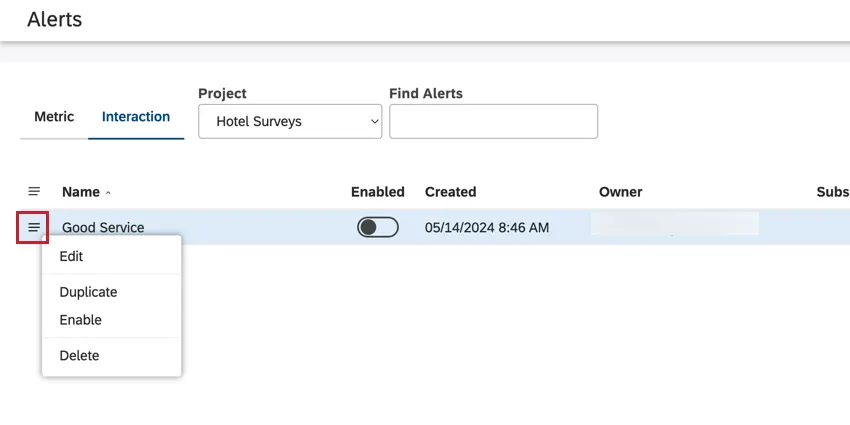
Click the menu icon to the right of your interaction alerts to manage them. You can edit, duplicate, enable, or delete alerts.
Metric Alerts
You can create an alert that sends out whenever a certain threshold is met by one of your metrics. These alerts can be in-app or over email. Set up metric alerts to keep informed on emerging trends, positive and negative spikes, and key goals to help stakeholders make decisions quickly.
See Creating Metric Alerts or Managing Metric Alerts for more.
FAQs
What is a category model? What is a topic?
What is a category model? What is a topic?
Since category models are how XM Discover analyzes topics, you will see “category model” and “topic” used interchangeably throughout the platform.
What is considered a document?
What is considered a document?
If I updated the scoring model's topmost topic (root node), but didn’t update my existing (historical) data, will classification be performed on my existing data automatically?
If I updated the scoring model's topmost topic (root node), but didn’t update my existing (historical) data, will classification be performed on my existing data automatically?
How do I enable / disable a rubric?
How do I enable / disable a rubric?
What is the difference between a rubric and a scorecard?
What is the difference between a rubric and a scorecard?
One way of thinking about it is that a rubric is the input, and a scorecard is the output.
That's great! Thank you for your feedback!
Thank you for your feedback!