

Extract Data from Salesforce Task
What's on this page
About the Extract Data from Salesforce Task
The Extract Data from Salesforce task imports data from your Salesforce instance to use in Qualtrics. On the first run the task will import all object records, and on subsequent runs it will pull in new or updated records since the last run. Once the data is imported into Qualtrics, use a data loader task to save the data in your desired area on the platform.
Example: For example, import customer account data from Salesforce and save it to your XM Directory to help you monitor your accounts by leveraging X-data in Qualtrics.

Qtip: There are 2 different versions of this task for connecting to production or sandbox Salesforce accounts. See Production vs. Sandbox Tasks for more information.

Qtip: For information on general limits that apply to ETL workflows, see Workflow Limits. For any task-specific limits, refer to the information on this page.
Production vs. Sandbox Tasks
There are 2 extract data from Salesforce tasks:
- Extract data from Salesforce: Connect to a production Salesforce account for importing customer contact and account data.
- Extract data from Salesforce (Sandbox): Connect to a sandbox Salesforce account for testing workflows before implementing in production. Attention: Sandbox connections are supported when you add an account in the Extract data from Salesforce task. The Extract data from Salesforce (Sandbox) task is no longer supported and will not be available in the near future.

Qualtrics provides a sandbox version of this task so you can test and perfect your workflows before executing them with real customer data. Check out this Salesforce support page to learn more about sandbox environments.
Qtip: Sandbox environments are intended for testing purposes, and won’t always perform the same as non-Sandbox environments. We do not recommend using sandboxes for your final draft of a workflow setup.
Setting Up an Extract Data from Salesforce Task
While this section focuses on the production version of the task, the steps are the same for the sandbox version.
Attention: To use this task, you must have access to XM Directory. If you are unsure if your license has access to this feature, please contact Account Services.
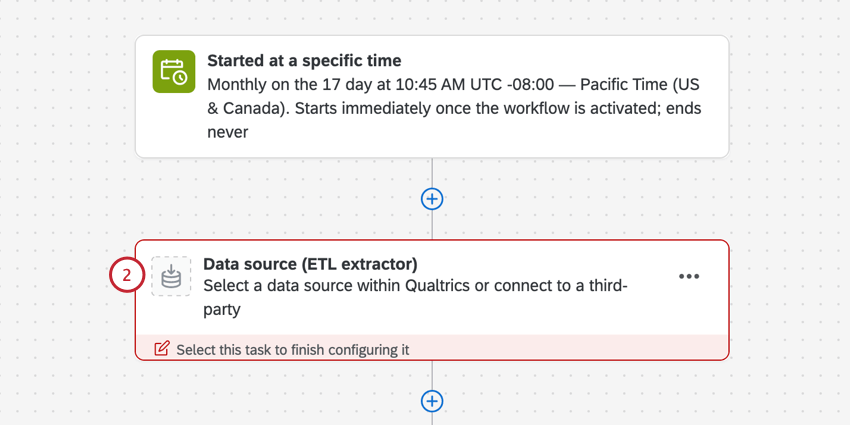
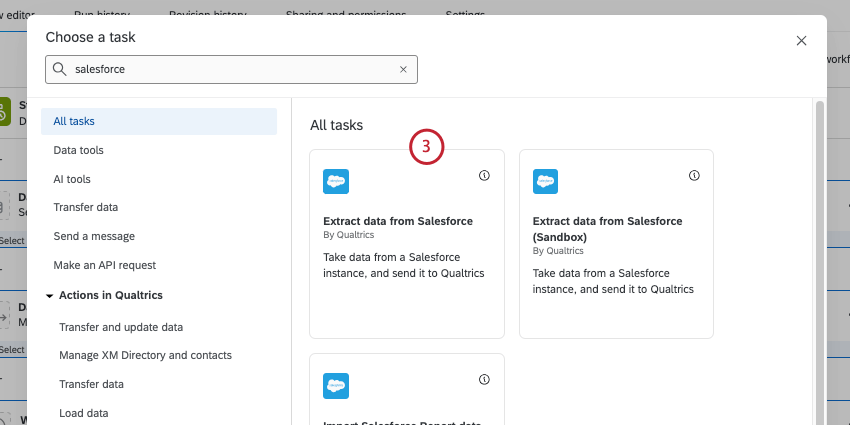
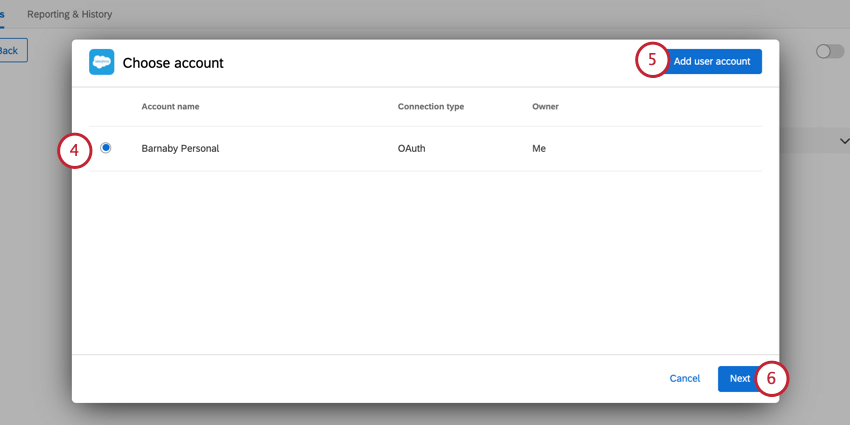
Qtip: Any Salesforce accounts you’ve previously connected as well as accounts set up by Brand Administrators will be available here.
Attention: You may have up to five external connections to your Salesforce account for this task. If you add more than five connections, the oldest connection will be severed.
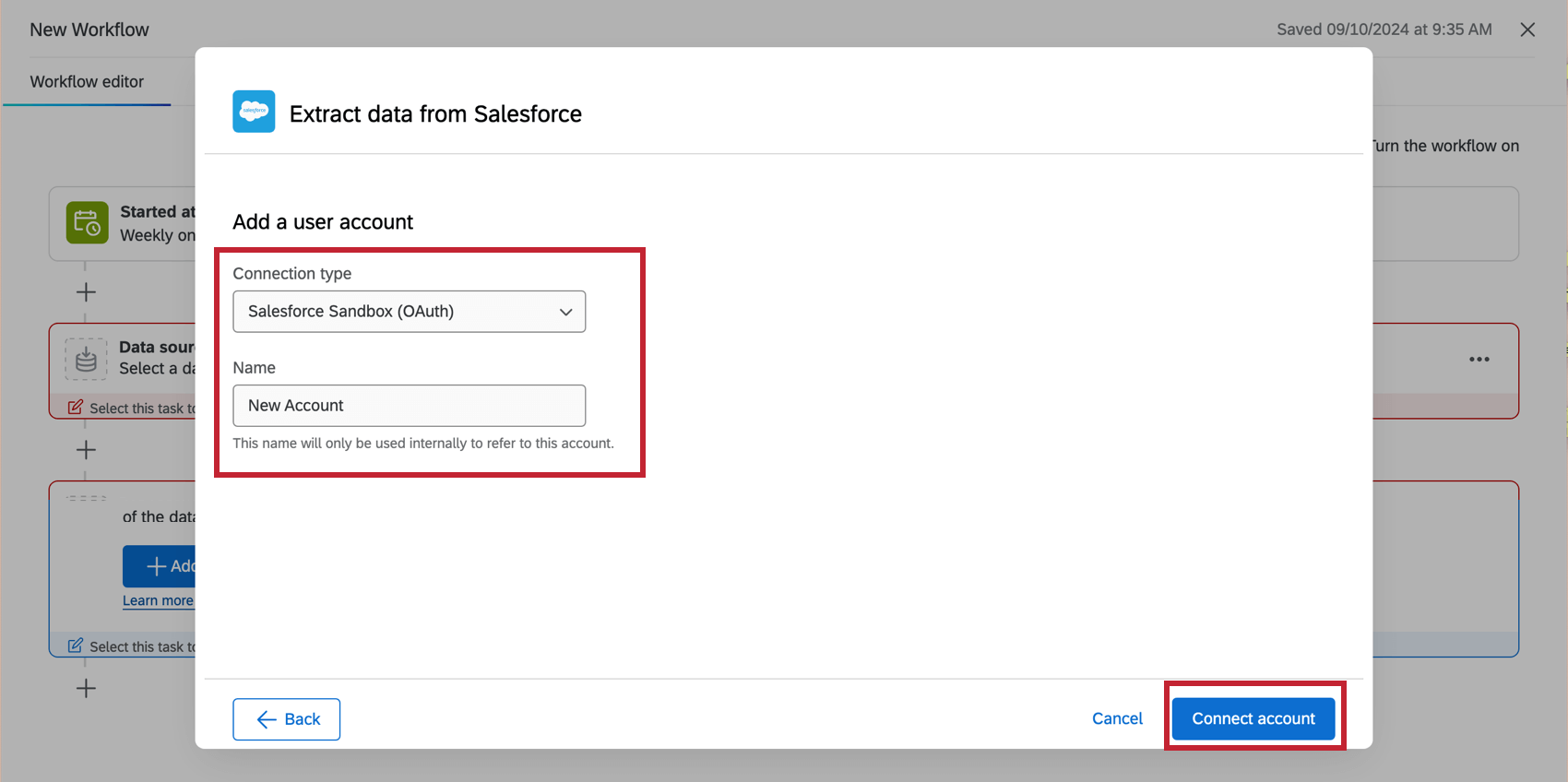
Qtip: After clicking Add user account, specify whether the connection is a Sandbox account. Give the account a name, then click Connect account. After clicking Connect account, login with your Salesforce Credentials.
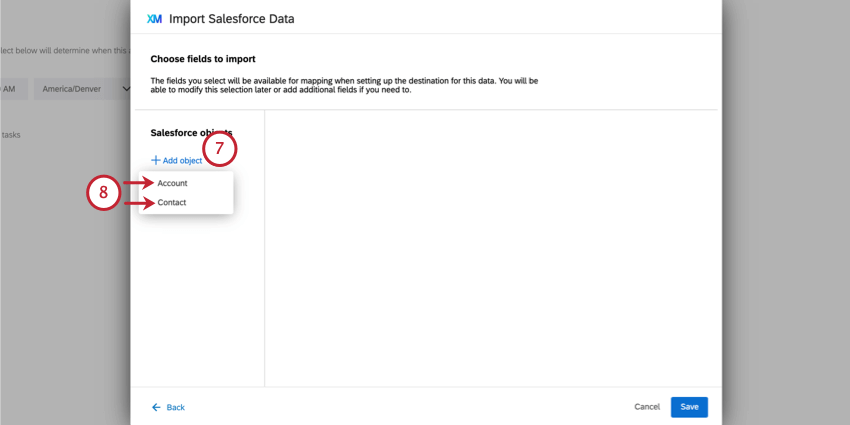
Attention: The only objects available to use are Account, Account Team Member, Contact, and Opportunity.
Qtip: If you don’t have any objects here, then the connection between your Salesforce account and Qualtrics is invalid or expired. Return to the account selection screen by clicking Back and add new Salesforce credentials.
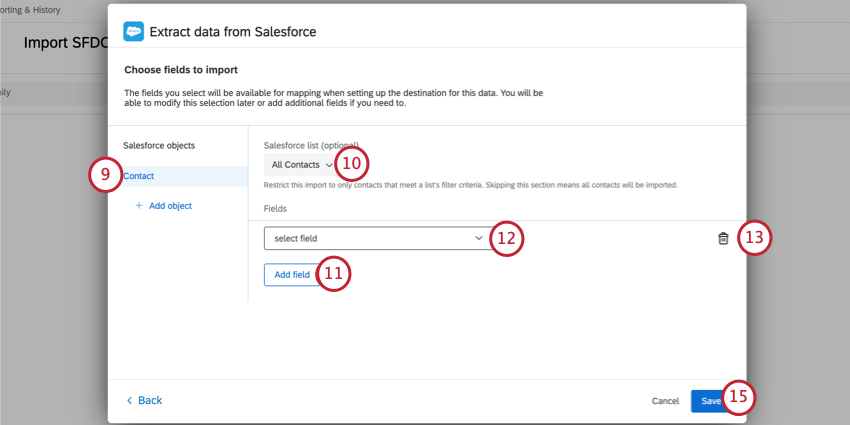
Attention: Compound fields from Salesforce cannot be imported to Qualtrics.
After extracting data from Salesforce, you must tell Qualtrics where to save the data with a data loader task. See Available Loader Tasks for more information.
Qtip: Most of the time, you’ll use the add contacts and transactions to XMD task.
Troubleshooting
If your workflow fails to complete, head over to reporting & history to get more information about the failure. This section covers common errors and their resolution for the extract data from Salesforce task.
“Your credentials to Salesforce are invalid, please reconnect”
The credentials used with the task are invalid and need to be re-entered. To fix this issue, edit the task that failed and choose another valid credential or add a new one.
“ListView {{listviewId}} for sObject {{sObjectName}} does not exists”
The list used in the task is not accessible to the user or has been deleted. To fix this issue, edit the task that failed and select the object that has an invalid list. Then, choose a new list to use.
The {{listviewId}} field in the error message contains the list’s ID in Salesforce and the {{sObjectName}} field is the object’s name in Salesforce.
sObject {{sObjectName}} does not exists
The object used with the task is not accessible to the user or has been deleted. To fix this issue, edit the task that failed, remove the invalid object, and save the task.
The {{sObjectName}} field in the error message contains the object’s name in Salesforce.
Field {{fieldName}} in sObject {{sObjectId}} does not exists
The field used in the task is not accessible to the user or has been deleted. To fix this issue, edit the task that failed, remove the invalid field, and save the task.
The {{fieldName}} field in the error message contains the field’s name in Salesforce and the {{sObjectId}} field is the object’s ID in Salesforce.
Could not determine data isolation
If this error occurs, please contact Qualtrics support.
Unexpected error occurred
If this error occurs, please contact Qualtrics support.
An error occurred with Sandbox
If there are any errors with Sandbox, it is recommended to use a non-Sandbox version in order to resolve the issue. Sandbox environments are intended for testing purposes, and won’t always perform the same as non-Sandbox environments.
FAQs
Do I have access to all extensions available through the Workflows templates?
Do I have access to all extensions available through the Workflows templates?
Is there a link to all Workflows events and tasks?
Is there a link to all Workflows events and tasks?
What are Workflows templates?
What are Workflows templates?
What are workflows? / Where are actions?
What are workflows? / Where are actions?
There are no changes to workflow functionality as part of this update.
How can I tell the difference between first party and third party extensions? Where do I go for support for either kind?
How can I tell the difference between first party and third party extensions? Where do I go for support for either kind?
That's great! Thank you for your feedback!
Thank you for your feedback!