

Email Verification
What's on this page
Qtip: This page describes functionality that we intend to release starting November 11, 2026. Qualtrics may, in its sole discretion and without liability, change the timing of any product feature rollout, change the functionality for any in preview or in development product feature, or choose not to release a product feature or functionality for any reason or for no reason.

About Email Verification
All Qualtrics users are required to verify the email associated with their account. This policy is in place to help keep your account secure in the event you need to recover it.
You can verify or update your email when you log in. If you choose to change your email, a Brand Administrator will have to approve the change.
The start of email verification varies based on your organization:
- Newly created brands (organizations) were required starting June 17, 2026.
- All existing brands (organizations) were required starting November 11, 2026.
Qtip: Email verification is not required for users who log in via SSO or who have the Participant user type.
Verifying Your Email On Login
In this section, we’ll run through what it looks like to verify your email address.
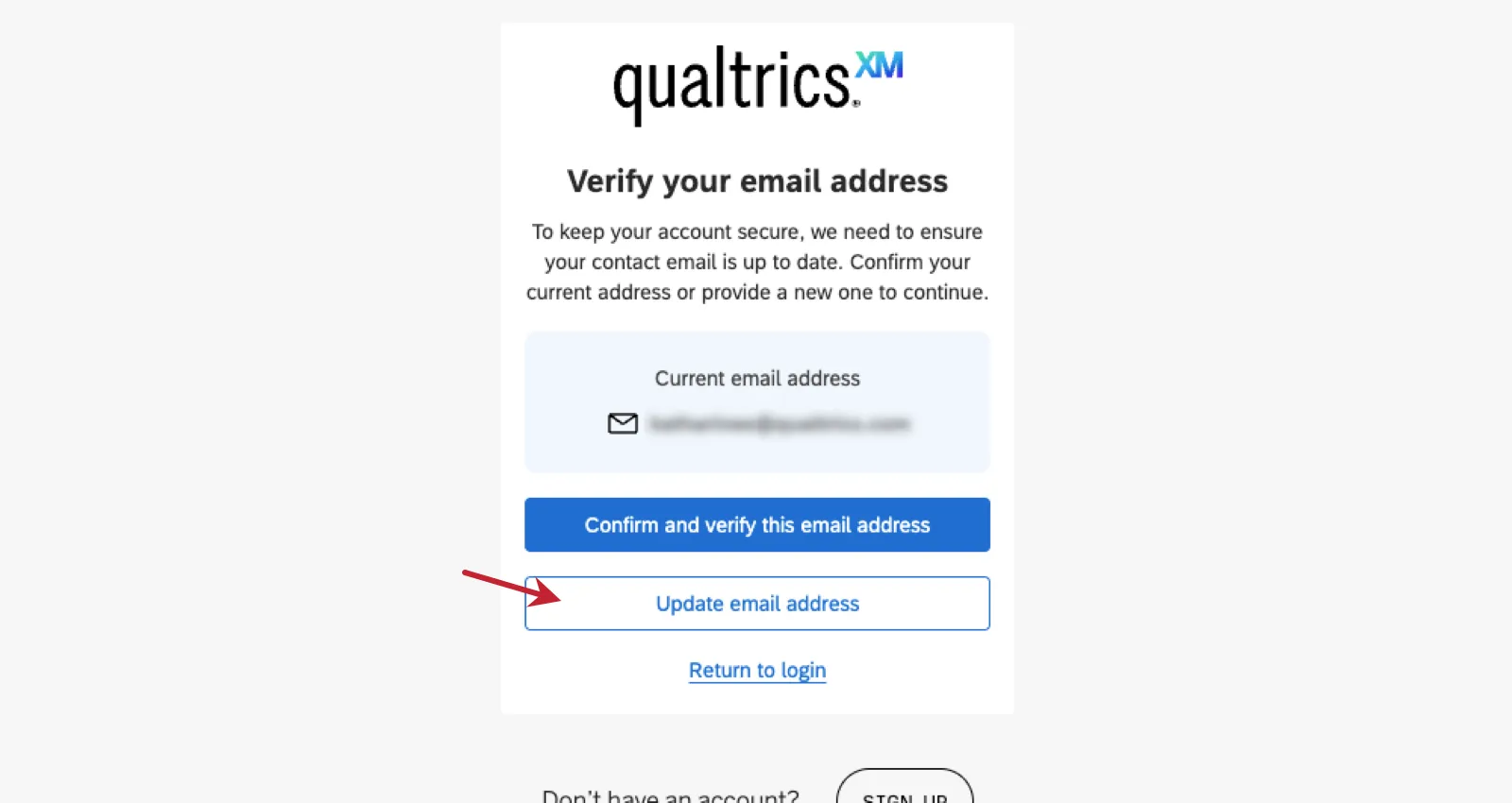
If the email listed looks correct, click Confirm and verify this email address.
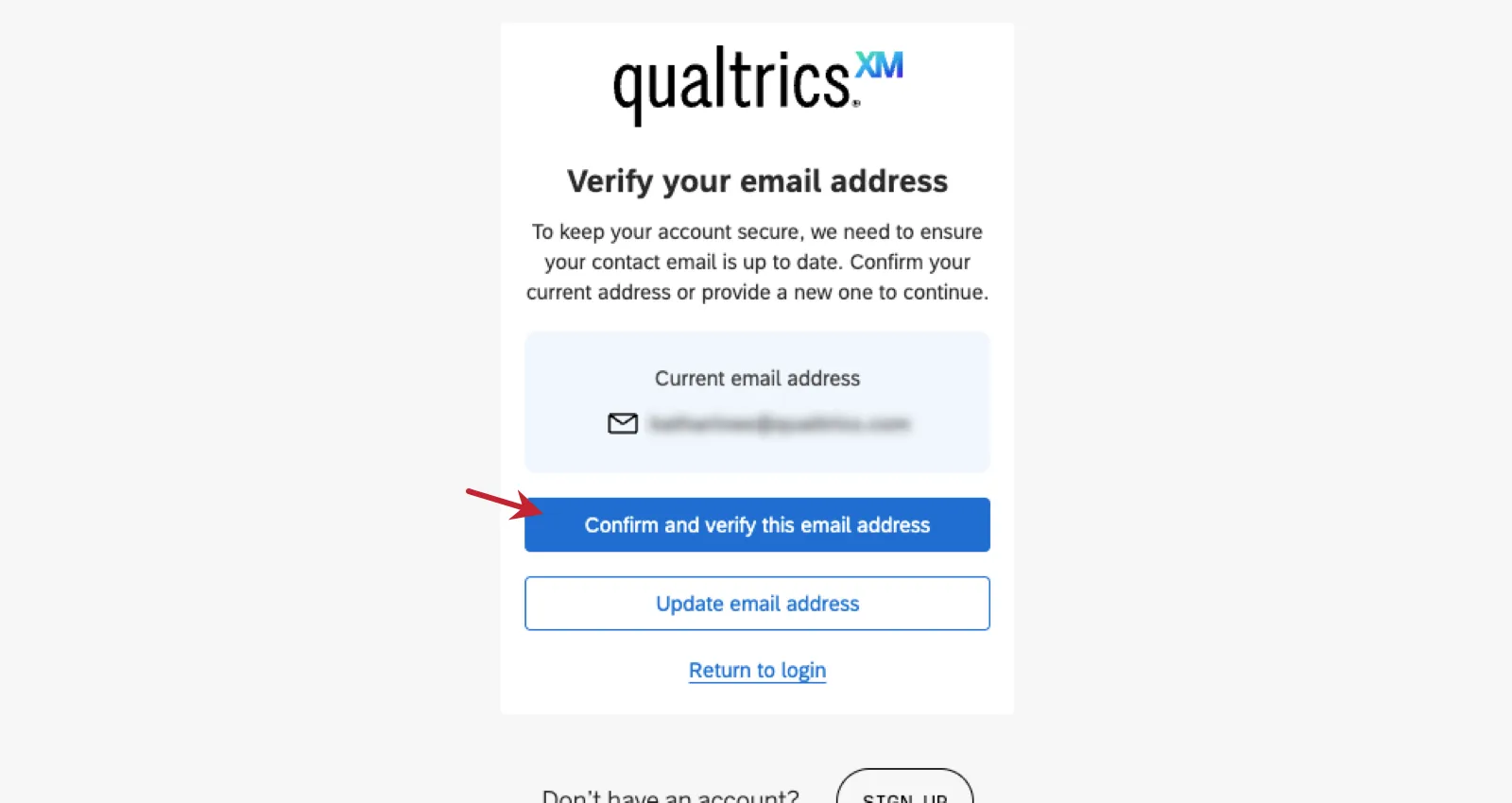
Qtip: If you’d like to update it instead, see Updating Your Email On Login.
Check your email for a verification message.
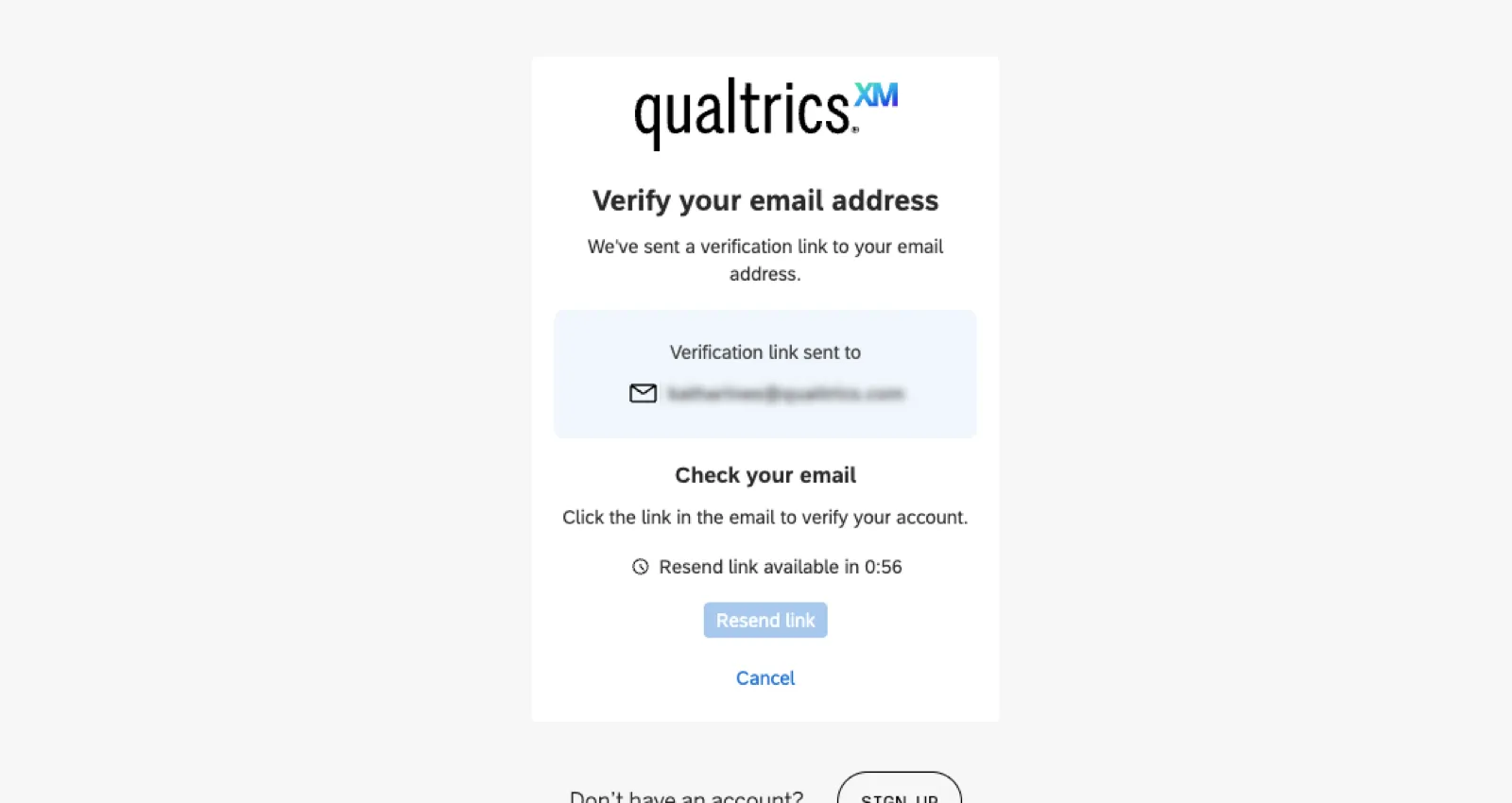
Qtip: You can resend the link if it doesn’t arrive the first time. Remember to check your spam folder!
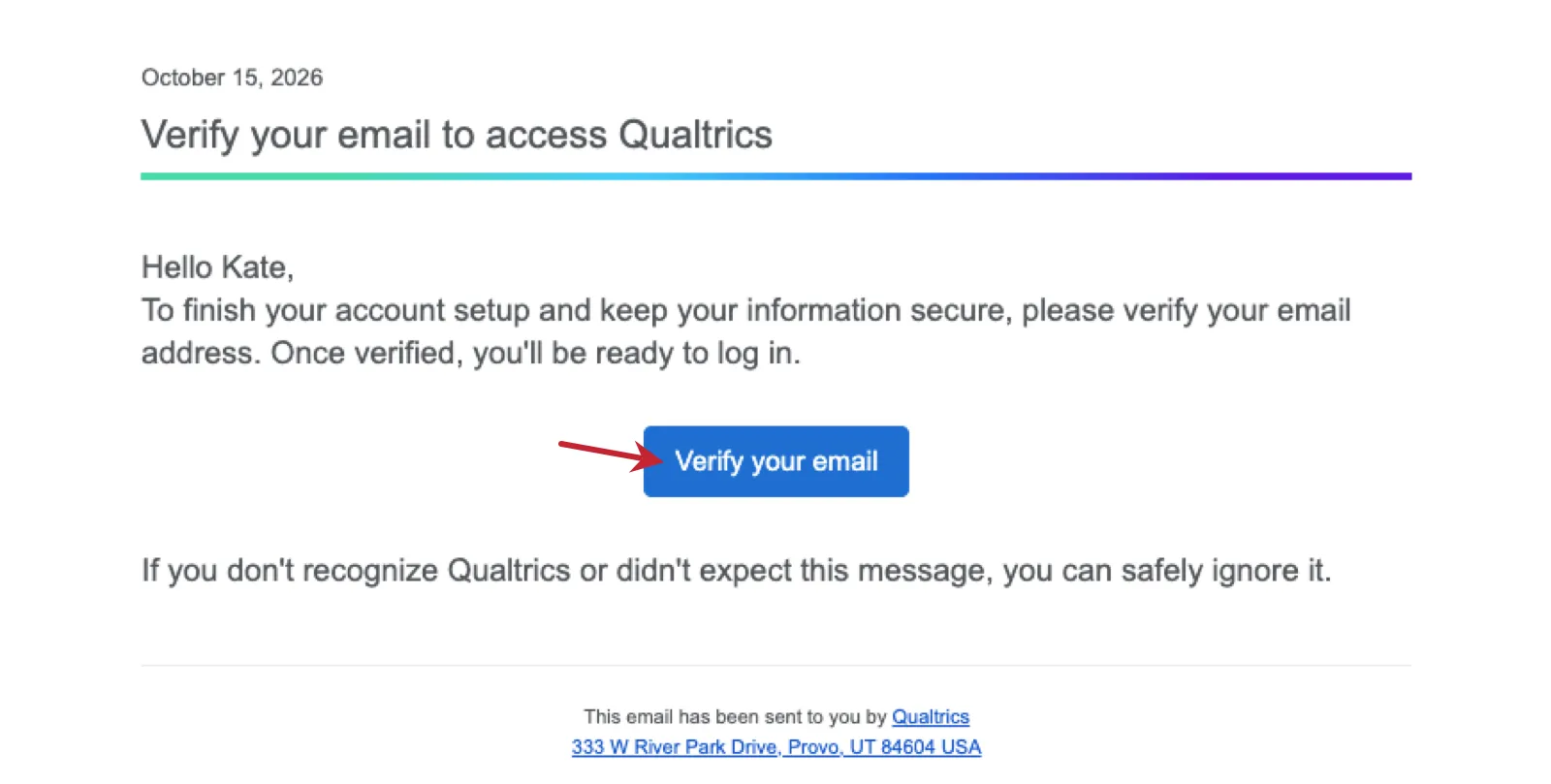
Click Verify your email.
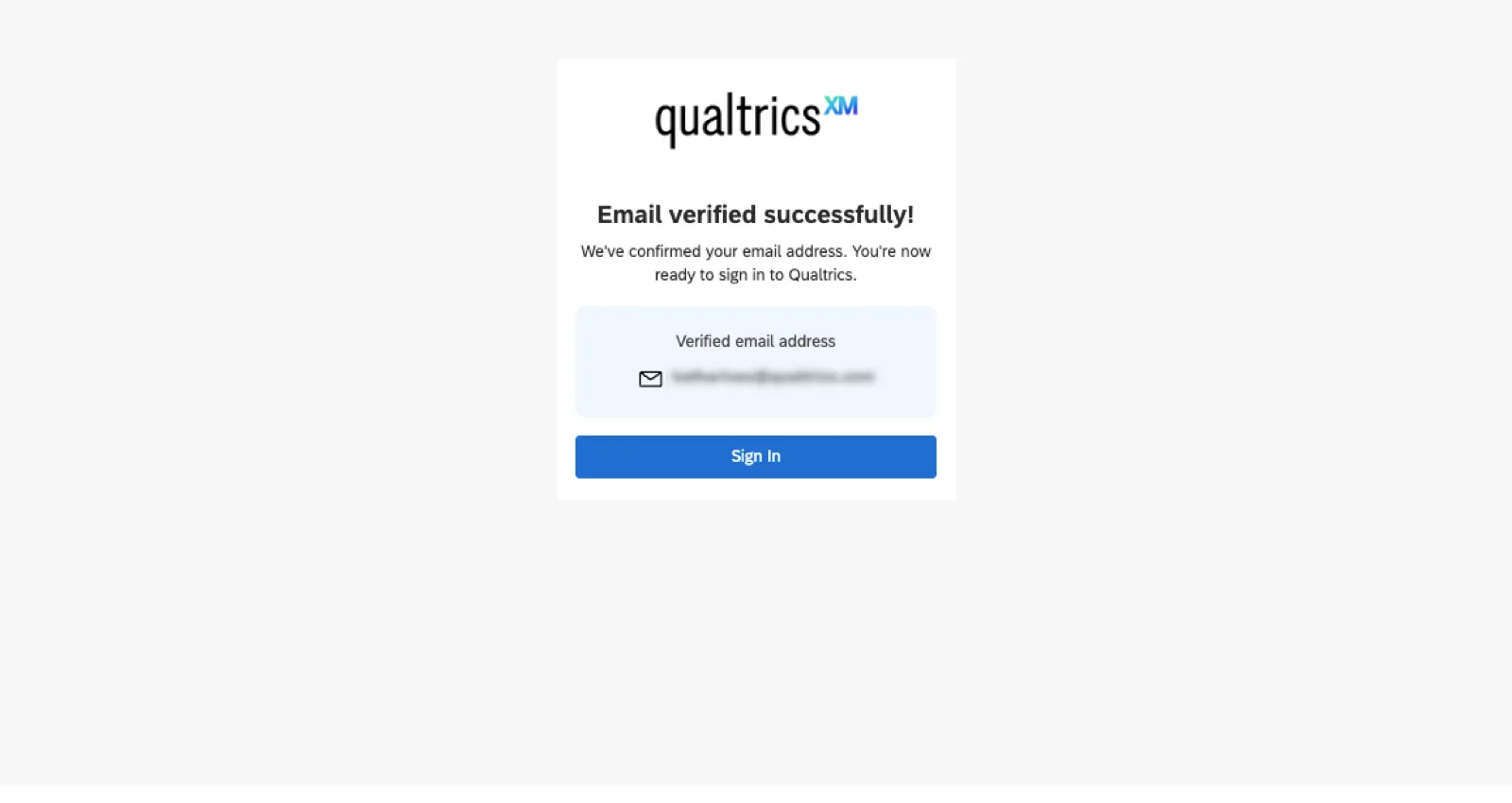
You’ll now be able to log into your account normally.
Updating Your Email On Login
Changing the email address associated with your account doesn’t affect the information you log in with, but it does control where password reset, confirmation, and notification emails are sent. Your Brand Administrator will have to approve your email change.
Qtip: You’ll still be able to access your Qualtrics account during the 14 day approval waiting period.
If you want to change the email address displayed, click Update email address.
Enter a new email address you can be contacted at.
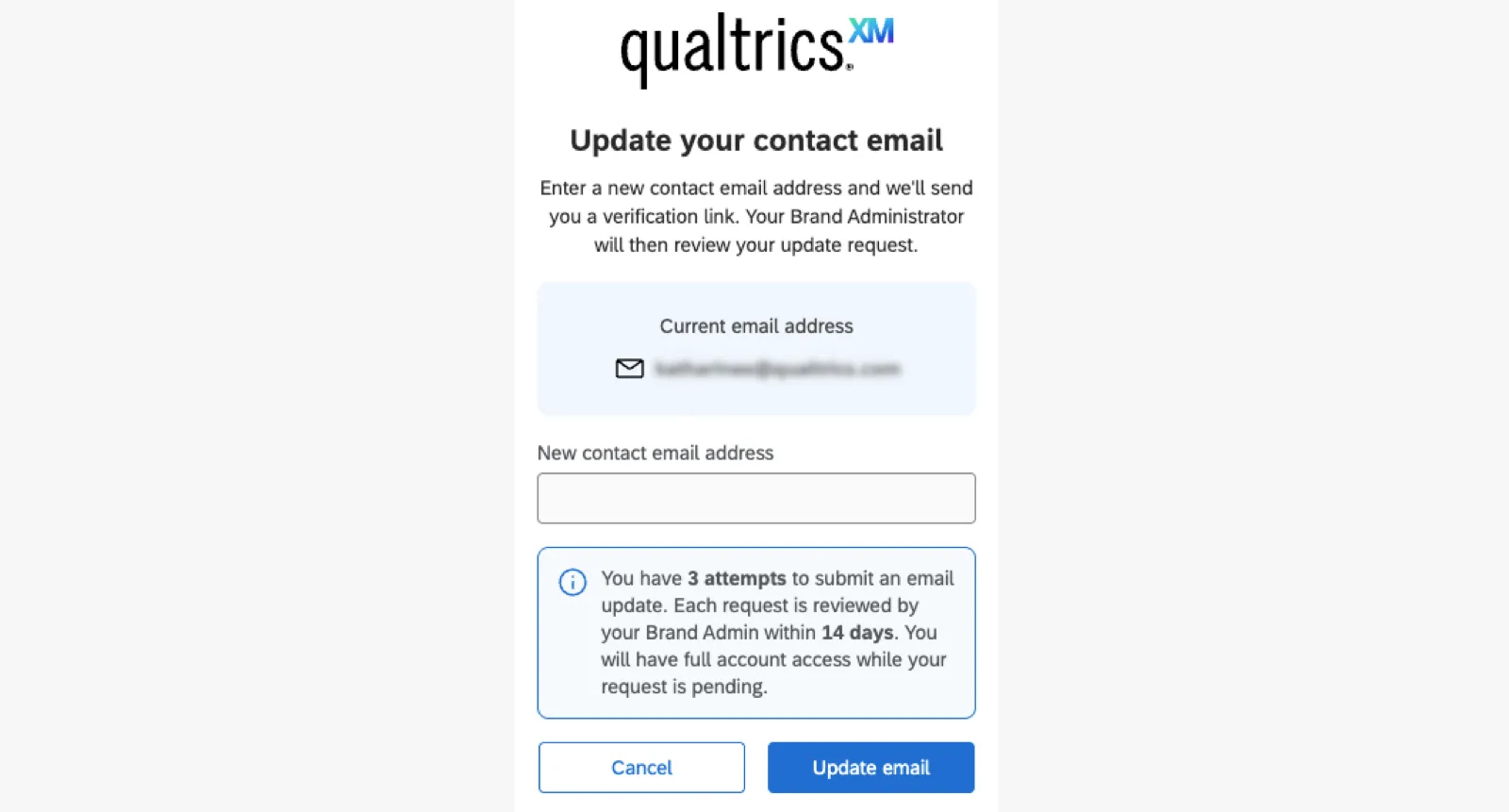
Click Update email.
Check your email for a verification message.
Qtip: You can resend the link if it doesn’t arrive the first time. Remember to check your spam folder!
Click Verify your email.
Once your email is confirmed, the request will be forwarded to your Brand Administrator. They should respond to your request within about 14 days.
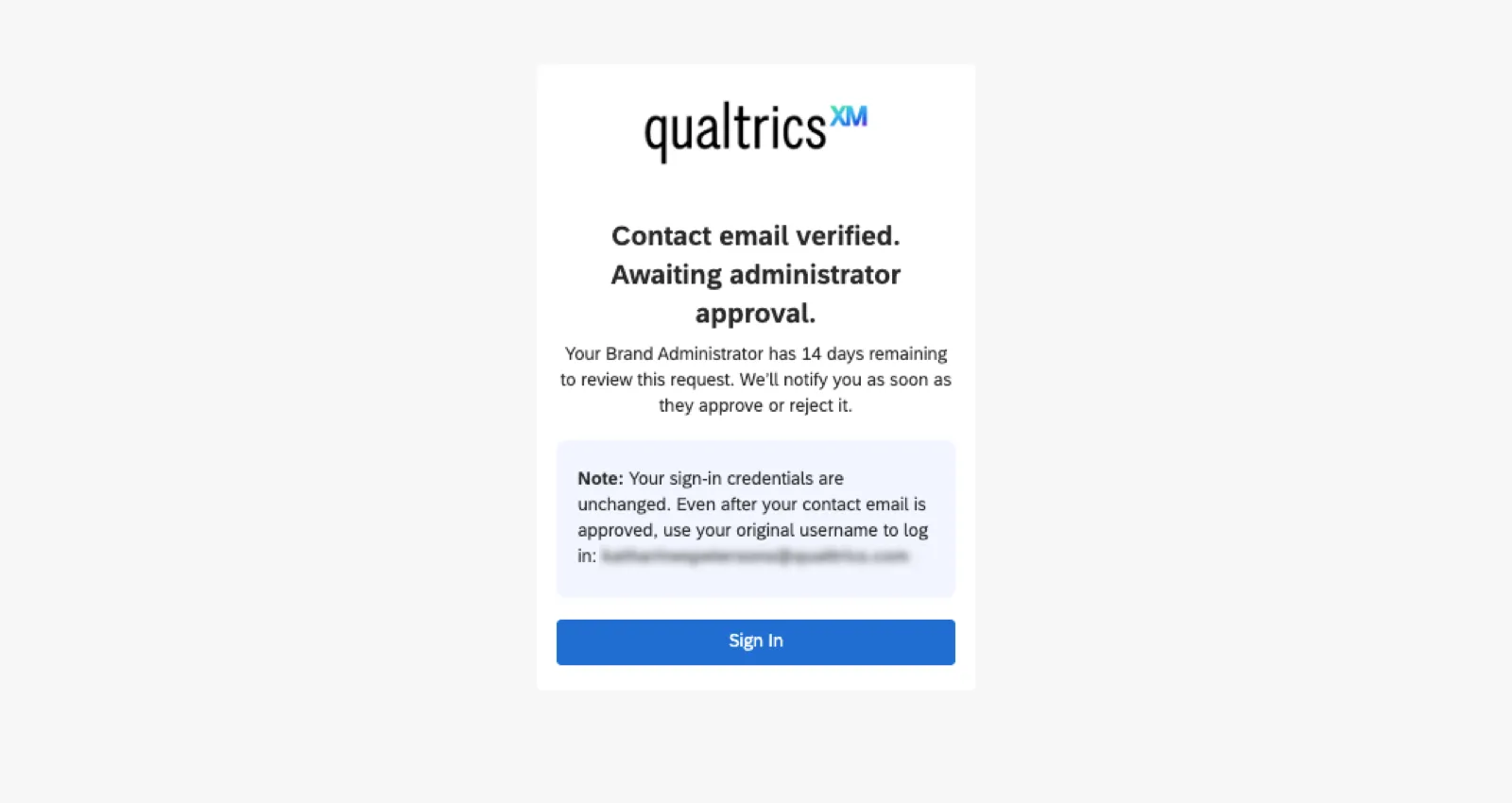
While you wait for your email change to be accepted or rejected, you can log into your Qualtrics account.
Approved Email Update
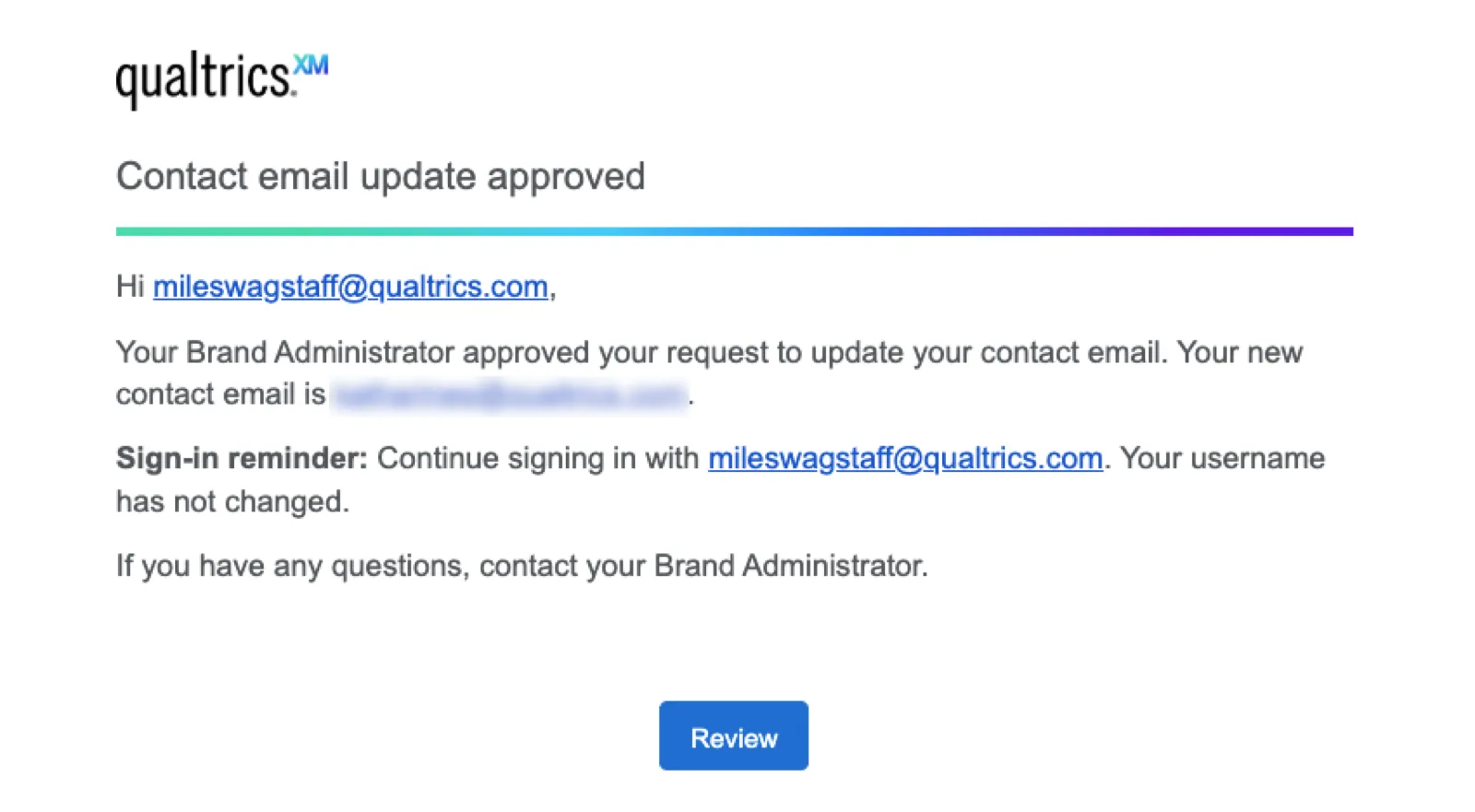
If your request to change is accepted, you’ll receive an email letting you know at your newly updated email address.
Rejected Email Update
If your email change is rejected, the next time you try to log in, you’ll see the reason for rejection. An email notification is not sent.
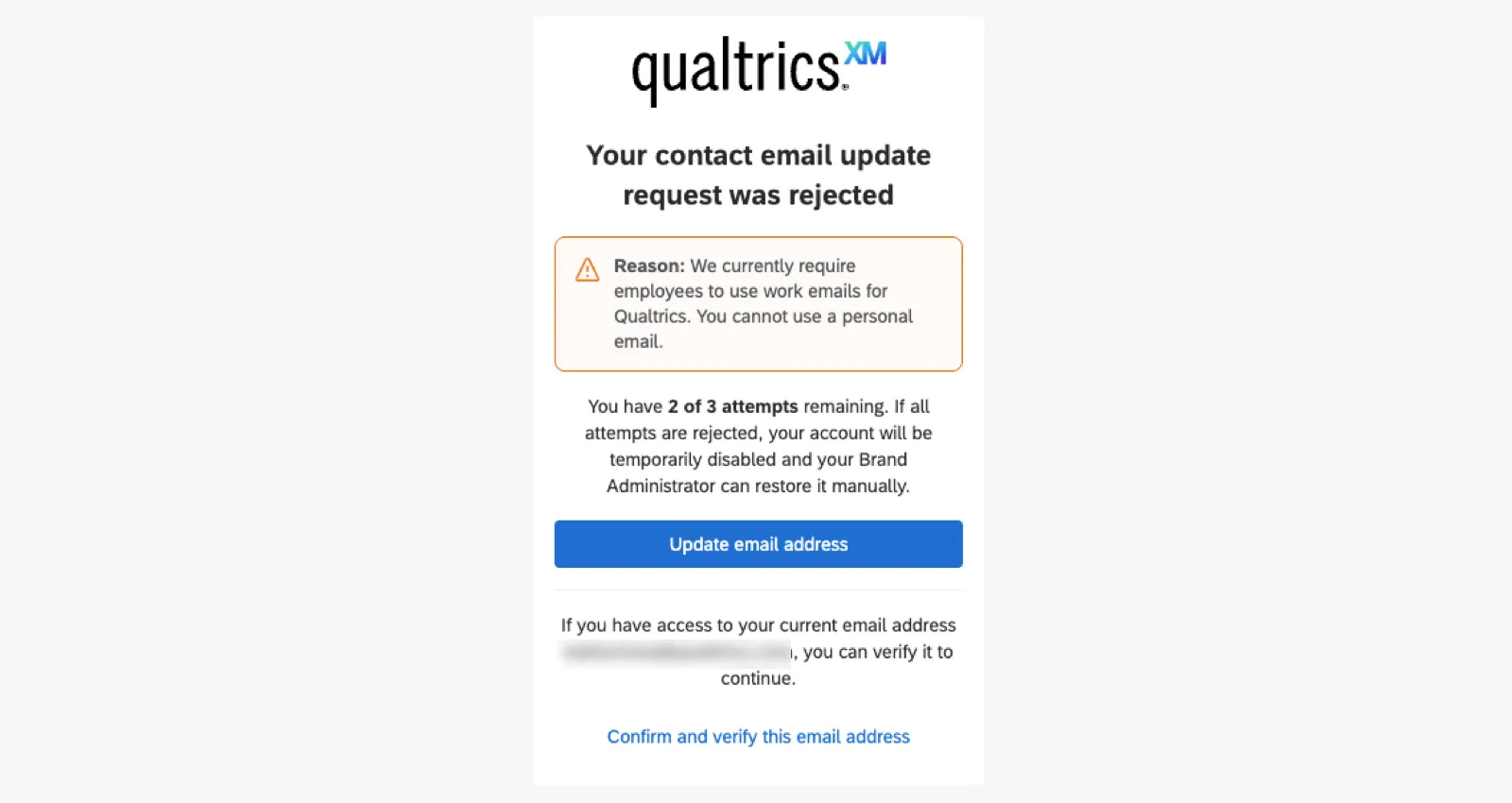
You have a maximum of 3 attempts to change your email address.
Attention: If all of your email address changes are rejected by your administrator, your account will be disabled. Learn more about disabled accounts.

Approving Email Changes as a Brand Administrator
As users across your organization submit email address changes, you’ll be sent these requests for approval. This helps ensure accuracy and quality.
Qtip: As a Brand Admin, your own email update requests are approved automatically.
We recommend approving or rejecting requests within 14 days of submission. Requests that remain pending after that period of time will restrict the affected user's access until a decision is made. If a request remains unreviewed, you'll also receive a reminder by email twice a week (Monday and Thursday) in addition to an in-app notification.
Viewing All Email Update Requests
Any Brand Administrator in the organization can follow these steps to view, accept, or reject email requests.
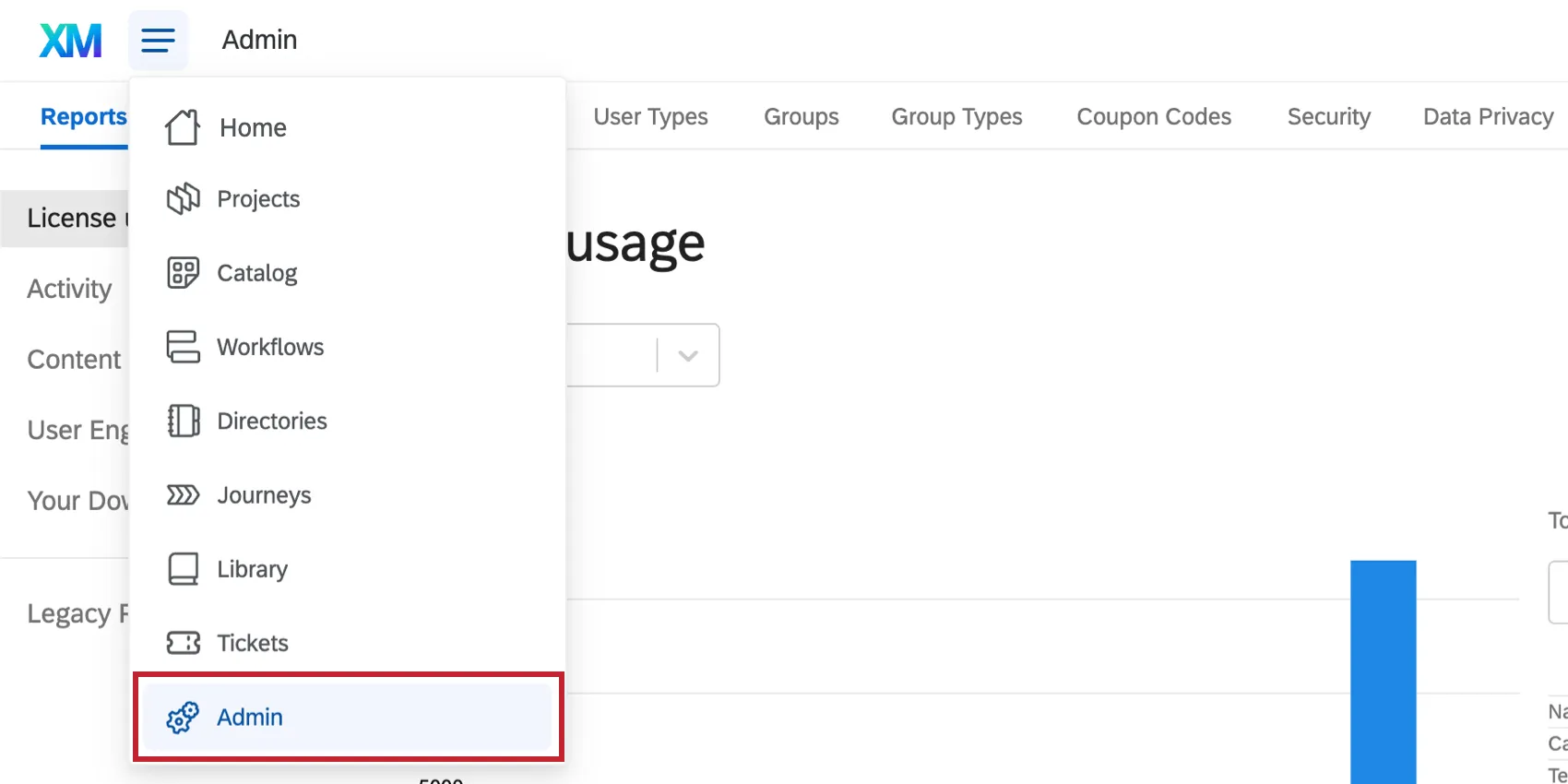
Go to Admin.
Go to Approvals.
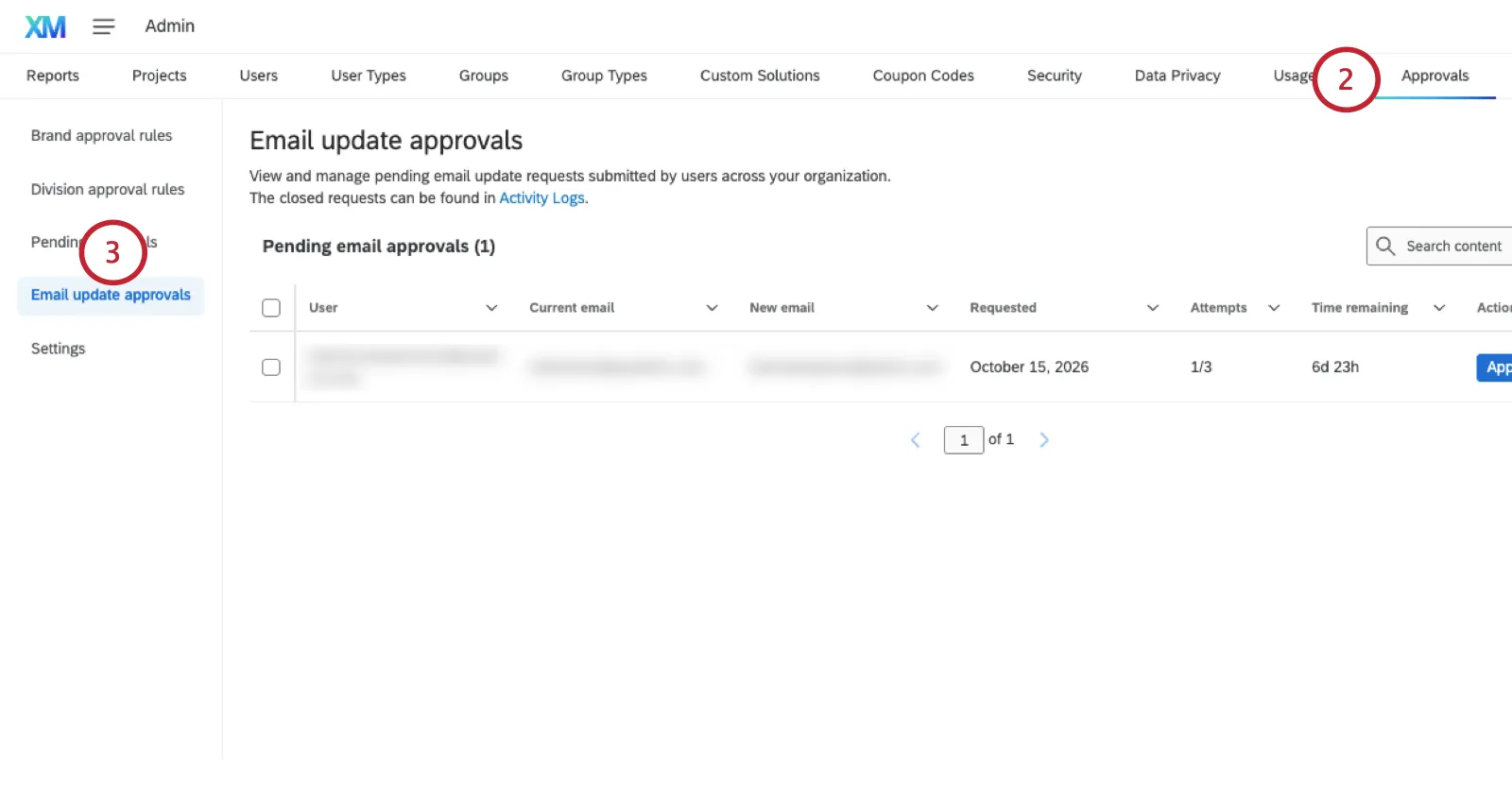
Select Email update approvals.
Read about the request. Information includes:
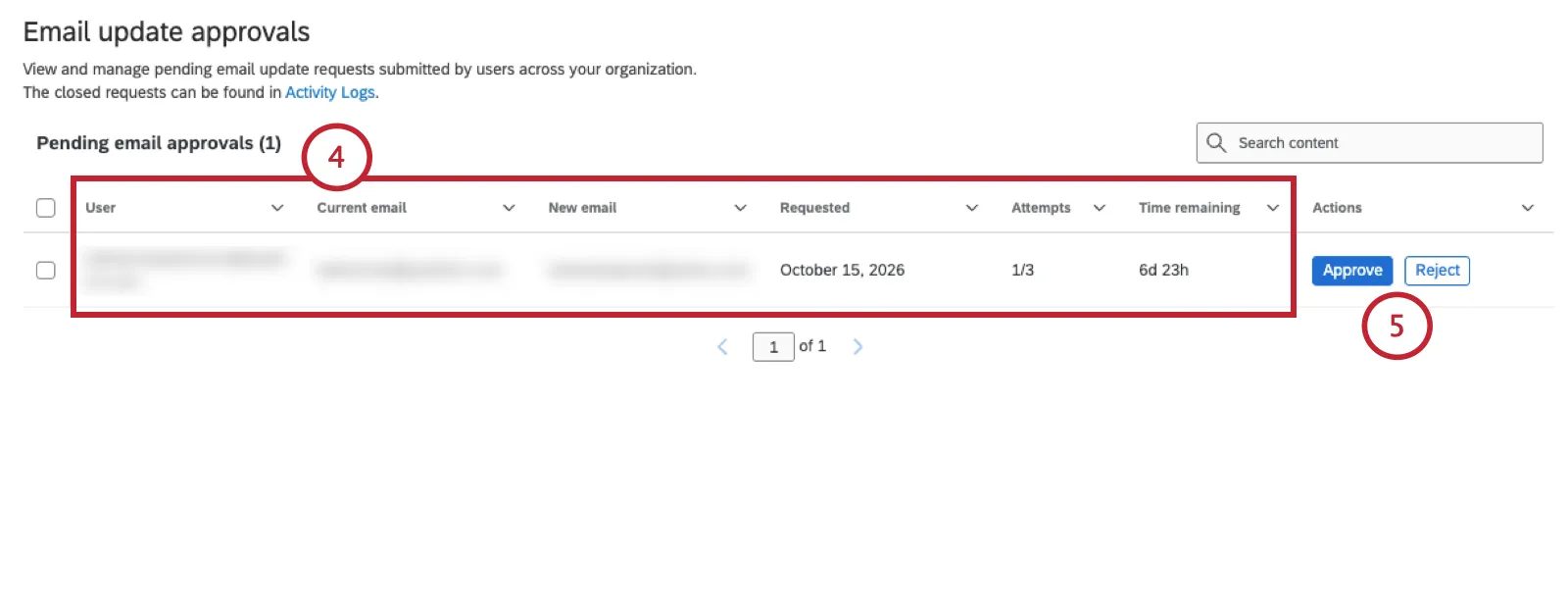
- Username
- Current email
- New email being requested
- Date of request
- Number of updates attempts
- Time remaining to approve the request
From there, you can select Approve or Reject.
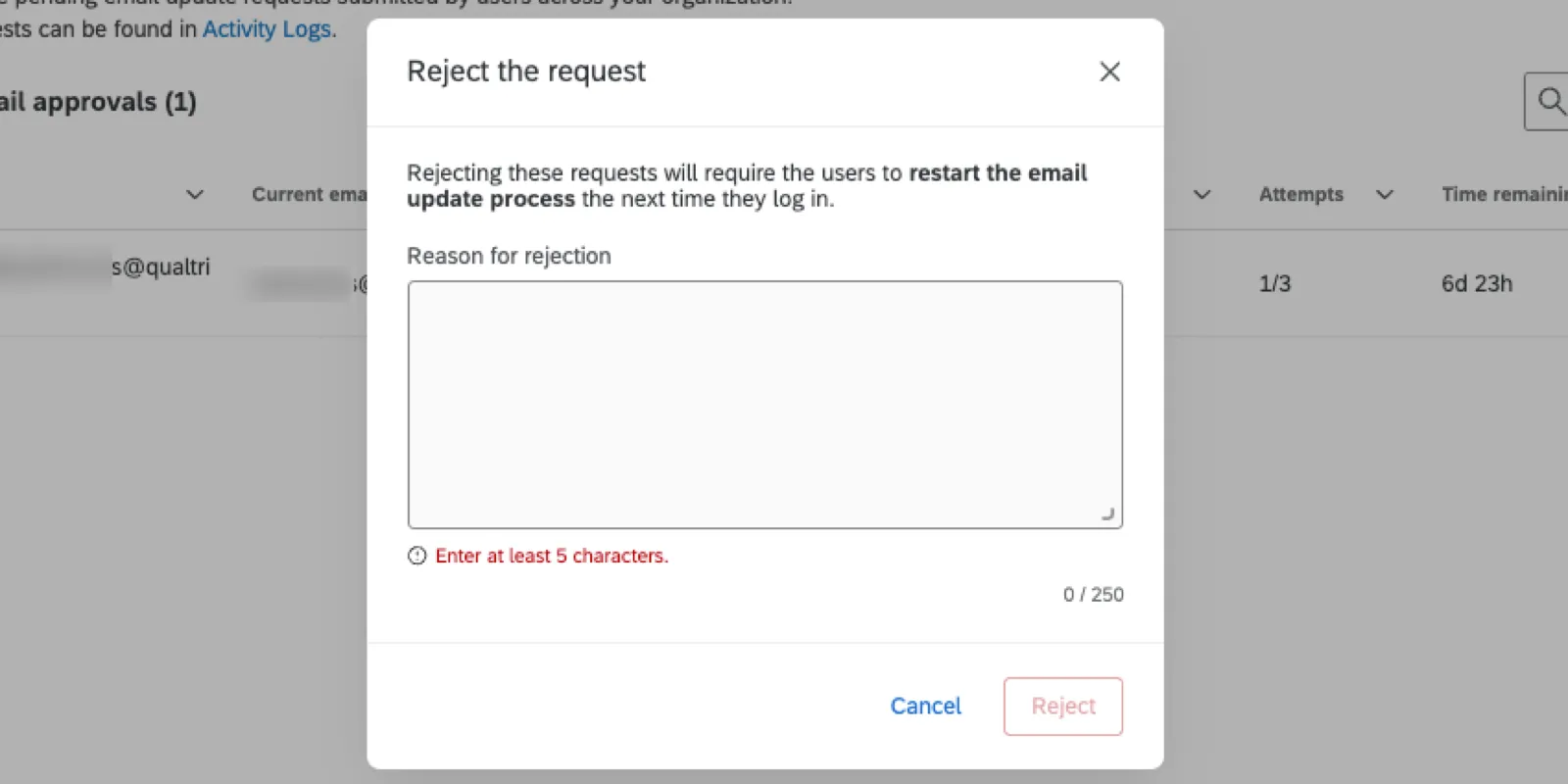
If you reject the request, you must provide a reason why. This reason will be shown to the user.
FAQs
How do I find the URL I should use to login to Qualtrics?
How do I find the URL I should use to login to Qualtrics?
If you are having trouble finding your URL with these methods, please reach out to Qualtrics Support.
How do I know if my Qualtrics license has SSO?
How do I know if my Qualtrics license has SSO?
If you already have a Qualtrics account, you can figure out if you have SSO by going to the profile icon in the upper-right of your account -> Account Settings -> Recent Logins. If your username has a hashtag (#) in it, your organization uses SSO.
If you do not yet have a Qualtrics account, try looking on your organization’s website for a special link to Qualtrics, or reach out to the professor or colleague who asked you to create an account. If this link takes you to your standard organization login screen, that means you are using SSO, and must always login from this special link.
If you were in charge of setting up the license and don't remember purchasing SSO, you probably do not have access to SSO. Talk to your Account Executive or Technical Success Manager for more detail.
I tried to login and got the message, “Too many failed login attempts. Your account has been locked. Please try again later.” What do I do now?
I tried to login and got the message, “Too many failed login attempts. Your account has been locked. Please try again later.” What do I do now?
Please wait at least an hour before trying the methods described on the Login Issues support page, or reaching out to support. Please note that support cannot override the lock on your account.
What do I do if I forgot my password?
What do I do if I forgot my password?
On the login page, click Reset your password here and fill out the information. This will send a password reset email to the email address on the account.
The password reset email may take a few minutes to arrive. Be sure to check your spam or junk folder.
If you have already tried these steps and need more assistance, check out the Password Reset section of our support pages.
I know this user has a Qualtrics account, but why can’t I find them?
I know this user has a Qualtrics account, but why can’t I find them?
- The account it is in a different organization/license (e.g., the user made a free account instead of an account in your license).
- There is a different username, name, or email associated with the account than anticipated (e.g., searching the username field for qualtricsdemo@qualtrics.com doesn’t work because the actual username is qualtricsdemo#qualtrics).
- The user has more than one account and the account information being used to search is for the incorrect account.
- The account has been deleted.
How do I edit a user?
How do I edit a user?
For more information, visit the Managing Existing User Accounts section of the Creating and Managing Users support page.
To edit users, you must be a Brand Administrator. Reach out to your Brand Administrator if you need assistance.
Who is the Brand Administrator of my account and what types of tasks can they perform?
Who is the Brand Administrator of my account and what types of tasks can they perform?
I received an email that my account was disabled. How can I recover it?
I received an email that my account was disabled. How can I recover it?
That's great! Thank you for your feedback!
Thank you for your feedback!