

Embedding XM Directory Profile Cards in ServiceNow
What's on this page
About Embedding XM Directory Profile Cards in ServiceNow
You can embed information about individual XM Directory contacts on your ServiceNow page. Each contact’s profile card displays 3 metrics (CSAT, NPS, and CES), all the segments the contact belongs to, and the 3 latest transactions or touchpoints they’ve had.
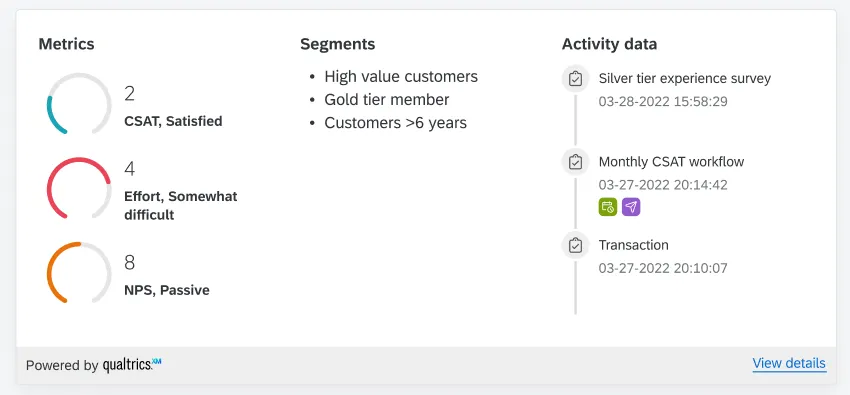
The profile card can be useful if you’re a frontline representative, such as technical support or customer success, who would like to view key customer information in ServiceNow.
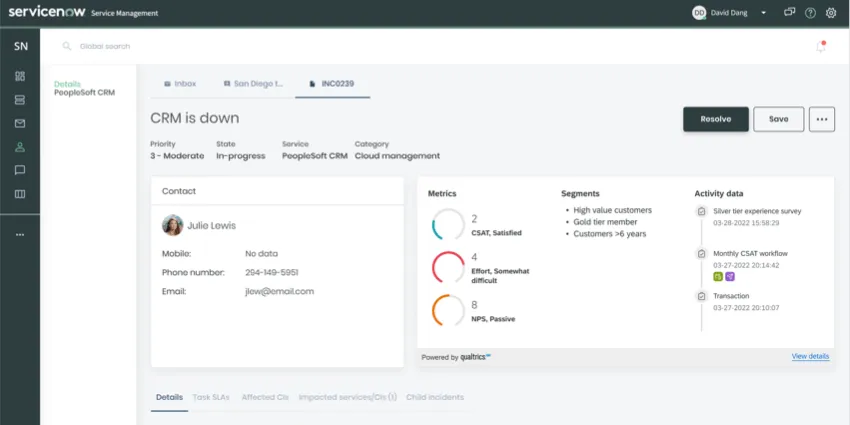
Example: Here’s what the profile card can look like alongside other reporting in ServiceNow.

Attention: This feature is only available for Qualtrics users with XM Directory and Segments. This feature is not available for XM Directory Lite.

Qtip: The Qualtrics team has linked a survey right on the profile card. Please let us know what you think about this feature!

Installing the Qualtrics ServiceNow App
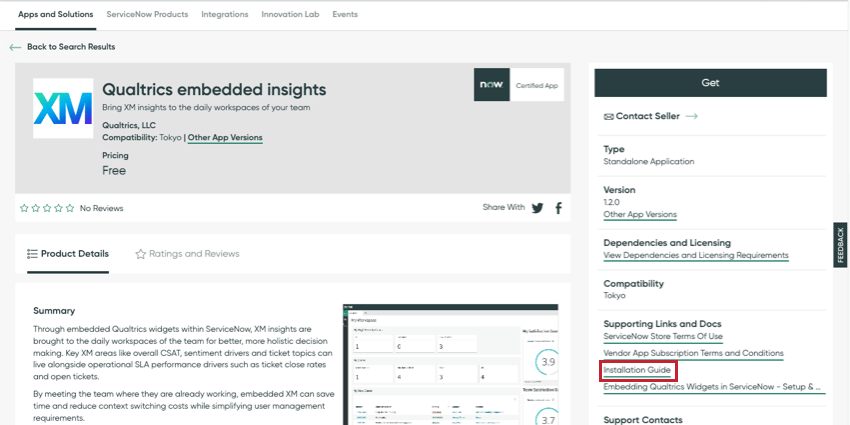
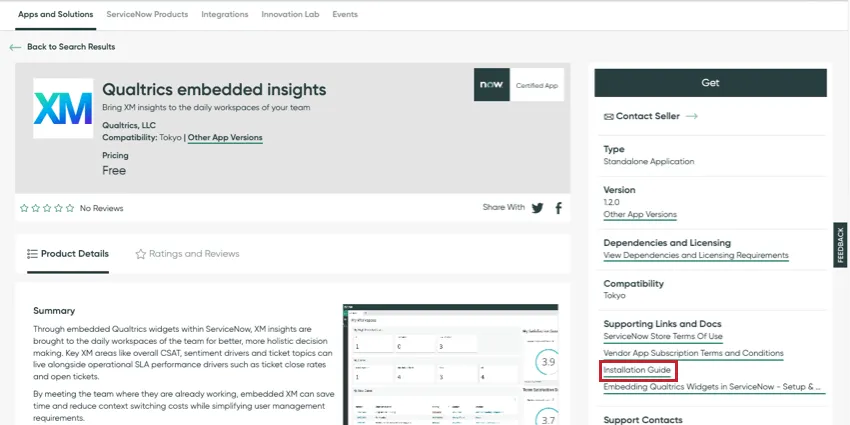
To embed the Qualtrics profile card in ServiceNow, you must install the Qualtrics application from the ServiceNow store.
- Qualtrics embedded insights in the ServiceNow store
- ServiceNow documentation on installing a ServiceNow application
Qtip: The Qualtrics ServiceNow app also allows you to embed CX dashboard widgets.
Setting Up Personal Authentication
Before users can see data from Qualtrics inside ServiceNow, a form of authentication needs to be set up. While other Qualtrics functionality supports 2 forms of authentication, the XM Directory Profile Card only supports one: personal authentication. That means each user in ServiceNow will connect to their own Qualtrics account before viewing data.
See the Installation Guide on the Qualtrics embedded insights ServiceNow store page for details on how to set personal authentication up.
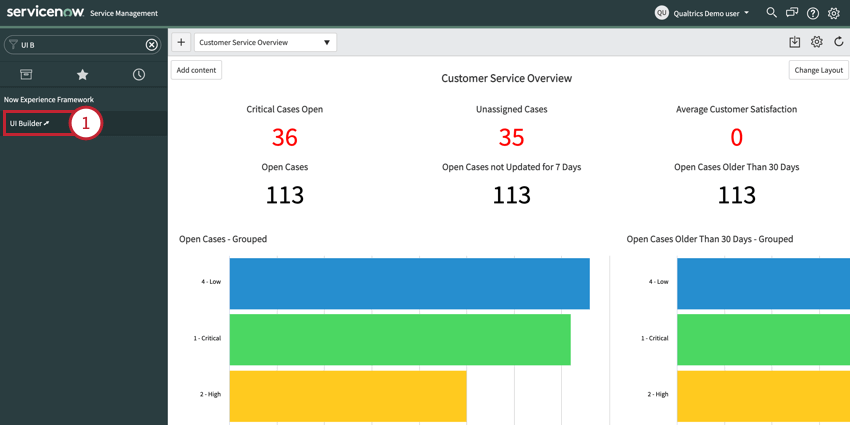
Adding the XM Directory Profile Card in ServiceNow
Qtip: You cannot customize what’s displayed on the profile card.
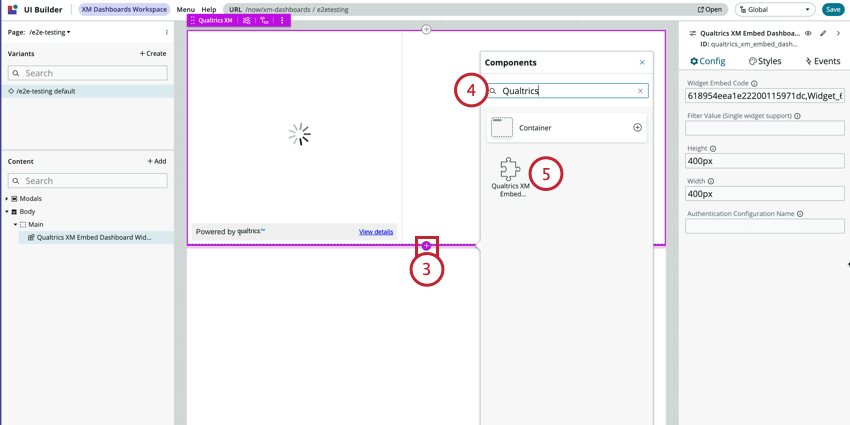
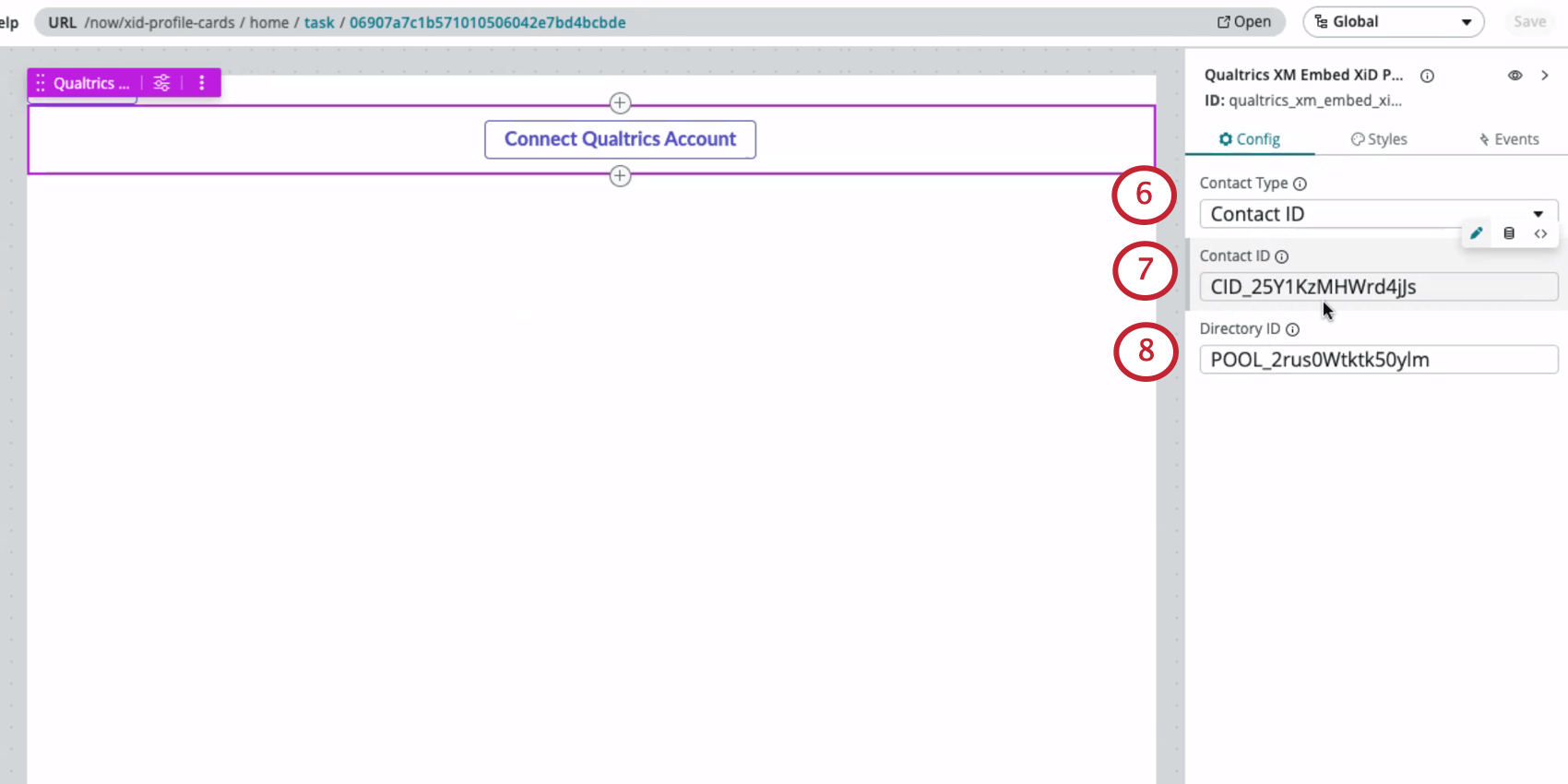
Qtip: You can find a contact’s ID and other relevant information by searching for a contact in the directory and clicking it. The contact ID will be listed to the right with the contact’s other personal information. You can also get a contact ID by inspecting the element in a directory, segment, mailing list, or sample.
Qtip: See Locating the PoolID.
Qtip: In the event a user needs to connect to different accounts, you can also add a Qualtrics XM Personal Auth Refresh Button through the UI Builder. Once you add this button, you can change its variant, size, or label.
Viewing Qualtrics Data in ServiceNow
ServiceNow users will need to connect their Qualtrics account to start viewing Qualtrics contact data.
When you go to view the profile card in ServiceNow for the first time, instead of contact data, you’ll see a button that says Connect Qualtrics Account. Click this button, then log into your Qualtrics account.
Qtip: When there are multiple widgets on the same page, only the widget whose button you clicked will auto refresh. You will need to refresh the full page after you complete the flow to make sure all widgets load the data.
FAQs
How can I tell if I have XM Directory or XM Directory Lite?
How can I tell if I have XM Directory or XM Directory Lite?
For admins, being able to tell whether or not you have XM Directory Full or XM Directory Lite on your license is easy. Admins of XM Directory have access to many more features than the average XM Directory Lite user, including the Summary tab, the Directory Contacts tab, and Directory Settings.
However, even if you’re not an admin, you can often tell whether you have XM Directory Full or XM Directory Lite in one of the following ways: If you’re still not sure which feature you have, reach out to a Brand Administrator. Brand Administrators who are unsure can reach out to their Account Executive or Account Services.
How do I make sure my contacts have CSAT, NPS, and CES saved so they appear in the profile card?
How do I make sure my contacts have CSAT, NPS, and CES saved so they appear in the profile card?
That's great! Thank you for your feedback!
Thank you for your feedback!