

Response Count Thresholds (CX)
What's on this page
About Response Count Thresholds
Let’s say you’ve only just started your project, and haven’t collected very much data. You don’t want only one or two responses to display in a widget on your dashboard that you use for your stakeholders; this small amount of data wouldn’t be as valuable to them.
Response count thresholds allow you to define the minimum number of responses you must receive before data starts to appear in the dashboard. You can apply this at the level of an entire page, or even just a few individual widgets.
Qtip: Widgets will only display data for the answer choices that meet the response count threshold. For example, if the threshold is set to five, only answer choices with five or more responses will display in the widget.

Types of Compatible Dashboards
Qualtrics has a few types of dashboards available. This feature can be found in the following dashboards:
- Dashboard projects (i.e., CX Dashboards)
- Results Dashboards
- Brand Experience
Please note that not all licenses include this feature or all of these types of dashboards.
Qtip: Any dashboards not listed above are not covered on this support page. While other dashboard products may have similar features included, this support page only details functionality found in the types of dashboards listed above.
Adding Thresholds to Pages
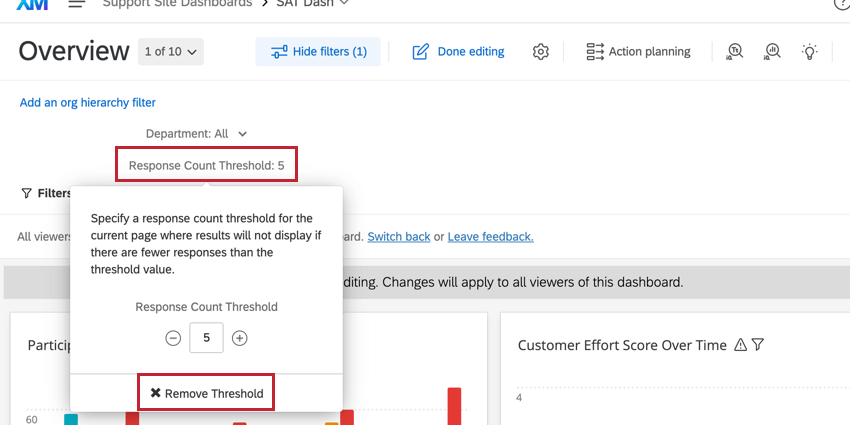
Follow the steps below to apply a response count threshold to a page. You can add these thresholds to as many pages of your dashboard as you want.
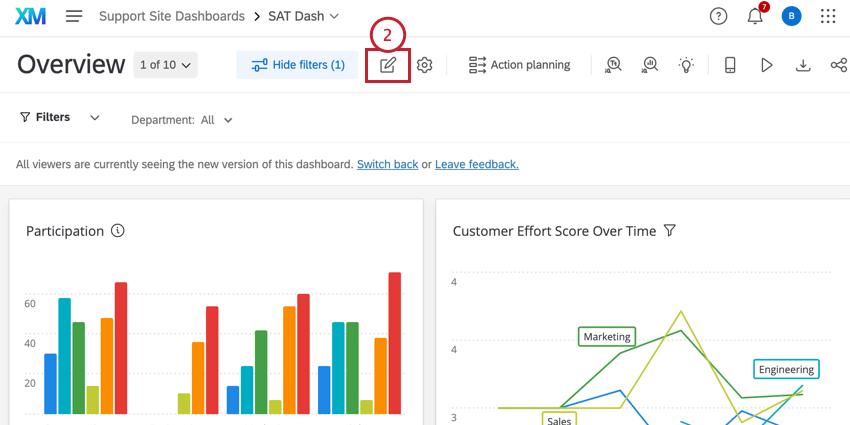
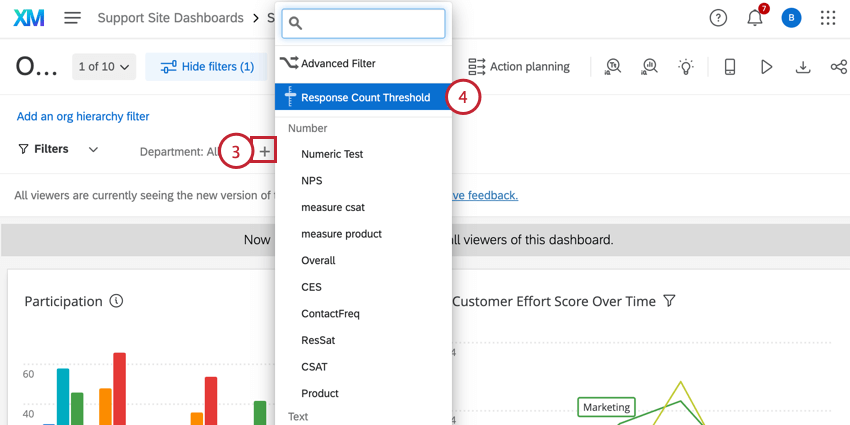
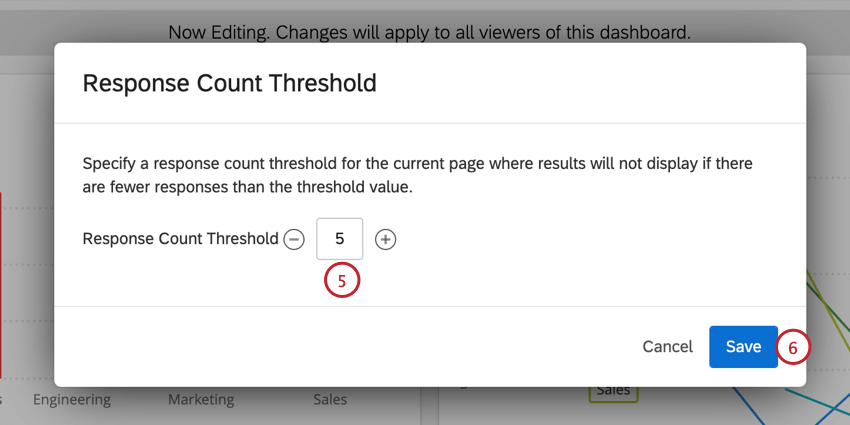
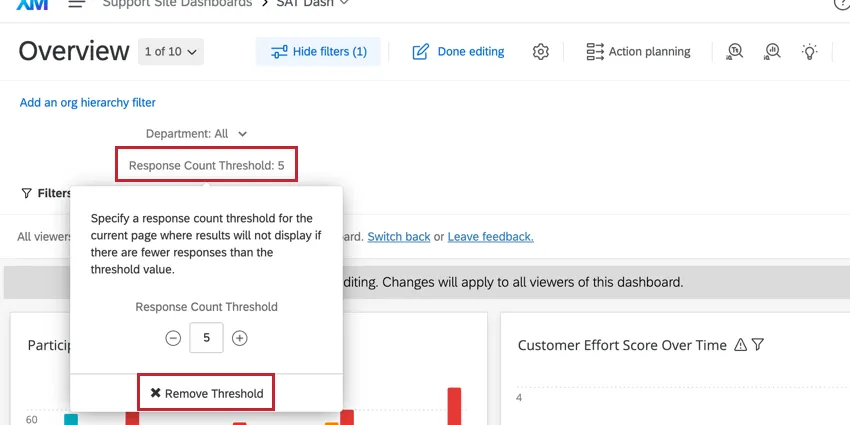
Qtip: If you want to remove your response count threshold from the page, click Response Count Threshold at the top of your dashboard and select Remove Threshold. You can also use this menu to increase or decrease the threshold.
Adding Thresholds to Widgets
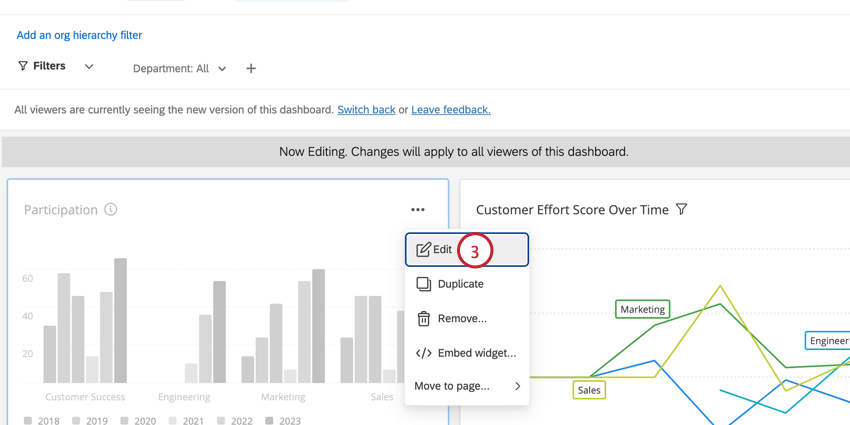
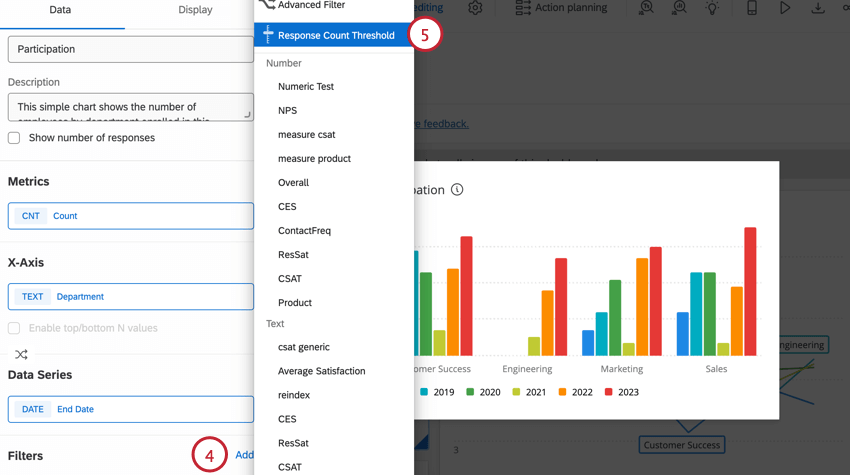
Follow the steps below to apply a response count threshold to an individual widget. You can add these thresholds to as many widgets as you want.
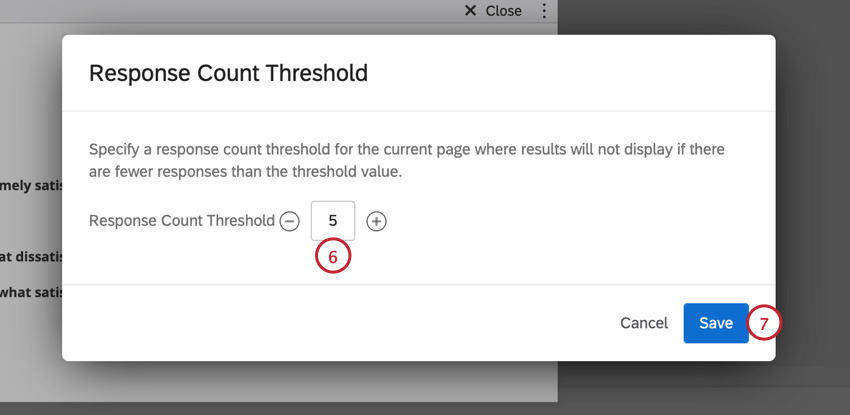
Qtip: Fields used in metrics must also meet the response threshold in order for the responses to display in your widget.
Widget Compatibility
The following is a list of widgets compatible with response count thresholds added to them directly or to the page they are on.
- Simple Chart
- Breakdown Bar
- Gauge Chart
- Number Chart
- Simple Table
- Word Cloud
- Single Ticket Viewer
- Pie Chart
- Star Rating
- Key Driver
- Pivot Table
- Multiple Source Table
- Breakdown Table Attention: The Trend column in a breakdown table is not compatible with response count thresholds.

- Breakdown Trends
- Scatter Plot
- Response Ticker Widget
That's great! Thank you for your feedback!
Thank you for your feedback!