
 XM Knowledge Base
360 Degree Feedback Software
Use 360 feedback to develop your people at every level to power growth and innovation
With actionable feedback and insights that are personalized to each employee, 360 Development helps your talent build upon their skills, understand their individual challenges, and take the right actions to ultimately boost business impact.
Supercharge your employees’ development—without additional overhead
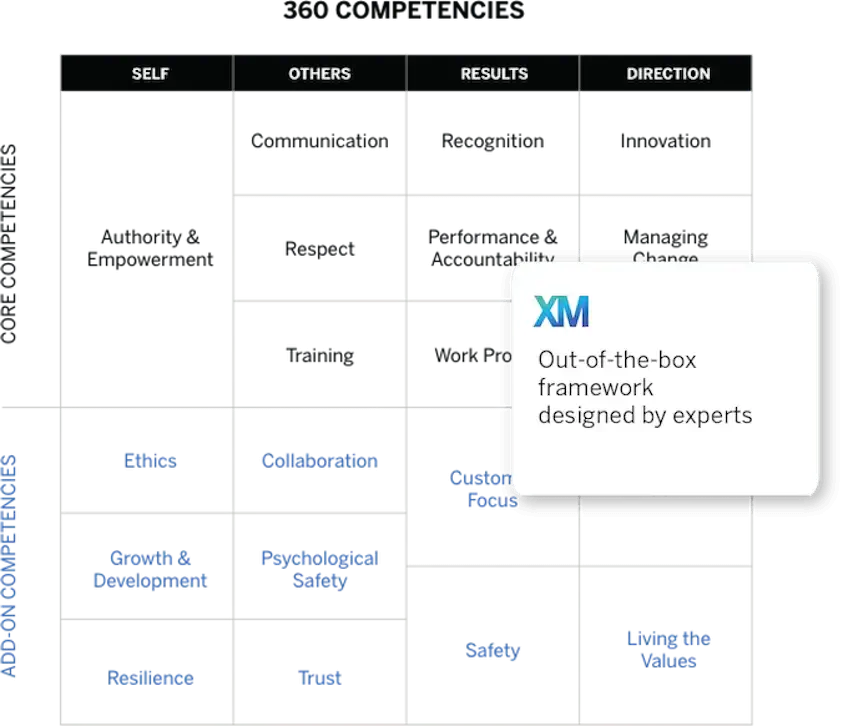
- Jumpstart your development program using our expert-created, out-of-the-box development framework for senior leaders, people managers and individual contributors
- Scale development programs more efficiently for more of your people, through automated nomination, evaluation and reporting workflows
- Enable employees to own more of the 360 processes and reduce dependency on HR teams with the intuitive participant portal
Empower employees to own their development and learning
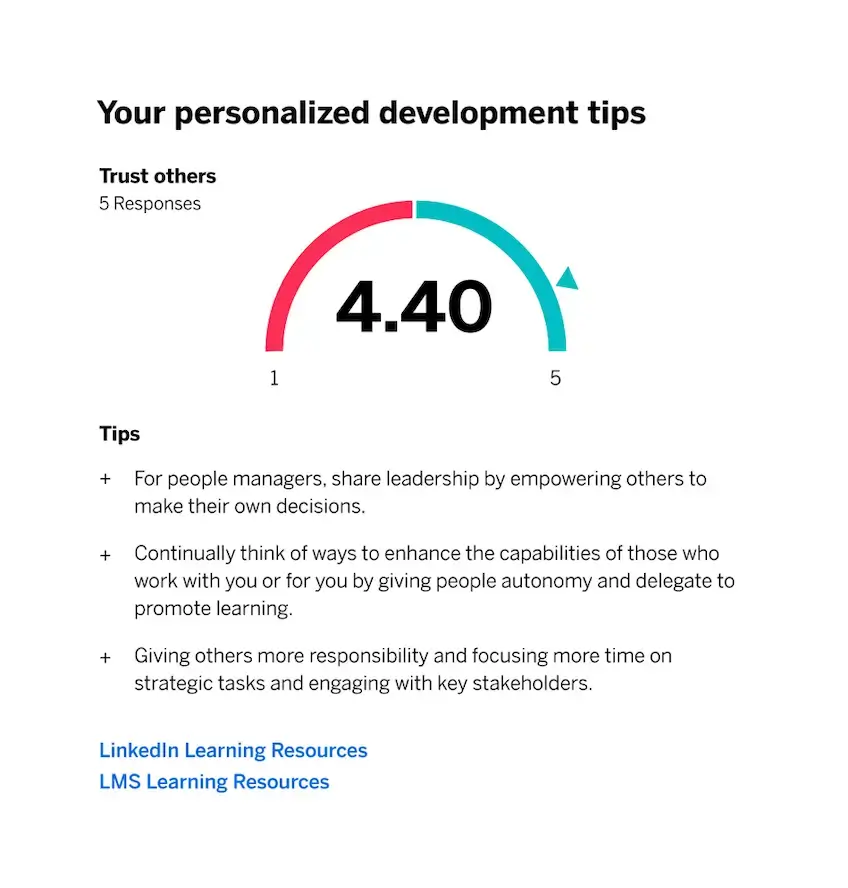
- Automatically aggregate 360 feedback into personalized subject reports that provide relevant insights to each employee based on their function and development plan
- Link actions to specific learning resources within the flow of 360 feedback – including to LMS courseware, LinkedIn Learning and other third party content – to help employees start closing development
gaps immediately - Ensure employees can give open and honest feedback without compromising confidentiality through anonymity thresholds
Deliver highly tailored development programsthat drive positive change
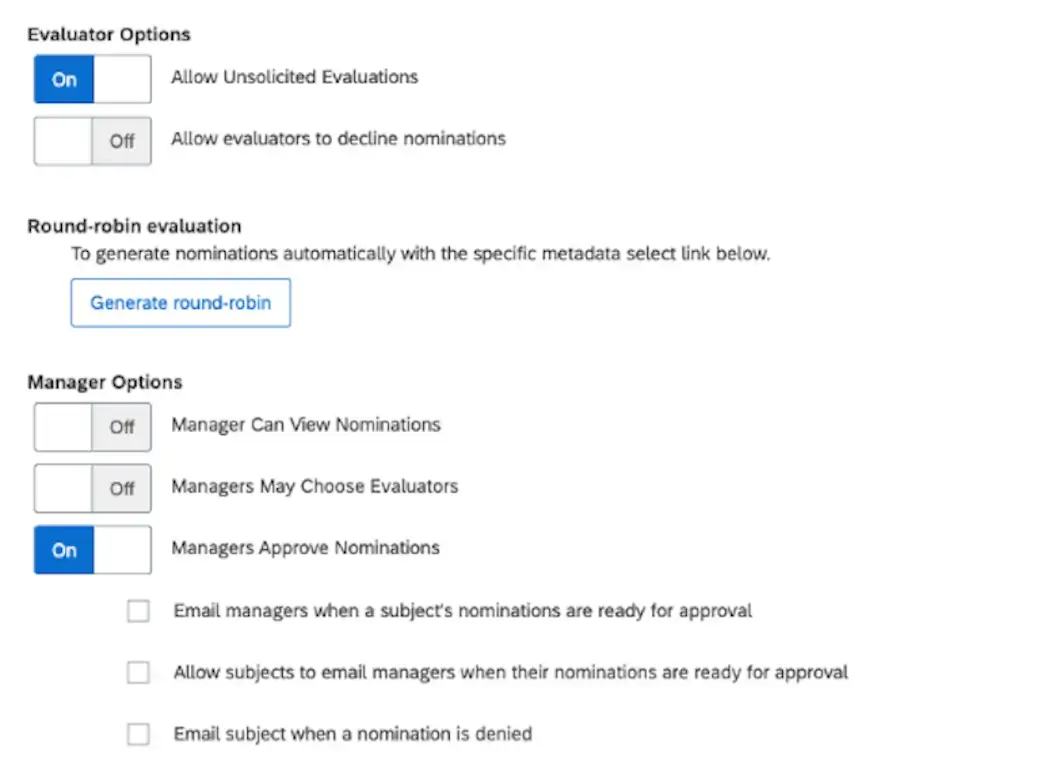
- Create flexible, customized workflows that best fit your organization’s needs by selecting unique evaluator, manager, and subject options —
you decide the process, the content and how it’s reported - Deliver personalized reports for each employee, which include comprehensive feedback that is most relevant to their role and development plan
- Design and use your own custom competencies that reflect your organization’s unique culture and values
Easily identify development gaps across your organization
- Access aggregated 360 results in a centralized and
flexible dashboard - Quickly understand development opportunities across scaled group such as functional teams or by role or level.
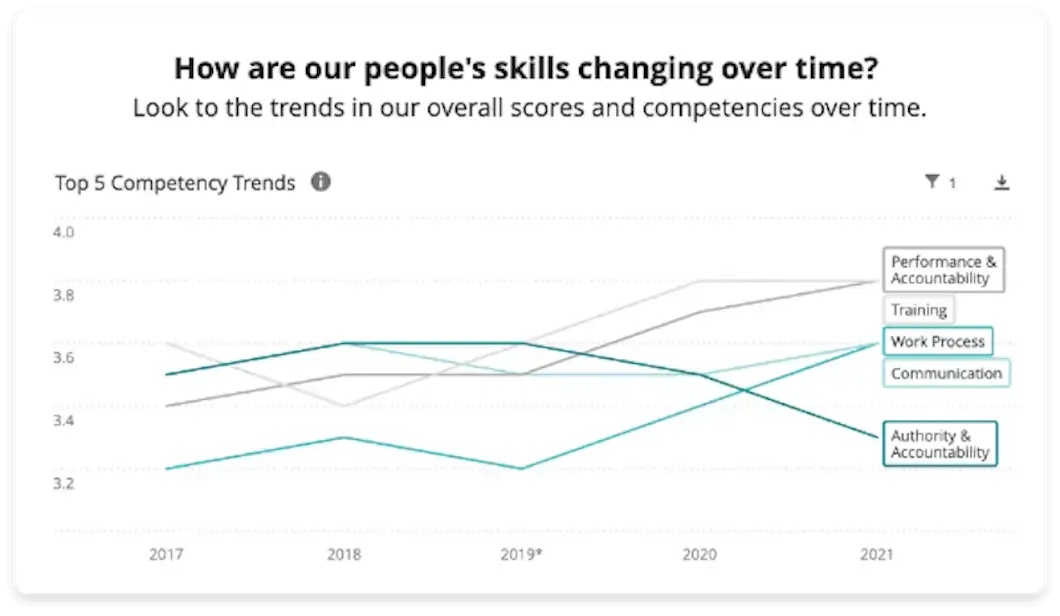
- Identify, track and measure employee development programs over time using real-time analytics and powerful data visualization
- Connect employee development outcomes with critical business metrics to prove ROI and development impact
Get started now – request a demo today
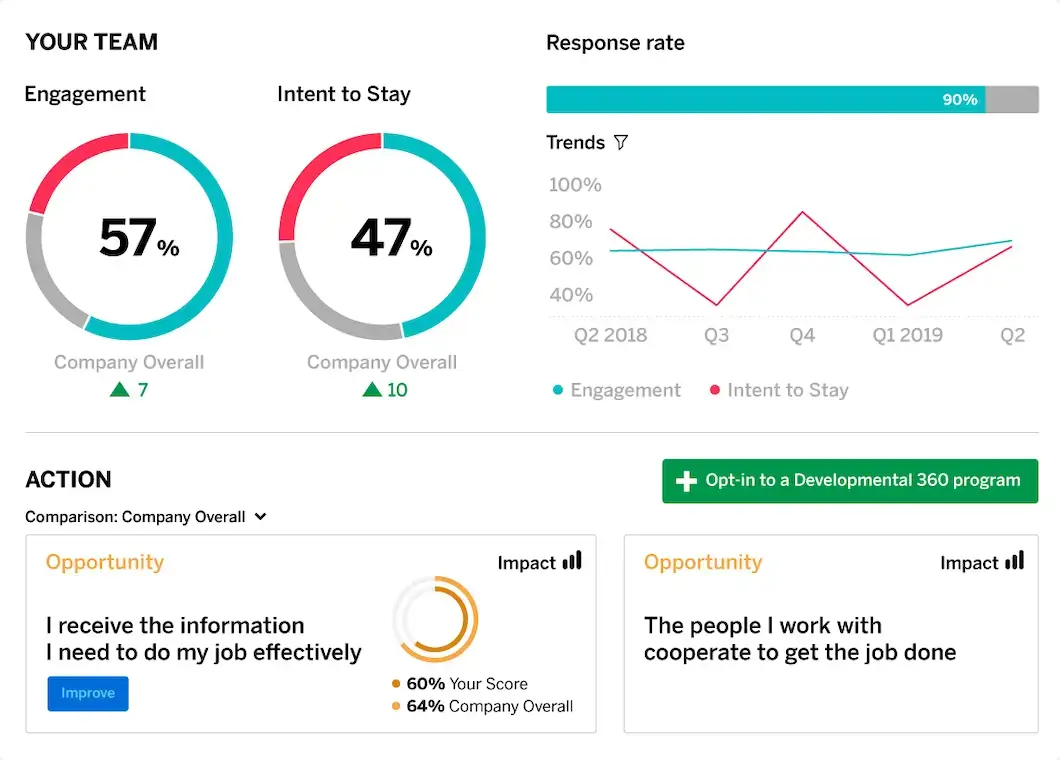
Connect your 360 program with other employee listening tools from Qualtrics
360 Development connects with other solutions across the Qualtrics EmployeeXM platform to help you understand and take action on the broader employee experience
- Based on engagement insights, senior leaders and managers can initiate a 360 assessment directly from their engagement dashboard to dive deeper into competencies that require further development
- Connect 360 Development outcomes with insights from other employee Lifecycle moments to generate a comprehensive view of how employees are feeling about your organization at key points in time
- Create a competitive advantage with optimized candidate and employee development experiences that enable you to attract, develop and retain the best talent possible
World-class 360 Development services
We work with a broad range of advisory and implementation partners with deep employee and leadership development expertise.
Our certified partners can help you create a new employee development program or scale an existing program to more levels of talent.
Our world-class services and consulting can work with your in-house teams to help you deliver a comprehensive development program that meets the unique needs of your organization and maximize your employee
development ROI.
The top rated employee experience management software
The crowd has spoken. Qualtrics is proud to be the XM pioneer and category leader in the top right quadrant on the #1 independent software review site.
Read unbiased reviews from real customers and compare for yourself.
What is 360 feedback?
360 feedback (aka multi-rater feedback) is a method of employee review that ensures every member of staff has the opportunity to receive performance (and developmental) feedback from their supervisor, manager and a set number of peers.
By taking a 360-degree approach to employee development and experience, organizations of all sizes can close talent gaps, increase organizational performance and bring teams closer together.
For example, they can quickly extend development programs to more employees without additional administrative overheads, and deliver employee development experiences that best meet their organization’s unique needs.
Through these personalized, data-driven and actionable insights, supervisors, managers and leaders empower employees at all levels to accelerate their careers, become better leaders, and improve their business impact. Plus, as 360-degree feedback draws information from multiple resources, it becomes significantly easier to uncover issues (or opportunities) that would have gone unnoticed.
Ultimately, with the right 360 feedback software, it becomes possible to analyze every stage of the employee journey, including the feedback shared, to devise truly effective action plans that bring out the most from your people and the business.