

Experience Design for Workplaces: Hybrid XM Solution
What's on this page
About the Experience Design for Workplaces: Hybrid
The Experience Design for Workplaces: Hybrid XM Solution supports leaders who are determining the development and implementation of location and flexible work policies. With this XM Solution, organizations can quickly understand what employees want in a hybrid model, including desired flexibility options and the impact of remote work on productivity and wellbeing.
This solution comes with a pre-configured survey template and dashboard.
Qtip: For a general guide on using XM Solutions, see Guided Solutions.

Methodology
Pre-built assessment questions cover the following Hybrid Workplace topics: Scheduling preferences, remote work experience, and the benefits of office-based and remote environments.
This solution can be used for:
- Determining how many days employees want to work remotely vs. in the office.
- Deciding on investments to improve remote worker productivity and wellbeing.
- Learning about employee perception of office health and safety.
- Hearing about the flexible work arrangements employees want.
Use real-time employee sentiment data to make the best plans for your organization – and your employees – as you plan a hybrid model for transitioning back to the workplace.
Creating an Experience Design for Workplaces: Hybrid Survey
Qtip: This guided project is only available if your account language is set to English. However, you can upload translations or auto-translate using Google Translate for content as needed.
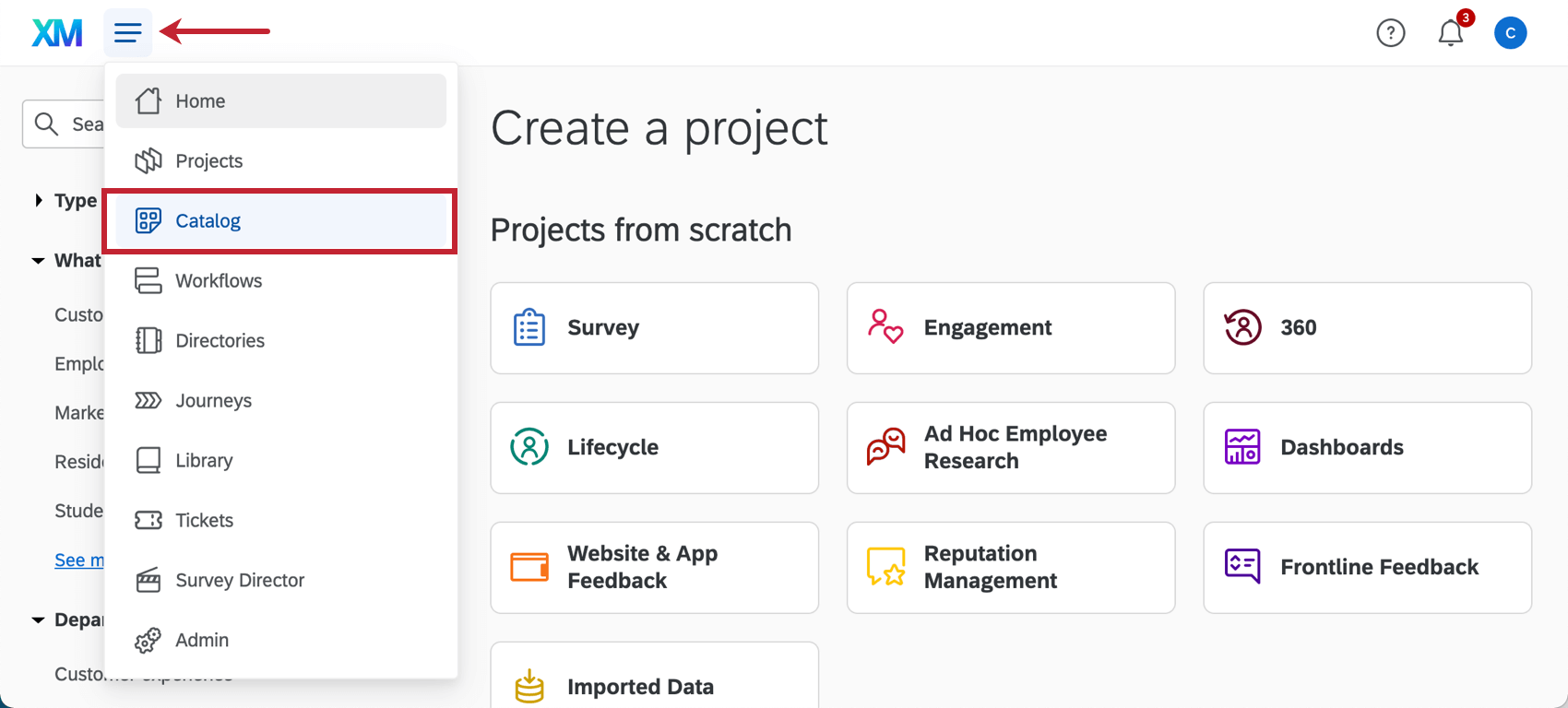
Qtip: A project can also be created from the Projects page or Homepage.
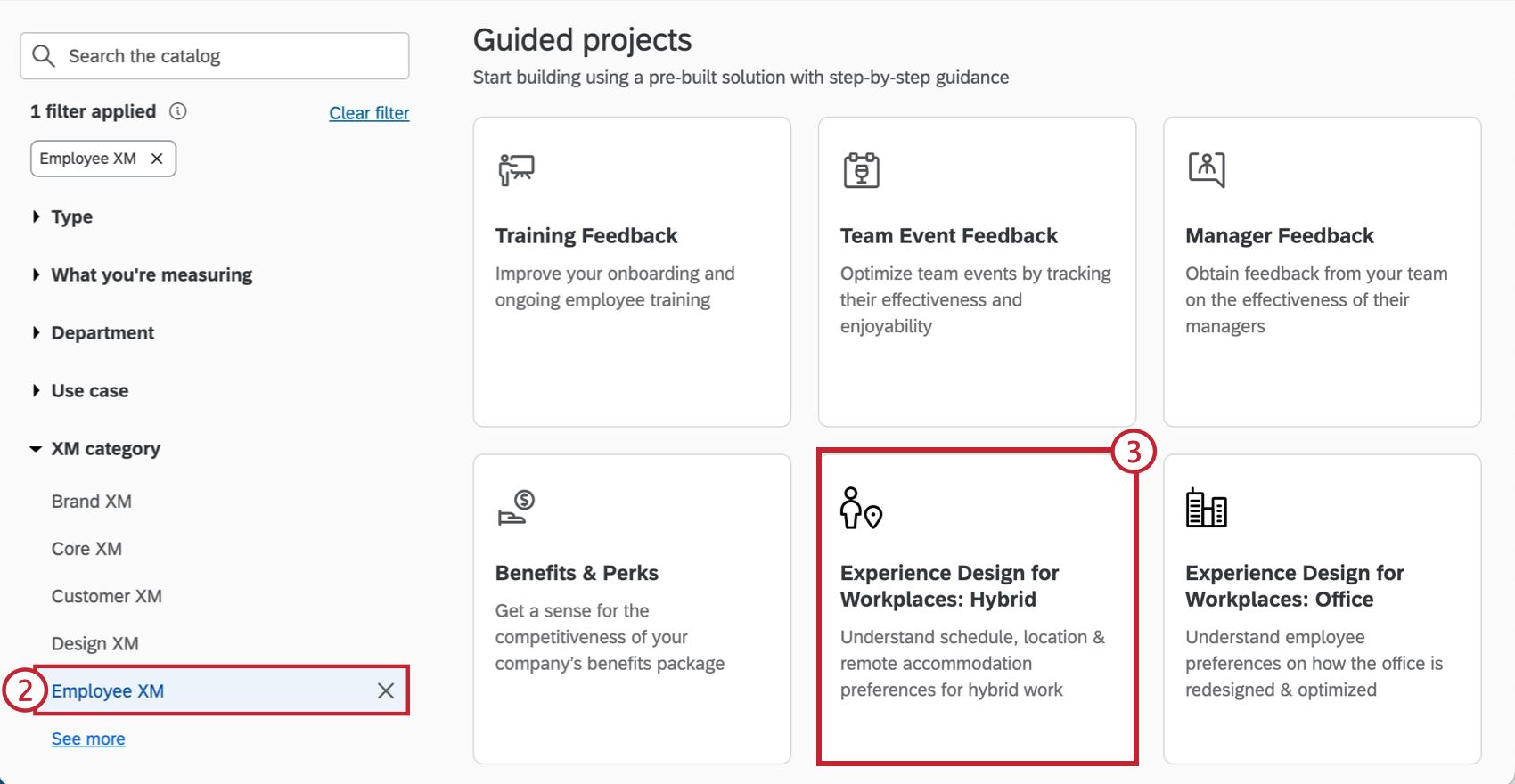
Qtip: You can also use the search in the catalog to find this project.
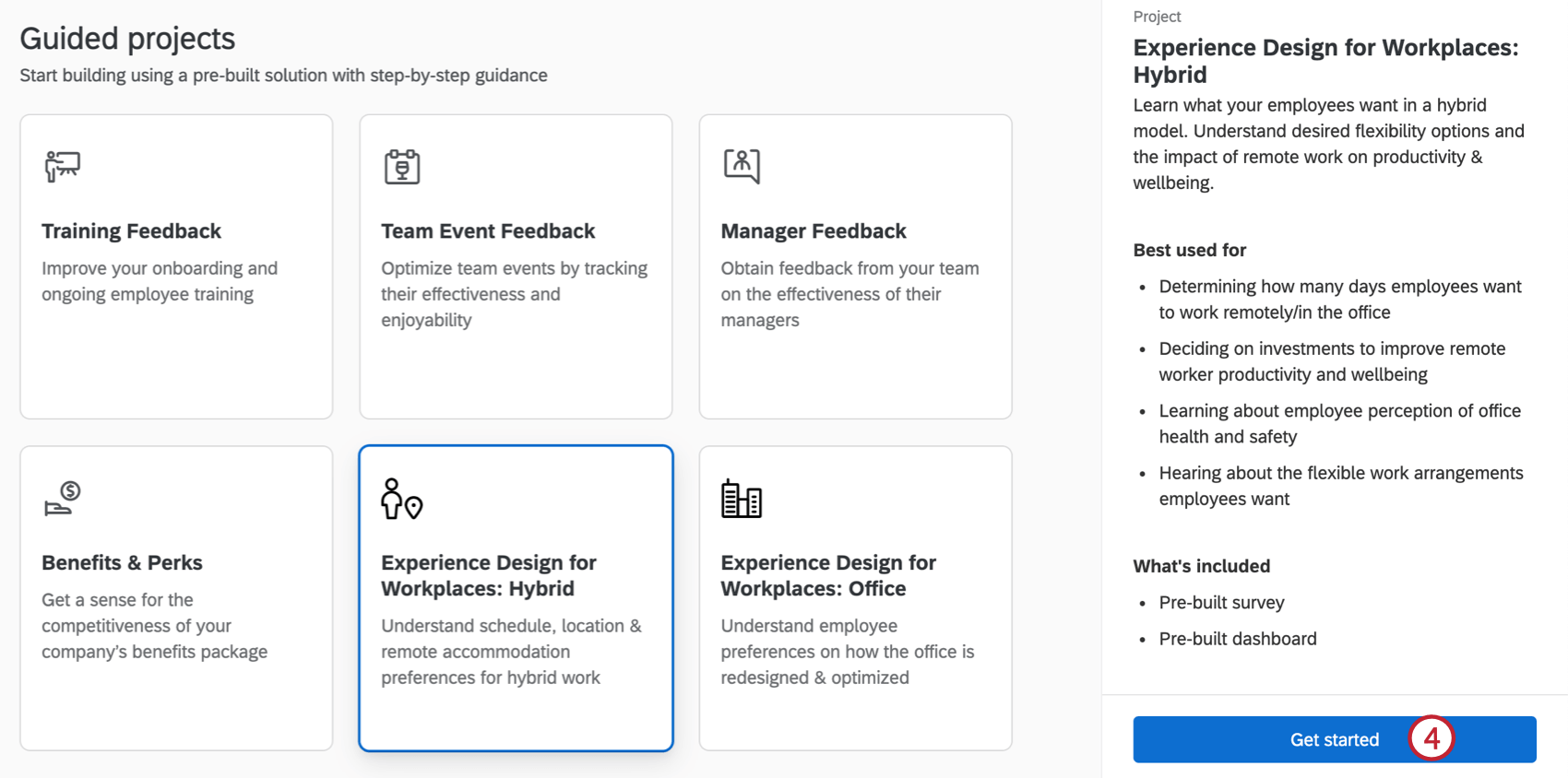
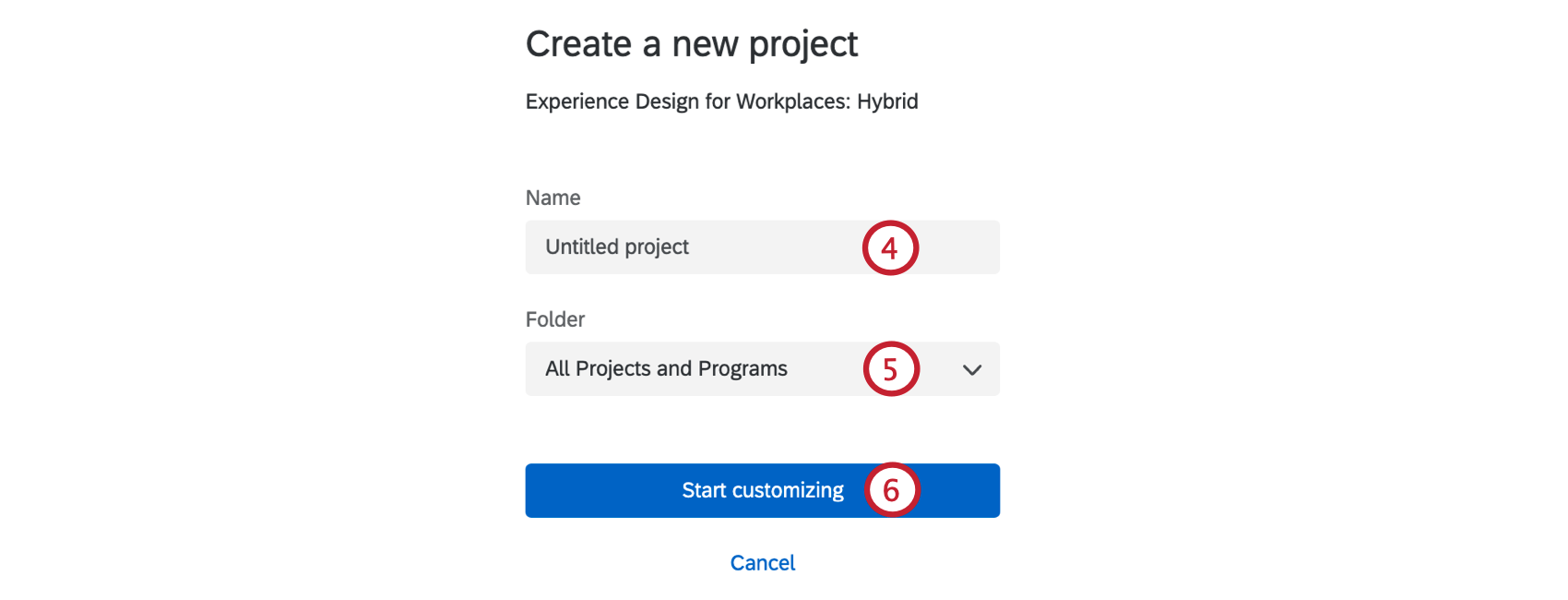
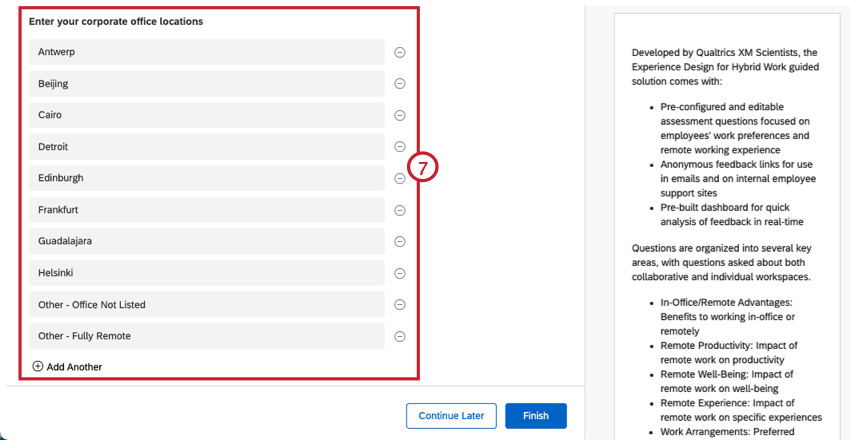
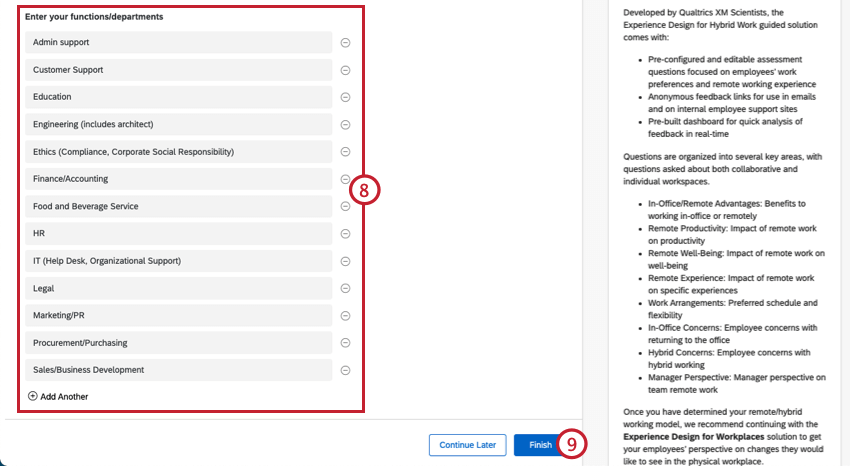
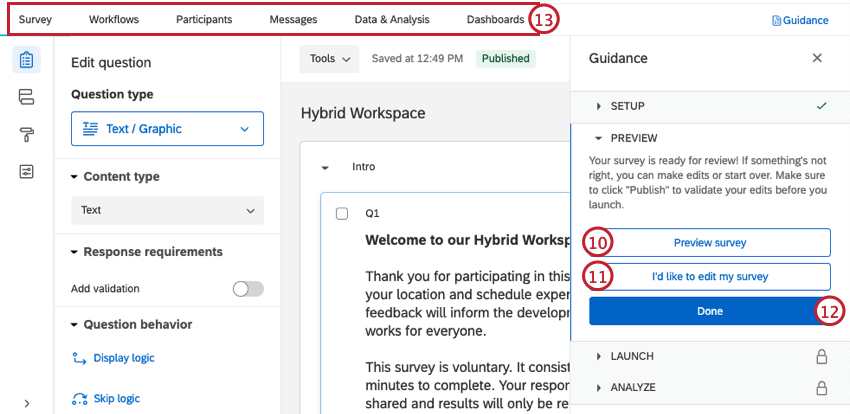
Qtip: Did your survey Preview not appear? Make sure your browser doesn’t block pop-ups on Qualtrics.
Customizing Your Experience Design for Workplaces: Hybrid Survey
Once you’ve created your Experience Design for Workplaces: Hybrid XM Solution, you can customize your survey by adding new questions, editing existing ones, changing the survey theme, and much more. You can also view your raw survey data and set up notifications for when you receive new responses. See the following pages for more.
Distributing Your Experience Design for Workplaces: Hybrid Survey
Qtip: These projects do not have employee hierarchies.
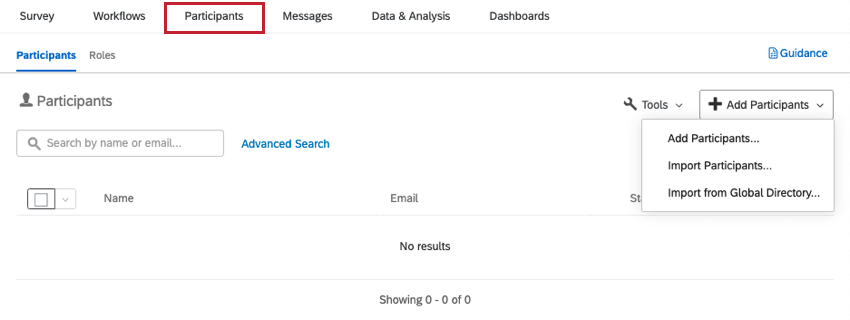
To distribute your survey, you’ll need to upload a list of participants and send an email invitation to them.
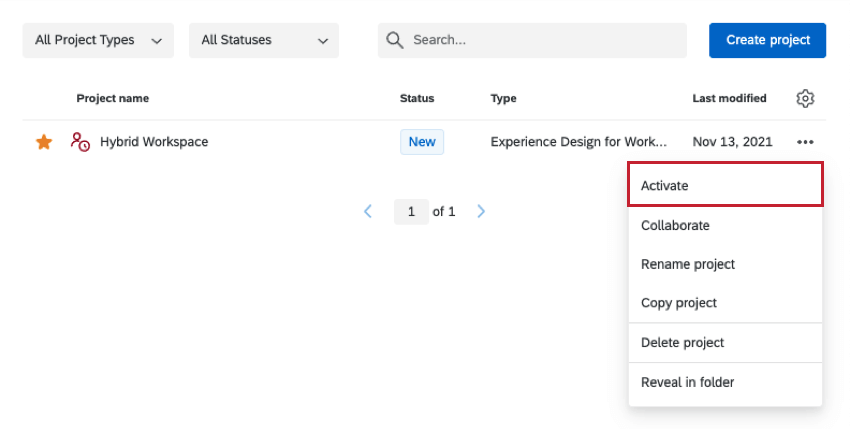
Qtip: Only pay attention to the fields described in the first section of this page, and any additional employee information (metadata) that would benefit you in this research. Do not worry about hierarchy fields, such as Manager ID or Level, unless this information would benefit this research.
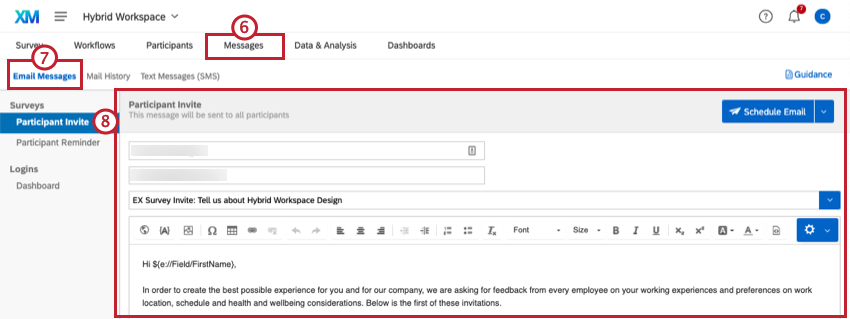
Qtip: To send text message distributions instead, follow the steps on the SMS Distributions support page.
Dashboards
PREMADE DASHBOARDS
Our XM Scientists have developed a special dashboard for this XM Solution. This dashboard has multiple pages of insightful information, and is ready to share as soon as you have collected data.
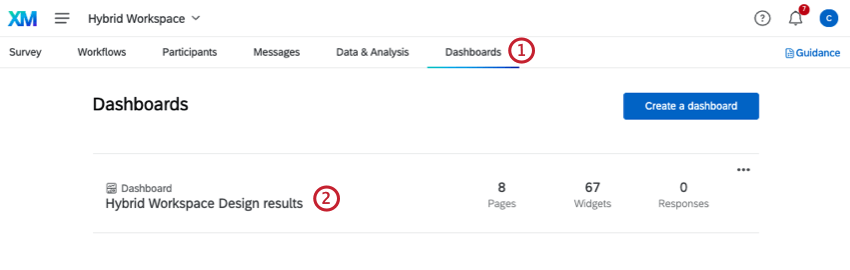
Qtip: This dashboard will not generate charts and tables until you collect data.
Qtip: Line charts may appear as a single point until you collect multiple weeks worth of data. This is because they are displaying trends over time, and don’t have enough data to display a trend yet.
DASHBOARD EDITING & SHARING
Editing and sharing dashboards works the same as editing a dashboard in a regular EX project. See the following pages for more information.
FAQs
How can I change the background/theme of my survey?
How can I change the background/theme of my survey?
That's great! Thank you for your feedback!
Thank you for your feedback!