

Step 3: Distribute Conjoint
What's on this page
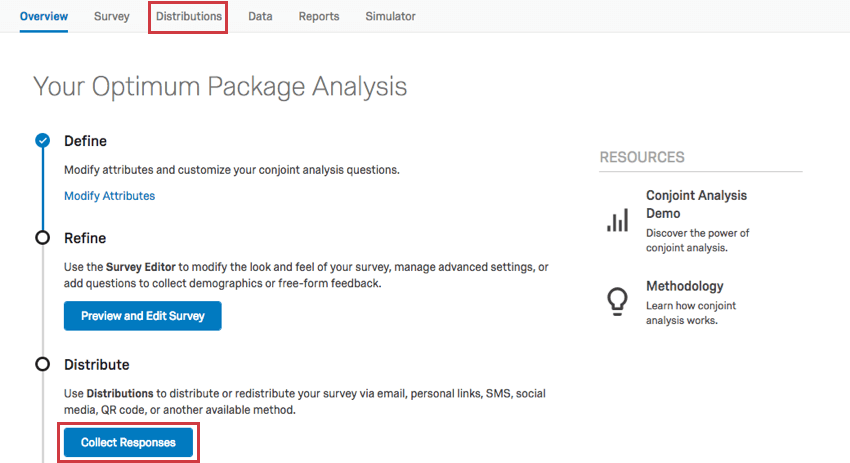
Once you have set up, previewed, and published your conjoint survey, it’s time to distribute to your respondents. Click Collect Responses on the Overview tab, or check out the Distributions tab to proceed.Qtip: Conjoint projects are an additional purchase. Please contact your Account Executive if you are interested in learning more about this product.

Ways to Distribute Your Conjoint
Qtip: The following pages link out to the Survey Platform pages, but have the same functionality in conjoint projects.
There are a number of ways you can distribute your surveys to your respondents, including but not limited to:
- Collect Personalized Responses: Create a contact list to email respondents from Qualtrics or generate one-use personal links to distribute from your own mailer.
- Emailing from Qualtrics also allows for personalized reminder and thank-you emails.
- Invites emailed with individual links allow you to track the distribution status, such as bounces, failures, and survey progress.
- Collect Anonymous Responses: Using the anonymous link.
- This link can also be distributed as a QR code™ on posters and flyers.
- If you have emailed the surveys but actually need to erase personal data permanently, try anonymizing the responses.
- Login from One Link: If you need to use one link but still want only certain respondents to complete the survey, you can use an authenticator to prompt users to log in.
See the Distributions Basic Overview page for more distribution options.
Determining Your Sample Size
If you’re not sure how big your sample should be, don’t worry! Conjoint projects will calculate how many respondents you should have to consider your results statistically significant.
You can find this information in several places:
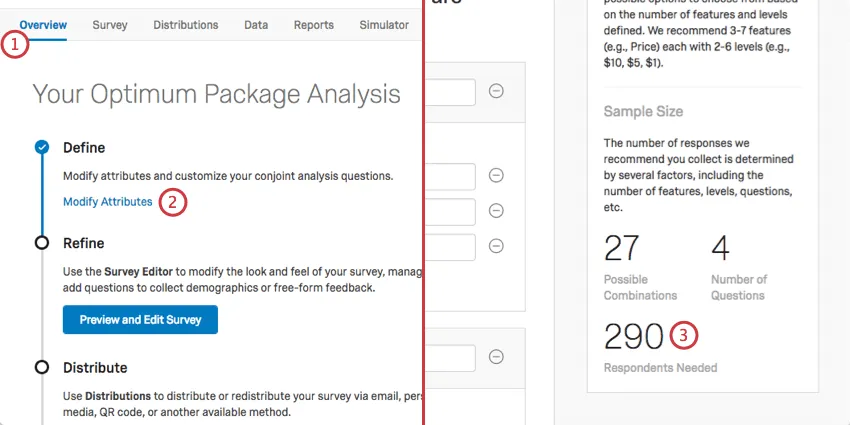
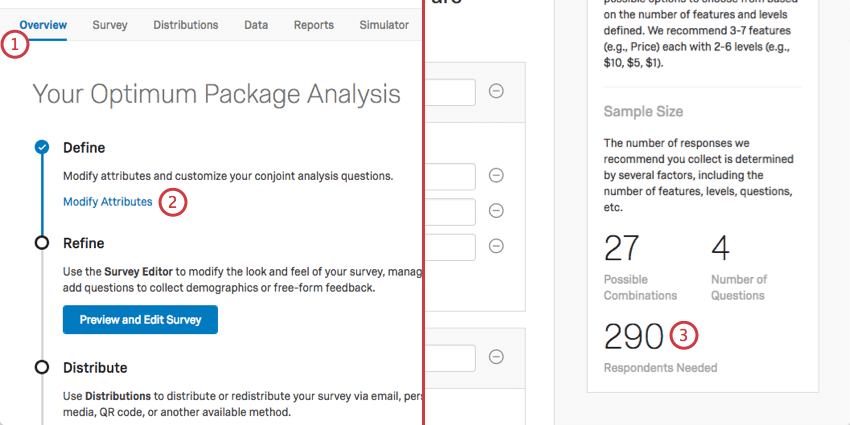
- Go to Overview and select Modify Attributes. The desired sample size will be on the right in the Respondents Needed section.
- Go to the Reports or Simulator tab. If you’ve collected data, these tabs will also let you know how much more you should collect.
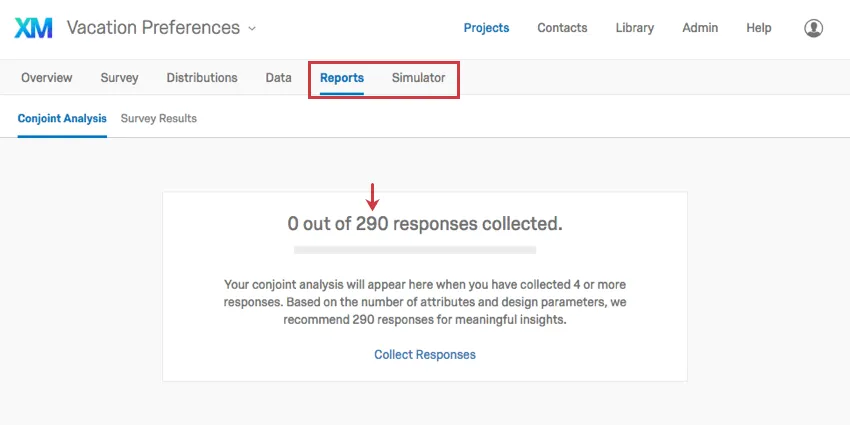
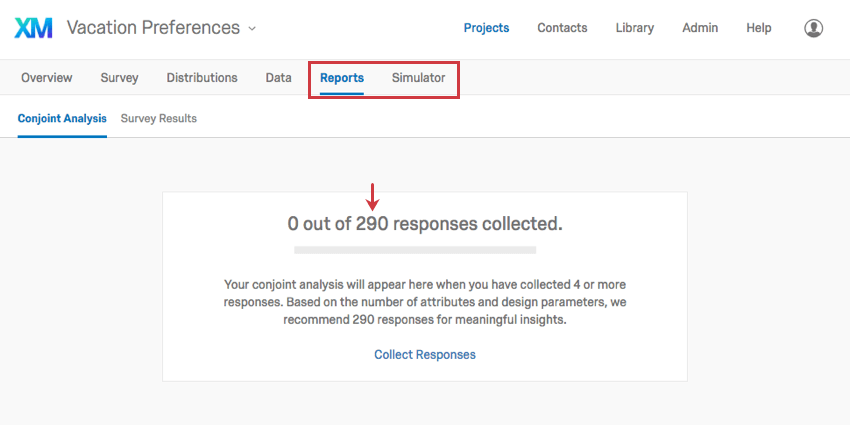
The number Qualtrics recommends is based off research best practices, the number of attributes, and other design parameters. These numbers are recommended to be your minimum sample required to get a statistically significant result. In contrast, collecting too few responses won’t give you a very clear vision of your sample’s preference.
QR Code is a registered trademark of DENSO WAVE INCORPORATED.
FAQs
How can I stay up to date on new Qualtrics features?
How can I stay up to date on new Qualtrics features?
To access these release notes, you need an XM Community account. These accounts are free for any users with a Qualtrics account. This support page contains information for how to register an XM Community account.
Once you're logged into the XM Community, head over to the Weekly Product Updates Introduction Post. This post contains all the information you need to get started with subscribing to product updates!
That's great! Thank you for your feedback!
Thank you for your feedback!