

Default Choices
What's on this page
About Default Choices
You can use the Default choices feature to pre-populate answer choices within a question when the respondent opens the survey. This can be useful in situations when you ask respondents to update previously collected data, such as mailing address, email, name, etc.
Adding Default Choices
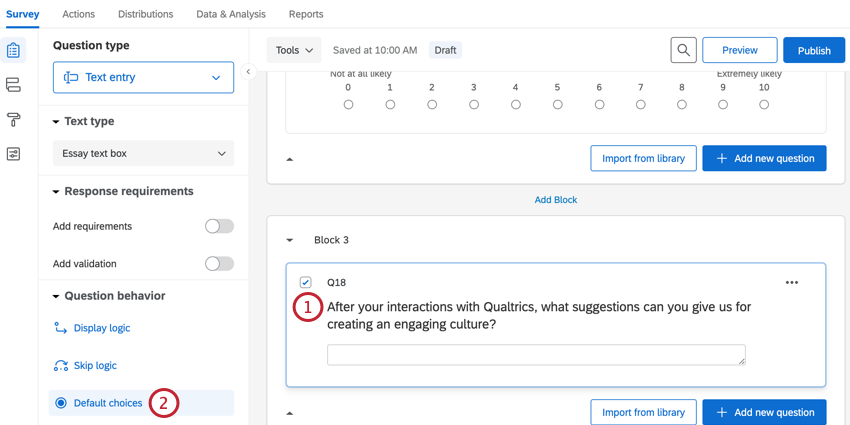
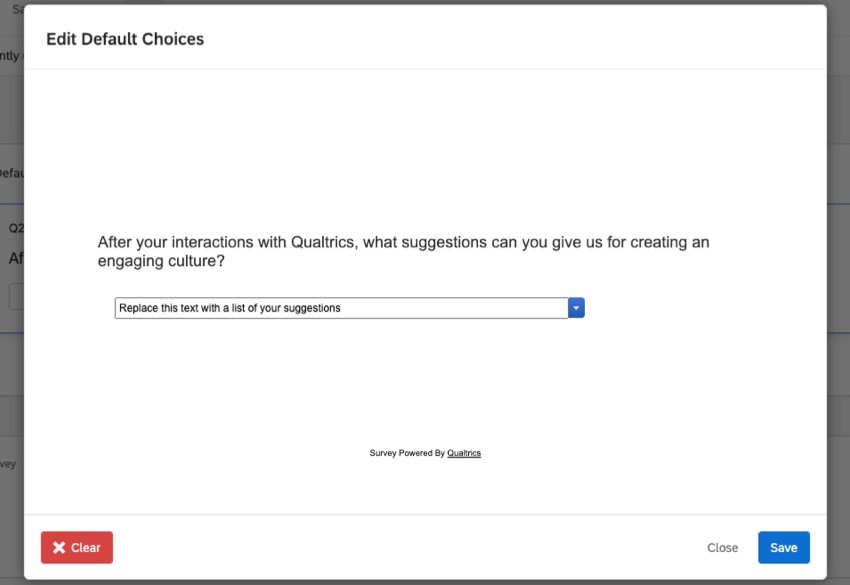
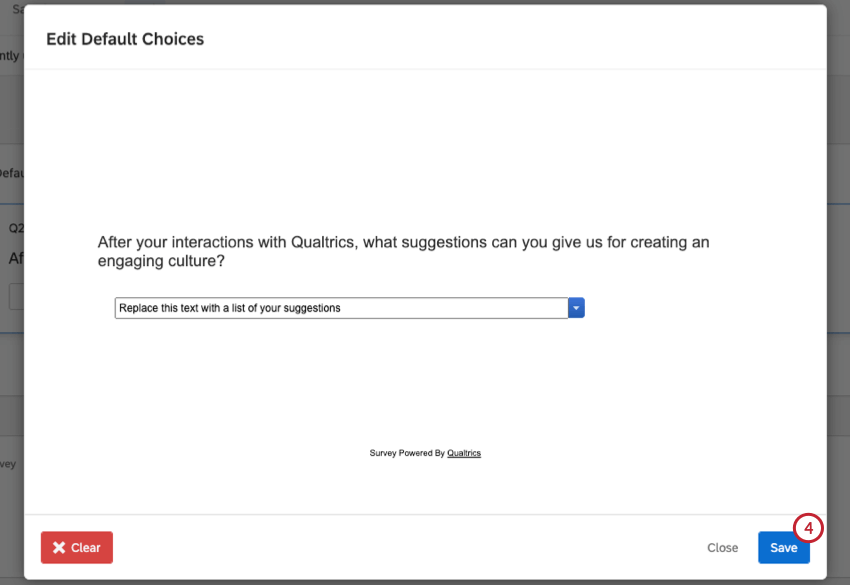
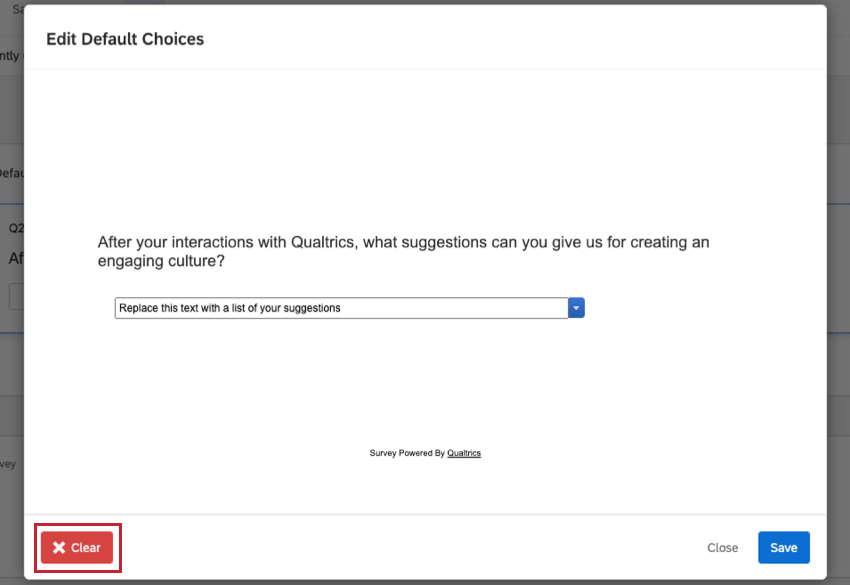
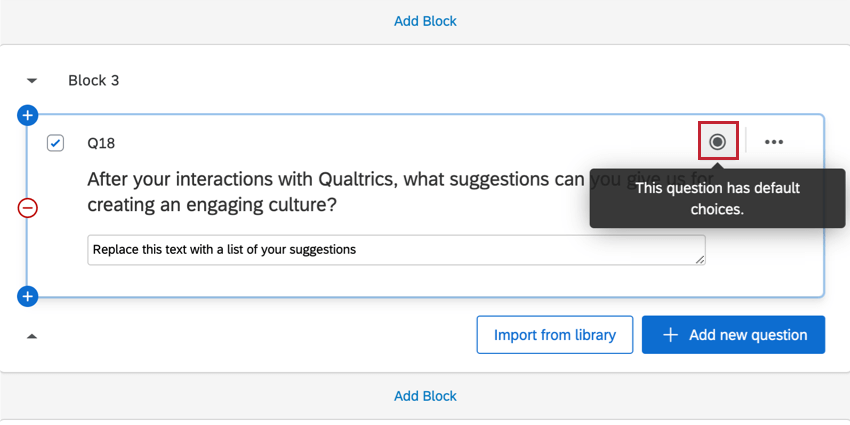
Questions with default choices will have a gray circle icon located in the top right corner.
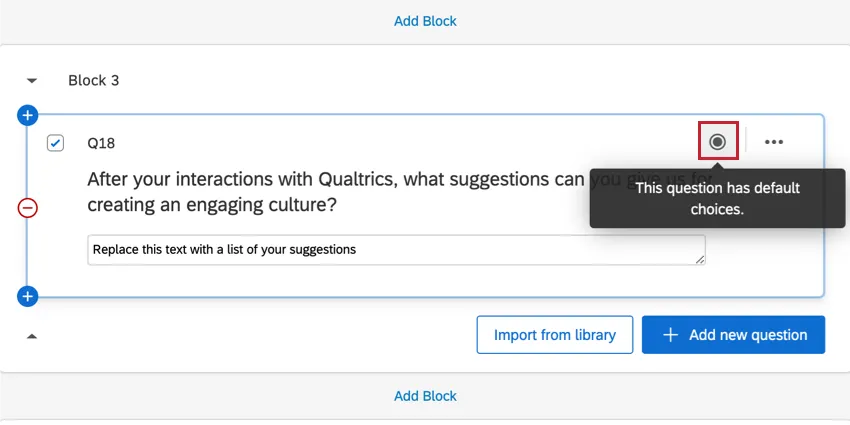
Qtip: The default choices feature pre-selects an answer choice for your respondent. If a respondent decides to skip this question, then your results will still display data as if the respondent had given an answer. In scenarios where you need to suggest an answer but you want respondents to have the option of a non-response, it’s a good idea to use the force response feature and allow respondents an NA option so they can specify that they don’t want to provide an answer.

Question Compatibility
You can add default choices to the following question types:
- Multiple Choice Question
- Matrix Table Question
- Text Entry Question
- Slider Question
- Rank Order Question
- Side by Side Question
- Constant Sum Question
- Pick, Group, and Rank Question
- Hot Spot Question
- Drill Down Question
Displaying Piped Text in Default Choices
You can use piped text as the default choice in any type of question where the respondent can enter text.
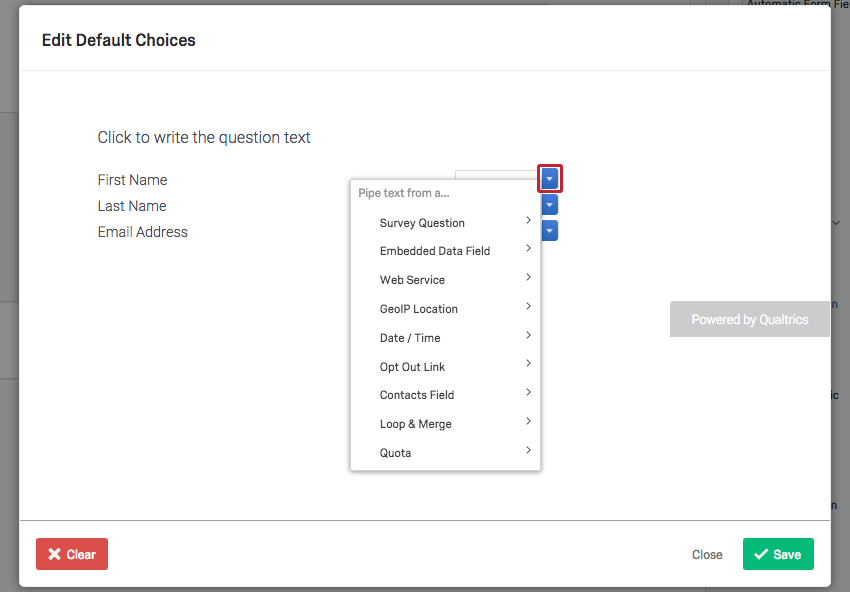
To access piped text in a default choice, edit your default choices and click the blue drop-down menu directly next to any text field. You can then select the type of piped text you want to add.
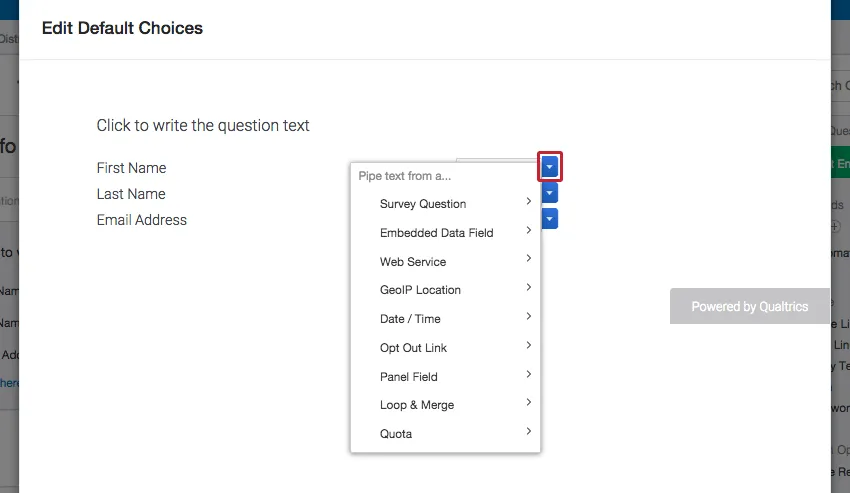
Example: Using piped text as a default choice from your contact list can allow respondents to quickly update any personal information without the hassle of remembering or re-entering all the information.

Default Choices in Different Project Types
Default choices are available in just about every type of project. The options described on this page are available in:
FAQs
I want the default answer of this question to be something the respondent entered in a previous question. How do I do this?
I want the default answer of this question to be something the respondent entered in a previous question. How do I do this?
That's great! Thank you for your feedback!
Thank you for your feedback!