

Importing Responses (EX)
What's on this page
Qtip: Contact Account Services or your Account Executive for pricing on importing. Imported responses are considered separate from and will not impact the account’s purchased participants.

Qtip: This page describes functionality available to Engagement, Lifecycle, Pulse, and Ad Hoc Employee Research projects. For more details on each, see Types of Employee Experience Projects.
About Importing Responses
You can use the Import Data option in the Data & Analysis tab to upload test or example data, or to upload data collected externally.
Qtip: This page is for importing response data into Employee Experience projects.
- If you are importing response data for the purpose of mapping historical sources to your dashboard, make sure you also check out Uploading Historical Data.
- If you want to import anonymous responses, see the Importing Anonymous Responses section.
- If you are interested in learning how to import your list of participants, please visit our Adding Participants support page.
Preparing & Importing Your Data
You will need to make sure your data file is ready for import. Your data needs to be in a format Qualtrics will understand, and it needs to exactly match the format and content of the survey you’re importing the data into.
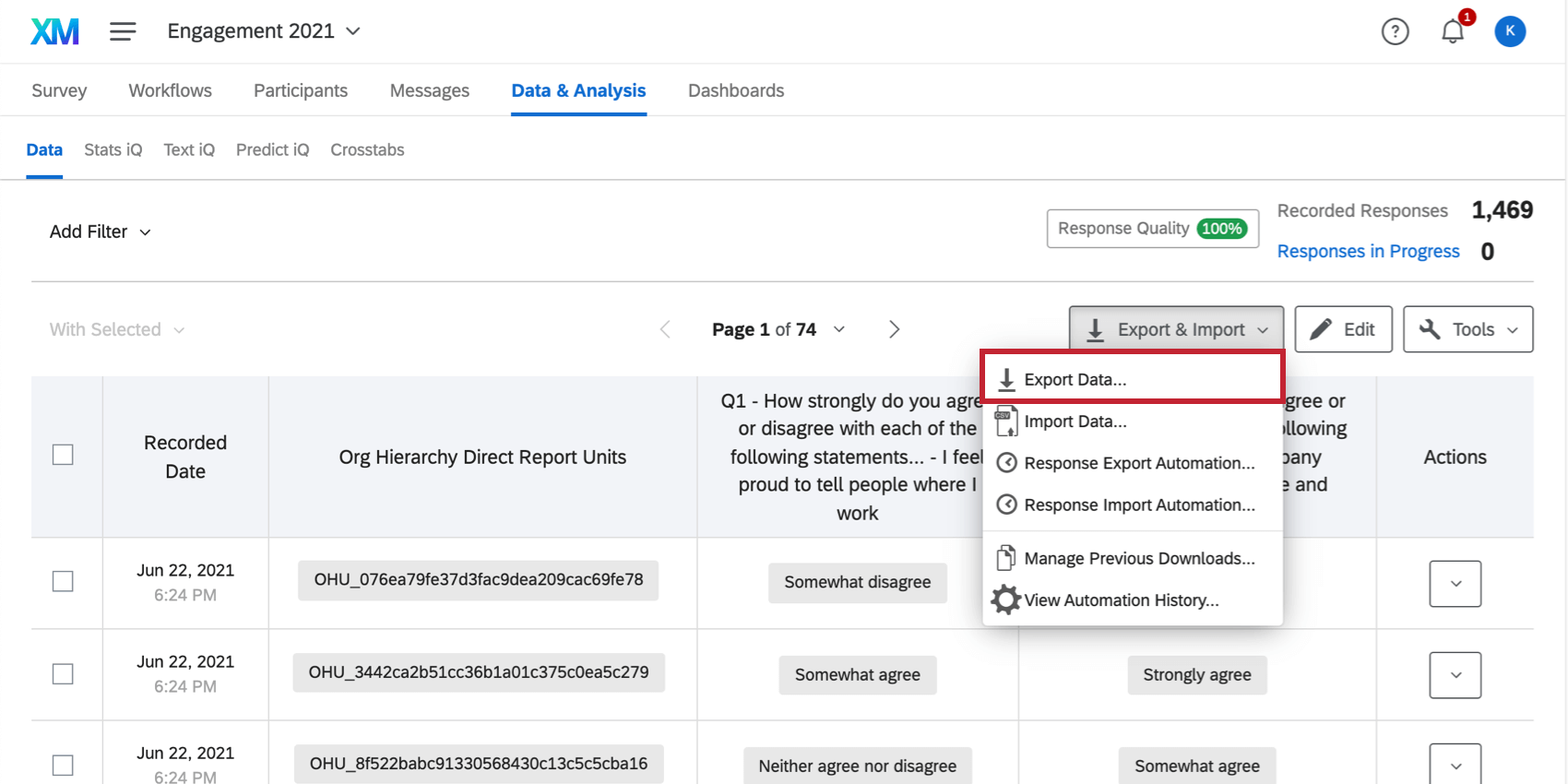
Getting a Template File
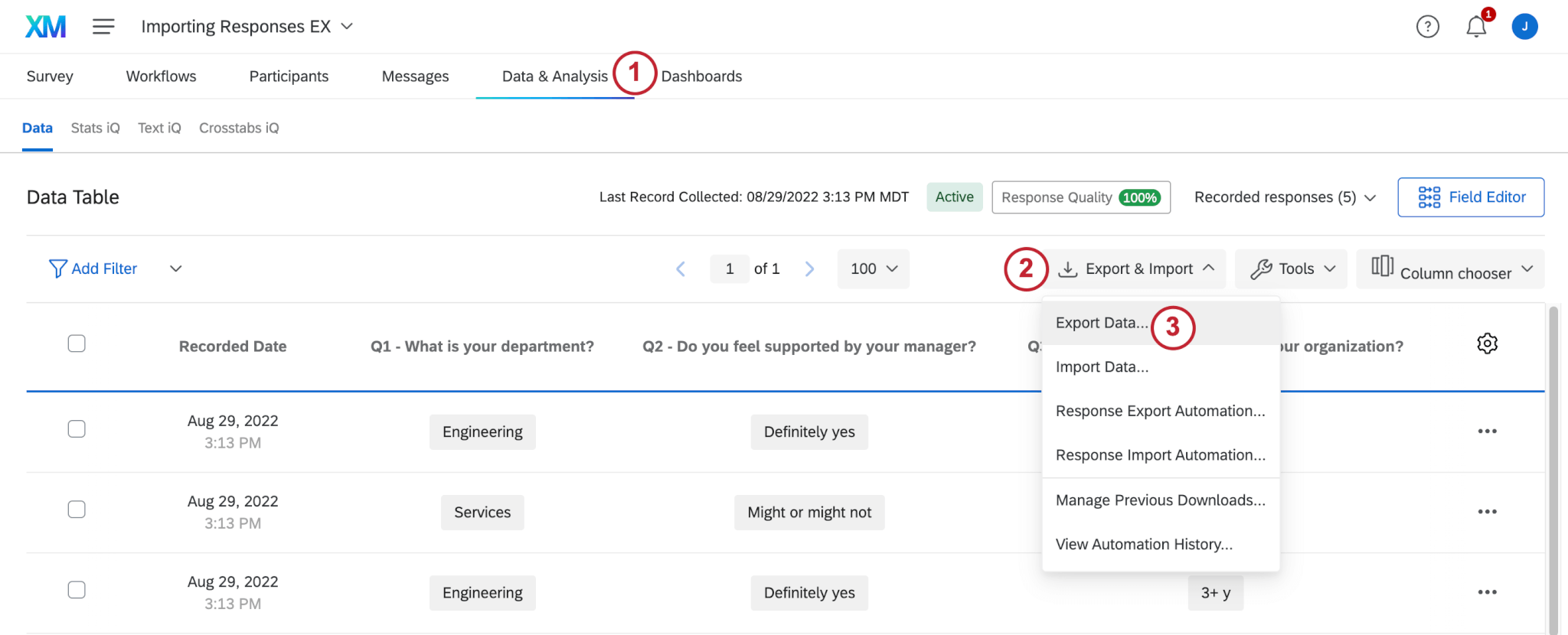
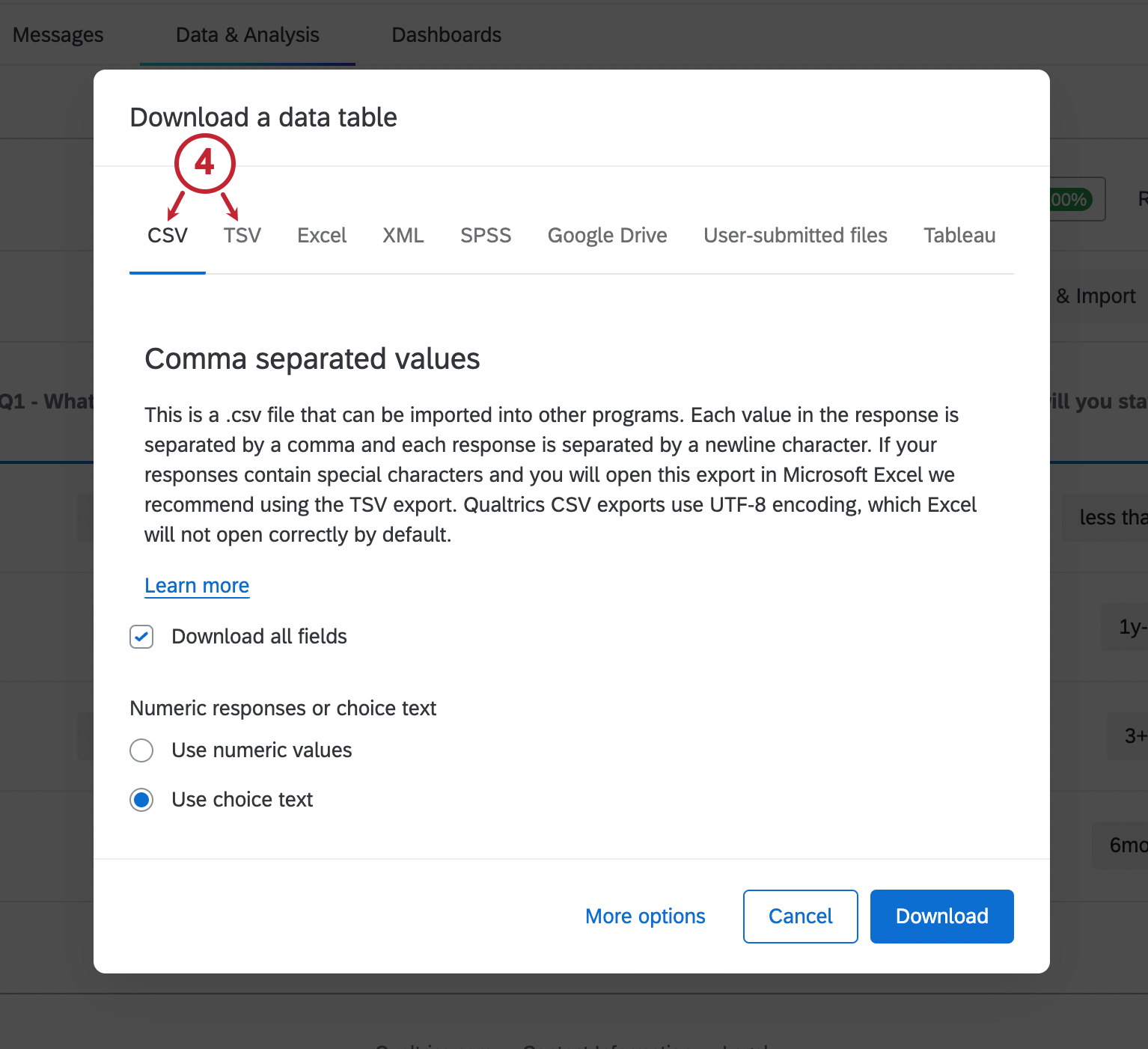
Qtip: It’s okay to export your data with labels or values – the importer knows how to read both.
File Requirements
For the import to work, the data file needs a special column that identifies the participant the response is from. You’ll notice that the file you exported has a column for the Participant’s Unique Identifier. As the name implies, you must include each respondent’s unique identifier in this column in order to pair the survey answers with the appropriate employee.
Qtip: If your file contains a unique identifier for a participant who does not exist in the project, the import will fail with the error message, “The import could not be completed. No responses were processed.” Best practices are to ensure that every response you’re importing with a unique identifier has the corresponding participant already in the project.
The inclusion of this column also makes it so you don’t need to include metadata in your import. The importer recognizes the participant’s unique identifier, and associates the appropriate participant metadata with the response. Any metadata you try to include in this file – manager ID, location, department, participant email, parent unit, etc. – will be ignored. Instead, all metadata for the participant will be imported from their entry in the Participants tab of your project.
Qtip: Looking to change your participant metadata? Check out our support page on importing metadata updates instead.
Be sure to keep your file in CSV, TSV, or TXT format. The importer cannot read any other file types, even if they can also be read by Excel.
Note that the maximum file size is 100MB.
Qtip: Participants whose responses were already collected will not modify the existing response. If the unique identifier column is the same, the new response will be skipped over (not uploaded). If the unique identifier is missing, the response will be uploaded as a separate, anonymous response. See the Response Responses and Retake Survey Link pages for information on editing your existing data.
Importing Your Responses
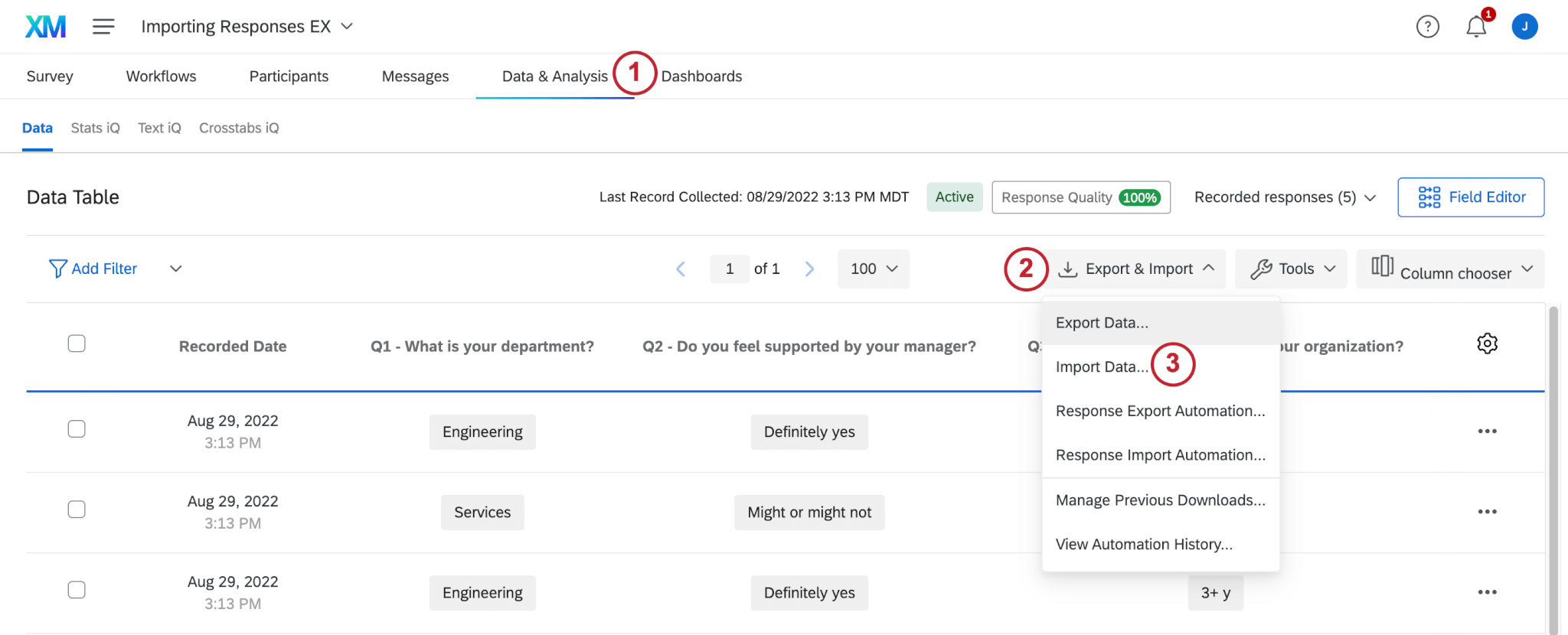
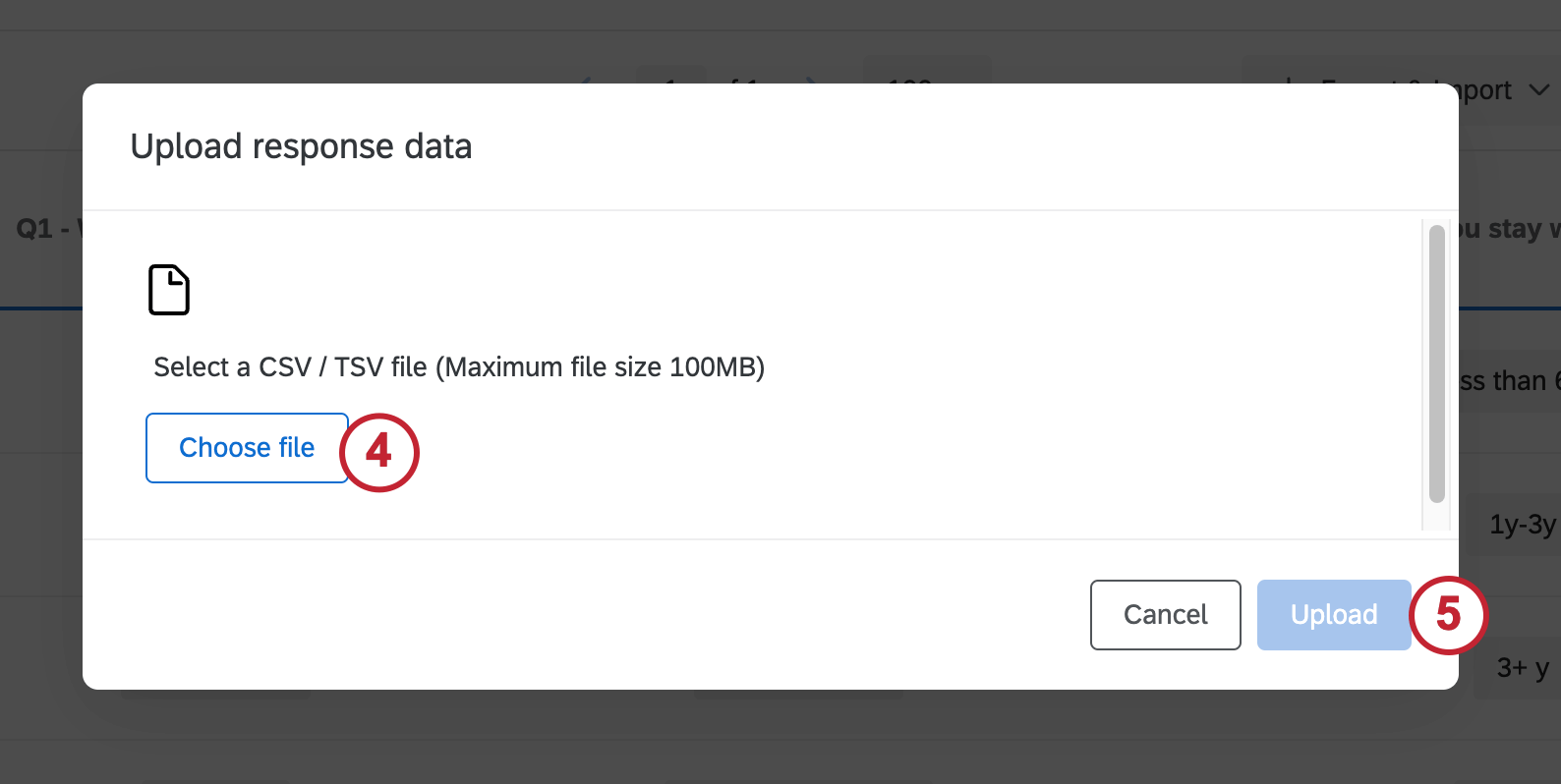
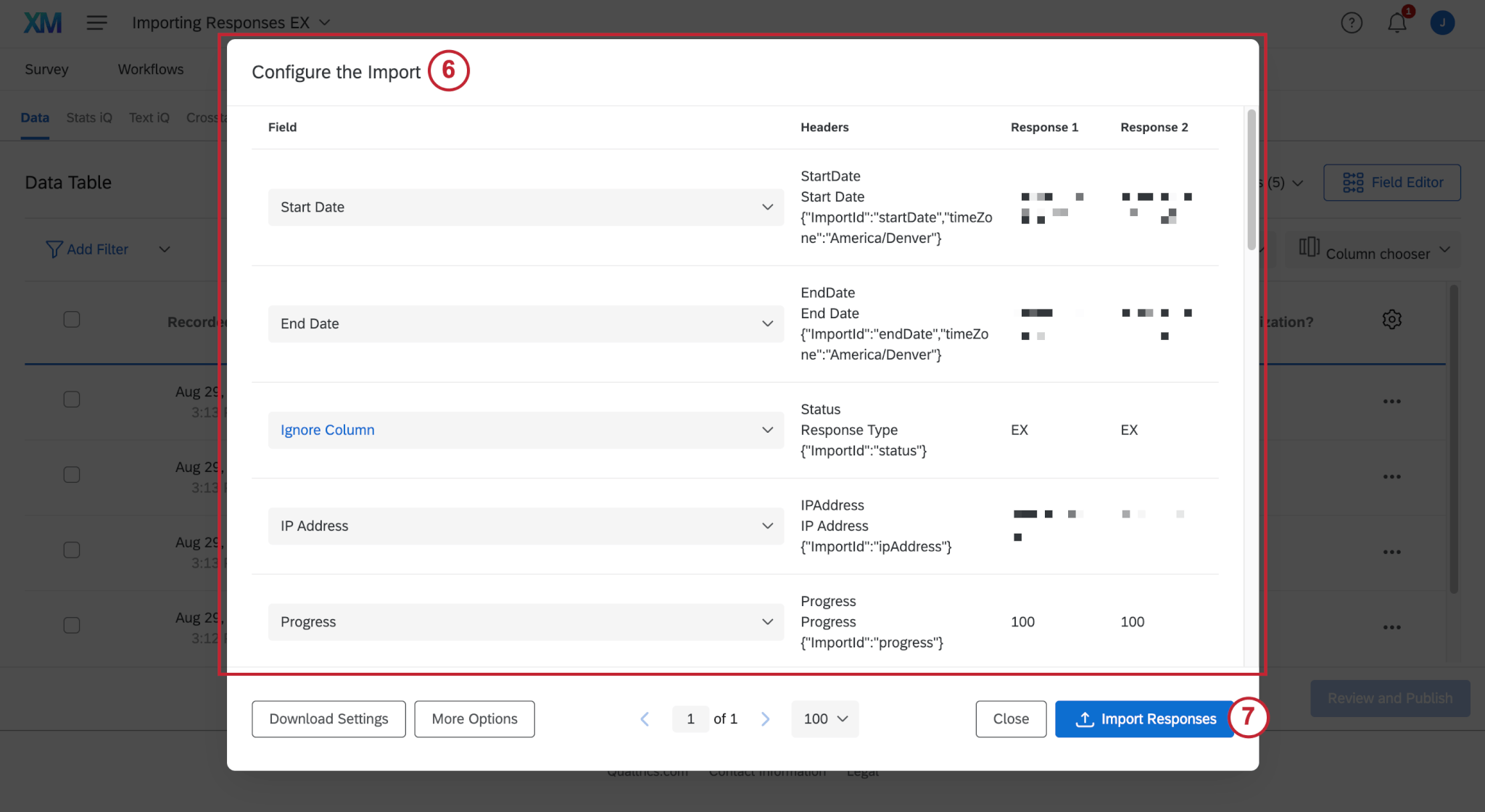
Qtip: For further troubleshooting advice, see the Troubleshooting Data Table Imports and CSV / TSV Upload Issues pages. Although these pages are for the Survey Platform, the functionality is the same in Employee Engagement and Lifecycle.
Importing Anonymous Responses Connected to a Hierarchy
You can import anonymous responses that have been collected outside of Qualtrics into your Engagement project. You can also link these responses to a given unit in your Engagement project’s hierarchy.
Anonymous responses are not counted towards response rates. Anonymous responses can only be imported into Engagement projects on brands where unique identifiers are enabled.
Qtip: Importing anonymous responses differs for Lifecycle and Ad Hoc Employee Research projects, as well as Engagement projects that do not yet have a hierarchy in place. See this section for details.
Attention: You must create a hierarchy before you can upload anonymous responses that are linked to that hierarchy. For projects with large numbers of anonymous participants, we recommend either basing a parent-child hierarchy on org unit IDs, or creating a level-based hierarchy.

Example: We’ve populated our survey with just four participants, and created a level-based hierarchy that indicates their office location.
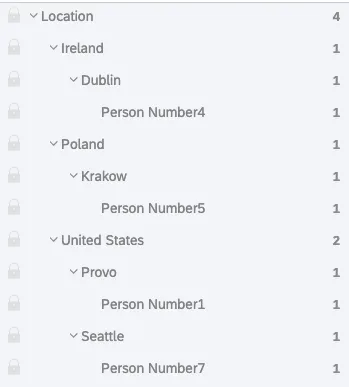

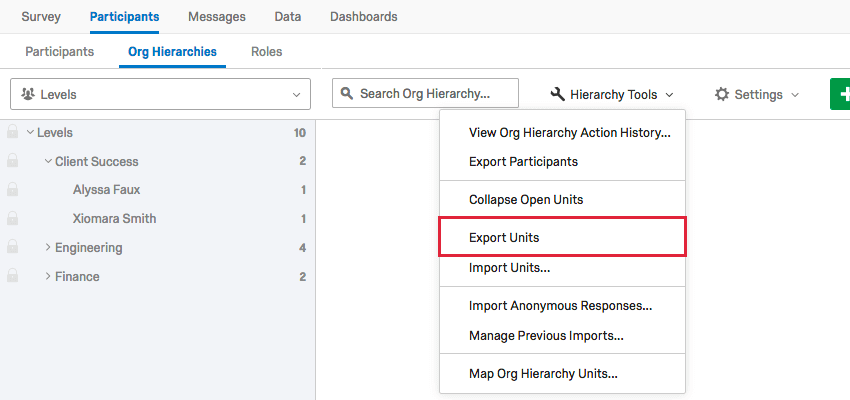
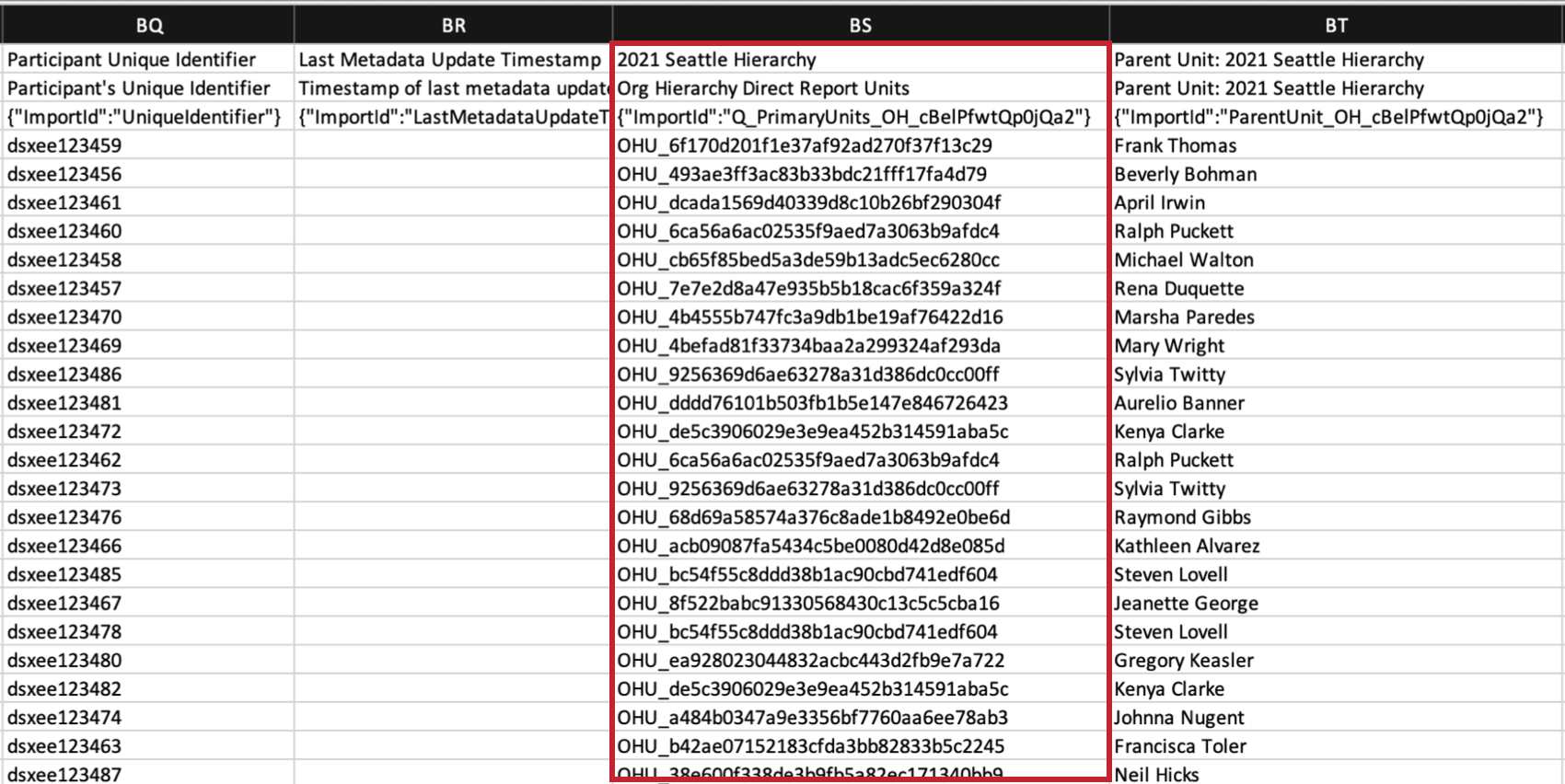
Qtip: Don’t see this column? No problem – just update responses with new metadata and export your file from Data & Analysis again.
Qtip: Use unit IDs, not parent unit IDs.
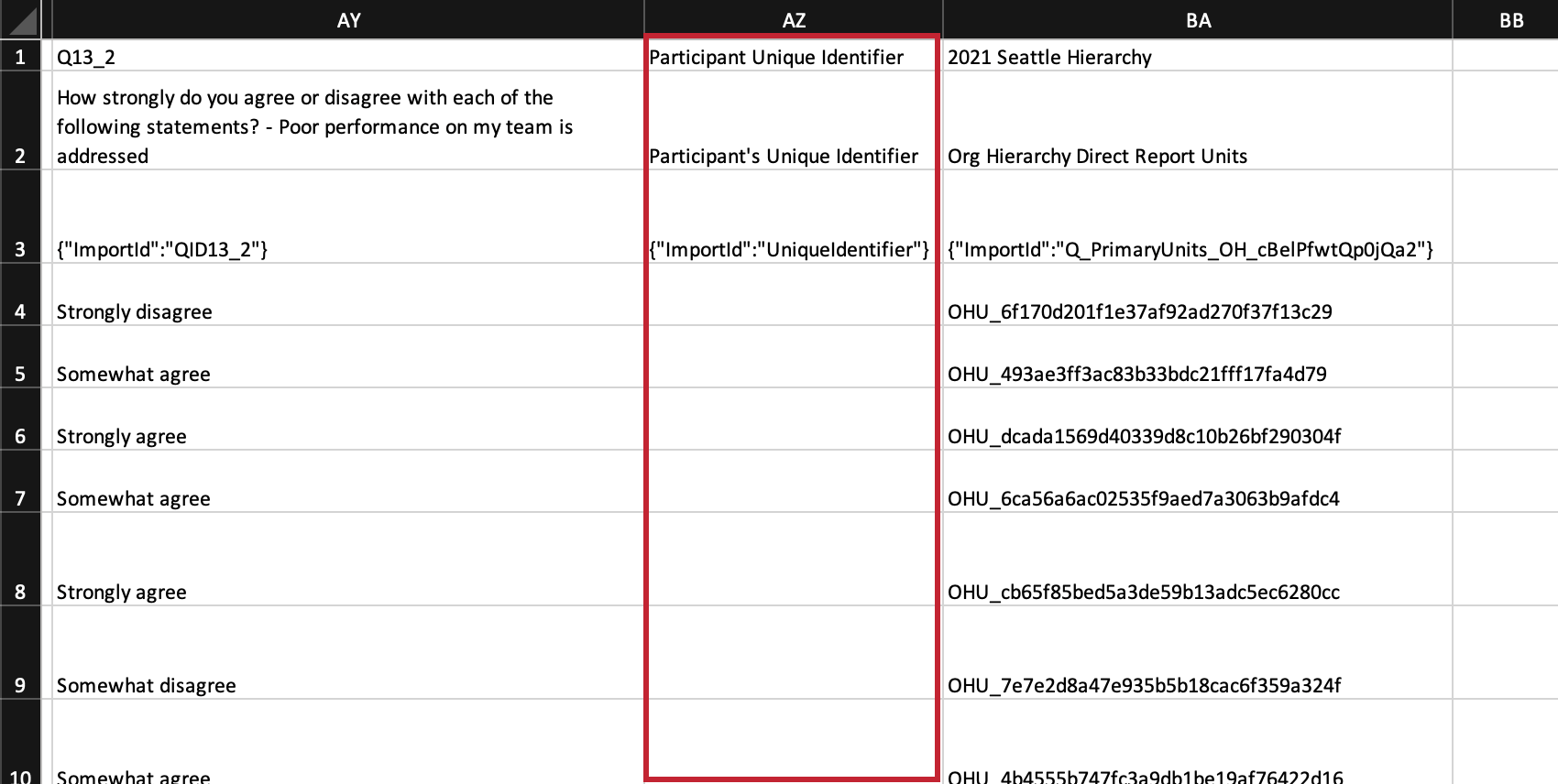
Qtip: The way the importer works is that it either looks to the unique identifier or the org hierarchy unit identified. If the unique identifier has a value, the org hierarchy unit ID will be ignored.
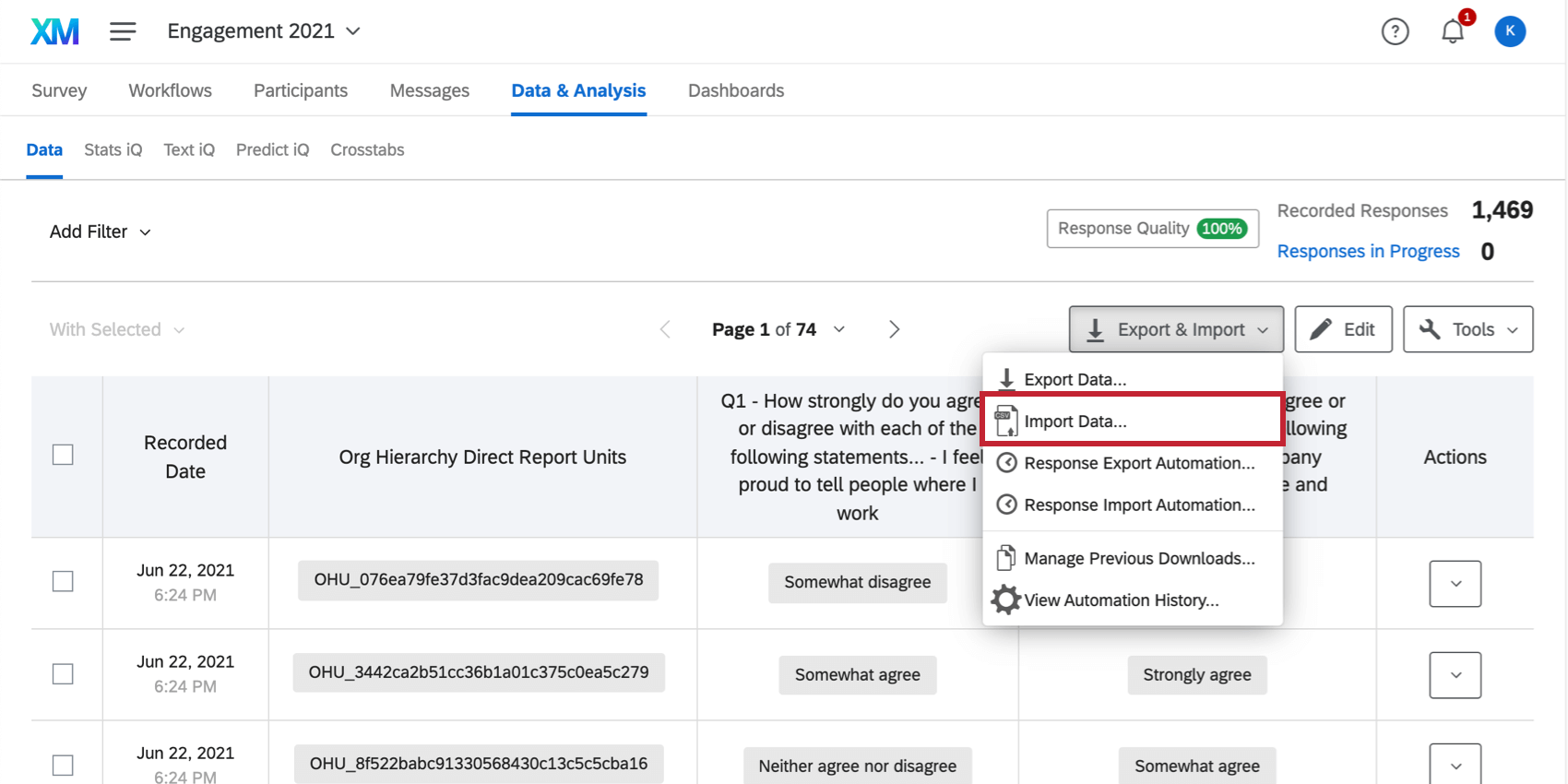
Importing Completely Anonymous Responses
You can import anonymous responses that have been collected outside of Qualtrics into your project. Anonymous responses are not counted towards response rates.
Qtip: Importing anonymous responses differs for an Engagement project that already have a hierarchy set. See this section for more details.
To import anonymous responses to Lifecycle projects, Ad Hoc Employee Research projects, or Engagement projects with no hierarchy, follow the normal steps to import data. The only difference is that when you prepare your file, keep the Participant’s Unique Identifier field blank.
FAQs
How do I get historical data into my EX dashboard?
How do I get historical data into my EX dashboard?
That's great! Thank you for your feedback!
Thank you for your feedback!