

Notifications Feed Task
What's on this page
About the Notifications Feed Task
The notifications feed is a hub of information in your Qualtrics brand. Notifications can be sent here for any of the users you want, and you can customize notifications based on survey responses or other event behavior.
Qtip: In addition to the feed in a Qualtrics account, notifications can also be sent as emails or as push notifications on devices with the XM app.

Setting Up Survey-Based Notifications
Qtip: Although we focus on notifications from surveys in this example, you can also make notifications scheduled on a regular basis or based on any event available to you.
Navigate to the Workflows tab in your project or the stand-alone Workflows page.
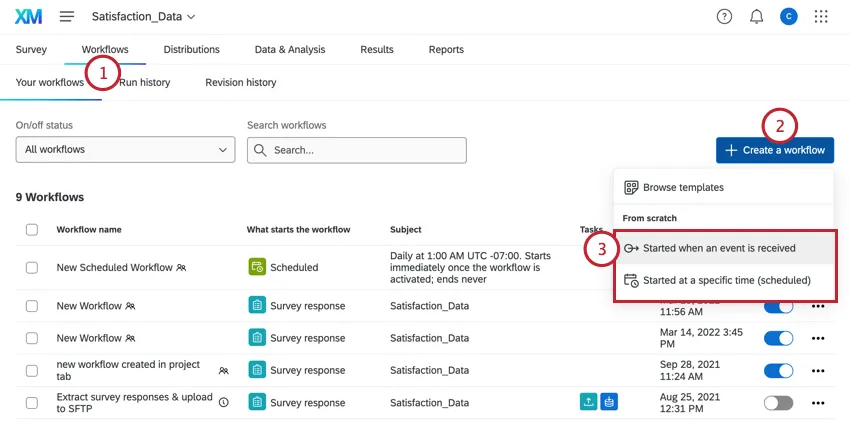
Click Create a workflow.
Choose if you want the workflow to be triggered by an event or run on a schedule. (See a comparison.)
Qtip: The survey response creation event is the most common.
Click the plus sign ( + ) and then Add a condition to set up conditions for your workflow.
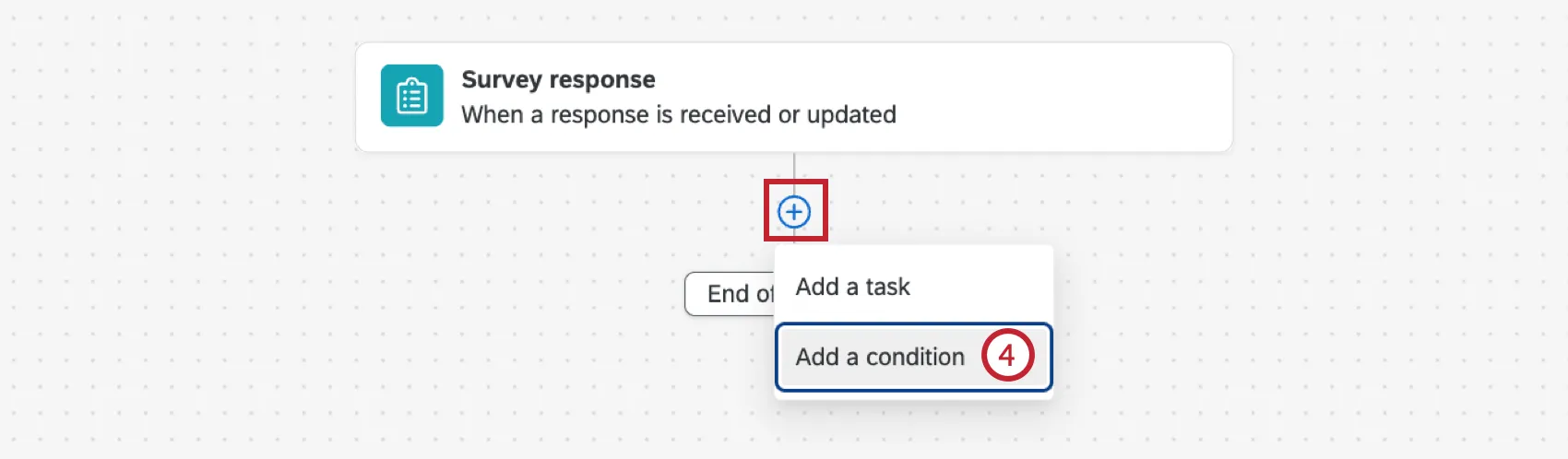
Example: We only want to create a notification when someone gives us a very low CSAT rating, so we set the condition to only fire if Extremely Unsatisfied is selected in the CSAT question.

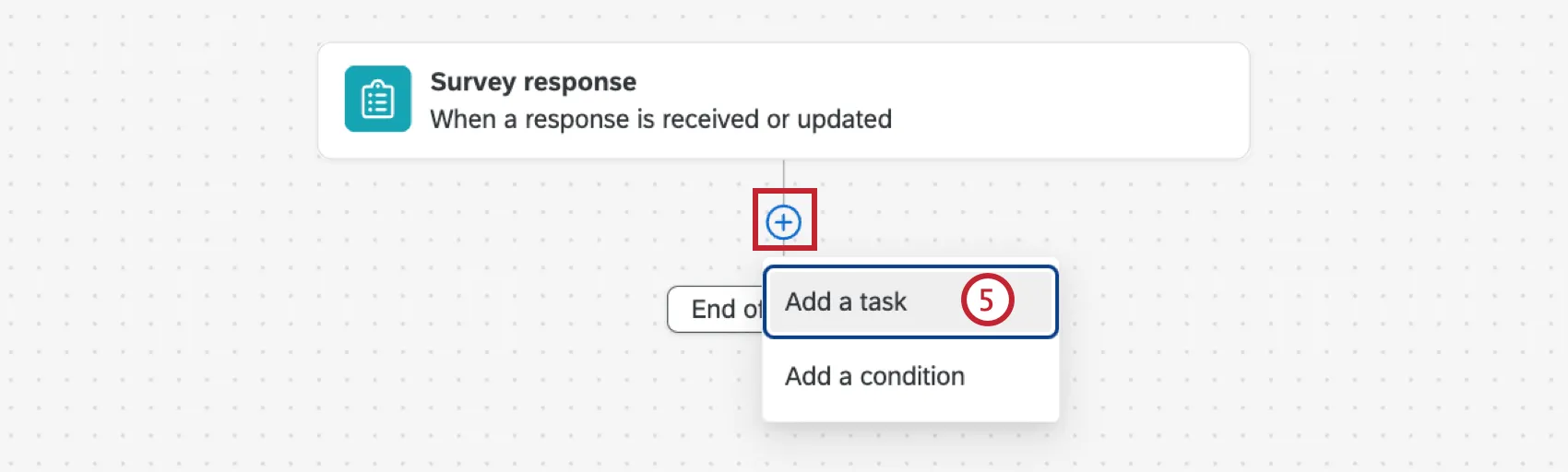
Click the plus sign ( + ) and then Add a task.
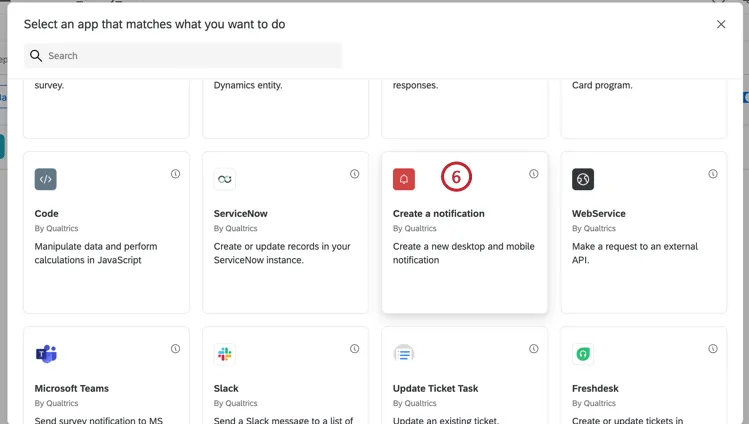
Select Create a notification.
Enter a title for the notification.
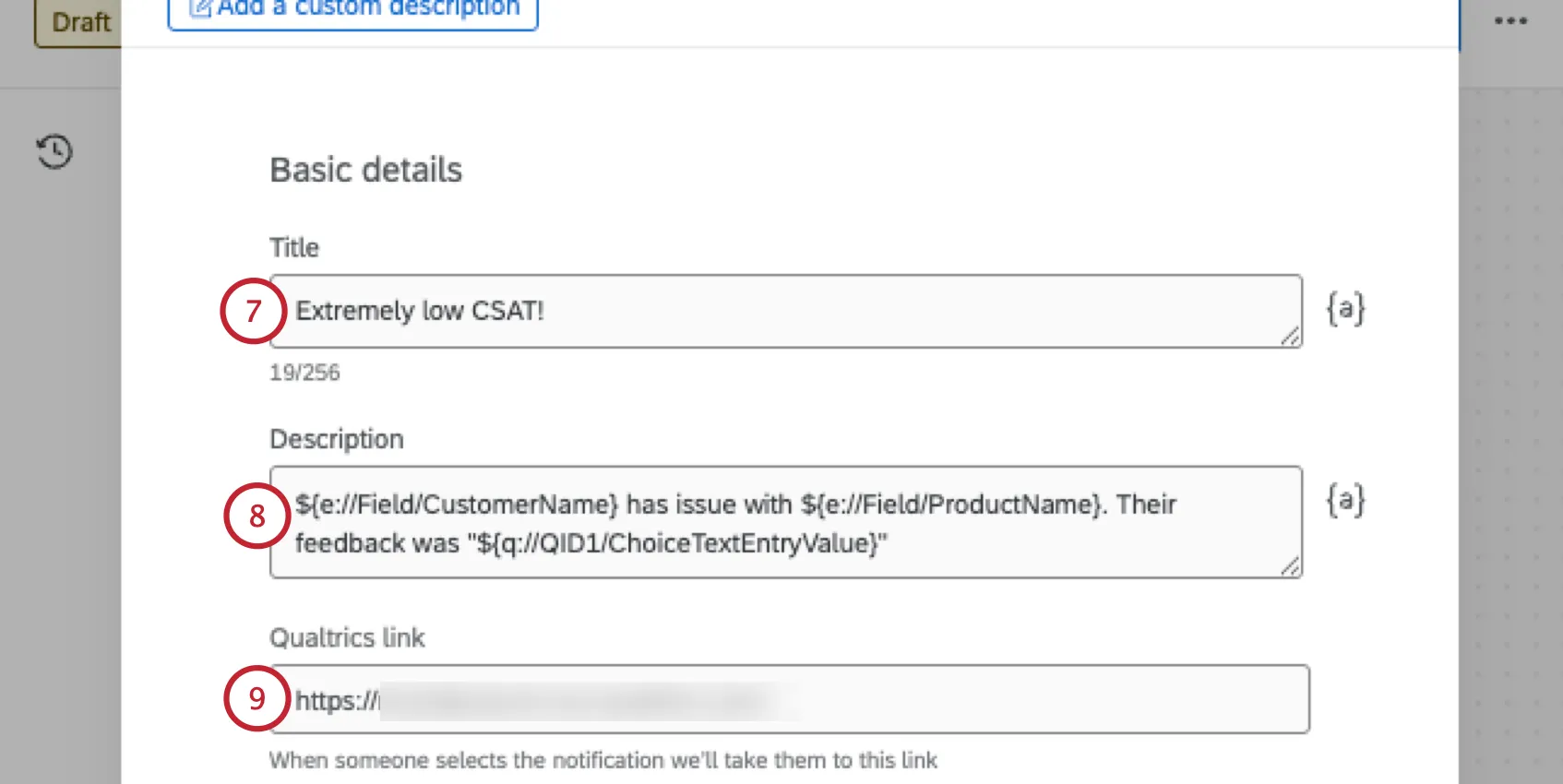
Enter the body of the notification. Use the { a } button to insert piped text.
Qtip: This field does not support HTML. Any images, links, or font effects you try to put here, even if they belong to survey answers piped into the field, will appear as plain text.
If there’s a website or page where users can find additional information on this notification, add it here.
Enter the users who are supposed to receive this notification. Select them manually or use the {a} button to insert piped text.
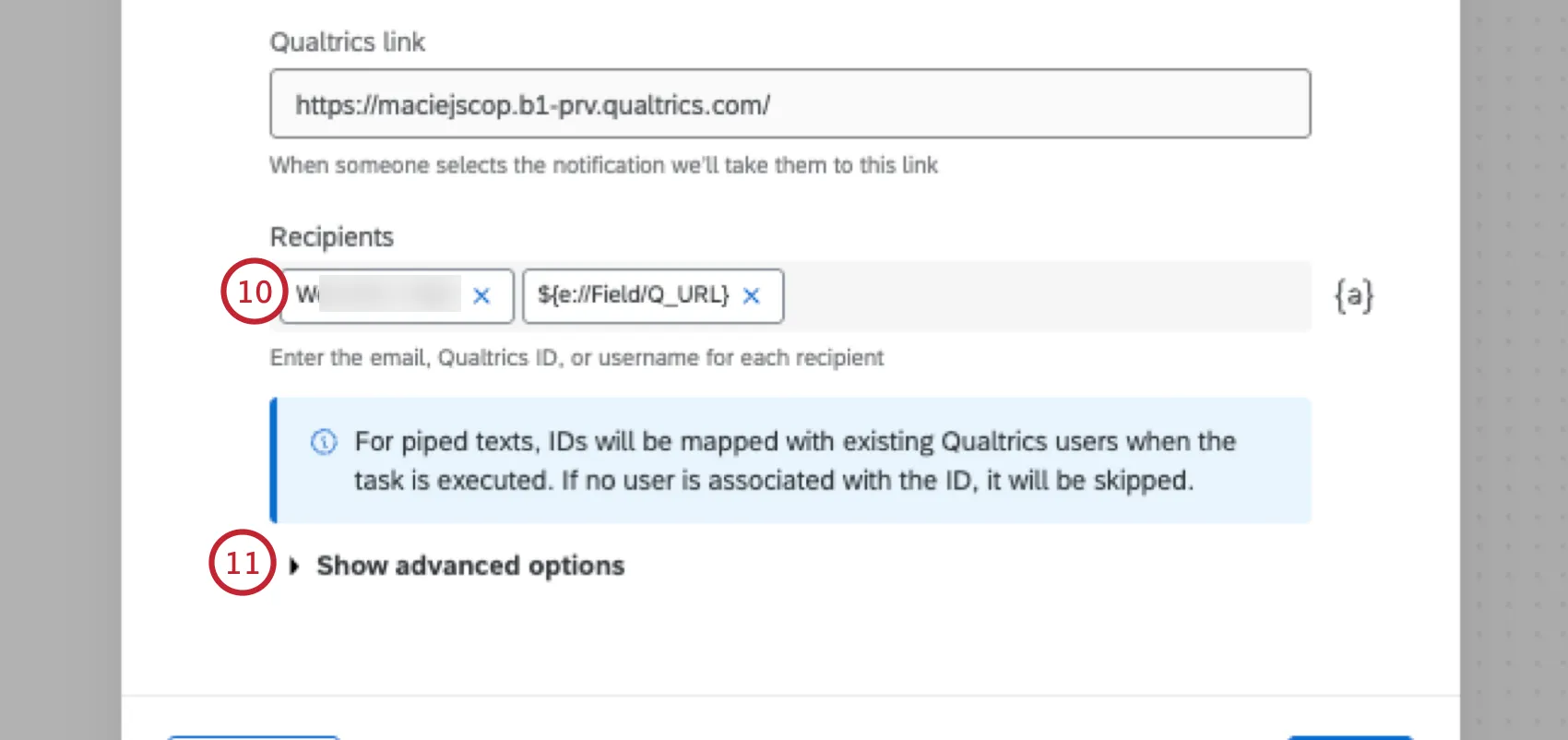
Qtip: You can enter the Qualtrics ID, email address, or username for each recipient. If using piped text, your selected field must provide the Qualtrics ID.
Attention: When using piped text, Qualtrics IDs will be mapped to existing Qualtrics users when the task is executed. There will be no visible preview of recipients like there is for manually added users. If no user is associated with the Qualtrics ID from the piped text, then it will be skipped.

For additional options, click Show advanced options.
You can add up to two custom buttons that link out to content on Qualtrics, such as a survey, a dashboard login URL, or public reports / results.
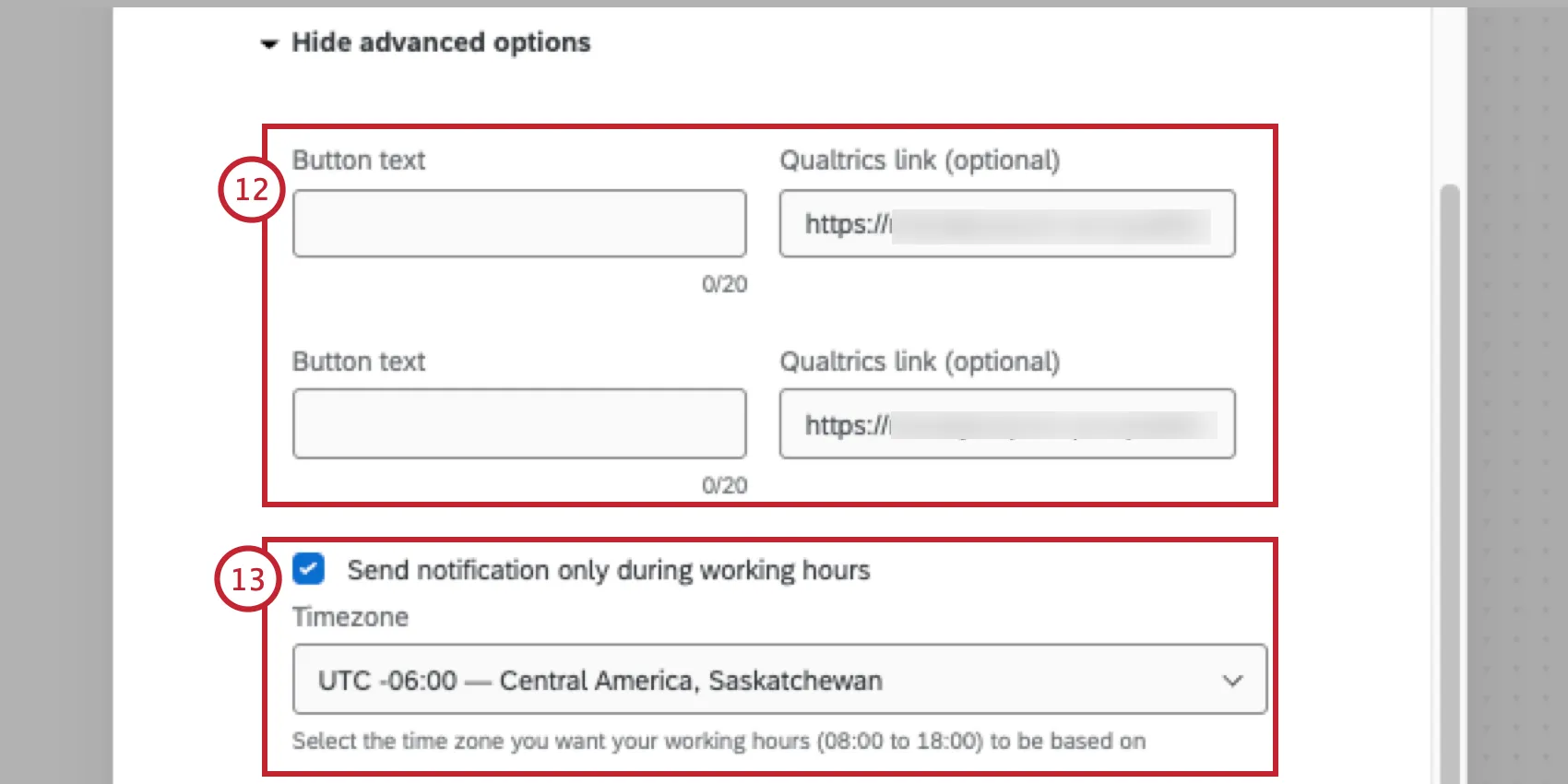
Qtip: If you do not want to include a button, leave the button text and Qualtrics link fields blank.
Qtip: You cannot link to Qualtrics support or other website material. You cannot use piped text in this field.
You can specify that notifications should only be sent during work hours (8am to 4pm). If you enable this setting, you will be asked to select a time zone.
Qtip: To define separate time zones for different groups, create multiple workflows with different conditions. Remember you can copy workflows so you do not have to remake each one from scratch.
To send a push notification to recipients who have the XM app downloaded on their devices, select Send push notification. Select the text of the push notification. When clicked, this notification will take them to the feed in their XM app.
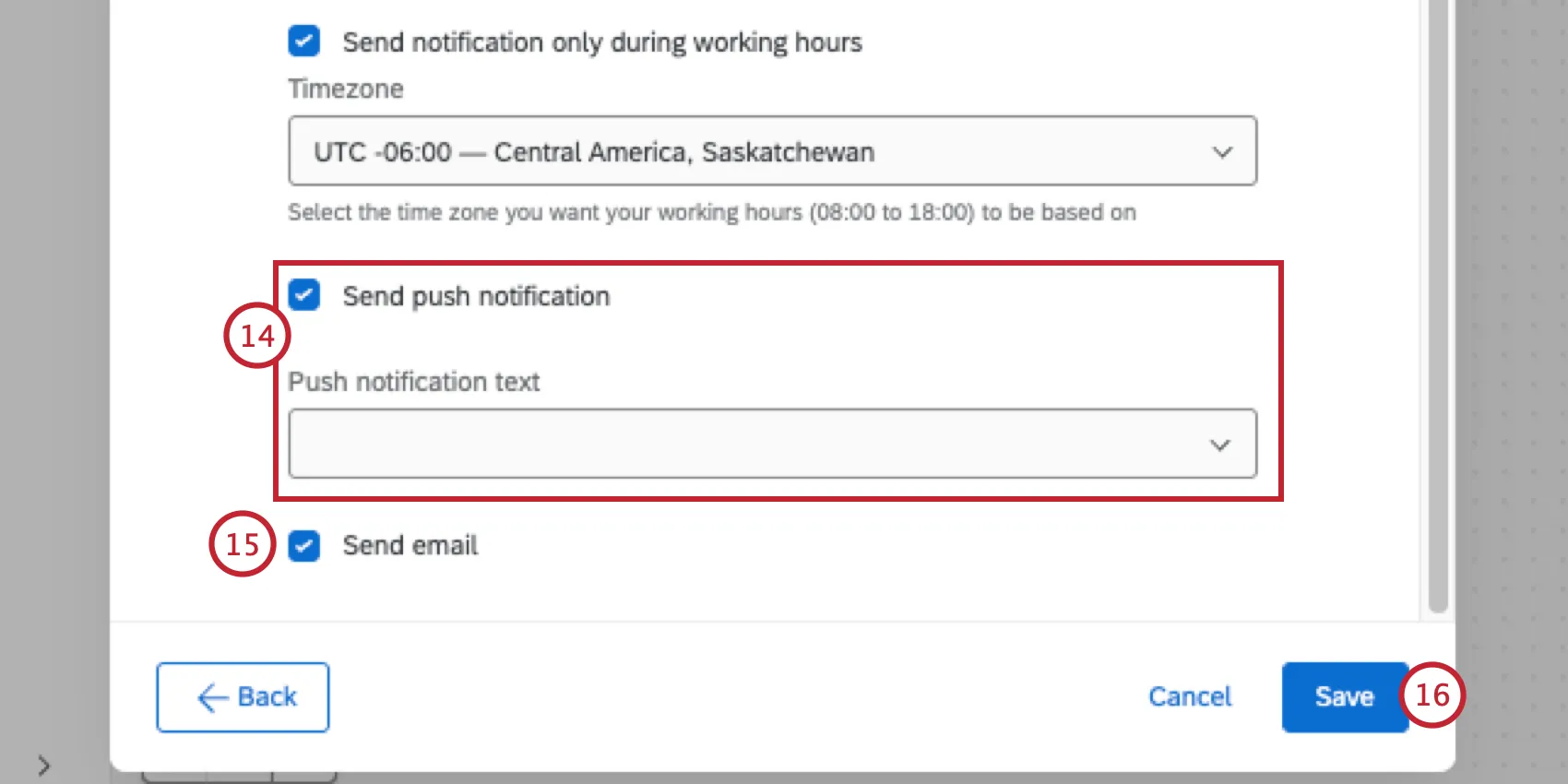
Qtip: You must identify Qualtrics users you wish to receive these push notifications by username or user ID. Users will not receive push notifications if they have turned off notifications from the XM app in their phone settings.
To send an email notification to your recipients, select Send email.
Click Save.
FAQs
Do I have access to all extensions available through the Workflows templates?
Do I have access to all extensions available through the Workflows templates?
Is there a link to all Workflows events and tasks?
Is there a link to all Workflows events and tasks?
What are Workflows templates?
What are Workflows templates?
What are workflows? / Where are actions?
What are workflows? / Where are actions?
There are no changes to workflow functionality as part of this update.
That's great! Thank you for your feedback!
Thank you for your feedback!