

Survey Definition Event
What's on this page
About Survey Definition Events
Survey Definition Events allow you to trigger Workflows based on changes to a project’s status. You can base your event on a survey being published, activated, or closed.
Qtip: To use this feature, you must be a Brand Administrator.
Example: You can create a workflow so that you’re notified every time a user in your license publishes a survey.

Setting up a Survey Definition Event
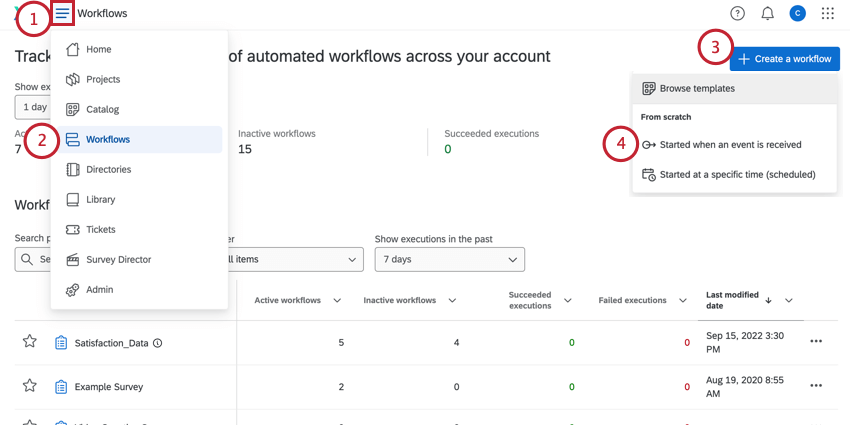
Qtip: You can also use this event in the Workflows tab of an individual project, instead.
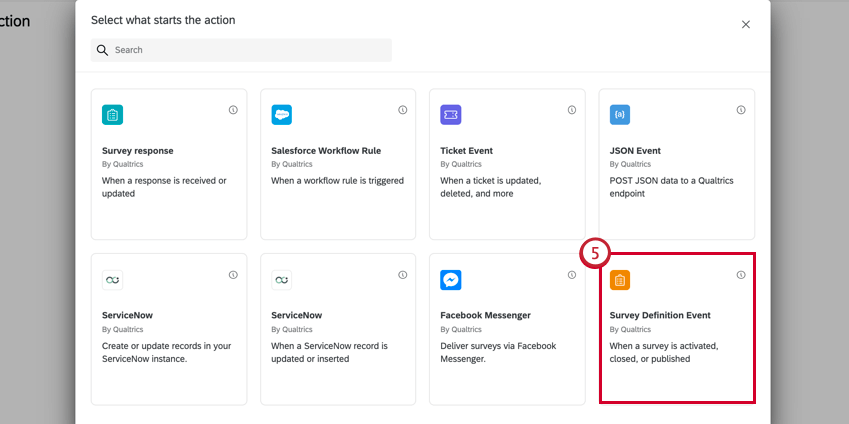
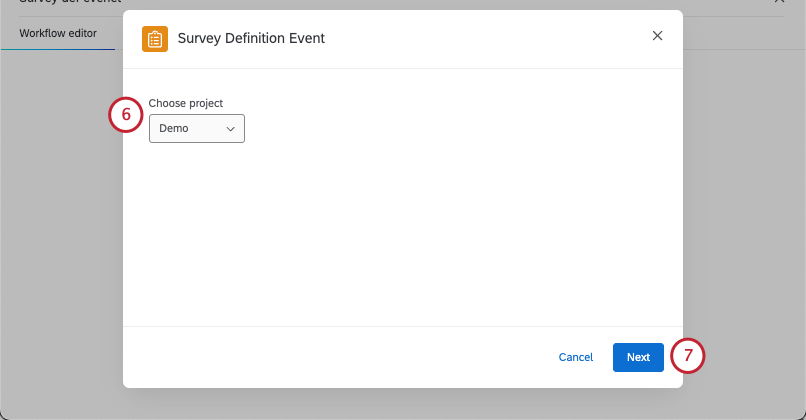
Qtip: If you have multiple specific projects you want to use, select All, then use conditions to determine the specific projects.
Qtip: All projects that include a survey are compatible with this event. This includes standard survey projects, all Employee Experience projects, Conjoints and MaxDiff, Reputation Management, and even individual Pulse surveys.
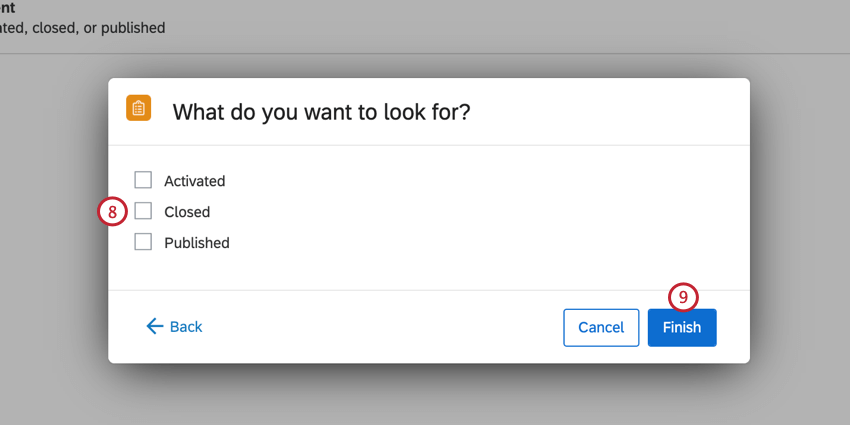
You may choose multiple statuses. Your options include:
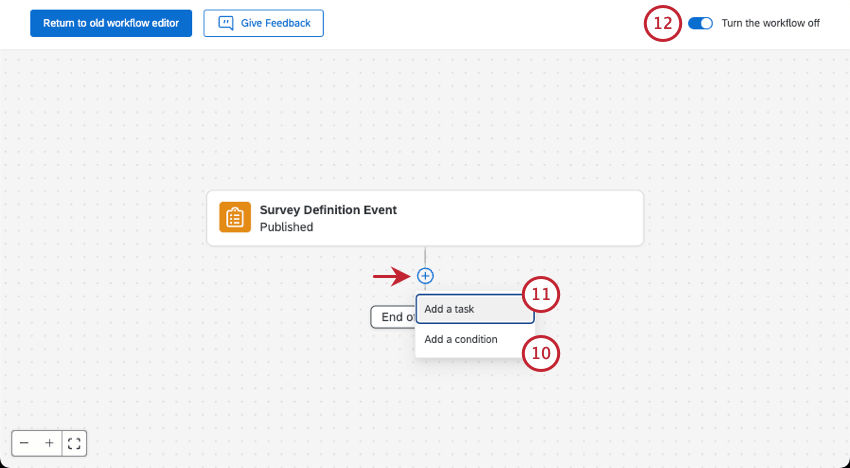
Example: For example, I can use an email task to automatically send my teammate an email letting them know that the survey data is ready to analyze.
Qtip: Visit the Reporting & History tab if you need to troubleshoot your workflow or see a log of when the workflow fired.
Setting Conditions for Survey Definition Events
When creating conditions for a survey definition event, you can base your conditions on the following fields:
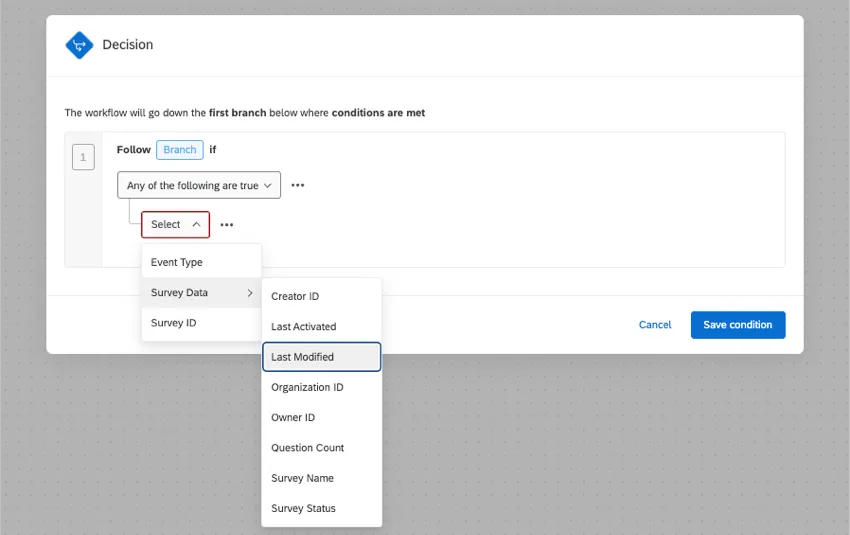
- Event Type: Choose between Activated, Closed, or Published.
Survey ID: This is the Survey ID for the survey that should trigger the workflow.

Qtip: You can only use this condition for projects that have a survey ID beginning in SV_.
- Survey Data: Create a condition based on various survey data fields, such as when the survey was last modified or a survey owned by a specific user.
- Creator ID: The user ID of the user who originally created the survey.
- Last Activated: The time when the survey was last activated.
- Last Modified: The time when the survey was last edited.
- Organization ID: The ID of the organization that owns the survey.
- Owner ID: The user ID of the user who owns the survey.
- Question Count: The number of questions in the survey.
- Survey Name: The survey’s name.
- Survey Status: The survey’s status.
For a guide to combining different conditions, see Creating Conditions.
FAQs
Do I have access to all extensions available through the Workflows templates?
Do I have access to all extensions available through the Workflows templates?
Is there a link to all Workflows events and tasks?
Is there a link to all Workflows events and tasks?
What are Workflows templates?
What are Workflows templates?
What are workflows? / Where are actions?
What are workflows? / Where are actions?
There are no changes to workflow functionality as part of this update.
That's great! Thank you for your feedback!
Thank you for your feedback!