

Duplicating Dashboards (Studio)
Suite
Customer Experience
Product
Qualtrics
What's on this page
About Duplicating Studio Dashboards
Studio lets you duplicate dashboards created by you or by other users.
Qtip: The copied dashboard may look different from the original because copying a dashboard changes ownership of all the copied widgets to the user who does the copying. The data in these widgets is based on which content providers the user has access to.
What Gets Copied
- Dashboard properties (except for the name and owner)
- Personalization
- Any dashboard-wide filters the new owner already has access to
- Widgets (although their ownership changes)
What Does Not Get Copied
- Private metrics and filters that have not been shared with the new owner Qtip: See sharing metrics and sharing filters.

- Dashboard sharing options (i.e., the same users will not have access to the copy as they do the original)
- Previously saved dashboard versions
- Dashboard’s hidden status
Duplicating a Dashboard
There are several ways to duplicate a dashboard:
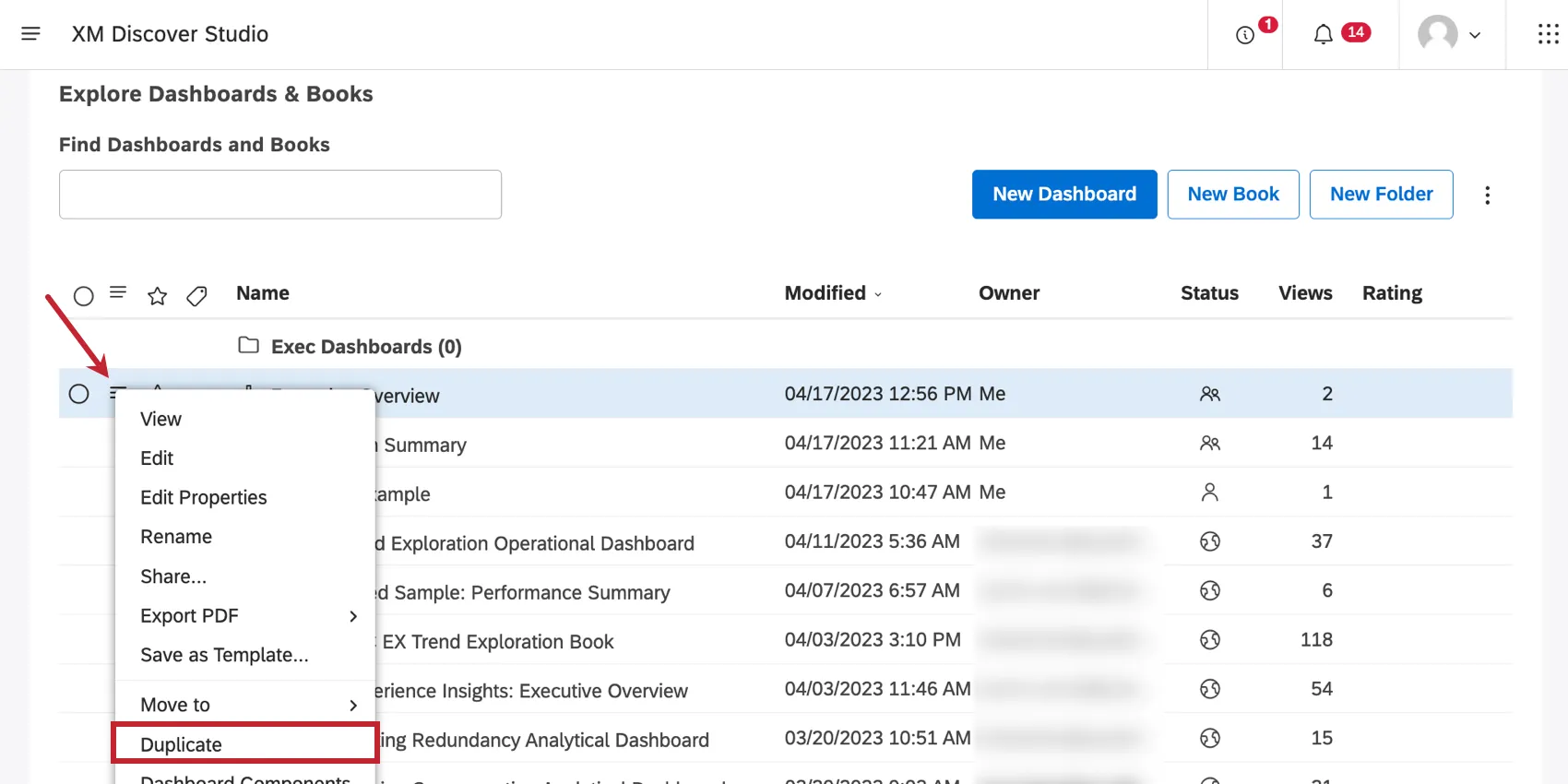
- On the Studio homepage, under Explore Dashboards & Books, click the menu next to a dashboard. Then select Duplicate.
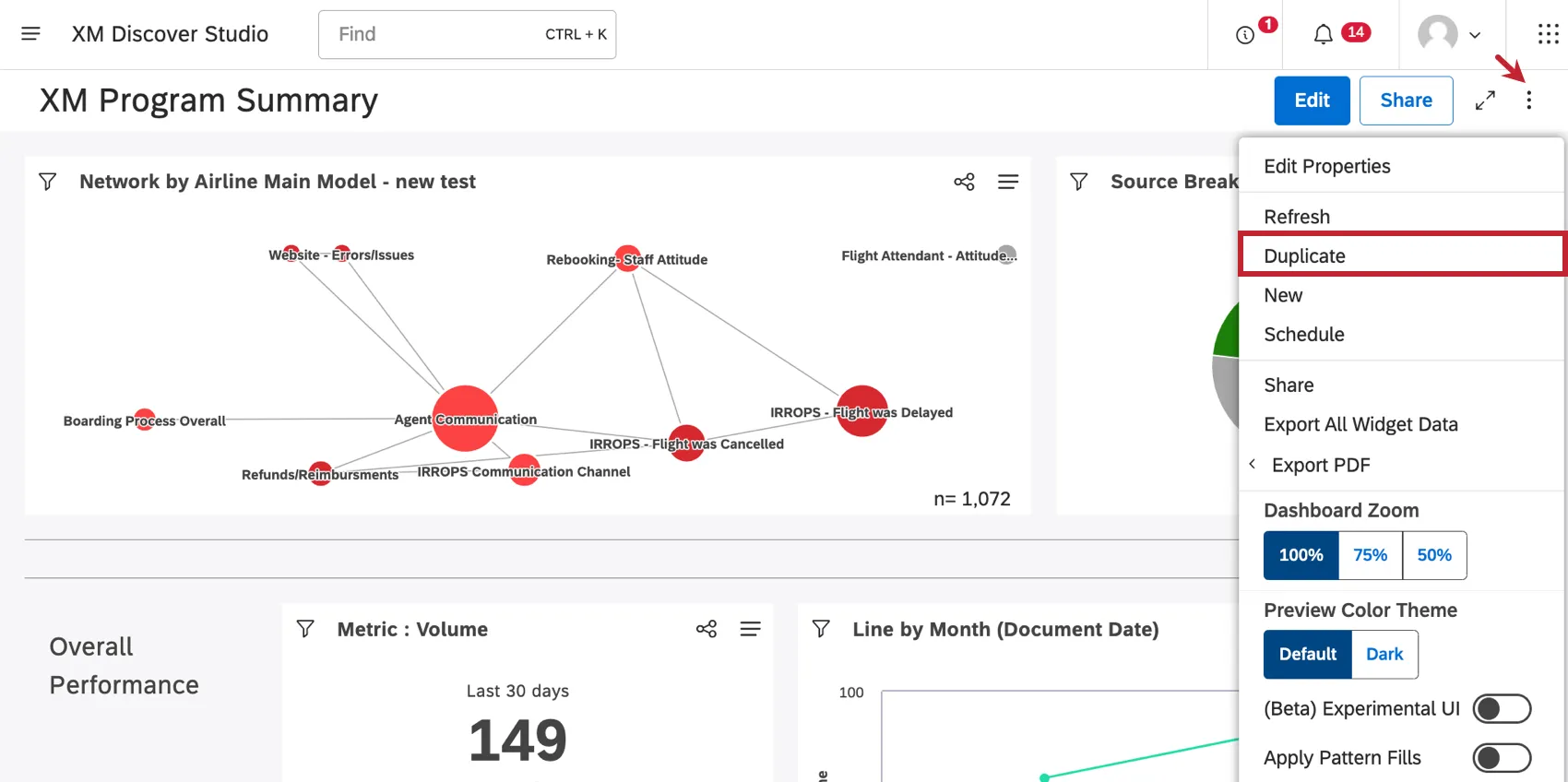
- When you’re inside a dashboard, click the options menu and select Duplicate.
Once your copy is created, it will be opened up in edit mode.
That's great! Thank you for your feedback!
Thank you for your feedback!