

Carry Forward Choices
What's on this page
About Carry Forward Choices
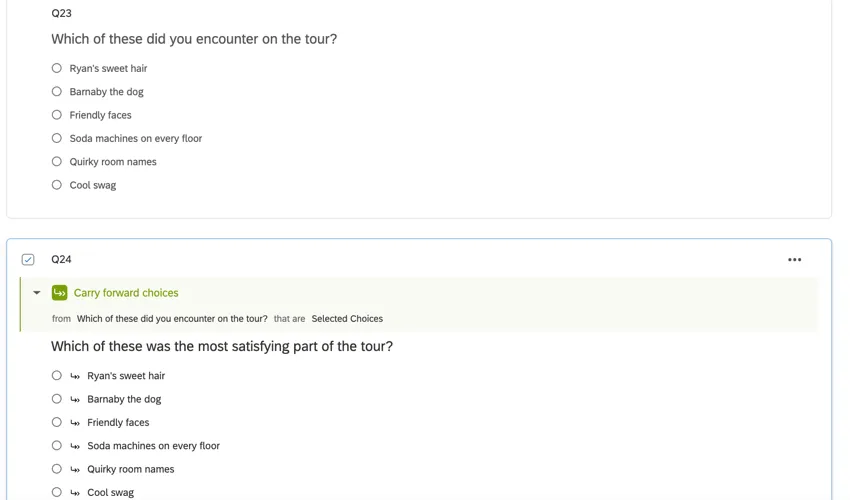
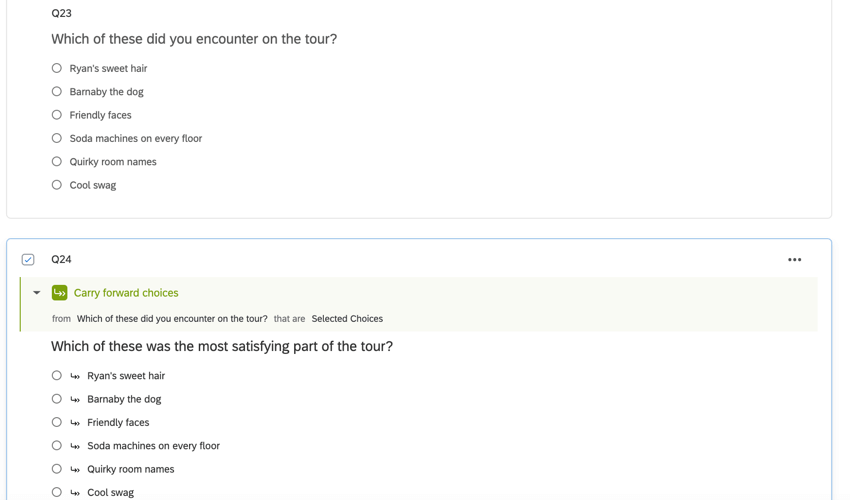
Carry forward choices allows you to copy specific answer choices from a question and bring them into a future question in your survey. For instance, you can first ask your respondents which products they have bought from your company in the last 6 months. You can then carry forward their selected choices into the next question and ask them to rank their preference from those previously selected choices only.
Attention: Carry forward isn’t available for most EX projects since it is incompatible with dashboard scales. It is compatible with 360 projects.

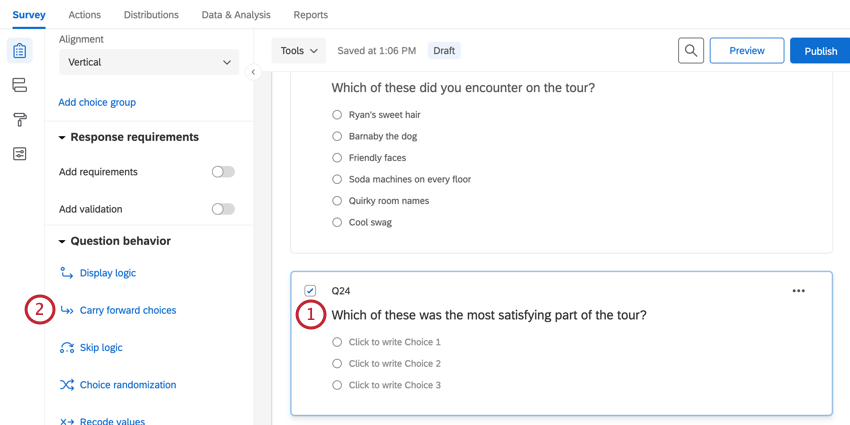
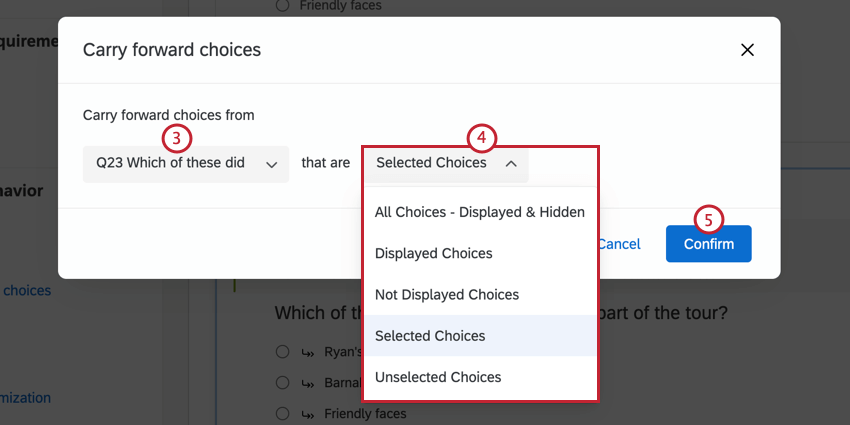
Using Carry Forward Choices
Qtip: If you’re working with a Matrix table question, you may see the options to Carry forward statements (the rows of your table) and Carry forward scale points (the columns of your table) instead of Carry forward choices.
Qtip: If you are carrying forward from a question that allows text entry, you have the option to pick “Selected Choices – Entered Text” to carry forward what was typed into the text entry boxes.
Qtip: If you carry forward answer choices to a question, they will join any other answer choices that already exist in the question.
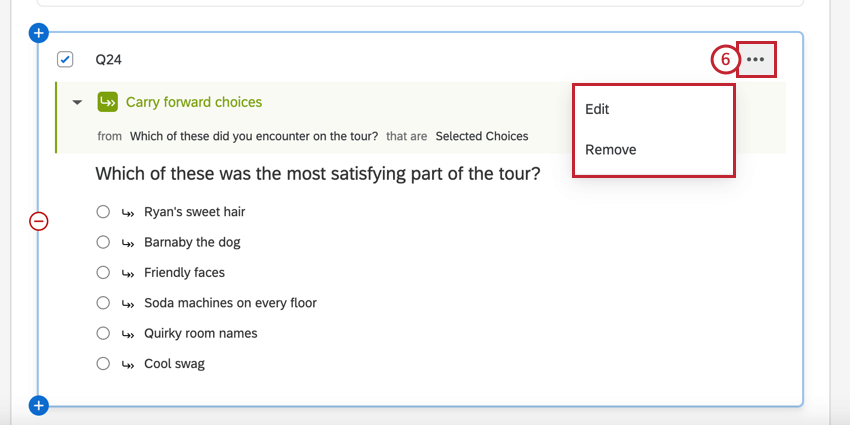
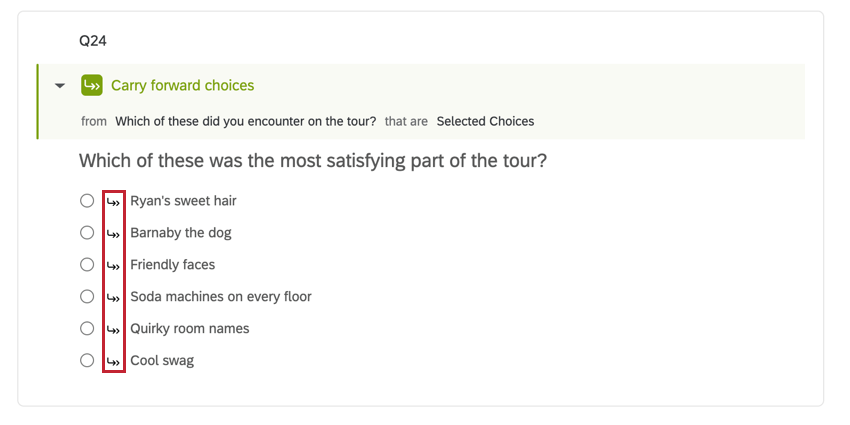
Once you’ve added the carry forward, you’ll see all potential items listed on your follow-up question, with a double arrow next to each. The double arrow signifies that this answer choice will only display to a respondent if they meet the condition(s) for that choice.

Qtip: Only 1 set of choices can be carried forward into a question. If you need to carry forward multiple sets of choices into a question (for instance, all the items marked “Satisfied” from 2 different questions), you can manually input every potential answer choice and then add Display Logic to each answer choice, setting the condition to display only if that choice was previously selected.
Possible Choices to Carry Forward
You’ll notice a lot of possible values that can be carried forward as choices, statements, or scale points.
- All Choices – Displayed & Hidden: Carries forward every single answer choice in the question.
- Displayed Choices: Carries forward only the choices the respondent saw. See Setting Answer Choice Display Logic for more information on hiding and revealing choices to respondents.
- Not Displayed Choices: Carries forward only the choices the respondent didn’t see. See Setting Answer Choice Display Logic for more information on hiding and revealing choices to respondents.
- Selected Choices: Carries forward all the choices the respondent selected.
- Unselected Choices: Carries forward all the choices the respondent didn’t select.
- Entered Text: Carries forward the text the respondent entered in an answer choice text box. If the respondent selected a choice that doesn’t have a text box, the exact text of the selected choice is carried forward instead.
Adding Additional Choices
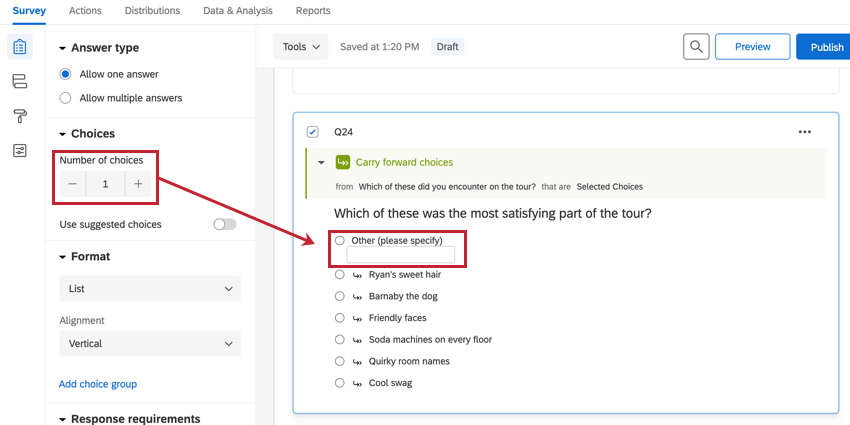
On a question with carry forward choices, you can also add additional choices that weren’t present in the question you are carrying forward from.
On the editing pane to the left, click the plus and minus signs or type in a number to adjust the number of original choices. This number will only reflect the number of original choices, not the number of carried forward choices.
Qtip: Need to re-order your choices? For example, you might want a choice called “None of the Above” to show up below any carried forward choices. You can re-order these choices by changing the fixed display order in advanced choice randomization.
Data Exports and Recode Values
When you export data that includes a question with carry forward enabled, it looks just like the export for any other question. Exporting choice text exports the name of the choice, and exporting numeric values shows the recode value of a choice. Below is an example of a numeric value export. Q13 is the column with the question whose choices have been carried forward from another question.
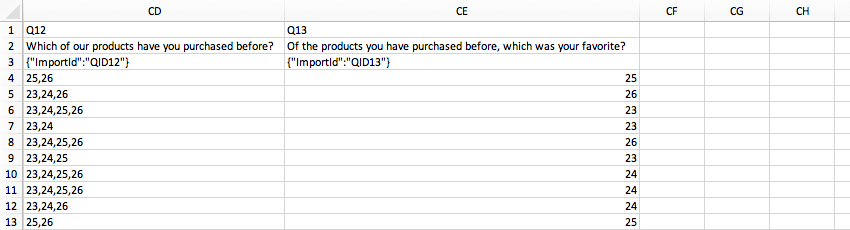
You can recode the values or add variable naming to a question with carry forward the same as with any other question. Recode values in the question where choices have been carried forward and the source question can have different recode values and variable names for the same choices. For example, in one question an answer choice’s recode value may be 1, but in the carry forward question it can be 0 instead.
Carrying Forward Choices in Different Project Types
This type of question behavior is available in many different types of projects. The options described on this page are available in:
- Survey projects
- XM Solutions
- 360 Qtip: Carry forward is not available in other EX project types, such as Engagement, Lifecycle, Ad Hoc Employee Research, or Pulse projects.

- Conjoint
- MaxDiff
FAQs
Why are my page breaks being ignored?
Why are my page breaks being ignored?
- Questions per Page set in the Look and feel
- Question randomization set up in a block
- Skip logic, display logic, and carry forward (all 3 by default will insert a page break)
That's great! Thank you for your feedback!
Thank you for your feedback!