

Customer Success Hub Basic Overview
What's on this page
About the Customer Success Hub
The Customer Success Hub connects you with the experts you need at Qualtrics, from the technical support team and your account representatives, to other members of your success team, like Technical Success Managers and Enterprise Support.
The Customer Success Hub can vary in appearance based on what type of account you have and what services you have access to. But whether you’re using a licensed or free account, the Customer Success Hub is the single entry point for support, services, and helpful resources at Qualtrics.
Key Terms
Before we dive into how to use the Customer Success Hub, let’s take the time to define some of the key concepts you’ll see on these pages.
Customer Success Hub: Where you log in to contact support and view other services and resources available to your account.
Licensed User: Most Qualtrics users are using licensed accounts. This means you or your organization has purchased a Qualtrics license, giving you access to more advanced features or services.
Free User: A user on a free account. These users tend to have access to fewer features and services. However, they still have access to the Customer Success Hub itself and can use it to reach out to the support team.
Success Package: Service bundles that include continuous support and expertise to help your teams execute successfully, build capabilities, and advance your Qualtrics programs.
Technical Support: A page on the Customer Success Hub where you can seek help from the support team. This includes questions about the product, troubleshooting, and technical issues.
Account Services Support: This team helps answer non-technical questions about your license, such as billing, upgrades, and SMS credits.
Brand Administrator: Qualtrics users who are in charge of moderating their license. Administrators can change the features users have access to, create and delete accounts, manage brand content, and more.
Account Executive: Your sales representative at Qualtrics. If you are a Brand Administrator, you should contact this person or Account Services for questions regarding pricing and purchasing access to features. If you are a standard user, your Brand Administrator can reach out to this person on your behalf.
Technical Success Manager: A highly experienced technology consultant and customer advocate who provides platform training, technical consultation on specific programs, and project/program health assessments to key stakeholders. Not all customers have access to a Technical Success Manager.
Enterprise Support: An elevated support option with rapid and proactive product support from our senior product specialists. Not all customers have access to Enterprise Support.
Success Team: The collective team of Qualtrics representatives available to you.
Success Check: A comprehensive technical audit for a project of your choice. There are a few kinds of success check.
XM Expert Coaching: A service that provides you with ongoing expertise to drive program impact by way of monthly office hours and discrete workshops facilitated by an expert practitioner.
Logging into the Customer Success Hub
The Contact Support link in the upper-right of the Support Site takes you to your Customer Success Hub. You can also access your Customer Success Hub from the in-product help window, by going directly to https://support-portal.qualtrics.com/, or by using the app-switcher in the upper-right of your Qualtrics account.

Log into your Customer Success Hub using the same account information and method that you use to log into your Qualtrics account. This is a required step that ensures your account’s privacy and security by verifying your identity.
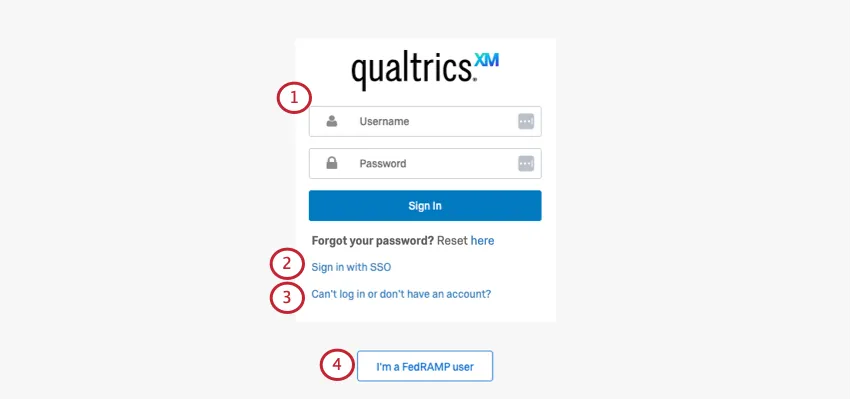
Qtip: If you’ve recently signed into your Qualtrics account on the same device and browser, you will not have to re-enter your credentials when going to the Customer Success Hub. Simply click the brand ID shown on the page to enter your portal.
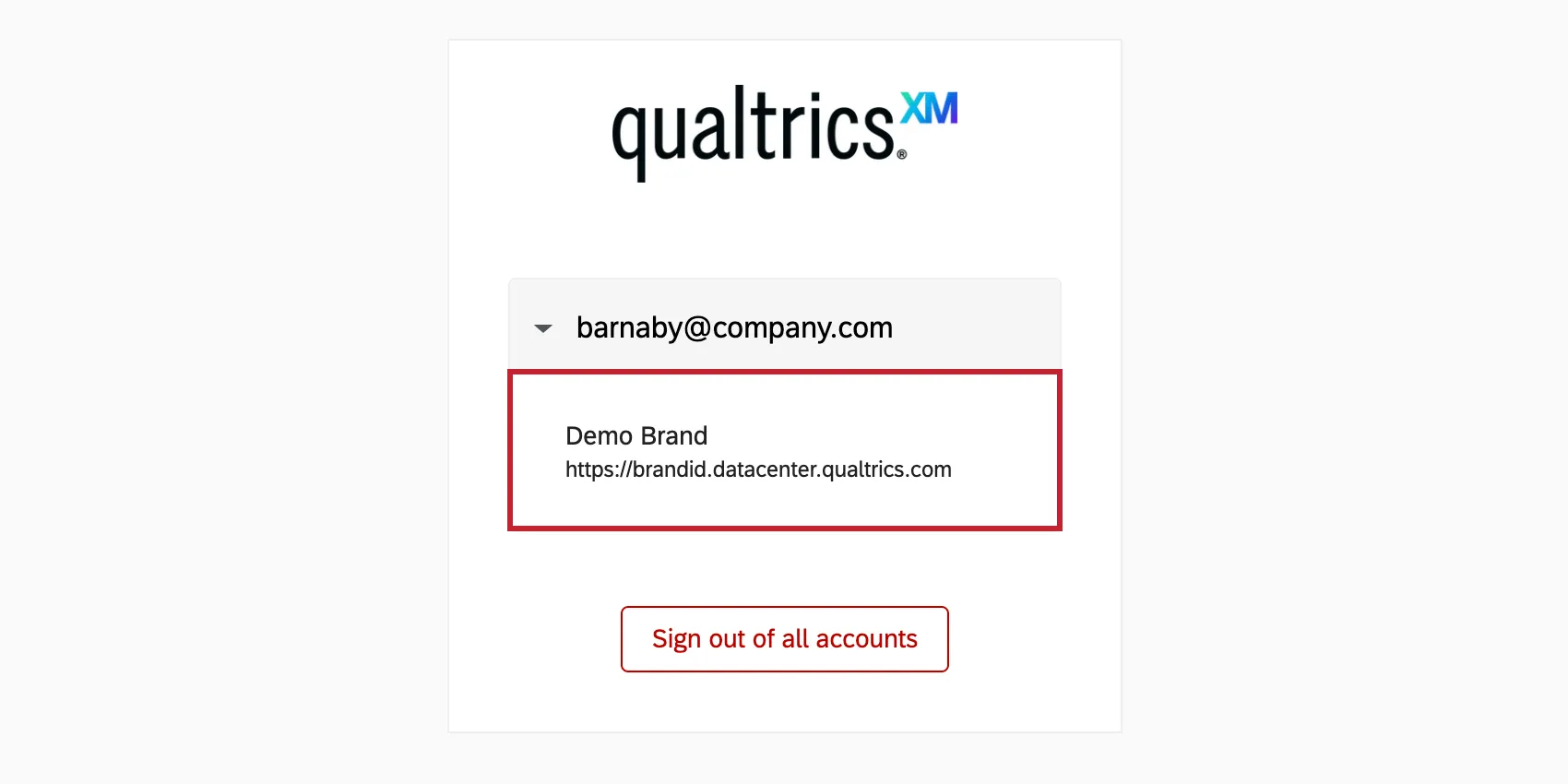
Be sure to verify that the username or email shown on the login page is the account you are trying to access. If you’d like to access another account, you can select Sign out of all accounts and you will be prompted to enter your credentials.

Qtip: For additional assistance with logging in, see Troubleshooting Issues in the Customer Success Hub.
Qtip: Alternatively, you can click Contact Support from your in-product help window, then confirm your account.
Attention: Logging into the Customer Success Hub is required to confirm your identity and to maintain your account security and privacy. If you do not log in, Qualtrics Support will only be able to help with login and account creation questions.

Logging out of the Customer Success Hub
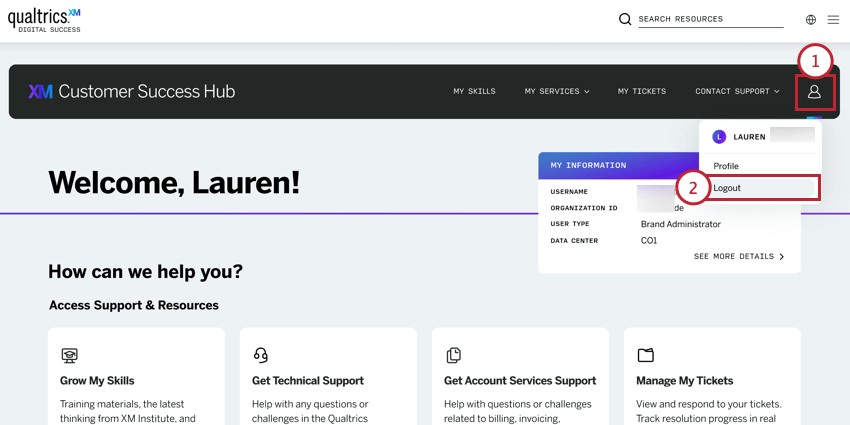
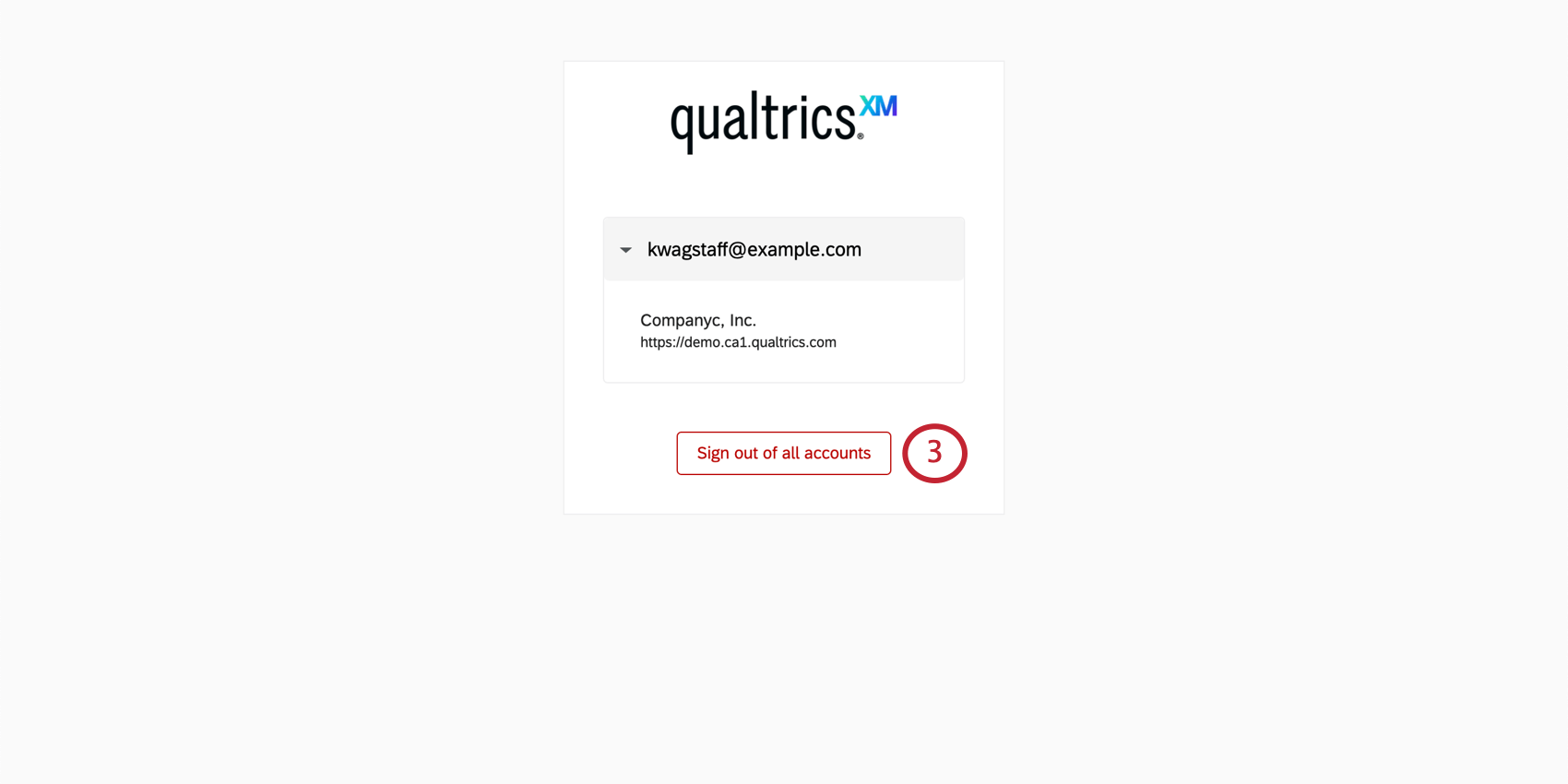
The next time you go to the Customer Success Hub, you will be prompted to log in again.
Qtip: You will also be logged out of all other connected Qualtrics services, such as Experience Community and Qualtrics Learn.
Navigating the Customer Success Hub
Qtip: The options you see will vary based on your license and user type. For example, “Update Billing Details” is only available for Brand Administrators and designated billing contacts.
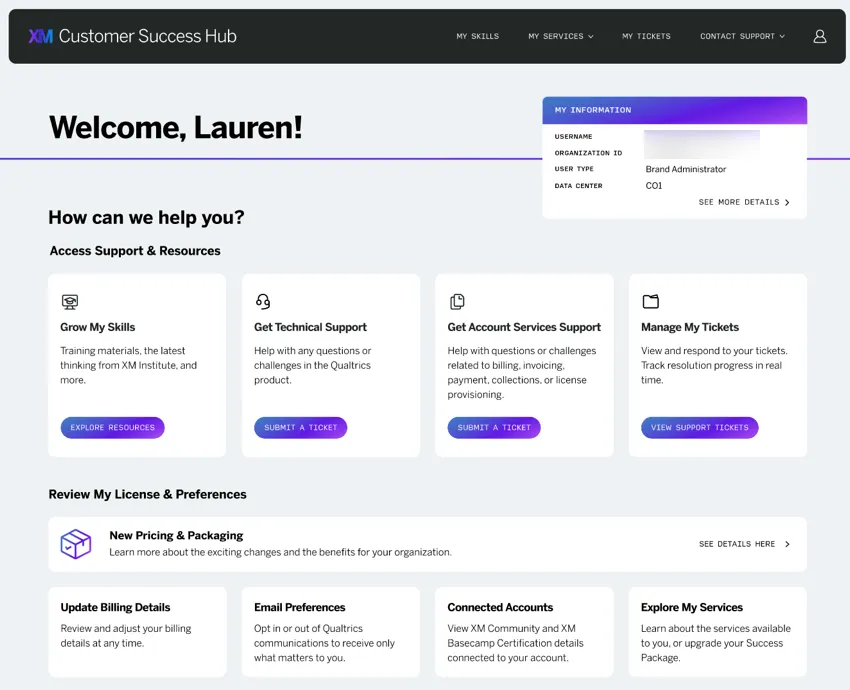
When you first enter the Customer Success Hub, you’ll be presented with a few different options. Here, we’ll cover the basics of navigating the portal.
My Information displays your account information.
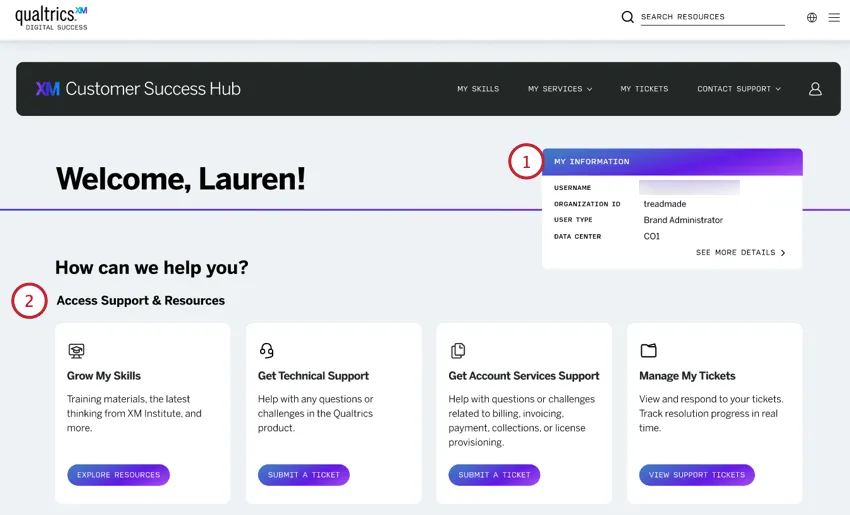
You can view the following:
- Username
- Organization ID
- User Type
- Data Center
- Click See more details to visit the full Profile page
Access Support & Resources: Pick the route that best matches your request.
- Grow My Skills: Learn more about building your Experience Management program. Resources include training courses, expert advice, best practices, and more.
- Get Technical Support: Connect with our support team for help troubleshooting, technical issues, and product questions.
- Get Account Services Support: Get help with any payment, billing, and renewals inquiries you may have.
- Manage My Tickets: View, track, and respond to your open tickets.
Review My License & Preferences:
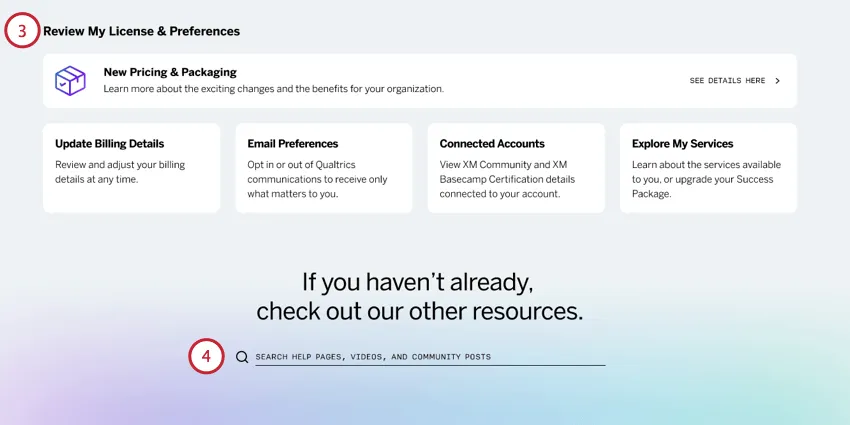
- New Pricing & Packaging: Read more about Qualtrics’ new pricing & packaging plan.
- Update Billing Details: Change the billing information associated with your license.
- Email Preferences: Subscribe or unsubscribe to various Qualtrics emails.
- Connected Accounts: View any connected Experience Community or Qualtrics Learn accounts.
- Explore My Services: Review and use the services available to you.
Other resources: Search all support resources, including the support site and the Experience Community. Check out helpful resources, such as product ideation, product release notes, the status page, and custom code discussions in the community.
Menu and Profile Icon
At the top of each page in the hub, you’ll be able to navigate using the menu or the profile dropdown:
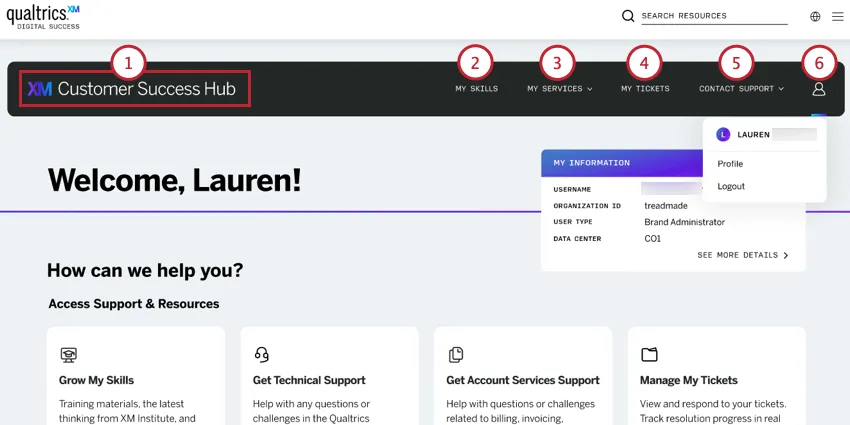
What Can I Do In the Hub?
This section lists all actions you can take in the hub. Please visit the linked pages for more information about a specific topic.
- Get technical product support.
- Get account services support.
- View current and historical support tickets.
- Learn about the new simplified pricing and packaging plans.
- Update the primary billing contact and billing details for your license.
- Start the renewal process and access the invoice for your upcoming renewal.
- Access checklists and other materials to help grow your Qualtrics skills.
- Manage your email preferences.
- See any connected accounts.
- Use and manage the services available to you.
- Search all support resources and other helpful resources like the Experience Community and product release notes.
Grow My Skills
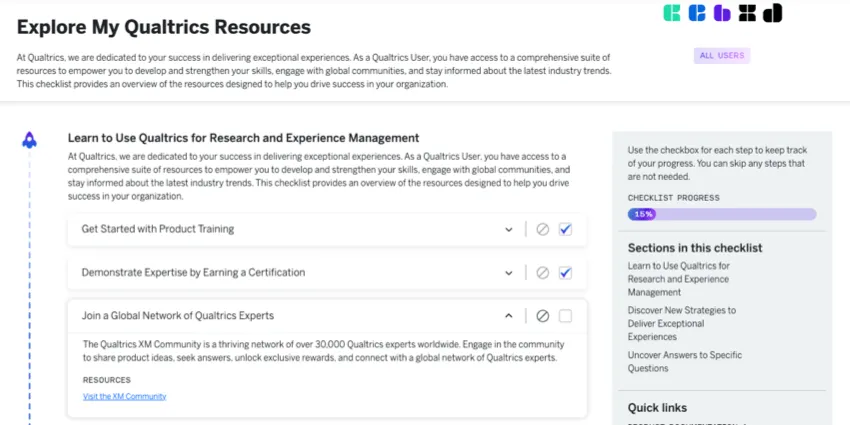
On the “Grow my skills” page, you can access resources that’ll help you learn more about building your Experience Management program.
To learn more, see Grow My Skills.
FedRAMP Hub Experience
The FedRAMP Customer Success Hub can be accessed by clicking the I’m a FedRAMP user button on the Hub login page.
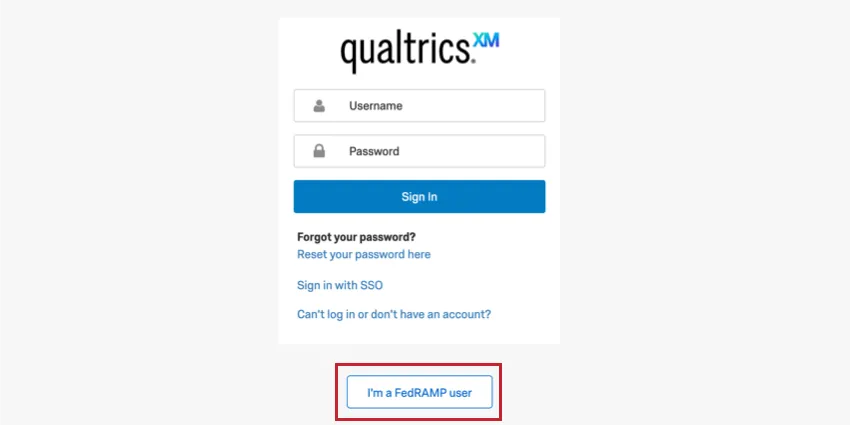
Once logged in, you can perform the following actions:
- Contacting technical support (email and phone only)
- Viewing IP ranges for allowlisting
- Viewing a list of unsupported Qualtrics product features
However, not all Hub features are available because they are not FedRAMP-certified. The following are not available for FedRAMP users:
- The Qualtrics Support AI Assistant
- Chat support
- Contacting account services support
- Checklists in the “Grow My Skills” page
- Viewing support ticket history
- The “Manage My Services” and “Use My Services” pages.
- Managing billing information.
Limited Hub Experience
If you’re having troubles logging into your account or creating an account, you can still access the Customer Success Hub to resolve the issue.
Attention: If you cannot log into your Customer Success Hub, Qualtrics Support will only be able to help you with login issues or account creation issues.
From the Hub’s login page, click Can’t log in or don’t have an account?
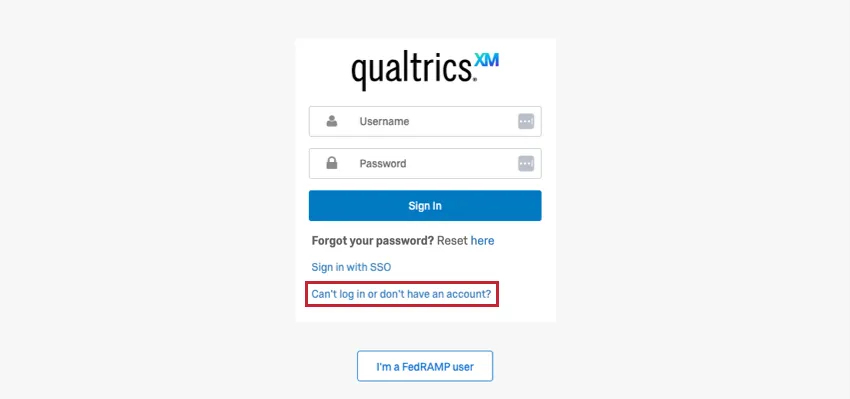
You’ll be redirected to a limited Hub where you can chat with the Qualtrics Support AI Assistant to try and resolve the issue.
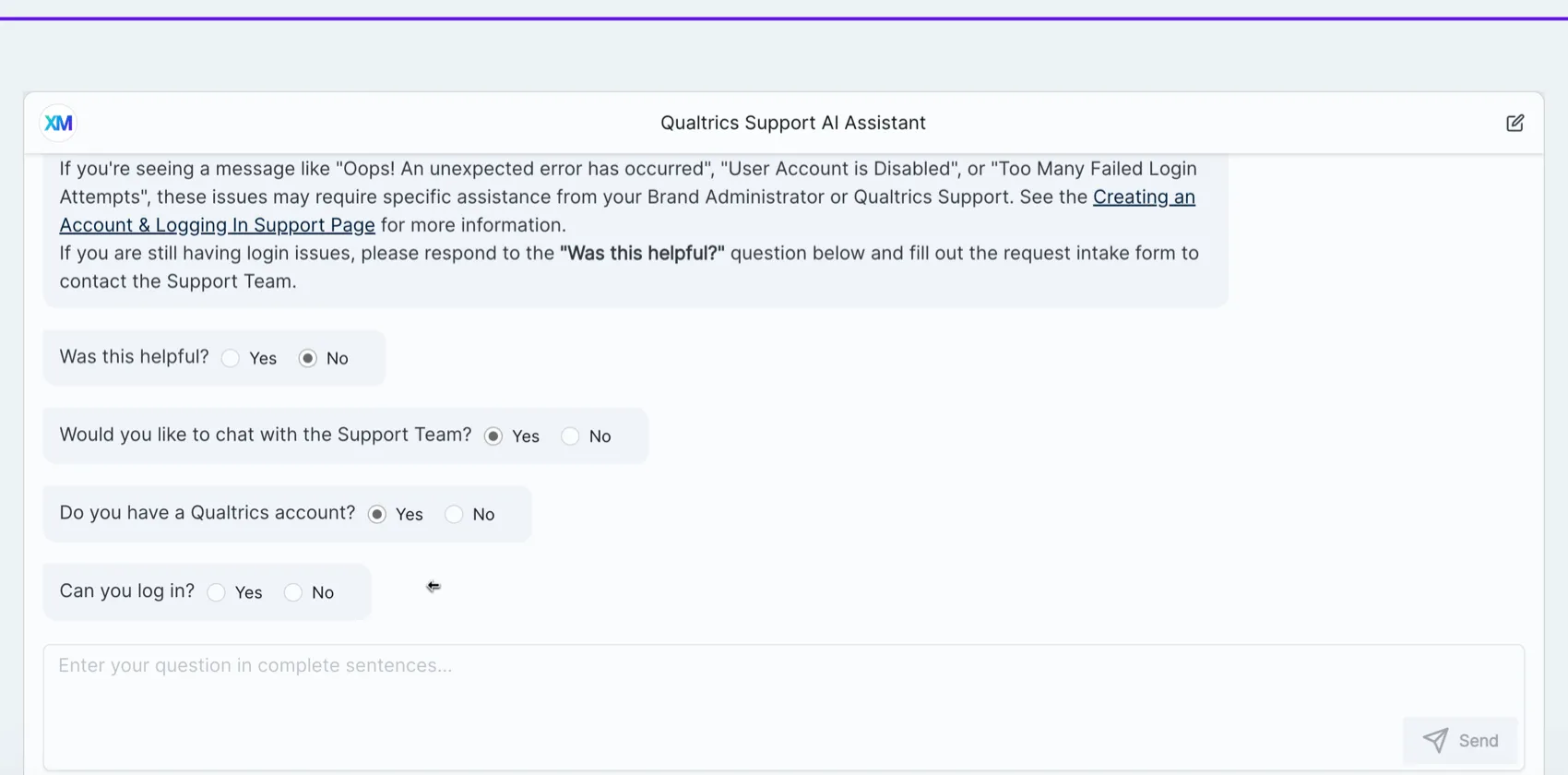
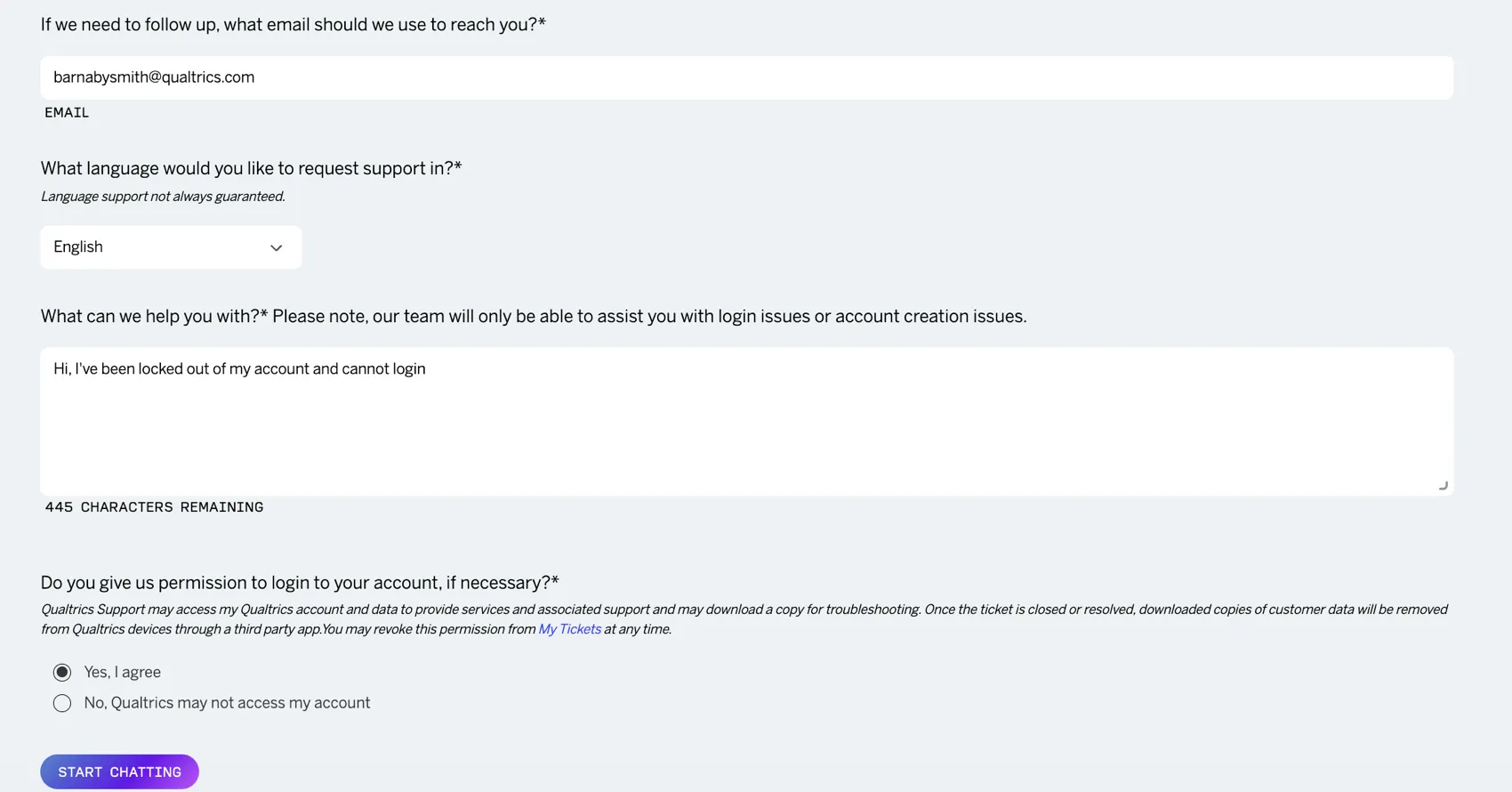
If the issue is not resolved, you can get in touch with the Qualtrics Support team (live chat for English and email for non-English). Please note that the team is only available to troubleshoot login issues or account creation issues via this contact method.
Free and Trial Experience
The Customer Success Hub has been streamlined for free and trial users. Because the services you have access to are different from licensed users, your Customer Success Hub will differ from what was shown earlier on this page.
As a free or trial user, you’ll see the following options after logging into the Hub:
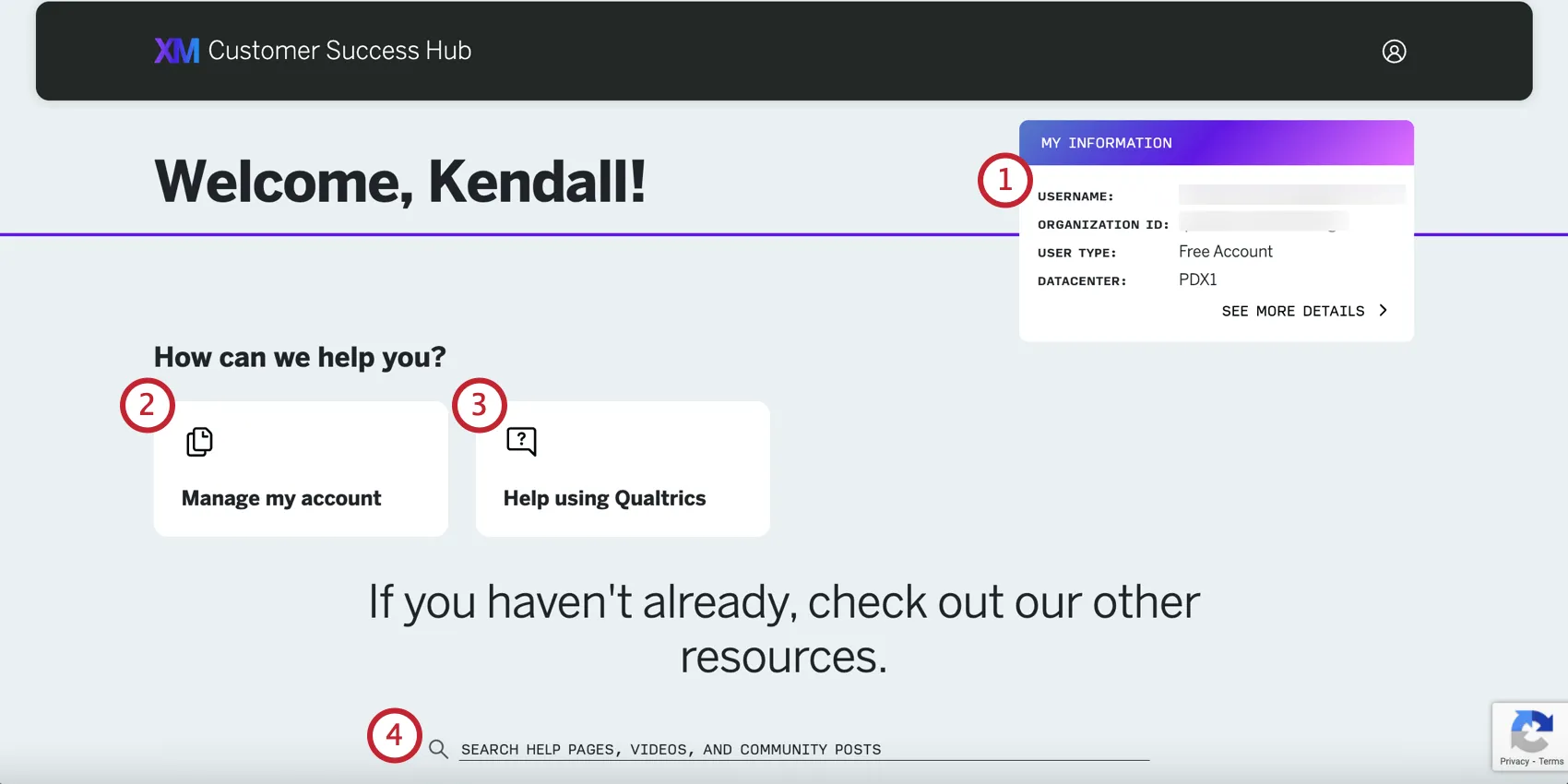
Qtip: The Profile Page only has account information and connected accounts for free and trial users.
For more on the limitations of these accounts, see either Free Accounts or Strategic Research Trial.
Downloading Security Documentation
You can download Qualtrics security documents and certifications from the Trust Center. These documents contain information about Qualtrics security, privacy, and compliance.
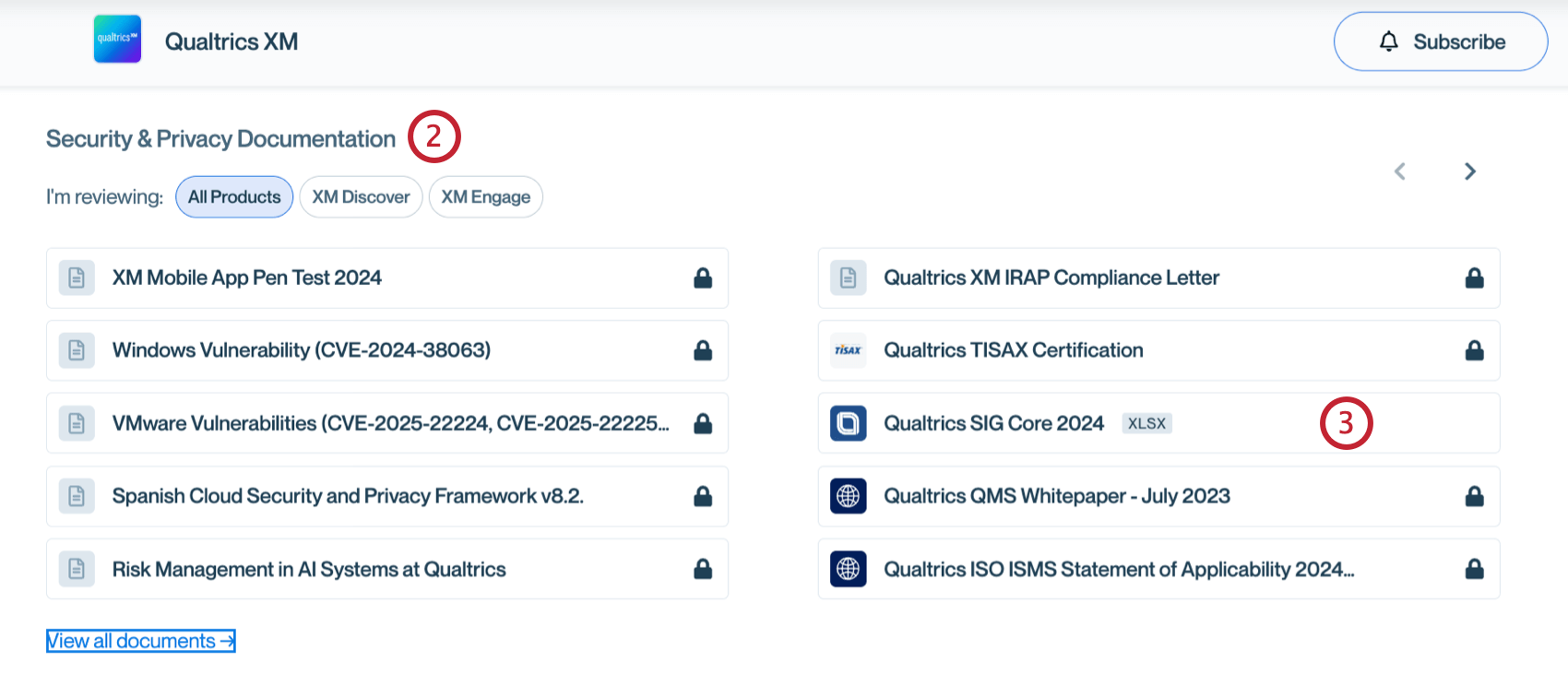
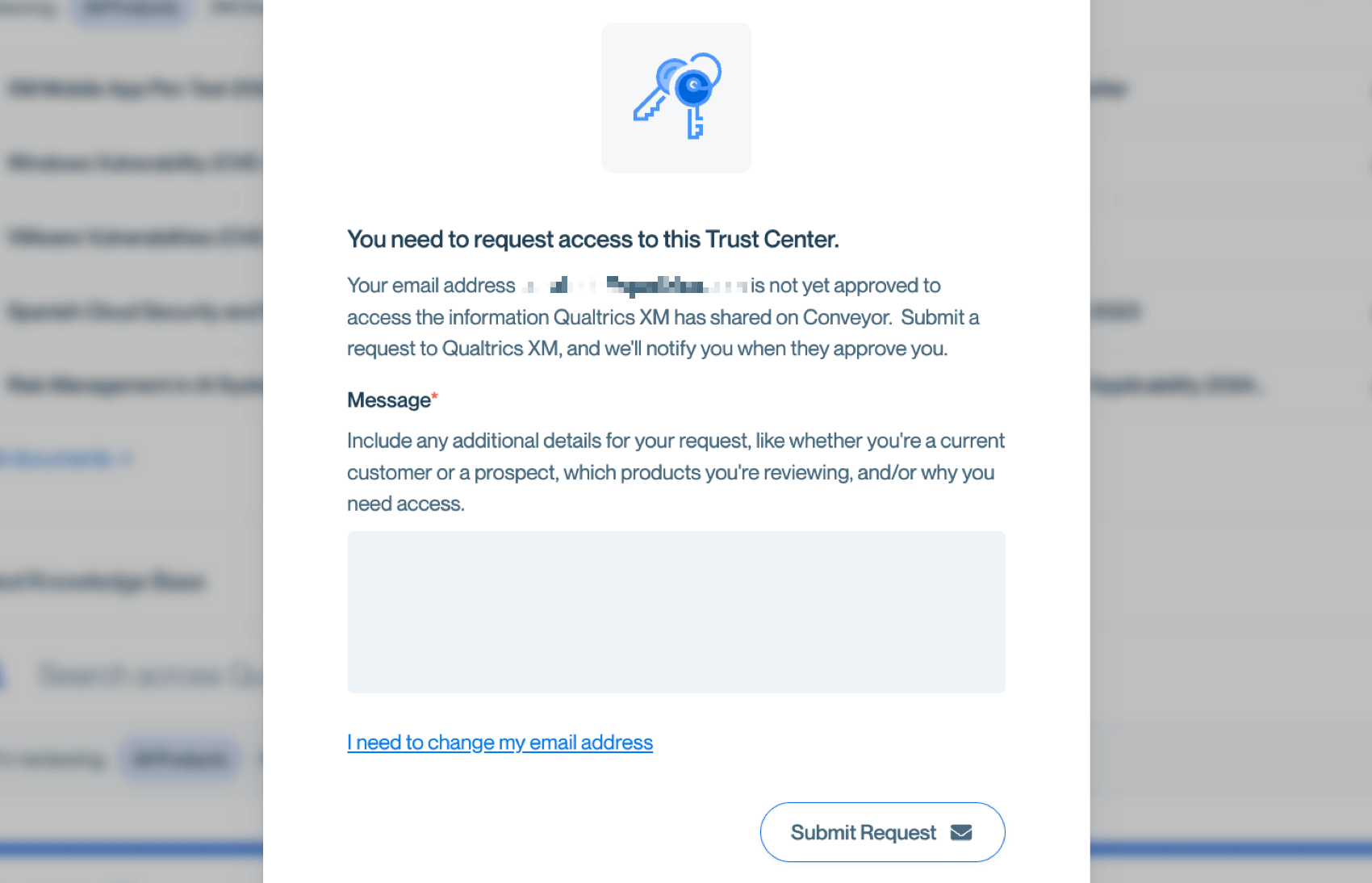
Qtip: If a document has a lock icon next to it, you need to request access to view it.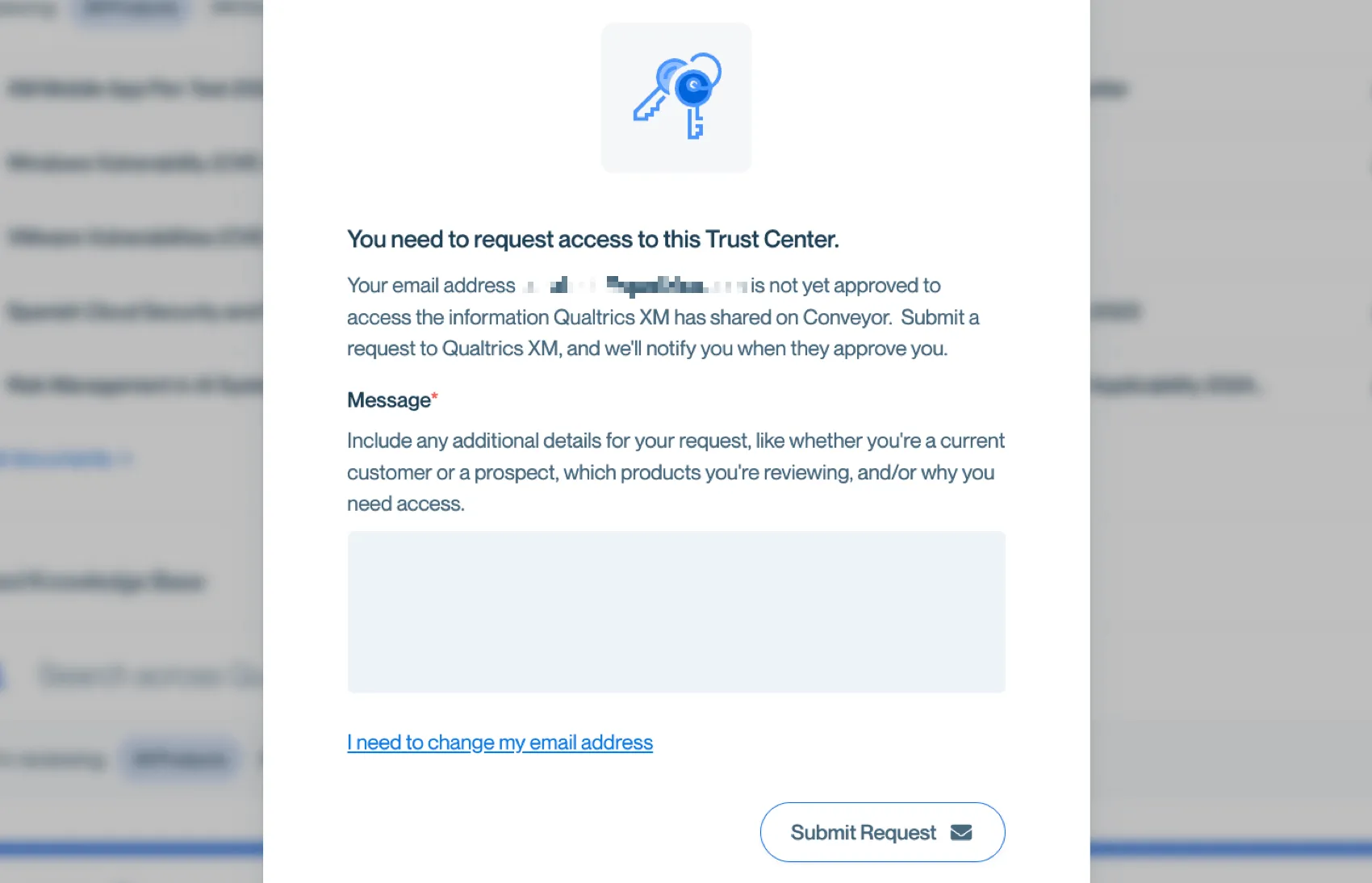
Troubleshooting Issues in the Customer Success Hub
Issues logging into your Customer Success Hub or submitting a support ticket can be caused by a number of things, including browser errors, internet connectivity, session timeouts, or internal Qualtrics errors.
Common troubleshooting steps
If you are encountering issues accessing your portal or submitting a support ticket, here are a few steps you can take to troubleshoot:
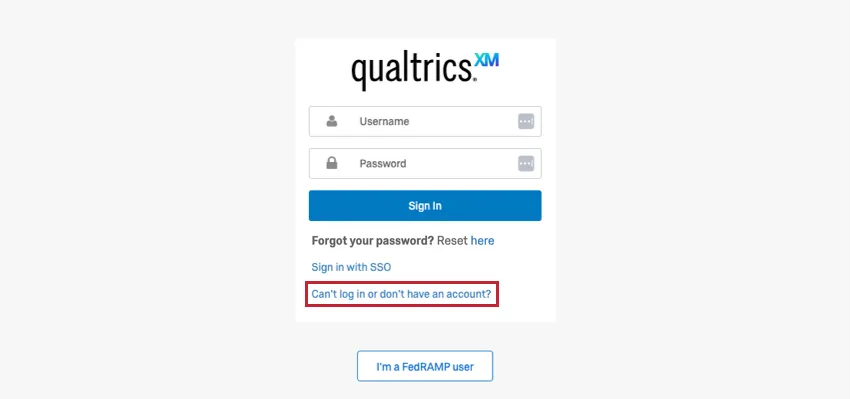
If after trying these steps you are still unable to login to your portal, you can go to https://support-portal.qualtrics.com/ and select Can’t log in or don’t have an account? to be taken to a limited Customer Success Hub. From here, you will be able to receive assistance via phone or email to report issues with your Customer Success Hub.
Attention: If you cannot log into your Customer Success Hub, Qualtrics Support will only be able to help you with login issues or account creation issues.
If you are able to log into your account but are having trouble with the Customer Success Hub, it may be due to your organization’s SSO configuration. See Logging into Your Customer Success Hub with SSO.
Can log in, but cannot use the portal
If you are able to log in but unable to submit a support request through your desired contact method, please try another contact method. If the issue is urgent and you are unable to submit a phone request, we recommend:
Contacting support about Customer Success Hub issues
When contacting support with issues related to your Customer Success Hub, it’s helpful to include the following details for our team to best support you:
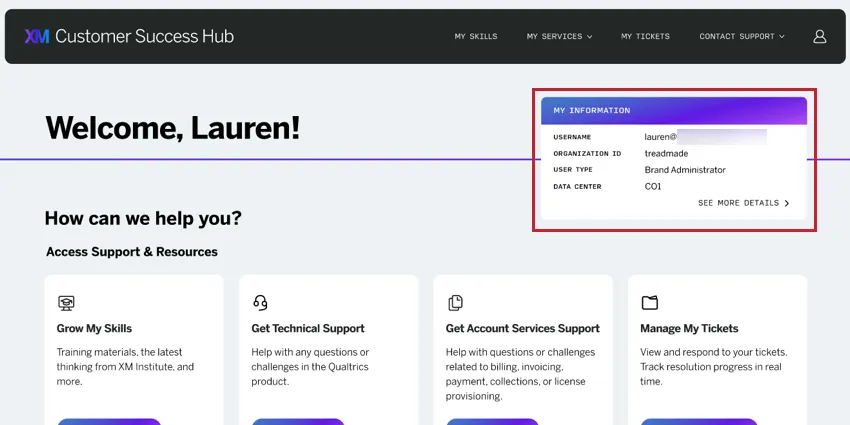
Confirm the account being used to log into the Customer Success Hub by screenshotting the Homepage after logging in. Make sure the My Information window is clearly visible.
- Record a HAR file while replicating the issue to share with our support team.
- Include information about the device, operating system, browser, and browser version you are using.
FAQs
What’s the difference between "Get Technical Support," "Get Account Services Support," and "My Services"?
What’s the difference between "Get Technical Support," "Get Account Services Support," and "My Services"?
Get Technical Support is for contacting Qualtrics Technical Support for help troubleshooting the Qualtrics product, technical issues, and other product questions.
Get Account Services Support is for contacting the Account Services team with questions about your Qualtrics license and help managing key aspects of it. This includes things like billing, product provisioning, and questions about product usage.
My Services is where you can reach your Technical Success Manager, request a Success Check, participate in XM Expert office hours, and more. These services are part of a Success Package, and deal more best practice, strategic help with your program.
That's great! Thank you for your feedback!
Thank you for your feedback!