

Reference Surveys
What's on this page
About Reference Surveys
Often, you will need to use the same sets of questions in multiple surveys. Rather than re-creating these questions, you can copy them with a few clicks.
Reference surveys are a survey flow element that let you take surveys stored in your library and reference them inside other surveys actively collecting responses. However, reference surveys are not just a template to copy. Any changes you make to the survey questions in your library will also change the questions within any survey they’re referenced in, meaning you can quickly make edits across all connected surveys instead of editing them one-by-one.
Qtip: If you’d like to reuse survey content but keep edits separate, see our Library Surveys page.
Qtip: You can only reference a block or a survey saved to the library, not a library question.
Using a Reference Survey in the Survey Flow
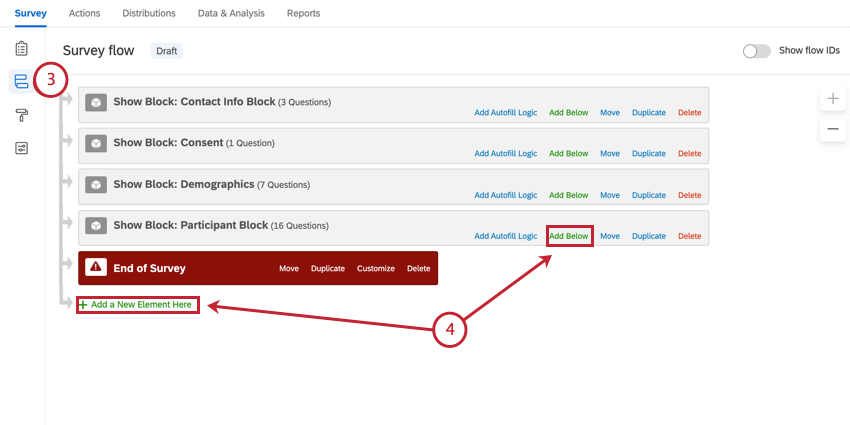
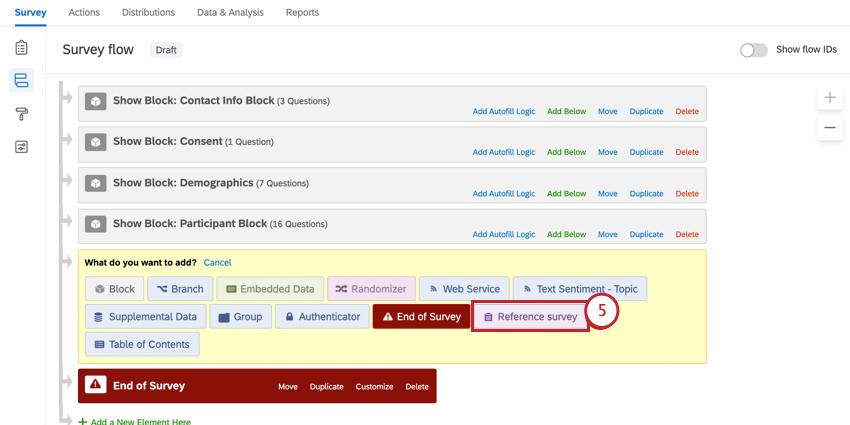
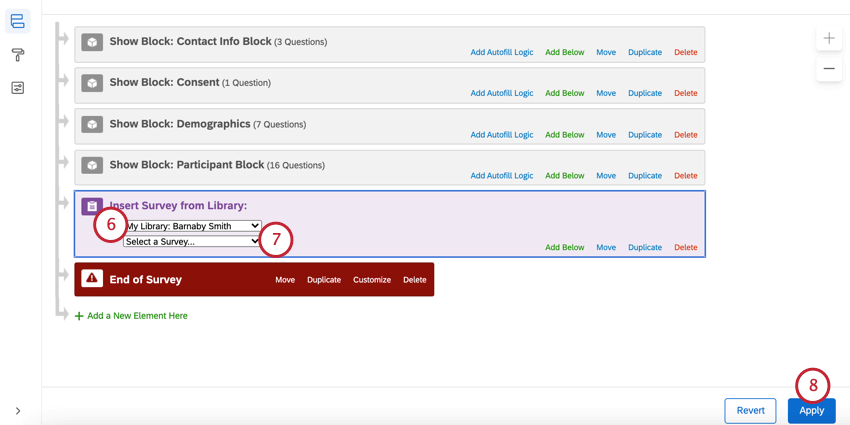
Qtip: If needed, you can move the reference survey to a different place in your survey flow.
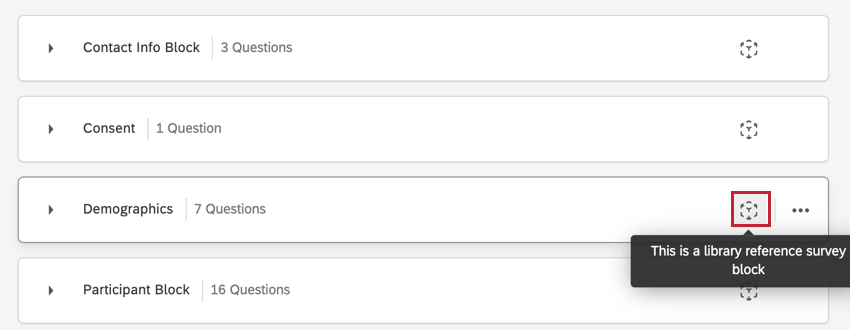
Using a Reference Block in the Survey Builder
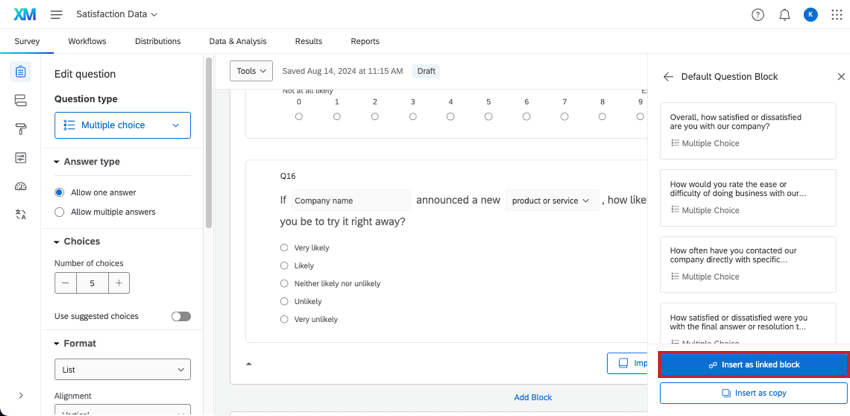
Editing a Reference Survey
After you’ve added your reference survey or block, it’ll appear in the survey builder. However, you cannot edit the reference content here. Instead, you must go to the library to edit reference content.
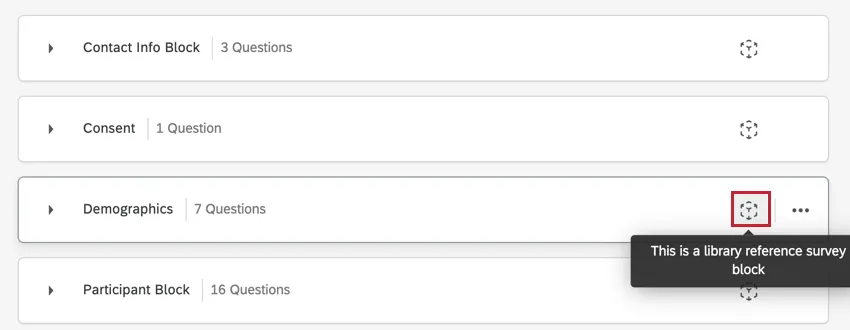
Warning: Edits to reference surveys affect all linked surveys once the reference survey is published. See more information on publishing reference surveys.

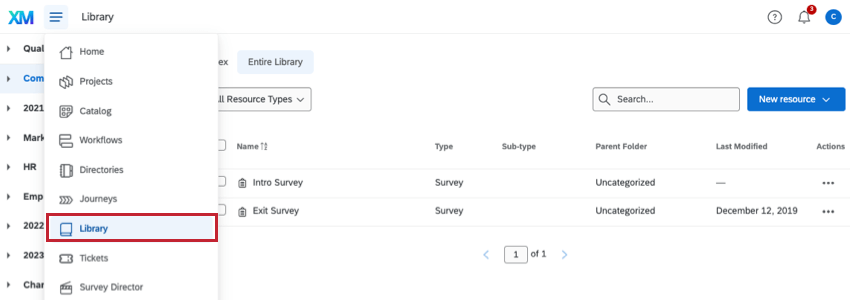
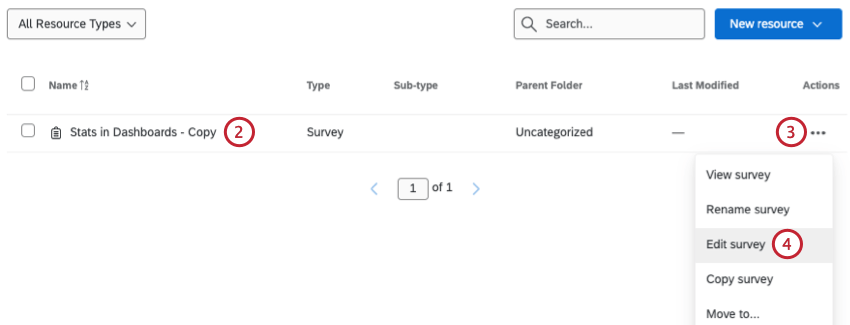
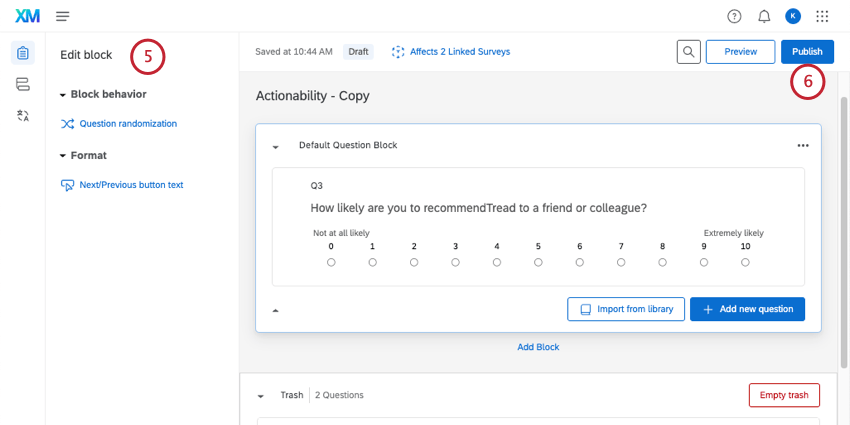
Qtip: You can edit anything about your survey except the theme. Reference surveys always take the same theme as their linked survey to avoid an inconsistent look.
Translating a Reference Survey
Warning: Edits to reference surveys affect all linked surveys once the reference survey is published. See more information on publishing reference surveys.
Reference surveys need to be translated in the library.
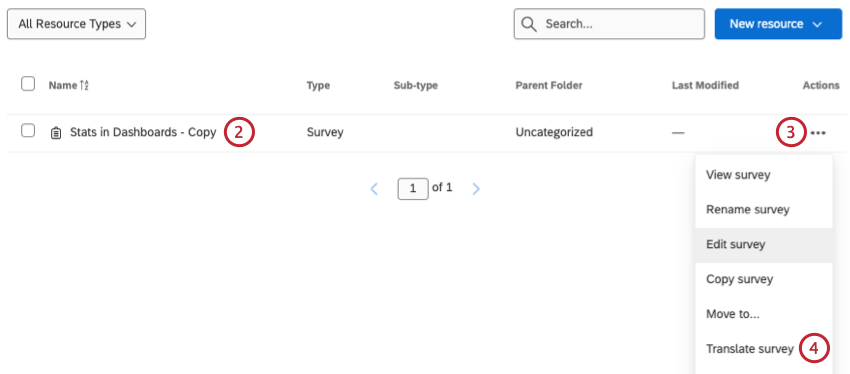
Qtip: To edit a survey in a group library, navigate to this library first by selecting the correct library from the left-hand panel.
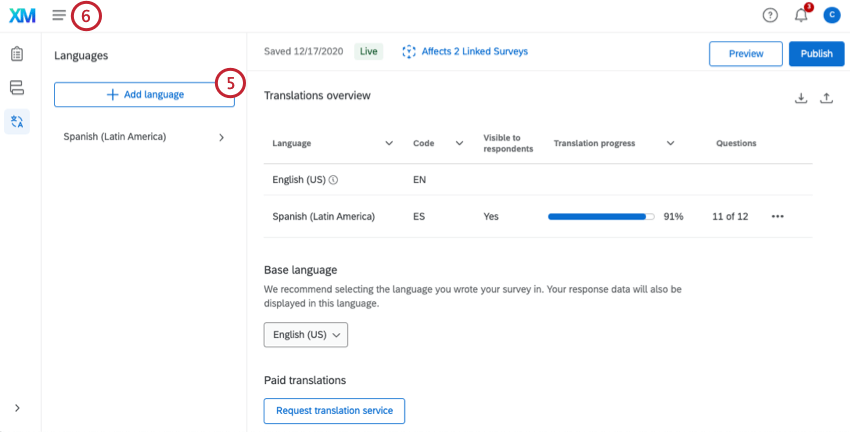
Qtip: Publishing will push the translations to all linked surveys.
Navigating the Reference Survey Editor
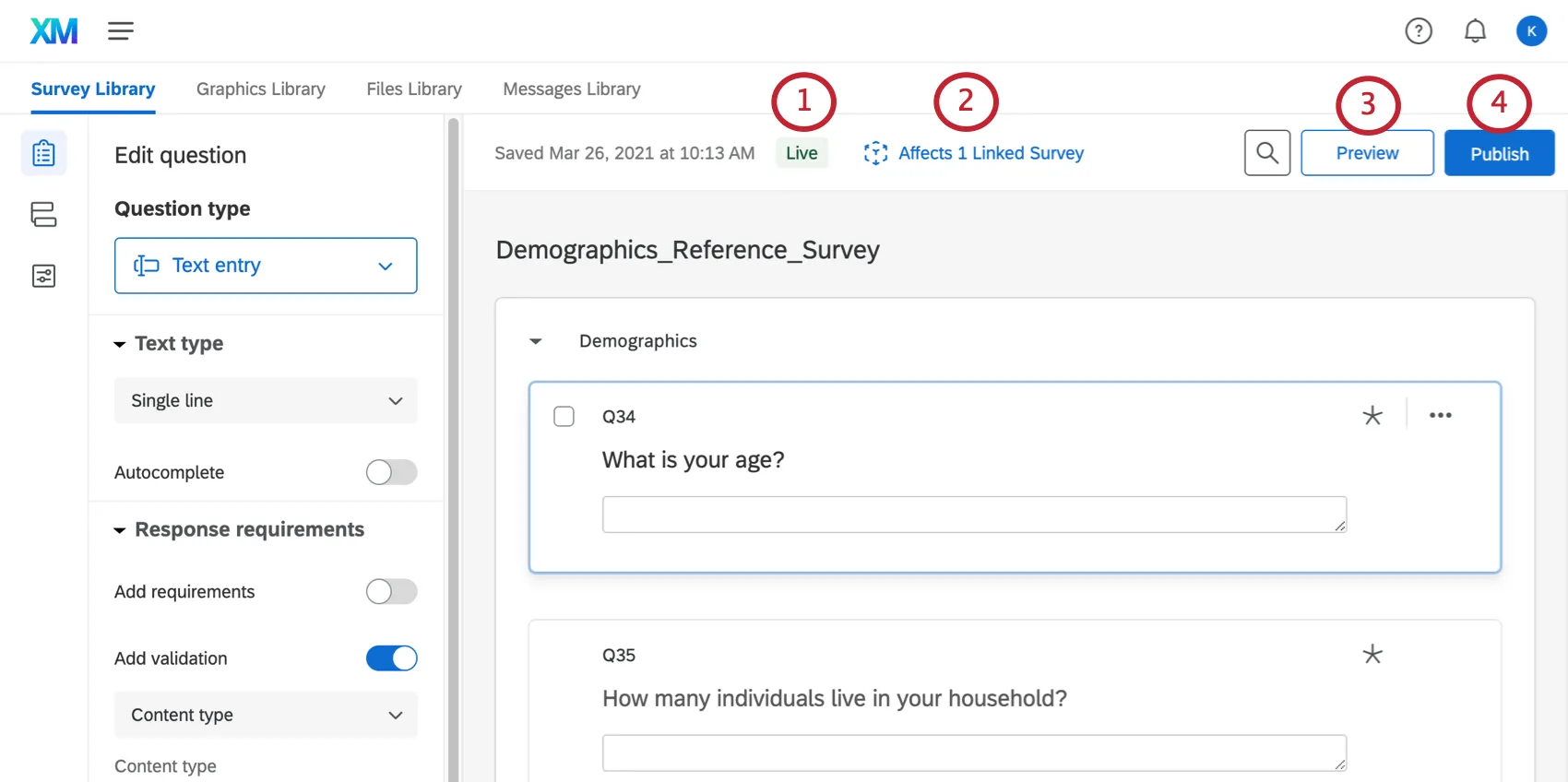
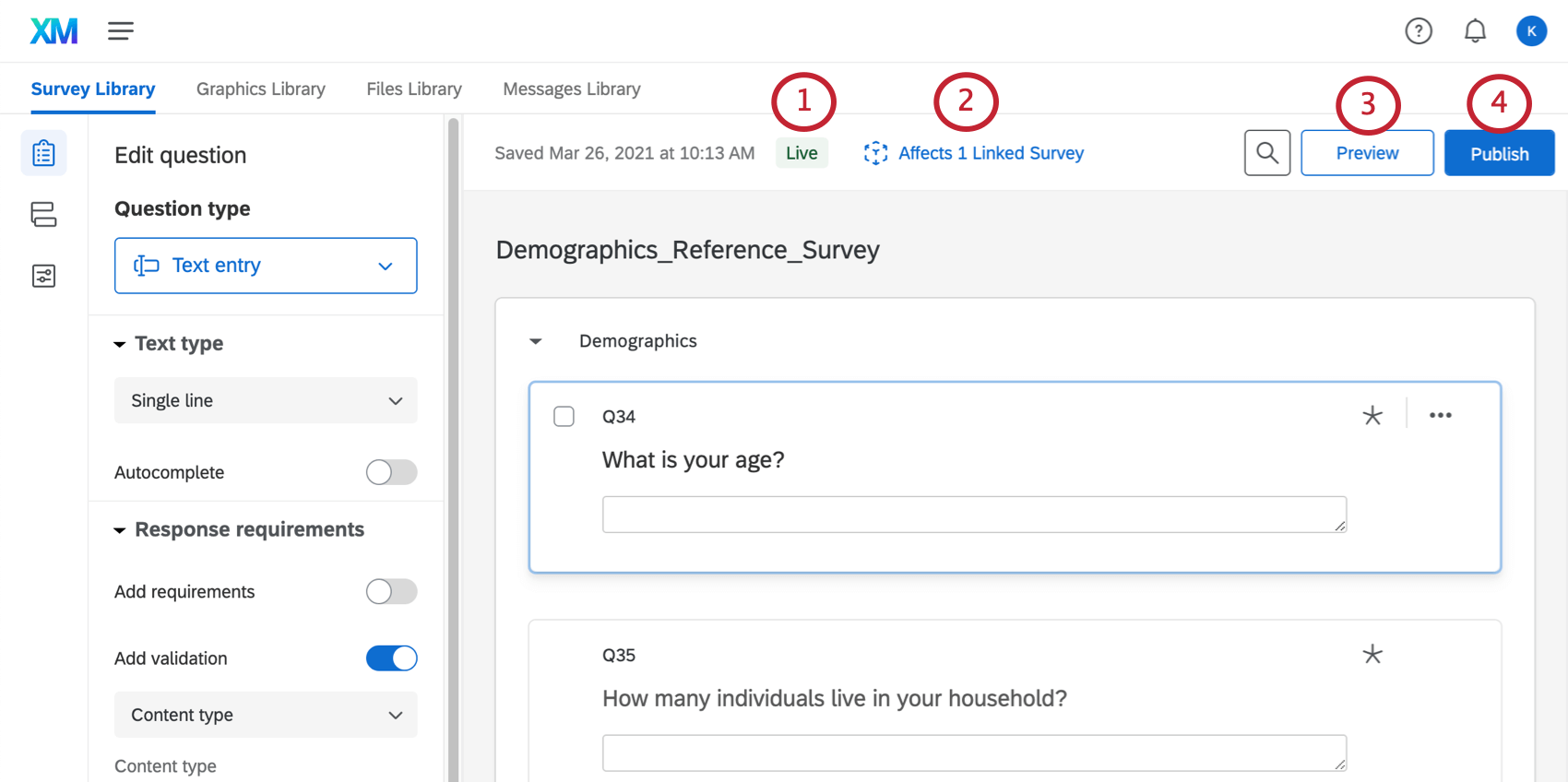
- Live: This reference survey has never been published, so any changes you make will immediately be reflected to new respondents in the surveys referencing it. Qtip: Once you create a new reference survey or block and begin using it in your live surveys, any edits you make to the reference block will automatically go live. However, once a reference survey or block is published for the first time, you will need to click Publish when you make changes that you want to go live to new respondents.

- Draft: This reference survey has changes that are not yet live. You will need to click Publish to make changes in the draft live in all the surveys referencing it.
- Published: This reference survey has not been modified since it was published. What you see in the editor is what respondents will see.
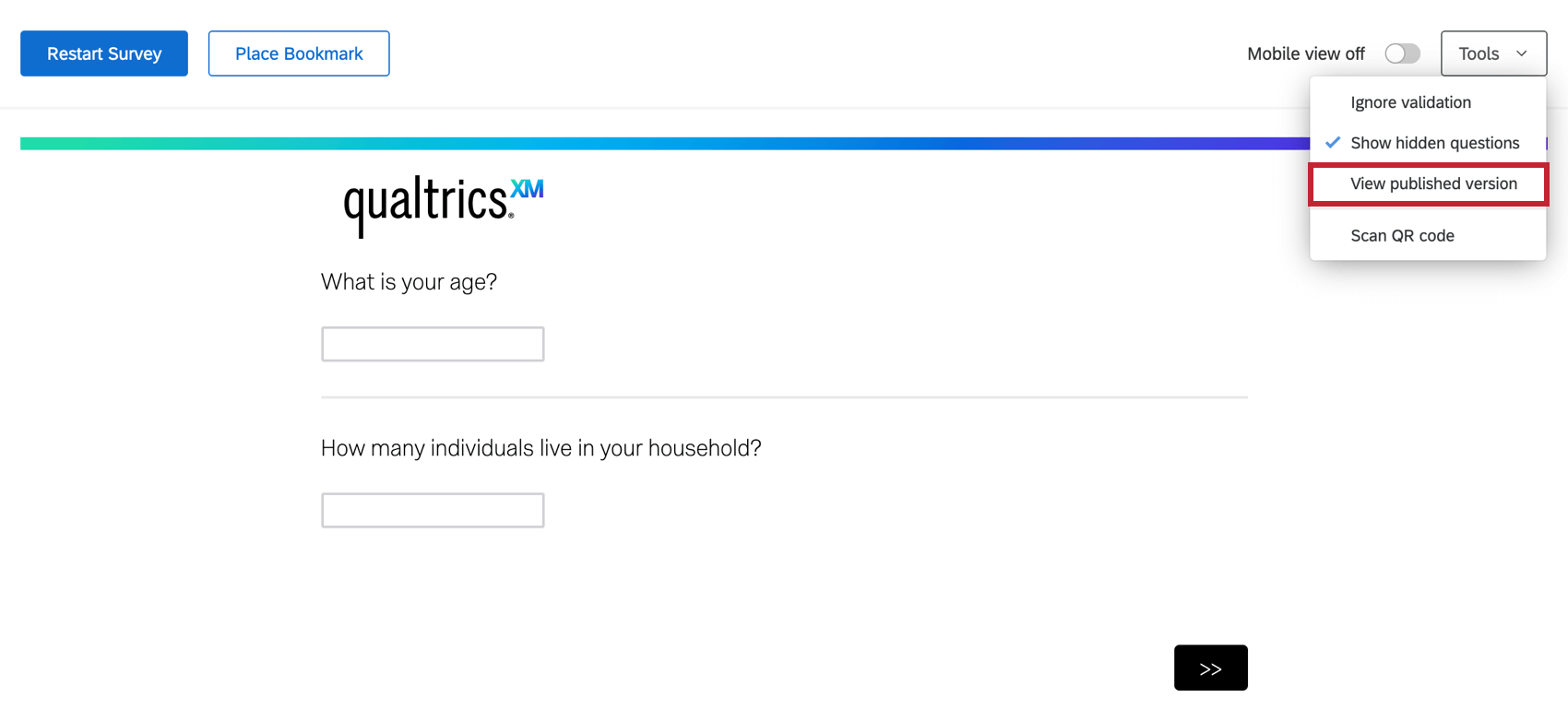
Qtip: The ability to publish a reference survey or block will not be available until it has been used in at least one survey. It doesn’t matter if the survey the reference material has been added to has been published itself yet.
Approvals for Reference Surveys
If you make changes to surveys in your library, those changes will be applied to all surveys where they are referenced. To ensure that edits are reviewed before being published to all connected surveys, you can set up approvals for reference surveys.
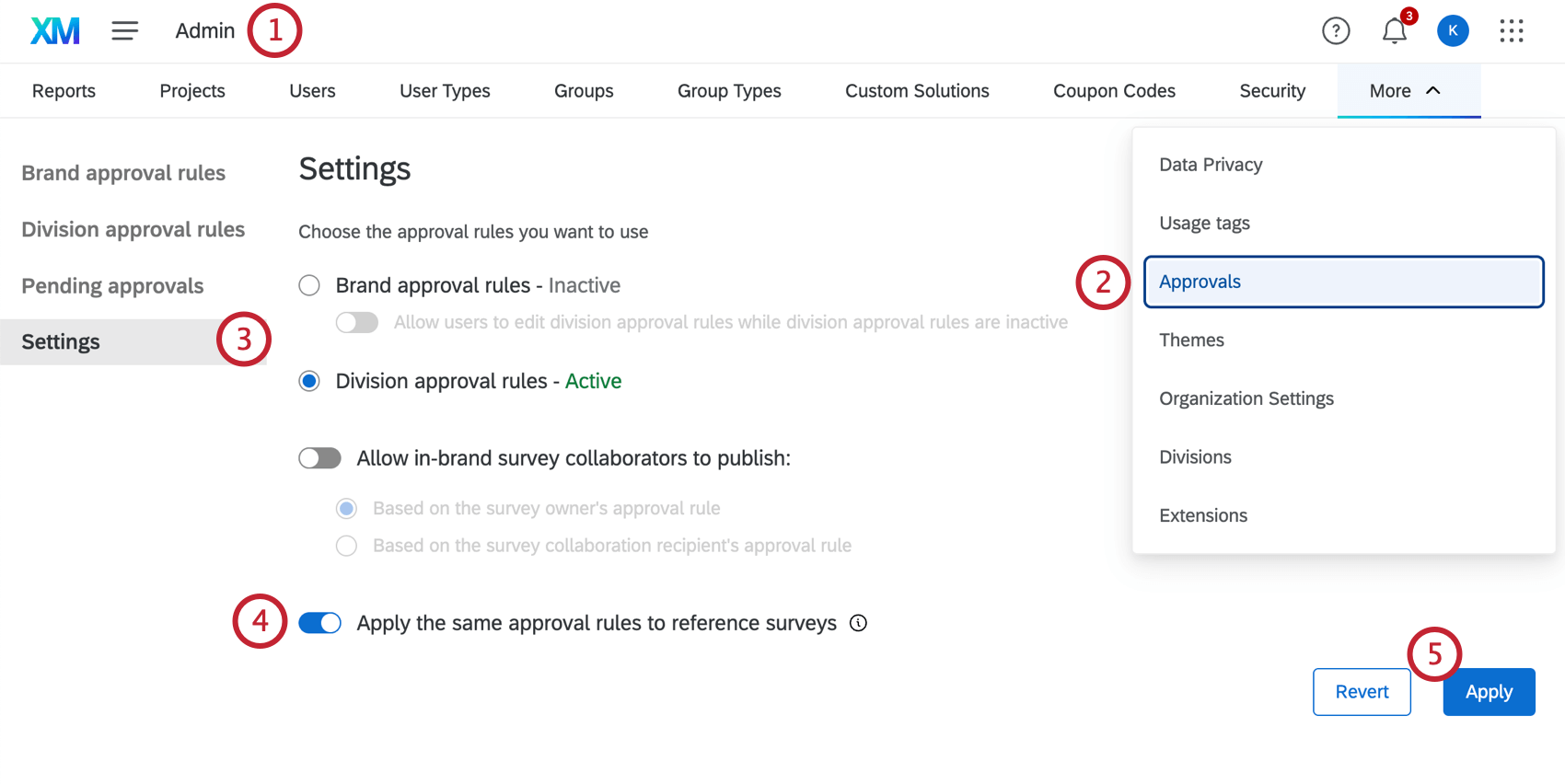
Once approvals are set up, an approval will be required before you can publish any survey that is referenced by another survey. See The Approval Process for information on how approvals are handled in a survey.
Feature Compatibility
Qtip: Reference surveys and blocks can’t be used with the offline app or 2-way SMS.
Features compatible with reference surveys and blocks
Just about every feature compatible with survey projects can be used in a reference survey or block.
However, there are some compatible features that won’t work correctly if you don’t save them to the library a certain way. In order to use the features listed below, it’s important to make sure everything interconnected to these features is saved in the same library survey/block.
For details, see Troubleshooting Features Saved to Library Surveys.
Projects compatible with reference surveys and blocks
Depending on your license, you may have access to multiple types of project. These are the types of projects where you can add a reference survey to the survey flow or add a linked block:
That's great! Thank you for your feedback!
Thank you for your feedback!