

Social Listening
What's on this page
Attention: This feature is only available to users on the new simplified pricing and packaging plans or customers who actively participated in the Preview Program for this feature. For more information, see Qualtrics Public Preview. If you have questions about your Qualtrics pricing and packaging plan, reach out to Account Services.

About Social Listening
Social listening is the practice of tracking and analyzing what people are saying online about your organization or even the industry you’re in. By tracking mentions, keywords, and hashtags, you can understand how customers feel about your organization, as well as spot new trends to stay ahead of competitors.
We have several workflow tasks that can help you track mentions of your organization from key social media sites:
- X.com
Qtip: For a list of the information we can pull from these social media sites, see Social Listening Tips and Tricks.

Workflows can pull data from key social media into Qualtrics for analysis and dashboard creation. On this support page, we’ll cover how to achieve this setup end-to-end, from workflow creation, to the best dashboard presentation.
Qtip: Interested in analyzing social mentions in Discover? See our guide!
Permissions Required
To use this feature, you’ll need a Brand Administrator to enable the following user permissions for you or a user type you belong to:
- Use Social Channels (under General permissions)
- Extension permissions:
- Extract data from Instagram
- Extract data from Facebook
- Extract data from X.com
Step 1: The Social Channels Project
Before you can start regularly pulling data from social media into Qualtrics, you need to create a Social Channels project.

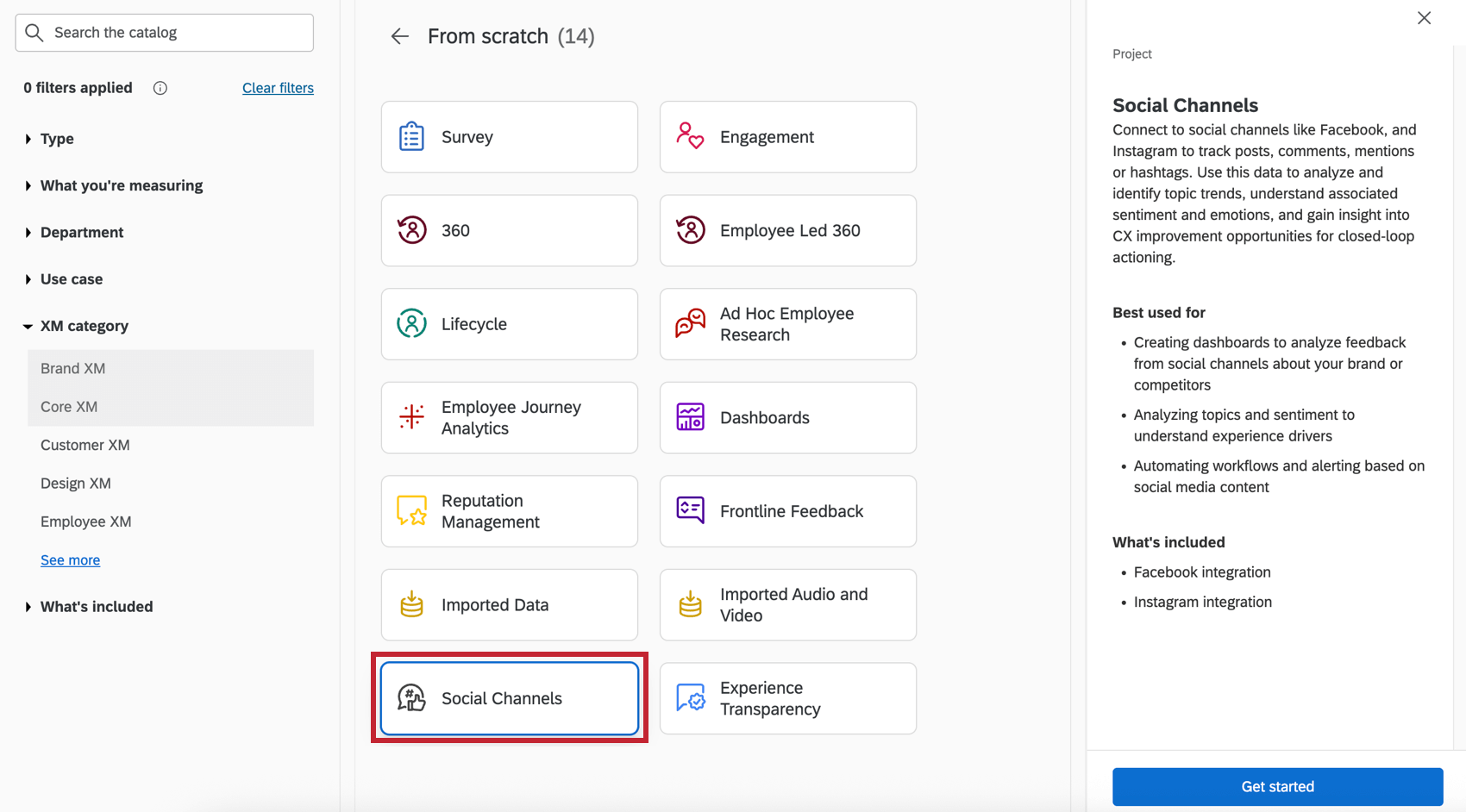
Qtip: Data from multiple social media sources can be added to the same Social Channels project.
Step 2: The Social Listening Workflow
Qtip: This section describes a ready-made template for social listening workflows, which is functionality that we intend to release starting September 30, 2026. Qualtrics may, in its sole discretion and without liability, change the timing of any product feature rollout, change the functionality for any in preview or in development product feature, or choose not to release a product feature or functionality for any reason or for no reason.
Social workflows are faster and easier to make than many ETL workflows. Click Connect to generate a workflow that already has a schedule, a data source, and a data destination ready. All you need to do is fill out each of these 3 elements with your organization’s details, then you can activate your workflow.
Open the main Social Channels page of your project.
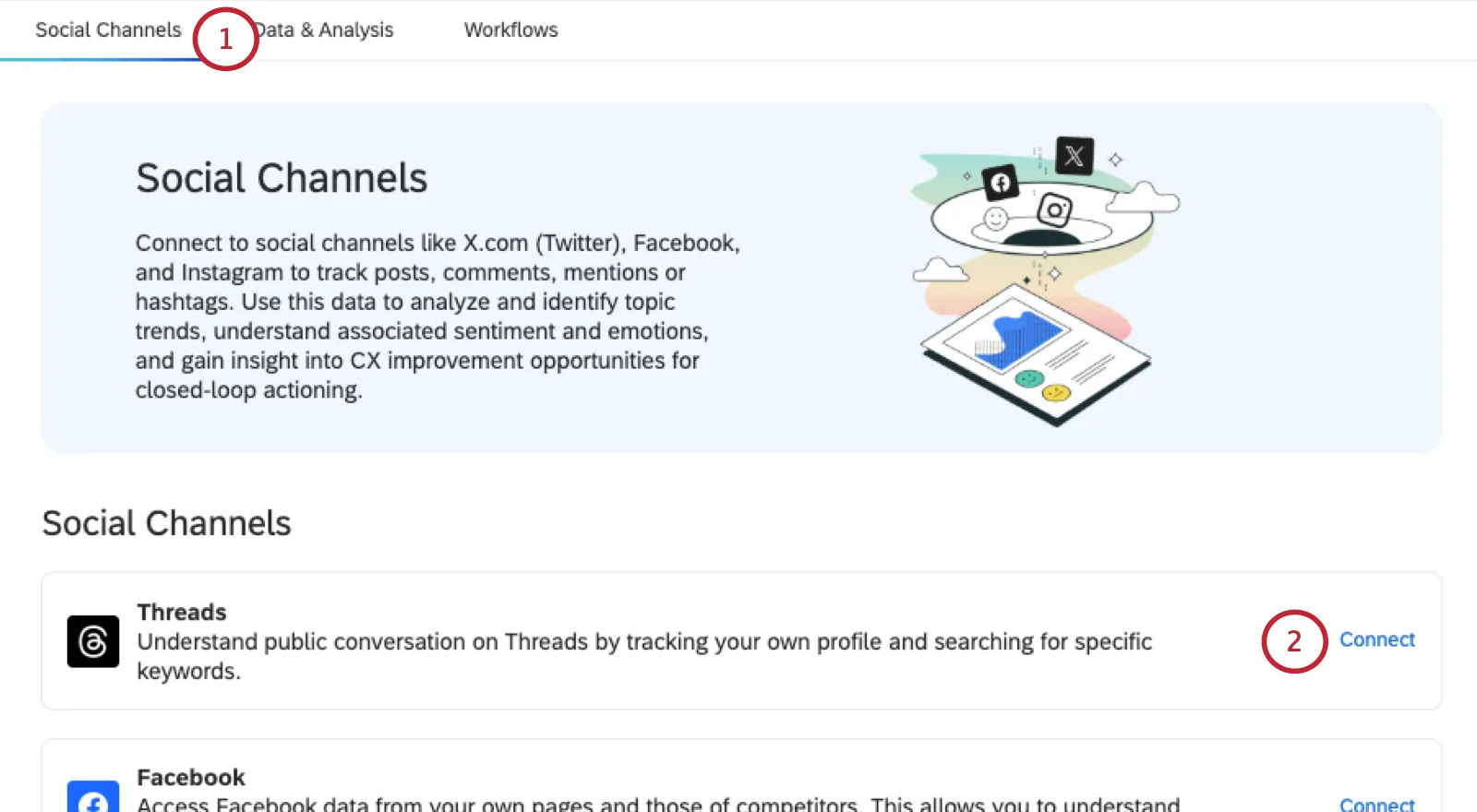
Choose a social channel and click Connect.
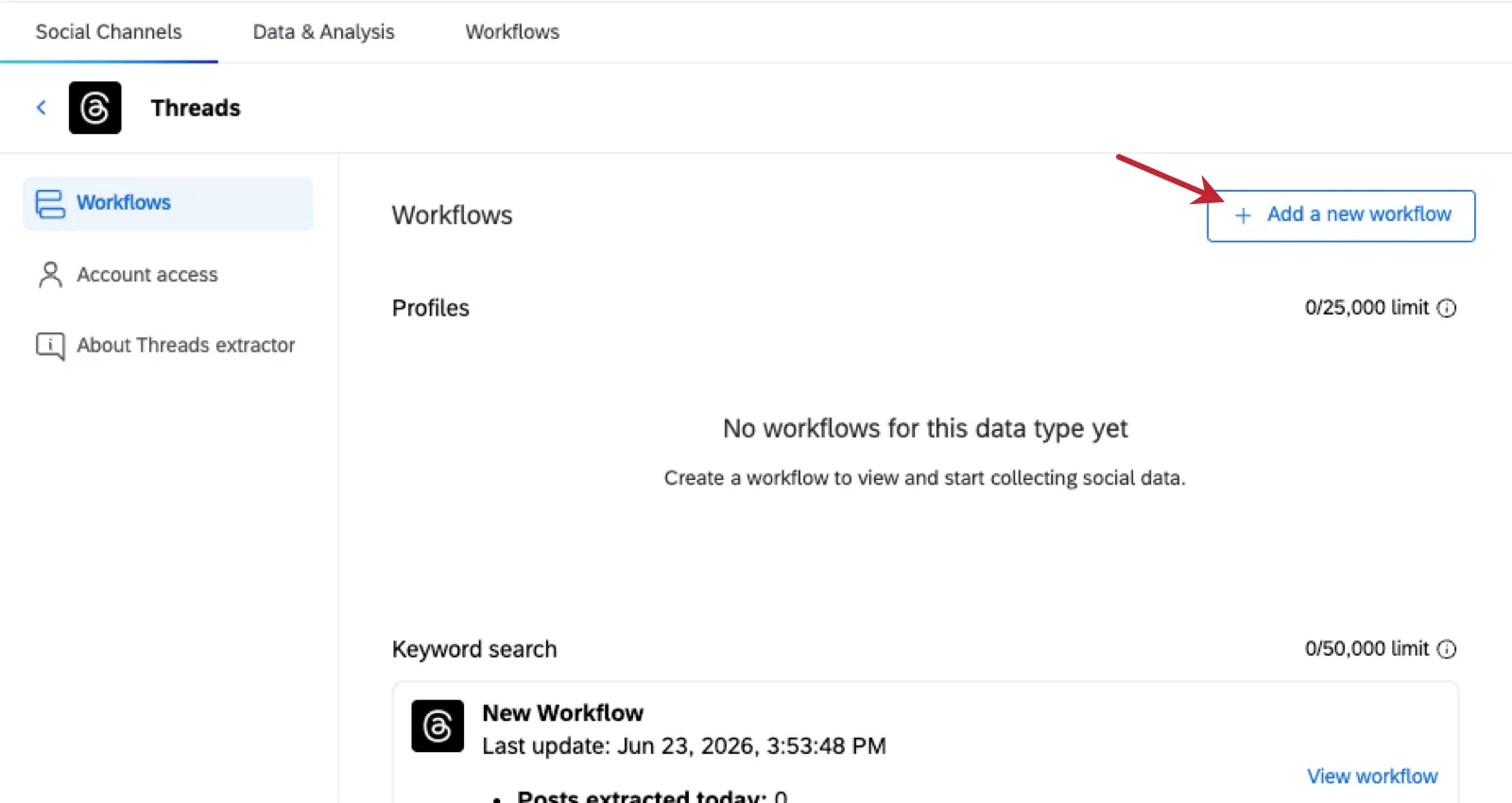
Qtip: If you’ve already created a workflow for this social channel, you’ll click View details, then Add a new workflow.
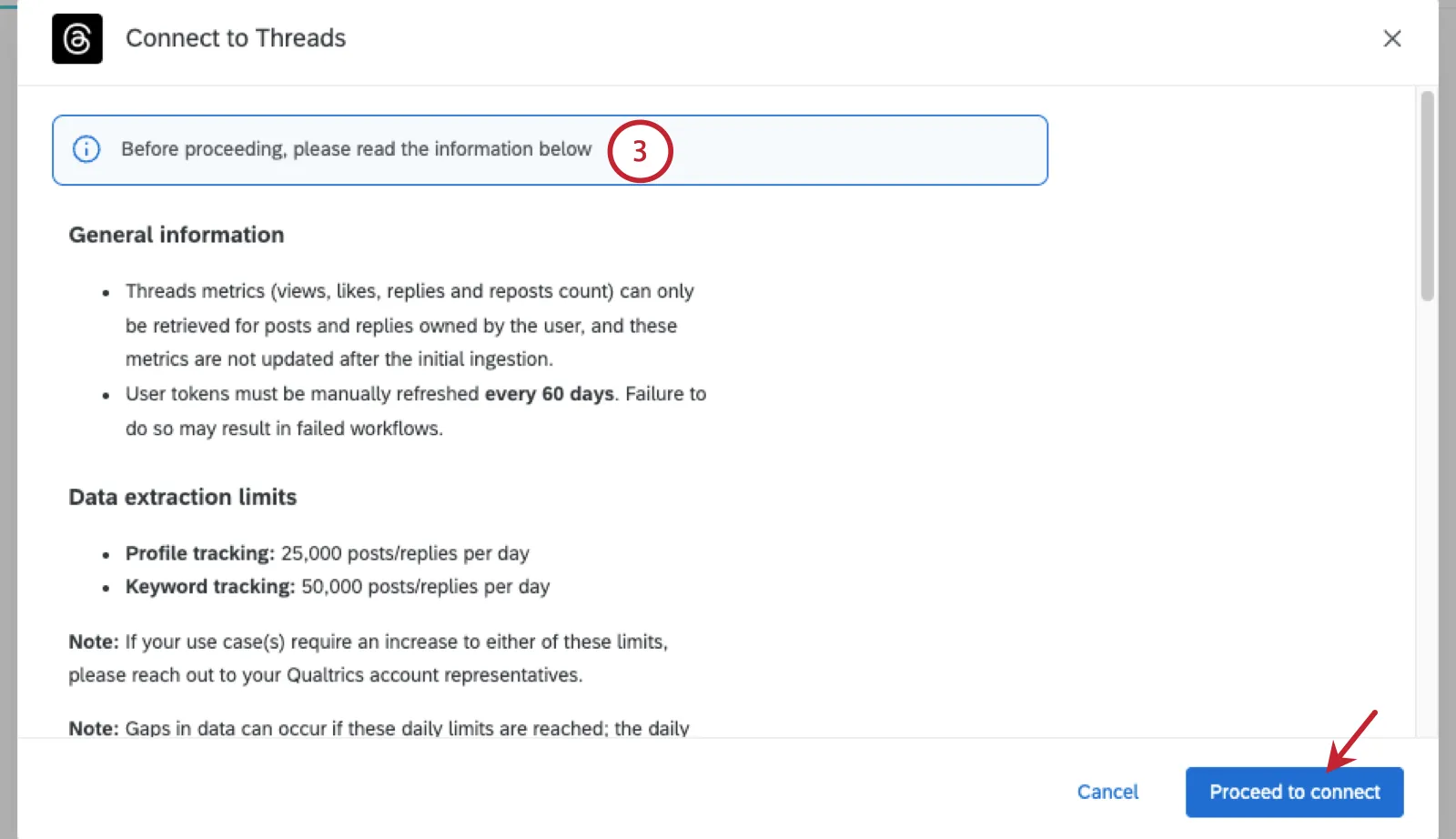
Read the social channel’s guidelines before you proceed.
Name the workflow.
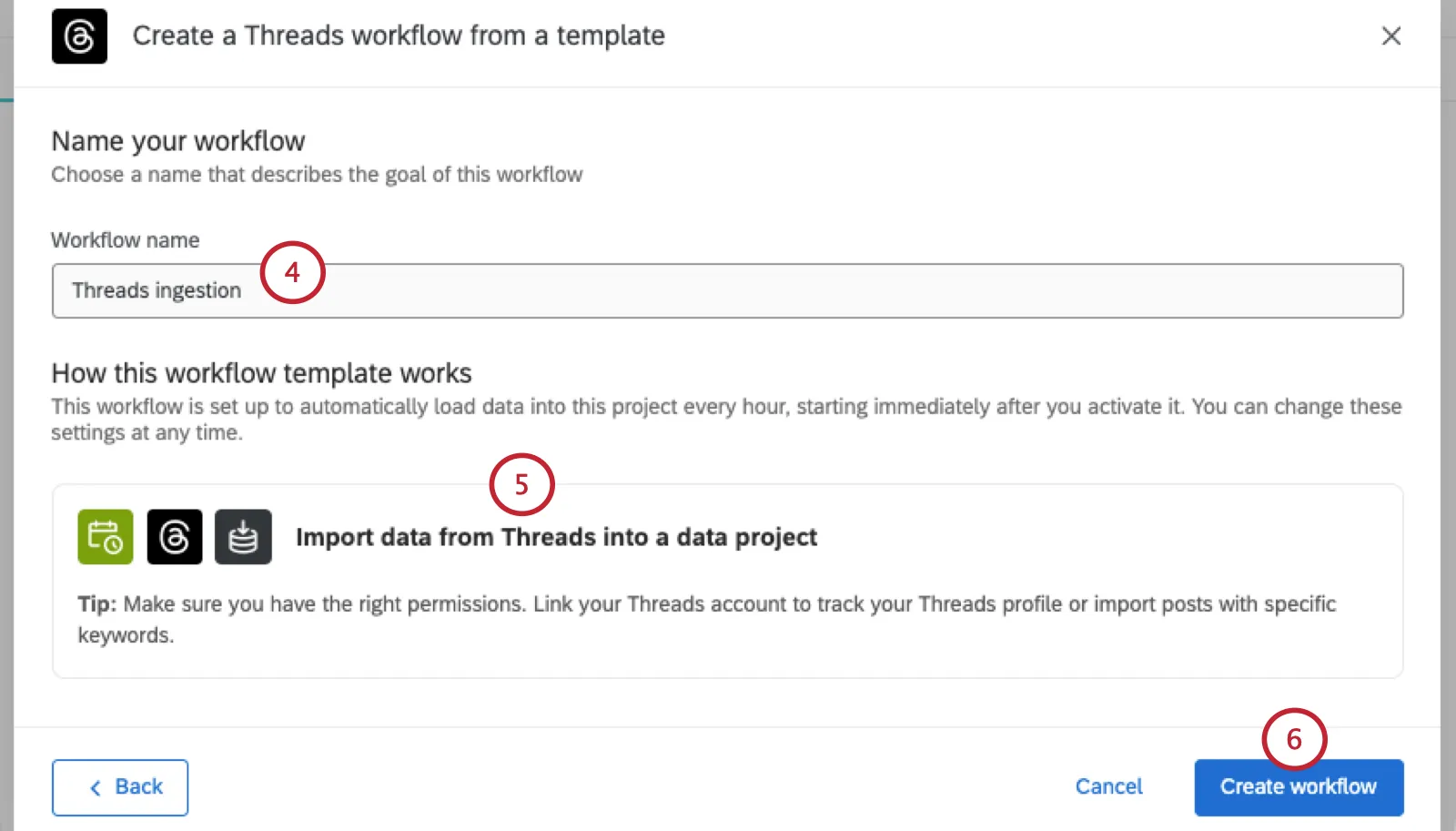
Read the template description. Each template creates an ETL workflow with the following:
- A schedule.
- A social media extractor, like Facebook or Instagram.
- A Load into a data project task.
Click Create workflow.
Click Started at a specific time, then set a schedule.
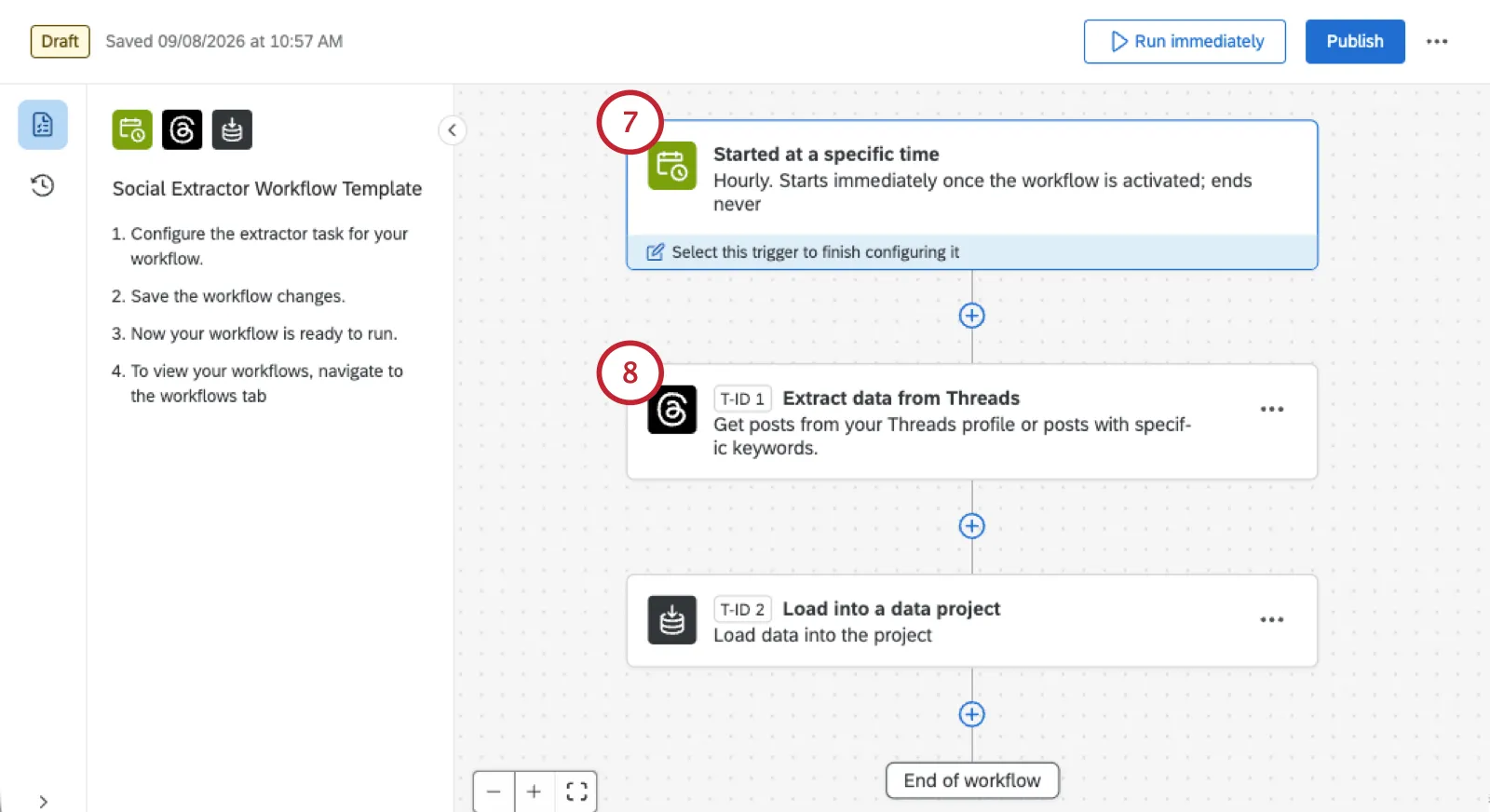
Click the extractor.
Your next steps vary, based on the social media you selected. See the following for details:
Qtip: The Instagram and Facebook extractors are exclusive to Social Channels projects.
Attention: Please complete the extraction task setup before you proceed with Step 3: Loading Data.
Extracting Data from Facebook
By using the Facebook data extraction task, you can create an automated workflow that continuously pulls posts, comments, and replies for any public Facebook page into your Social Channels project.

Qtip: For detailed steps, see Connecting Social Media Accounts to Workflows.
Attention: The connection between your Facebook user account and Qualtrics needs to be refreshed every 90 days. If you don’t perform this task, your Facebook extraction workflow may fail. See Refreshing Your Facebook-Qualtrics Connection for easy steps to follow.

- Track your Facebook Pages: Get posts and comments from Facebook pages you own.
- Track external Facebook Pages: Get posts and comments from Facebook pages you don’t own, such as competitors.

Qtip: Your Facebook account must have access to manage either Content or Community activity for the task to work properly. For more information, see Facebook’s documentation.

Qtip: Use the full URL of the facebook page. Do not cut out https://
Extracting Data from Instagram
By using the Instagram data extraction task, you can take any Instagram business profile you own and continuously pull posts, comments, and replies from it into a Qualtrics social channels project for reporting and analysis.
Instagram account requirements
The Extract data from Instagram task only works for accounts that meet the following criteria:
Qtip: If a colleague already created a Facebook page, they can share administrative power over the Facebook page with you.
Qtip: Qualtrics Technical Support can reiterate the requirements listed above. However, if the way you access these settings in Meta has changed from what’s linked above, please reach out to Meta’s support team.
Setting Up the Task
Select the task Extract data from Instagram.
Select or add a user account.
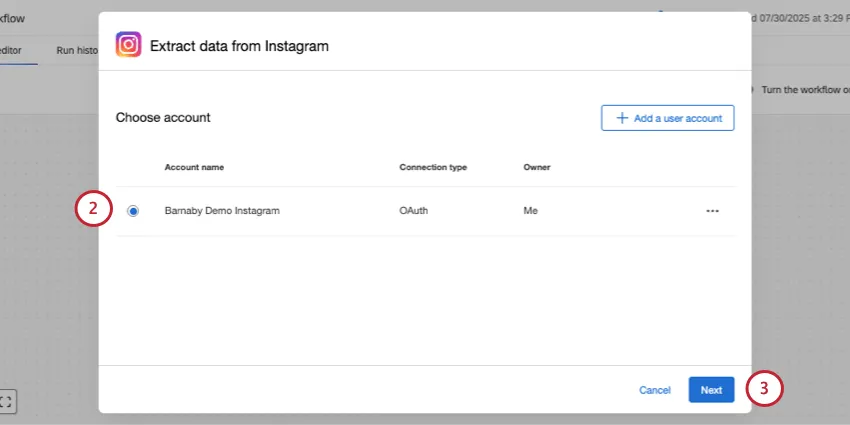
Qtip: When adding or refreshing an account, you’ll log in from Facebook. For detailed steps, see Connecting Social Media Accounts to Workflows.
Attention: The connection between your Facebook user account and Qualtrics needs to be refreshed every 90 days. If you don’t perform this task, your Facebook extraction workflow may fail. See Refreshing Your Facebook-Qualtrics Connection for easy steps to follow.
Click Next.
Choose between the following:
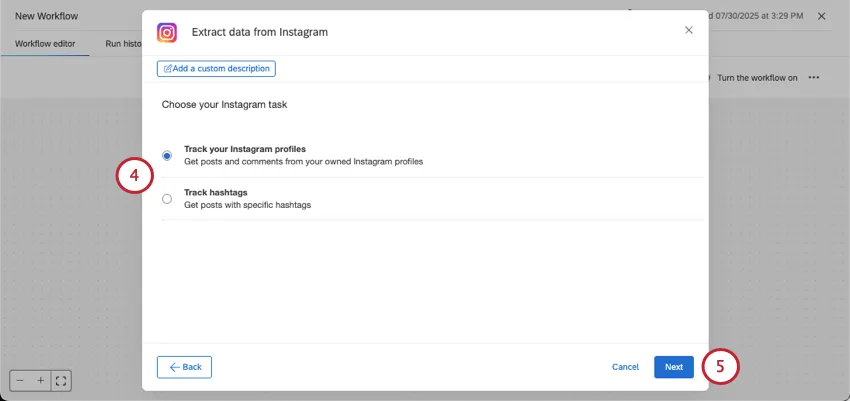
- Track your Instagram profiles: Get posts and comments from your own Instagram profiles. All Instagram profiles must be linked to the same Facebook accounts.
- Track hashtags: Get posts with specific hashtags ( # ) from all Instagram profiles. Comments are not included with this type of tracking.
Click Next.
Select the Instagram accounts you’d like to use to track hashtags. Each account is allowed to track up to 30 unique hashtags per week.
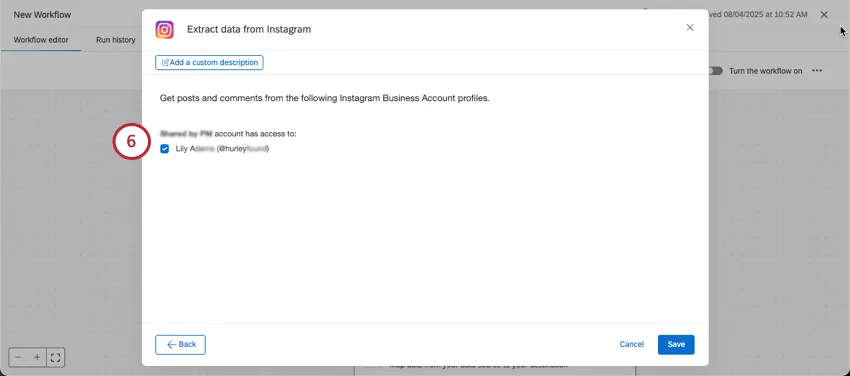
If you chose to Track hashtags, you’ll also get to enter the specific hashtags you want to track. Enter hashtags comma-separated, with a maximum of 30.
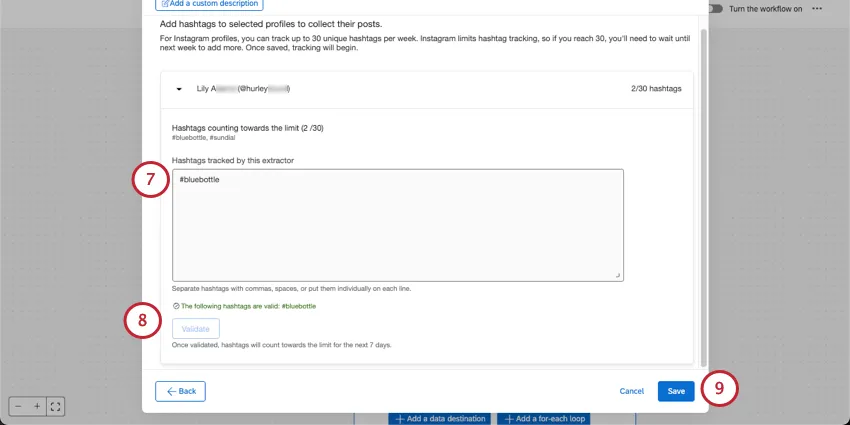
Qtip: If you own multiple Instagram profiles, you can add separate hashtags for each.
Click Validate to add hashtags to the list being tracked for your account.
Attention: Instagram provides profile-wide limits to tracked hashtags. If your profile’s hashtags are being tracked in another external platform or software you use, those will count towards the max of 30 hashtags. This is also why you may start to set this task up and see that hashtags are already being tracked towards this limit.
Click Save.
Now it’s time to load the data.
Extracting Data from X.com
By using the X.com data extraction task, you can create an automated workflow that continuously pulls posts, replies, quote replies, and keyword searches into your Social Channels project.
Select the task Extract data from X.com (formerly Twitter).
Select or add an X.com account.
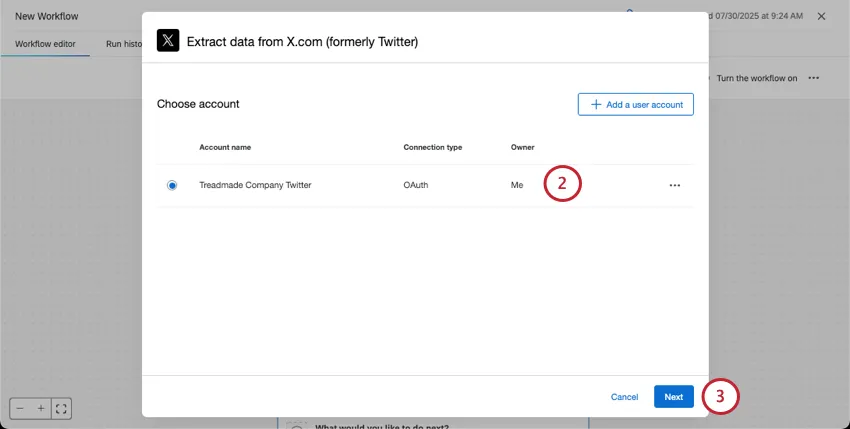
Qtip: For detailed steps, see Connecting Social Media Accounts to Workflows.
Click Next.
Choose between the following:
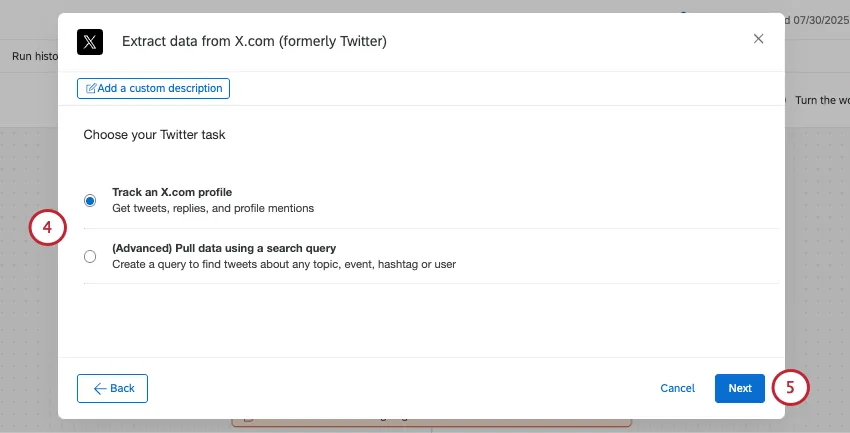
- Track X.com profiles: Get tweets, replies, and profile mentions for specific X.com profiles. You do not have to own the profiles to track them.
- (Advanced) Pull data using a search query: Create a query to find tweets about any topic, event, hashtag, or user.
Click Next.
If you’re tracking profiles, enter an X username. Then select the type of content you want to pull:
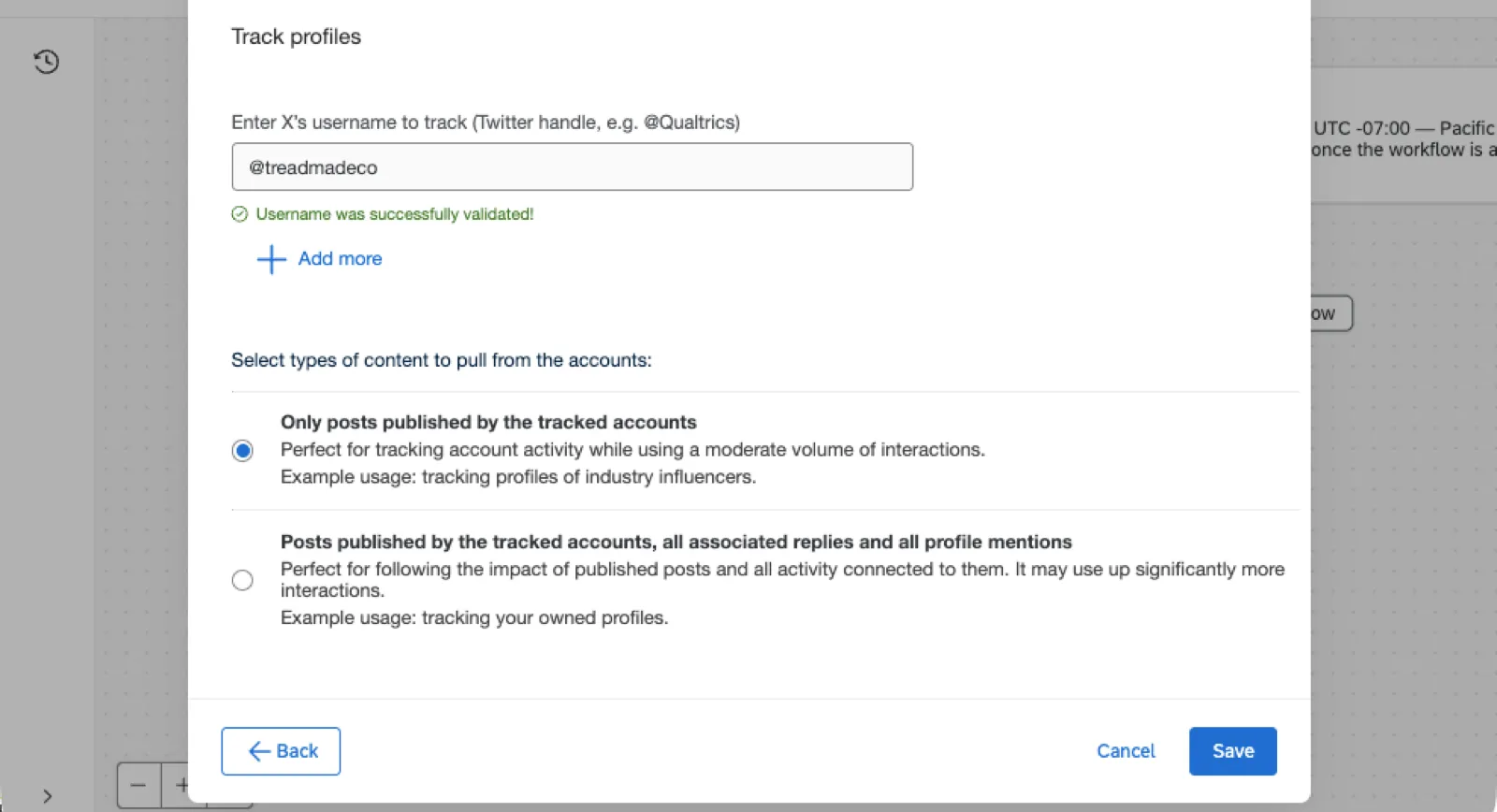
- Only posts published by the tracked accounts: This option only tracks posts, not replies or mentions. This option can be useful to decrease the volume of interactions you pull in.
- Posts published by the tracked accounts, all associated replies and all profile mentions: This option tracks a profile’s posts, replies, and mentions. While this option is more comprehensive of a user’s activity, it uses up more interactions.
Qtip: Click Add more to track more profiles. You can track a maximum of 20 X.com profiles.
If you’re pulling data from a search, name your query. Then enter a custom query in the larger field.
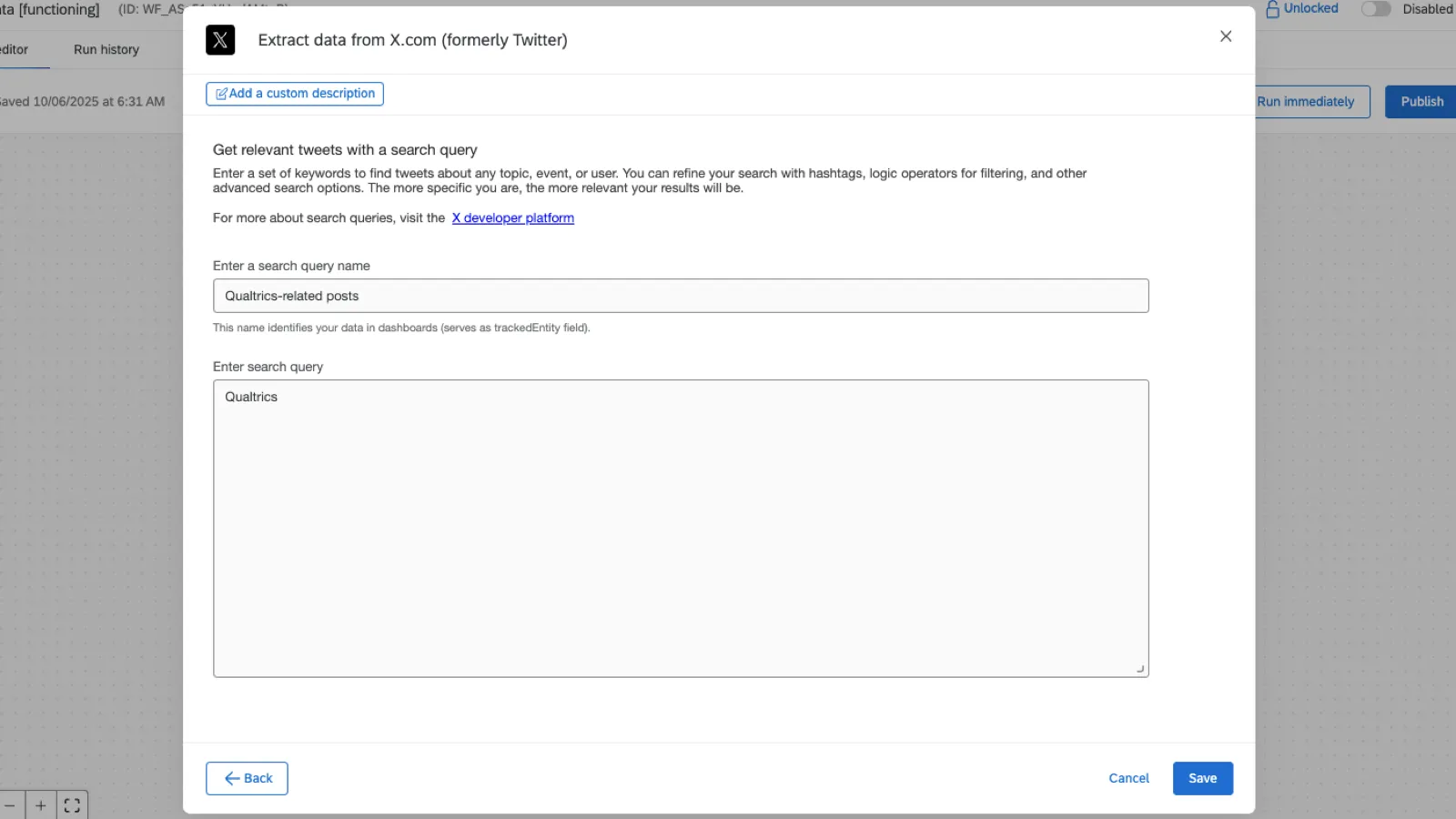
Qtip: Check out X’s documentation on building queries for guidance.
Qtip: Learn more about query limits and reporting on queries.
Click Save.
Now it’s time to load the data back into Qualtrics.
Step 3: Loading Social Data to Qualtrics
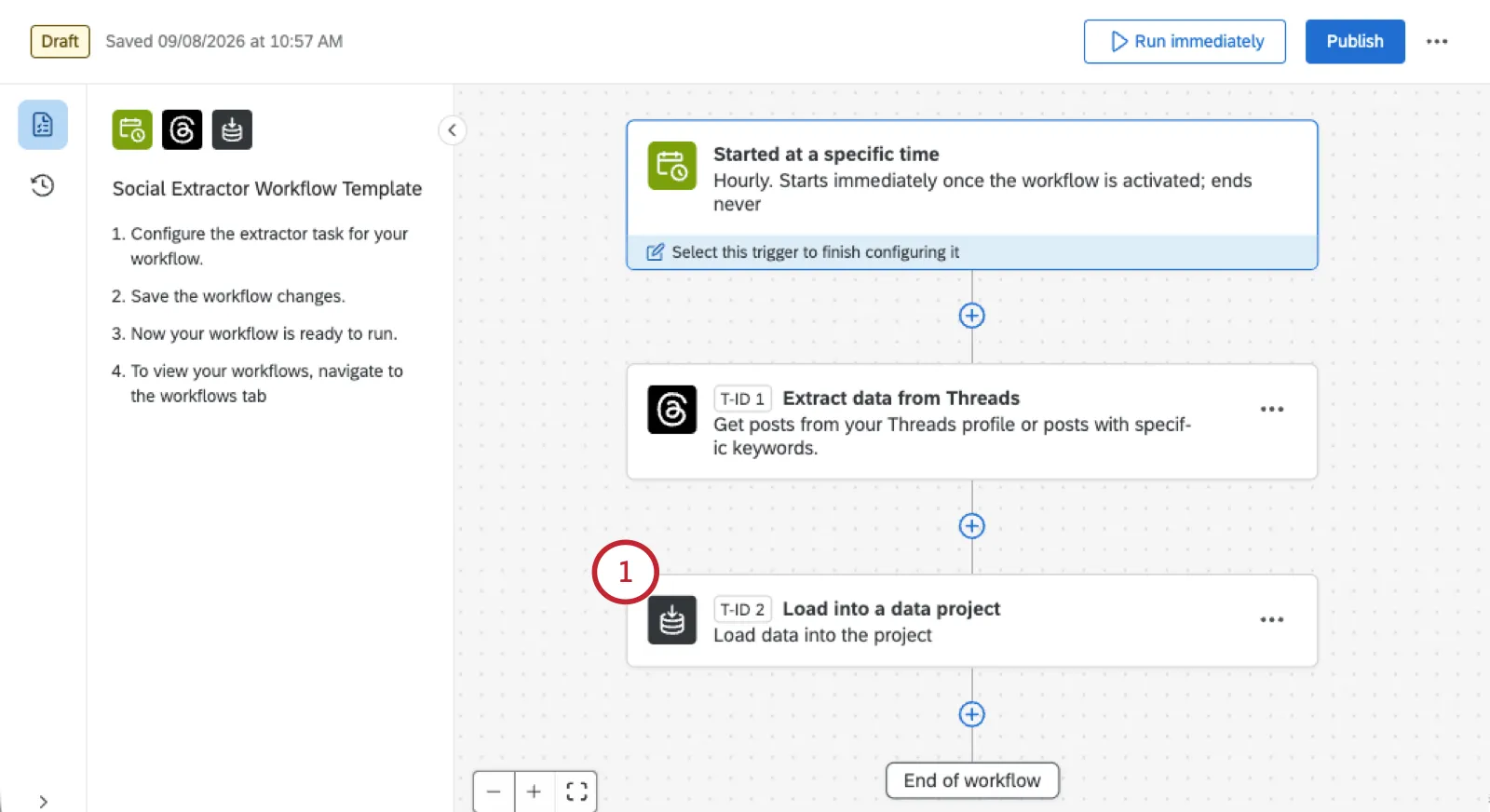
Click the Load into a data project task.
The Data source will be set to the social media extractor set up earlier.
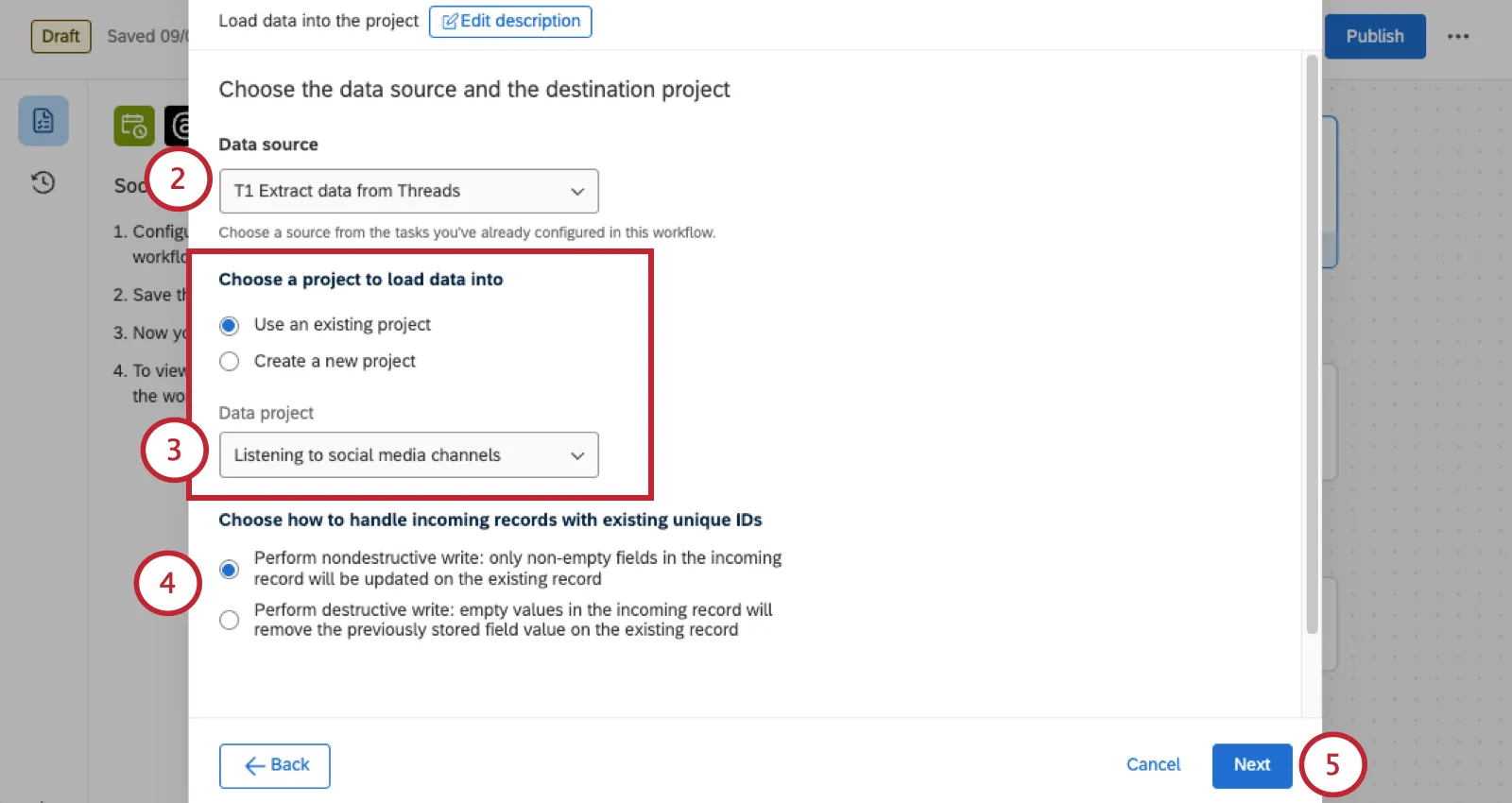
The social channel project you set up earlier will be chosen to have the data load into it.
Choose from the following:
- Perform nondestructive write: Only non-empty fields will be updated in an existing record.
- Perform destructive write: Empty values in the incoming record will remove the previously stored field value on the existing record.
Click Next.
Make sure all of your fields are pulling through.
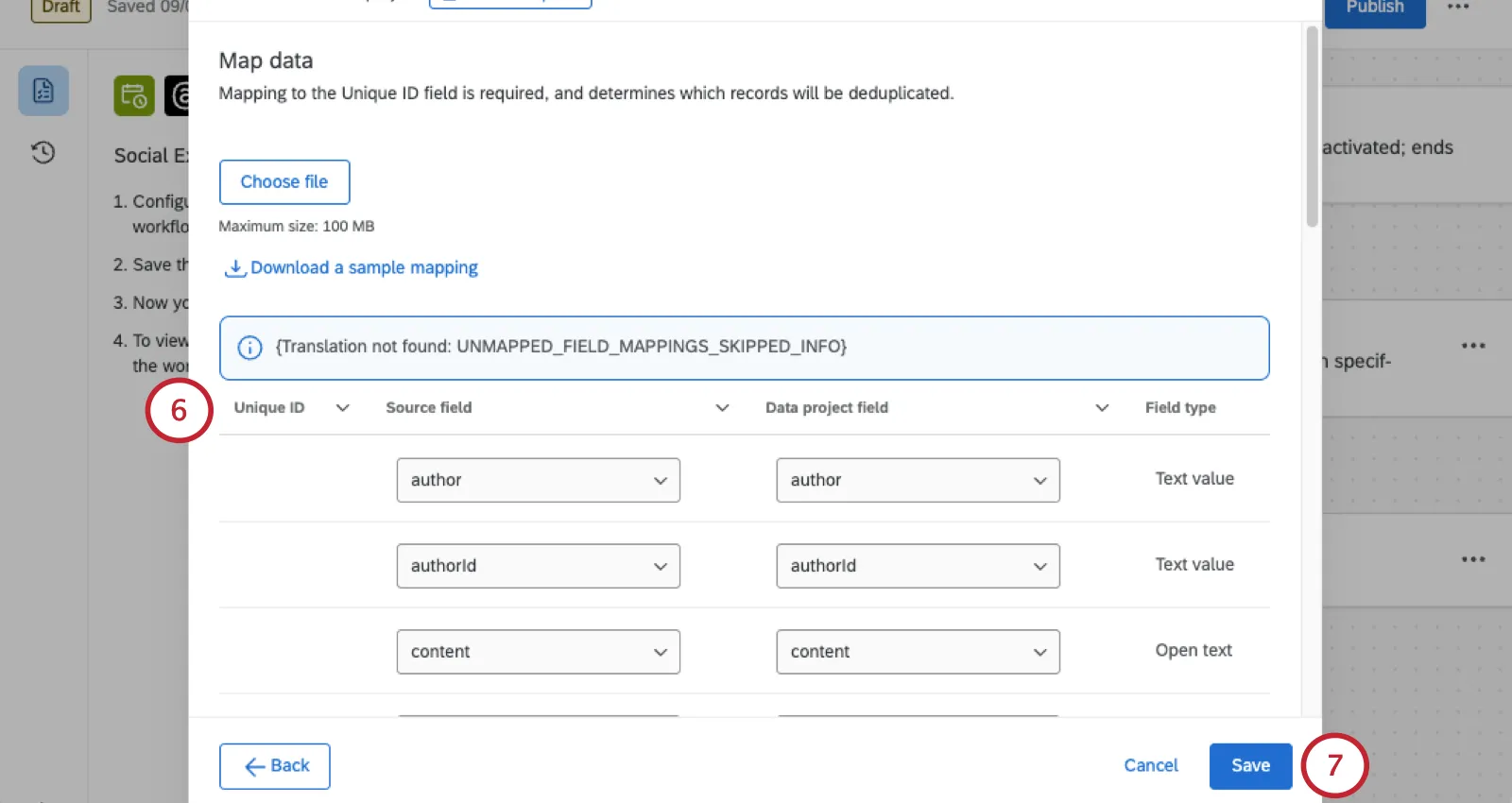
Qtip: Qualtrics appends the following fields to all responses: _recordVersion, _lastUpdatedDate, _creationDate. These fields are unnecessary and can be deleted when at this mapping stage. All other fields will automatically map to the correct fields.
Attention: We do not recommend editing any field mappings, aside from deleting the fields listed above.
Click Save.
If you’re ready, publish the workflow.
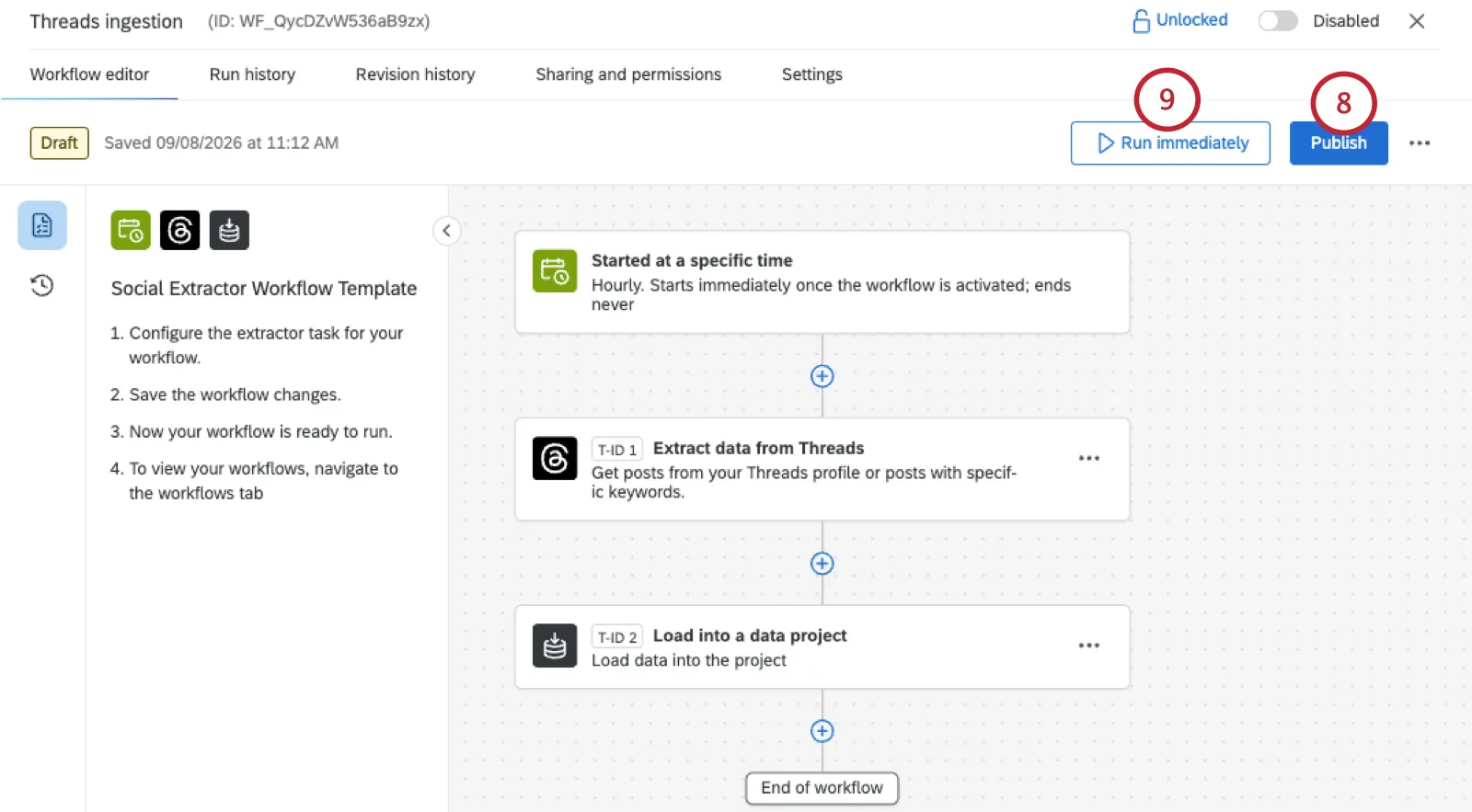
If you want to immediately pull all eligible data into your project, click Run immediately.
Qtip: Learn more about workflow run histories and general workflow troubleshooting.
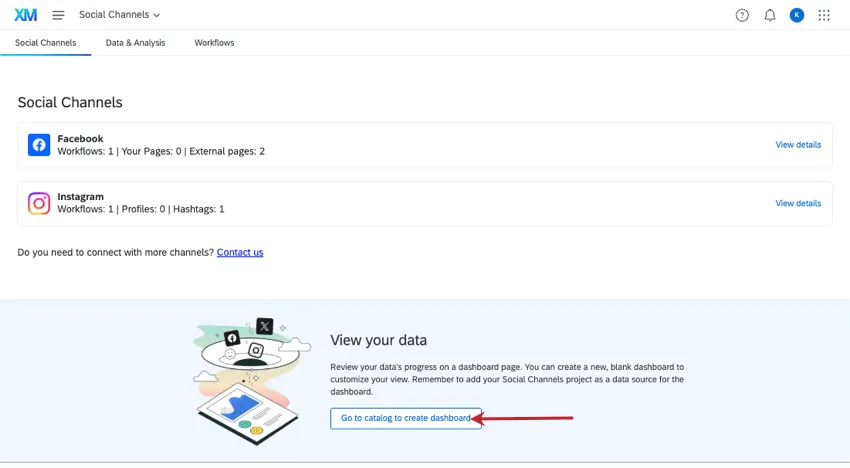
Step 4: Connecting Social Data to a Dashboard
Qtip: In this example, we show how to use the data mapper because it is the simplest. However, social channel data can be used in data models, too.
Qtip: You can create a dashboard project from your Social Channels project. However, whenever you need to find this dashboard, it will be listed separately on the Projects page like a standard Dashboards project, and will not be nested inside the Social Channels project in any way.


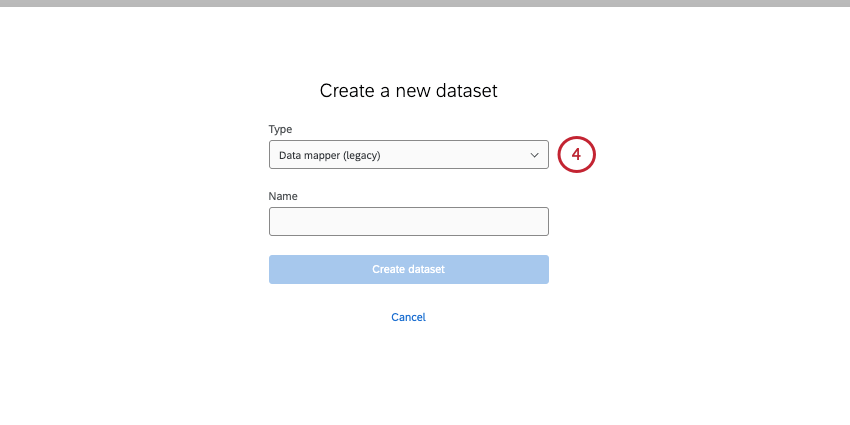

Qtip: Here we just named our project “Social Channels.” You’ll be able to search by project name in this menu, but not project type.

Qtip: You can also map multiple sources together with social channels projects. Just make sure to map the social data fields as described in the pages linked above.

Step 5: Customizing the Dashboard
Once your social data has loaded in your dashboard, you can customize the dashboard however you want. Show individual posts, show top social media engagement, filter for replies, perform text analysis to determine trends, and more.
To help you get started, we have a support page with recommendations of useful dashboard features to try, including specific widget setups.
See Building Dashboards with Social Data.
Troubleshooting Social Listening
Whether you have questions about social media data extraction or the best practices for data mapping, we have many resources to help you get set up. See Tips and Tricks for Social Listening.
FAQs
Why are some of the comments/replies missing from my dashboard?
Why are some of the comments/replies missing from my dashboard?
- Qualtrics pulls posts and comments from the last 14 days for Instagram. If the comments are older, they may have been excluded.
- The workflow prioritizes the most recent data. Depending on the amount of traffic on targeted pages and profiles, this means older comments may not be pulled at first, and it may take a few workflow runs before they are available within Qualtrics for analysis.
- Due to volume and API limits, only a certain amount of data can be pulled into Qualtrics at a given time. Some of these are Qualtrics-imposed limits, while others are due to Facebook or Instagram’s API token rate limits. Unfortunately, while we can help with Qualtrics-related limits, we are not able to retrieve your Meta accounts’ limits.
That's great! Thank you for your feedback!
Thank you for your feedback!