

Anonymous Link
What's on this page
About Anonymous Links
The anonymous link is the URL used to take your survey. You can distribute your survey by pasting this link into an email, onto a website, or into any mode of communication you use with your recipients. Anyone who clicks on the link will be able to take the survey.
It’s called the “anonymous” link because it does not collect identifying information such as name or email address, unless you specifically ask for it in the survey. However, by default, the anonymous link will collect the user’s IP Address and location data based on that IP Address.
Qtip: If you don’t want to collect IP Address or location data, consider enabling Anonymize Responses in the survey options. Before you use this option, see the linked support page for more details on how this setting works.

Here are some other key things to consider when using the anonymous link:
- Saved Progress: By default, progress will be saved as respondents take the survey so they can close the window and return to that same computer later. If you don’t want this, or if you’d like to learn about any limitations involved, see Allow respondents to finish later for more details.
- Reusing the Link: By default, there is no limit to how many times a respondent can use the anonymous link. If you want to prevent multiple responses from the same respondent, refer to our Security survey options support page for more details on Prevent Multiple Submissions.
- Turning Off the Anonymous Link: By default, whenever your survey is active, the anonymous link can be filled out by anyone with the link. If desired, you can disable the anonymous link and only allow personal or individual links by enabling By Invitation Only in the survey options. This can be useful if you previously distributed your survey through the anonymous link but would now only like to use individual links instead.
- Restricting Access to the Survey: If you want to use the anonymous link, but want to restrict who can log into the survey to complete it, try using an authenticator or adding a password to the survey.
- Closing the Survey: If you want respondents to stop using the link because you’re ready to stop collecting data, see Pausing Response Collection.
Qtip: Do you want respondents to have personalized links that record their contact information instead? Try Emailing Invites or Personal Links.
Accessing the Anonymous Link
The process of retrieving the anonymous link is simple and quick.
Qtip: The anonymous link of a survey never changes. Even if you pause and resume response collection, or make edits and publish changes to your survey, the link will stay the same.
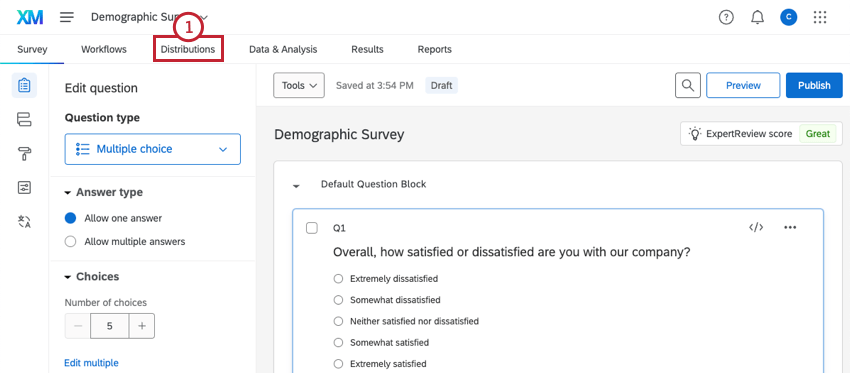
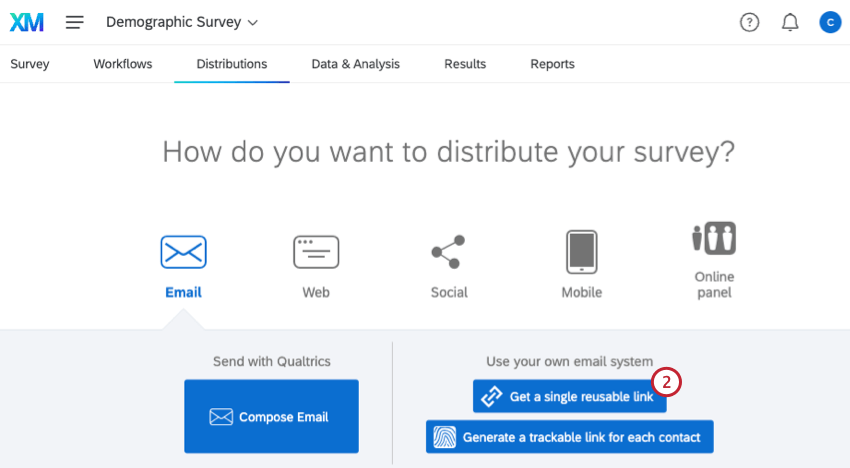
Qtip: Doing this will activate your survey. Once your survey is activated, it will be open to collecting new responses – although you likely won’t see any new responses until you share your survey link with your respondents. If you continue to edit the survey after it is activated, remember to publish your changes.
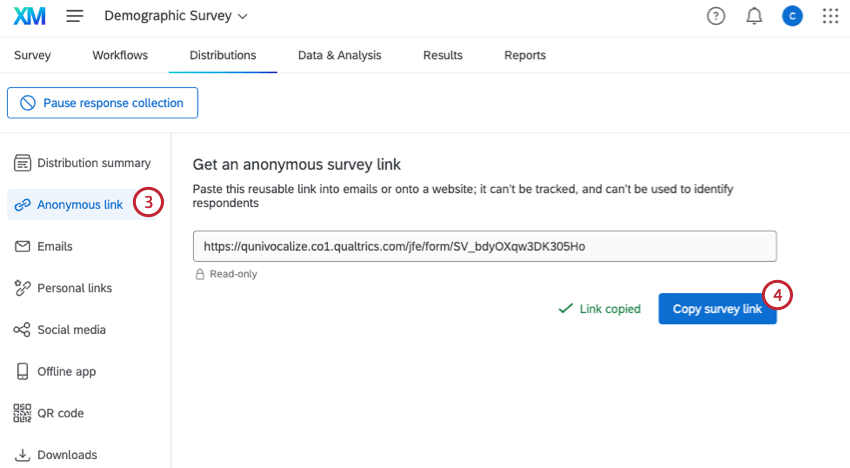
Qtip: If your link will be printed on paper, consider using a link shortening service such as TinyURL or bit.ly. You simply give the service your survey link, and it will give you a short, easy-to-type link that will direct participants to your survey.
Other Ways to Get the Anonymous Link
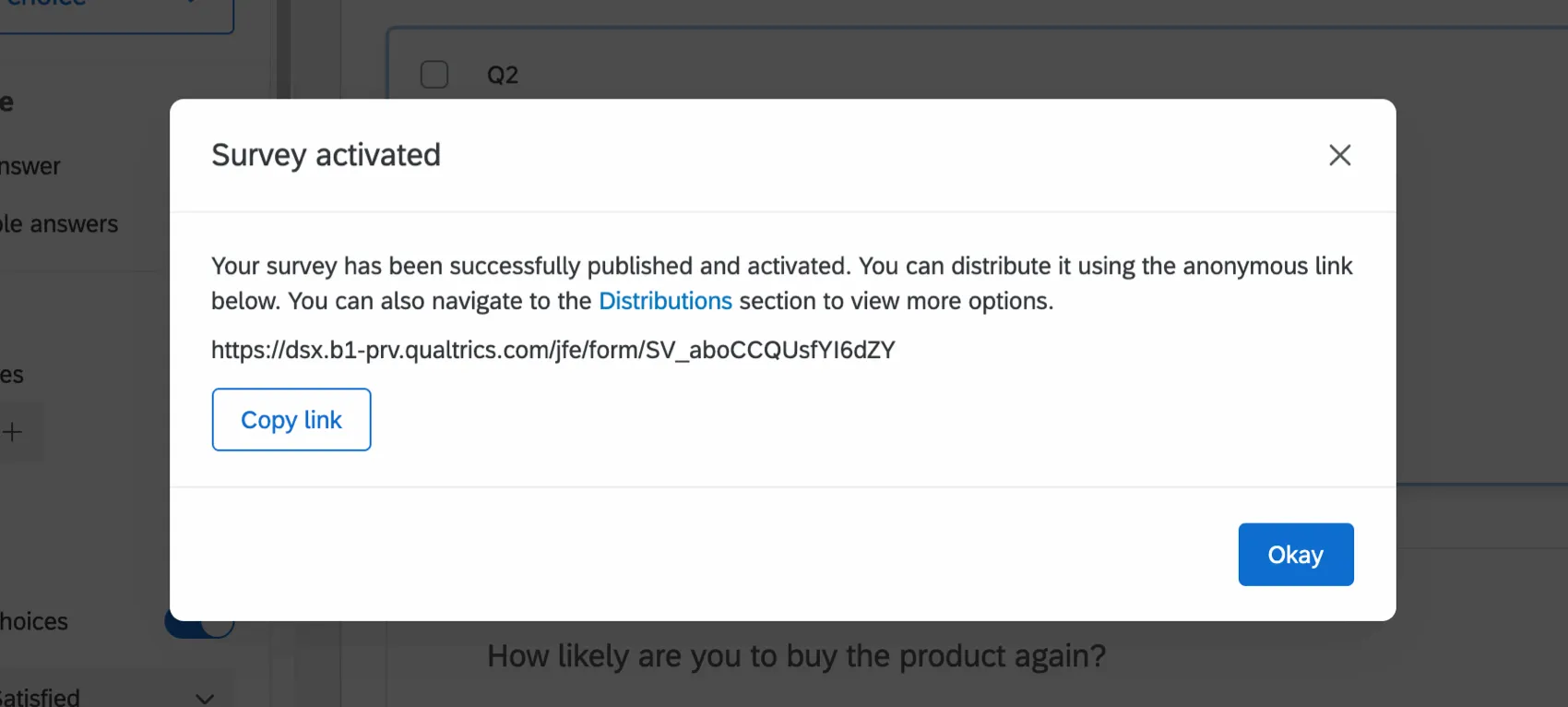
You will also be presented with your anonymous link right after you publish changes to your survey for the first time.
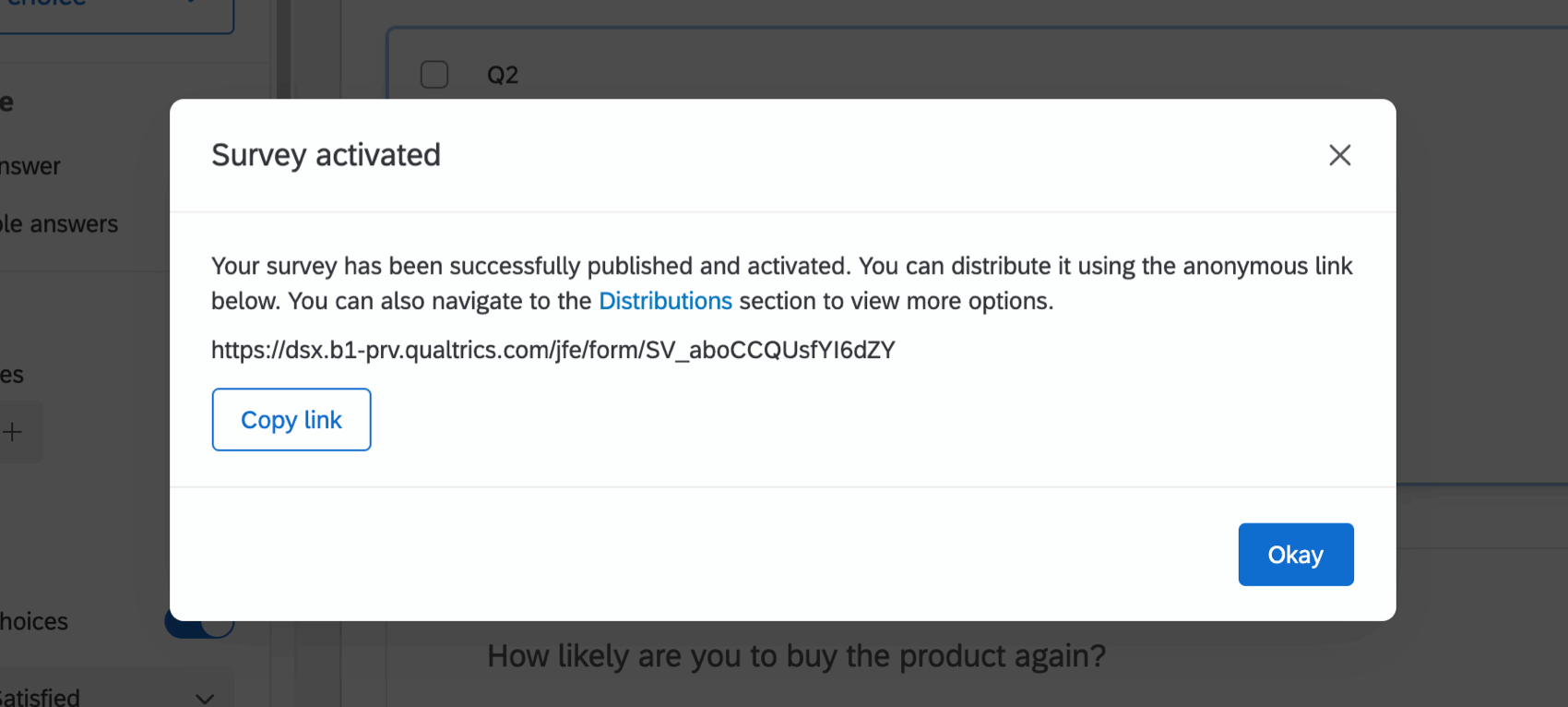
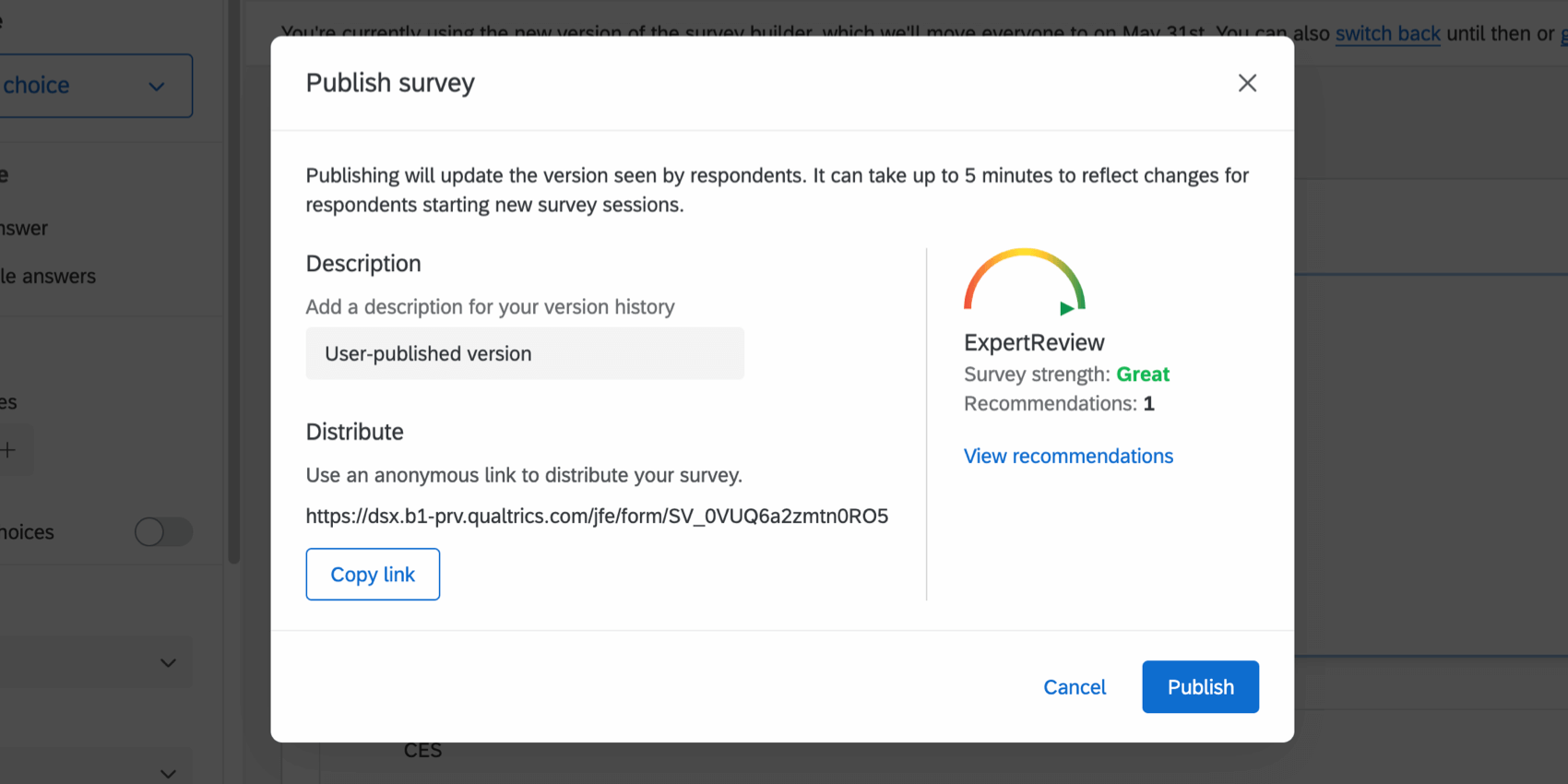
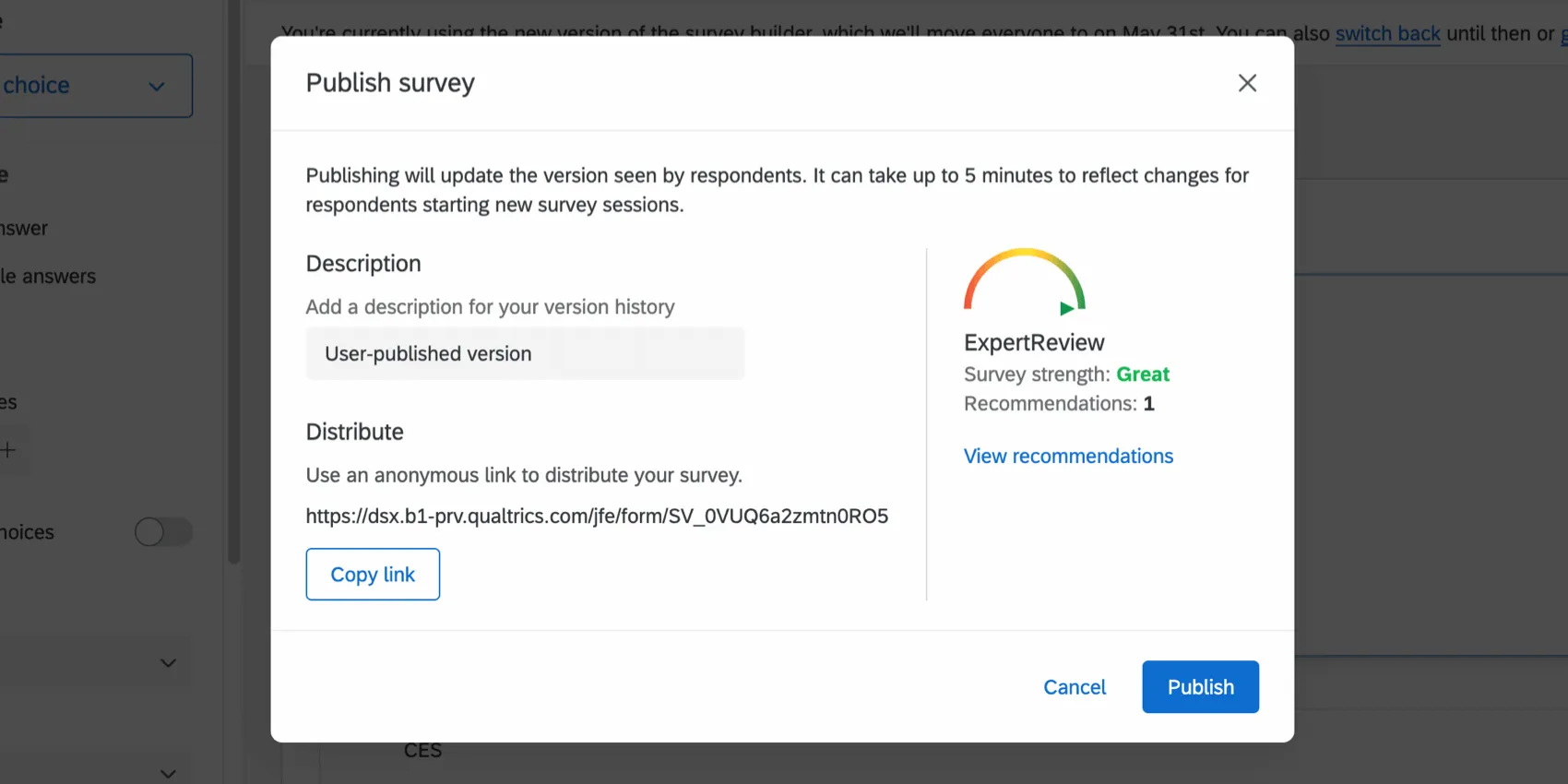
Whenever you publish the anonymous link afterwards, the link will appear on the publish window in the lower-left.
Invitation Only Surveys
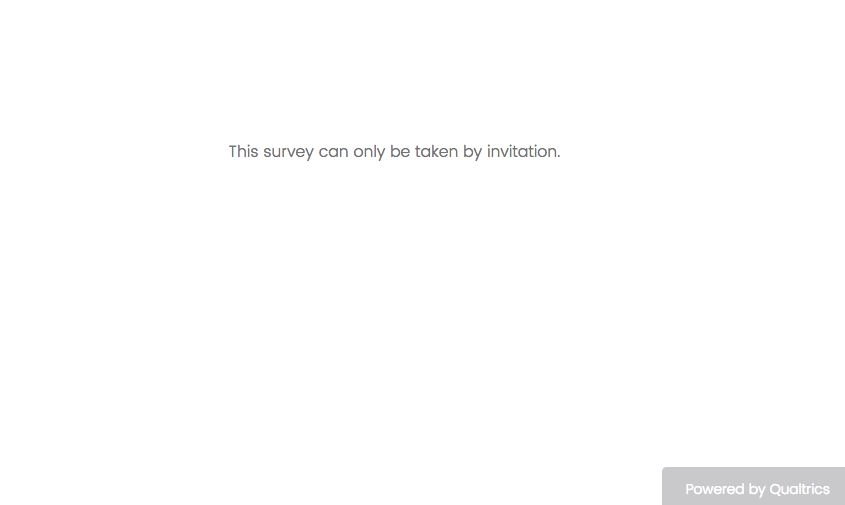
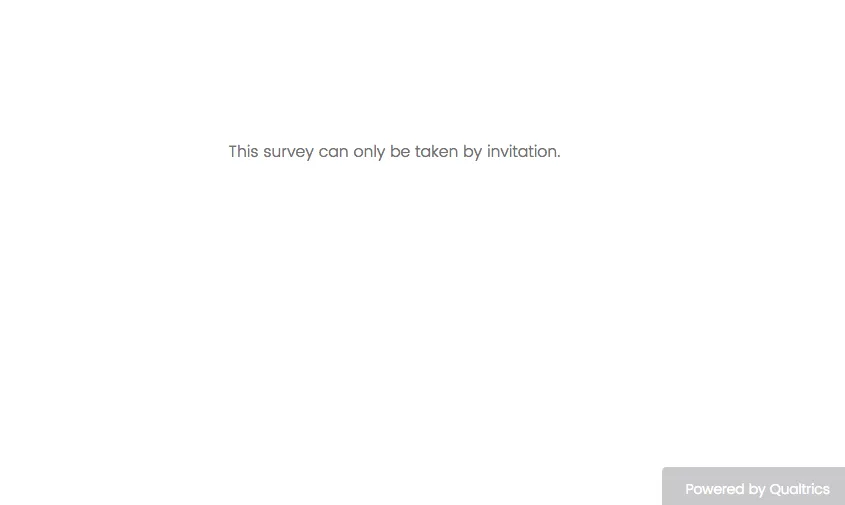
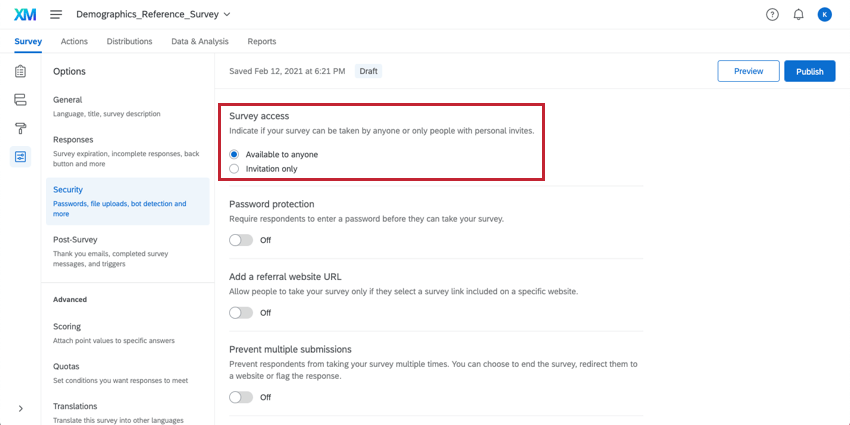
If an individual tries to access your survey with an anonymous link when the Invitation Only setting is turned on in the Security section of your survey options, they will receive a message that says, “This survey can only be taken by invitation.”
You will need to change this setting to Available to anyone instead if you would like individuals to be able to use the anonymous link.
Anonymous Links Across the XM Platform
The functionality and steps you see on this support page apply to the following project types:
Anonymous links can also be sent to survey respondents through Qualtrics email; just make sure to change the default email link settings. See instructions for XM Directory (if applicable to your license) and the Distributions tab (available to all users).
Anonymous Links In Other Project Types
The anonymous link is also available in projects types not listed above. However, the exact functionality is different from what’s on this support page. See the following resources for more information:
- Anonymous Links in Engagement, Ad Hoc Employee Research, and Lifecycle
- Shareable Links in Pulse projects
Anonymous links are not available for 360 projects.
FAQs
My participants are telling me that their survey link is not working. What could be causing this?
My participants are telling me that their survey link is not working. What could be causing this?
- Prevent Multiple Submissions: The participant may be attempting to take a survey on the same computer and browser with the Prevent Multiple Submissions feature enabled in the Survey Options. Prevent Multiple Submissions places a cookie on the participants browser that will prevent another survey session from being started from that device. The participant will need to clear their browser cache.
- Used Individual Links: The participant may be trying to access the survey through a used or expired Individual Link. Individual Links are created automatically for every person in your contact list when you send the survey out through the Qualtrics mailer or create Personal Links. This kind of survey link can be used only once and then becomes invalid. We recommend not forwarding any Individual Link to avoid this situation. In addition, if your respondent clicks onto the link, decides not to fill anything out, and leaves the survey for a long time (one week by default), this can also cause the link to close, because the incomplete survey response timeframe has passed. In both of these scenarios, the participant will need to receive another survey link (either through a new email distribution, Personal Link, or the Anonymous Link) in order to access the survey.
- Expiration: The participant may be trying to access a survey that is expired. In the Survey Options, there is an option to set an Expiration Date (after which participants can no longer start new surveys). Turn off the expiration to allow them access to the survey. (Please note that copying a project will copy over all survey settings, including the Expiration Date.)
What are the differences between the Anonymous Link and an Individual Link?
What are the differences between the Anonymous Link and an Individual Link?
How can I make sure the participant only takes the survey once?
How can I make sure the participant only takes the survey once?
If you are distributing your survey through the Anonymous Link, there are 2 options to prevent participants from retaking the survey:
- Prevent Multiple Submissions: You can enable Prevent Multiple Submissions in your Survey Options. This option will place a cookie in the participant’s browser that will restrict them from retaking the survey on that browser. However, the participant could still clear their cookie cache, use a different browser, or use a different computer in order to take the survey again.
- Authentication: You can use the Authenticator element in the Survey Flow. This option will require the participant to be a member of a contact list you have previously set up within your account. The Authenticator options will allow you to prevent contacts from retaking the survey by using the contact list as an authentication database.
Can I email anonymous links through the Qualtrics Mailer?
Can I email anonymous links through the Qualtrics Mailer?
I want to use 1 link to my survey, but then have respondents "log in" to confirm their identity. How do I do that?
I want to use 1 link to my survey, but then have respondents "log in" to confirm their identity. How do I do that?
When I click the link, I see an old version of my survey! Are my changes not being saved?
When I click the link, I see an old version of my survey! Are my changes not being saved?
Next, check whether you have Allow Respondents to Finish Later turned on in your Survey Options. If you've been testing out your survey on the Anonymous Link while you make edits, then you're seeing an old version of the survey because a cookie was placed on your browser to save your progress. Open your Anonymous Link in an Incognito Window or a Private Window. If this window has your changes, then Save and Continue is just saving your place, and you don't have to worry about brand new respondents seeing an old version of the survey.
(Note: We recommend testing your survey using your preview link instead of your anonymous link for this reason.)
Can I edit my survey's URL?
Can I edit my survey's URL?
Some URL shortening services will allow you to set a word or phrase in your URL when you generate a short link, but this is only visible before you click the link. Once you visit a shortened URL, it will revert back to the real URL in the browser's address bar. Check out TinyURL, bit.ly, or goo.gl for details on URL shortening services.
If you are a Brand Administrator and interested in changing the branding of all links in your license, see Vanity URLs.
Can I make a contact list out of information I collected in a survey?
Can I make a contact list out of information I collected in a survey?
If I used the Anonymous Link, how can I tell who completed my survey?
If I used the Anonymous Link, how can I tell who completed my survey?
If you have a list of respondents you'd like to distribute to and track the progress of, but want to anonymize who completed each response, try distributing through email or personal links to a contact list, and use Anonymize Responses.
That's great! Thank you for your feedback!
Thank you for your feedback!