

Skip Logic
What's on this page
About Skip Logic
Skip logic allows you to send respondents to a future point in the survey based on how they answer a question. For instance, if a respondent indicates that they don’t agree to your survey’s consent form, they could immediately be skipped to the end of the survey. Please note that skip logic can only be used to send respondents forward in the survey, not backward.
Qtip: For more advanced logic such as including multiple AND/OR statements, consider using display logic or branch logic.
For additional information regarding using logic in general, visit our using logic support page.
Adding Skip Logic
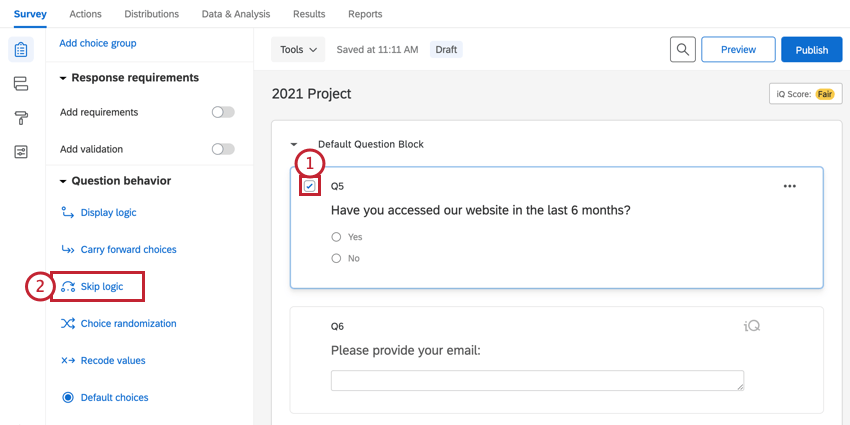
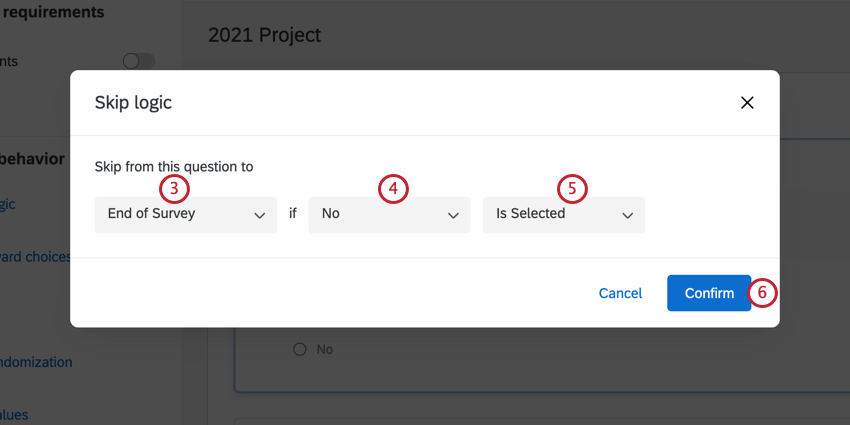
Qtip: With skip logic, respondents can only be skipped forward to questions within the same block. If you’d like to skip respondents to another block, choose to skip them to End of Block and then use branch logic or display logic to get them to the right place from there.
Qtip: If you skip a respondent to the end of your survey, their end of survey experience will follow the default end of survey settings; if you have an end of survey element in your survey flow, these settings will be ignored in favor of the default settings from the builder.
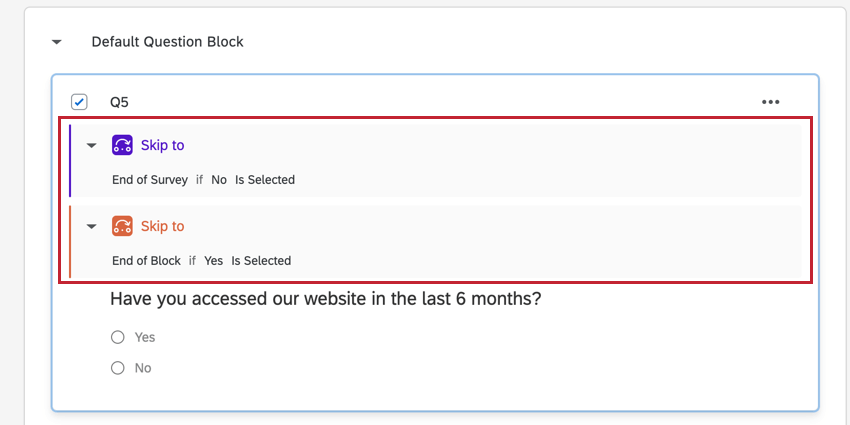
Qtip: Applying skip logic to a question will create an automatic page break after the question. If this is undesired, check out in-page display logic as another option.
Qtip: Skipping a participant to the end of your survey with skip logic will record their survey response. For more information on how to delete such responses, see our screen-out management page.
Additional Skip Logic Options
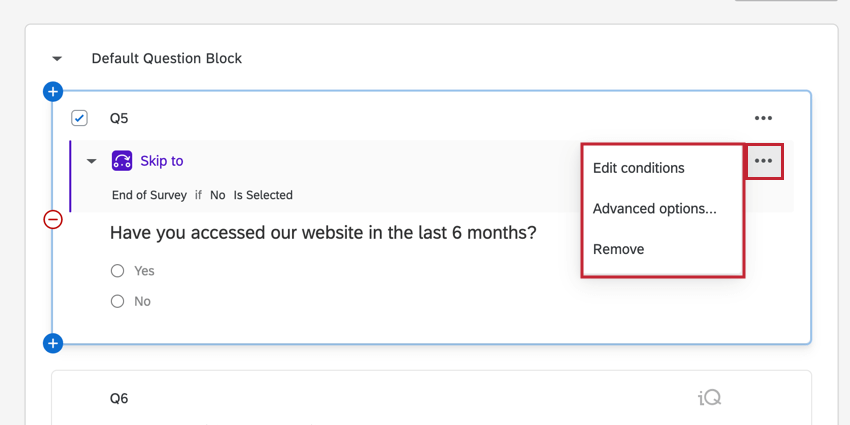
After adding skip logic to a question, you can select the skip logic dropdown menu to the right of the logic for more options.
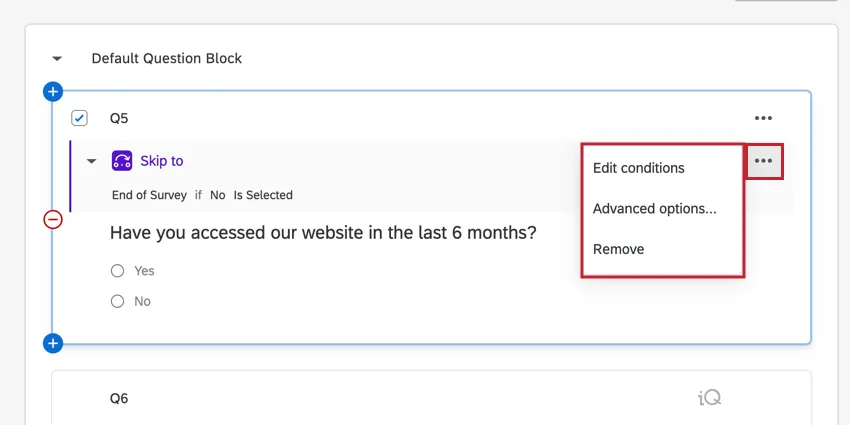
The following options are available:
- Edit conditions: Reopens your skip logic statement, allowing you to make changes.
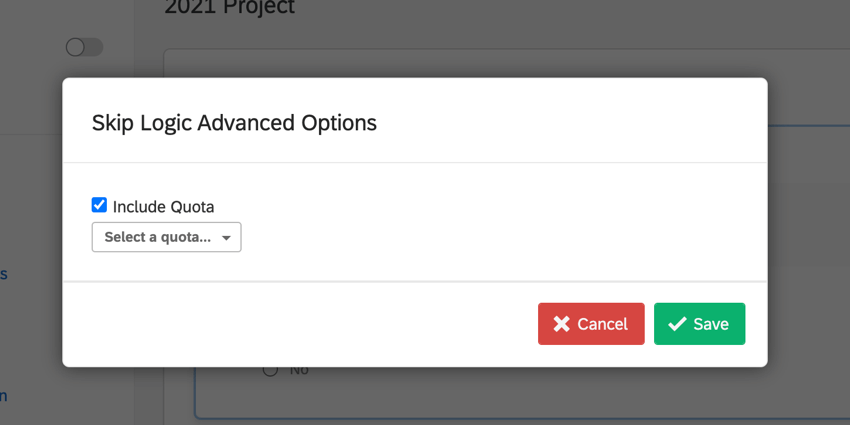
- Advanced options: Allows you to set up the skip logic to be ignored until a certain quota is met. When selecting this option, an Include Quota dropdown menu will appear for you to select the desired quota.
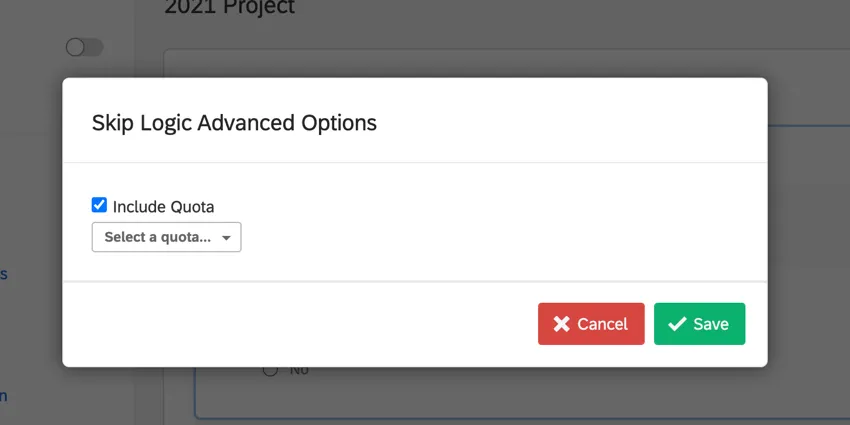 Qtip: No need to use this option if you are skipping participants to the end of the survey once the quota is full. For this, go to the quota setup screen and use the default action End Current Survey.
- Go to skip destination: Takes you to the survey question where respondents will be sent when they skip ahead. This option is only available when skipping respondents to a future question.
- Remove: Deletes the skip logic.
Skip Logic in Different Project Types
This type of question behavior is available in many different types of projects. The options described on this page are available in:
For Conjoint and MaxDiff, see this support page.
FAQs
Why are my page breaks being ignored?
Why are my page breaks being ignored?
- Questions per Page set in the Look and feel
- Question randomization set up in a block
- Skip logic, display logic, and carry forward (all 3 by default will insert a page break)
I am having trouble setting up logic to display a question or set of questions to a specific subset of my respondents.
I am having trouble setting up logic to display a question or set of questions to a specific subset of my respondents.
I'm skipping respondents to the end of the survey, but why aren't they seeing the custom message I set?
I'm skipping respondents to the end of the survey, but why aren't they seeing the custom message I set?
That's great! Thank you for your feedback!
Thank you for your feedback!