

Self-Service Licenses
What's on this page
About Self-Service Licenses
Free users, trial users, and website visitors to the Buy Qualtrics Online page can purchase a self-service Qualtrics license directly with a credit card. These self-service licenses are offered out-of-the-box, at flat-rate pricing, for customers who want to get started using Qualtrics in minutes and don’t need Qualtrics services or support to get up and running.
There are limitations to self-service licenses, including:
- Generic branding: Qualtrics accounts for self-service licenses are immediately created after purchase with auto-generated brand IDs. Brand IDs cannot be changed after creation. You can still implement a standard Vanity URL or apply custom branding to the Look and Feel of your surveys. Qtip: If you are interested in a custom brand ID, you can upgrade to a custom plan that includes onboarding support. Log in to the My Profile section of the Customer Success Hub to begin this process.

- FedRAMP: At this time, self-service licenses cannot be created in our FedRAMP environment. Qtip: If you need to maintain FedRAMP compliance, you can upgrade to a custom plan that includes onboarding support. Log in to the My Profile section of the Customer Success Hub to begin this process.
- Limited responses: The Strategic Research plan available for direct purchase comes with only 1,000 responses or equivalent interactions. For more information on interactions, see the FAQ at the bottom of the Pricing & Plans
Upgrading a Free or Trial Account
If you’ve previously signed up for a free account to get a feel for the basic capabilities of the Qualtrics XM Platform, or a trial account to try out the premium features available in a Strategic Research license, you can upgrade your account to a self-service license. Follow the steps below and navigate to the Plans tab to upgrade your account.
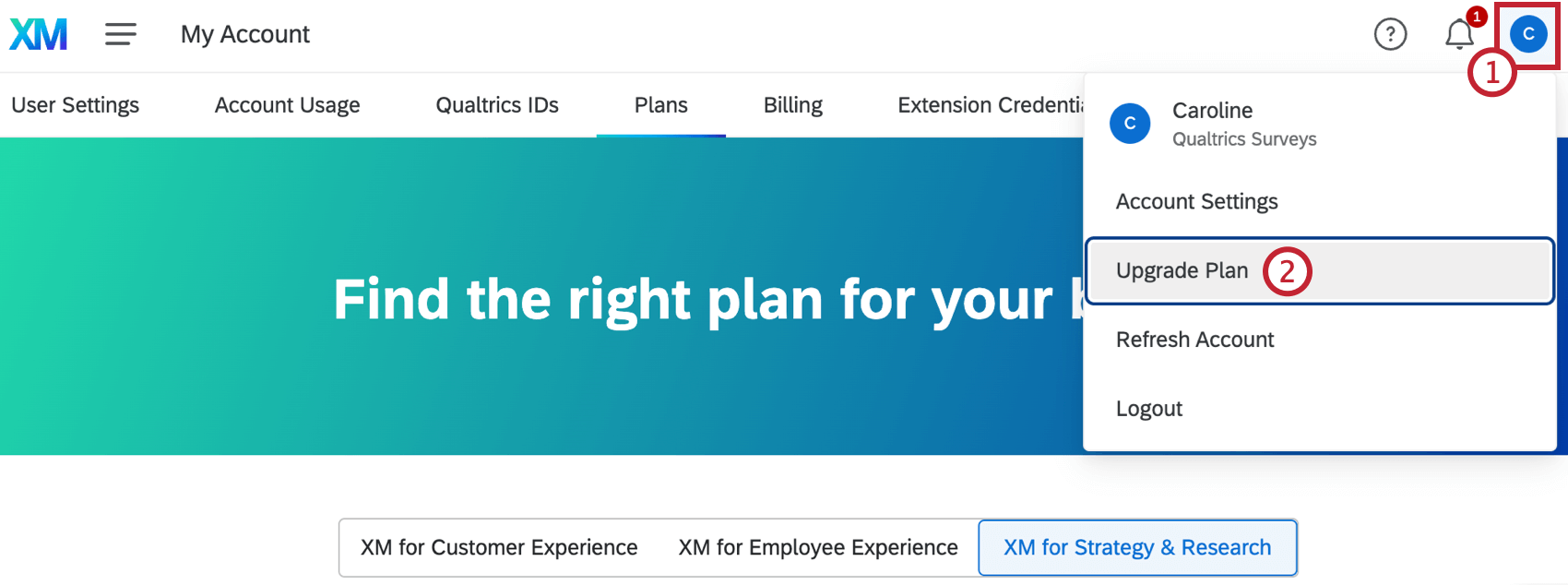
Attention: Upgrade Plan is only available in free or trial accounts. If you are accessing Qualtrics through an existing Qualtrics license, you will not see this option.

Qtip: Alternatively, you can select Account Settings, and then select the Plans tab.
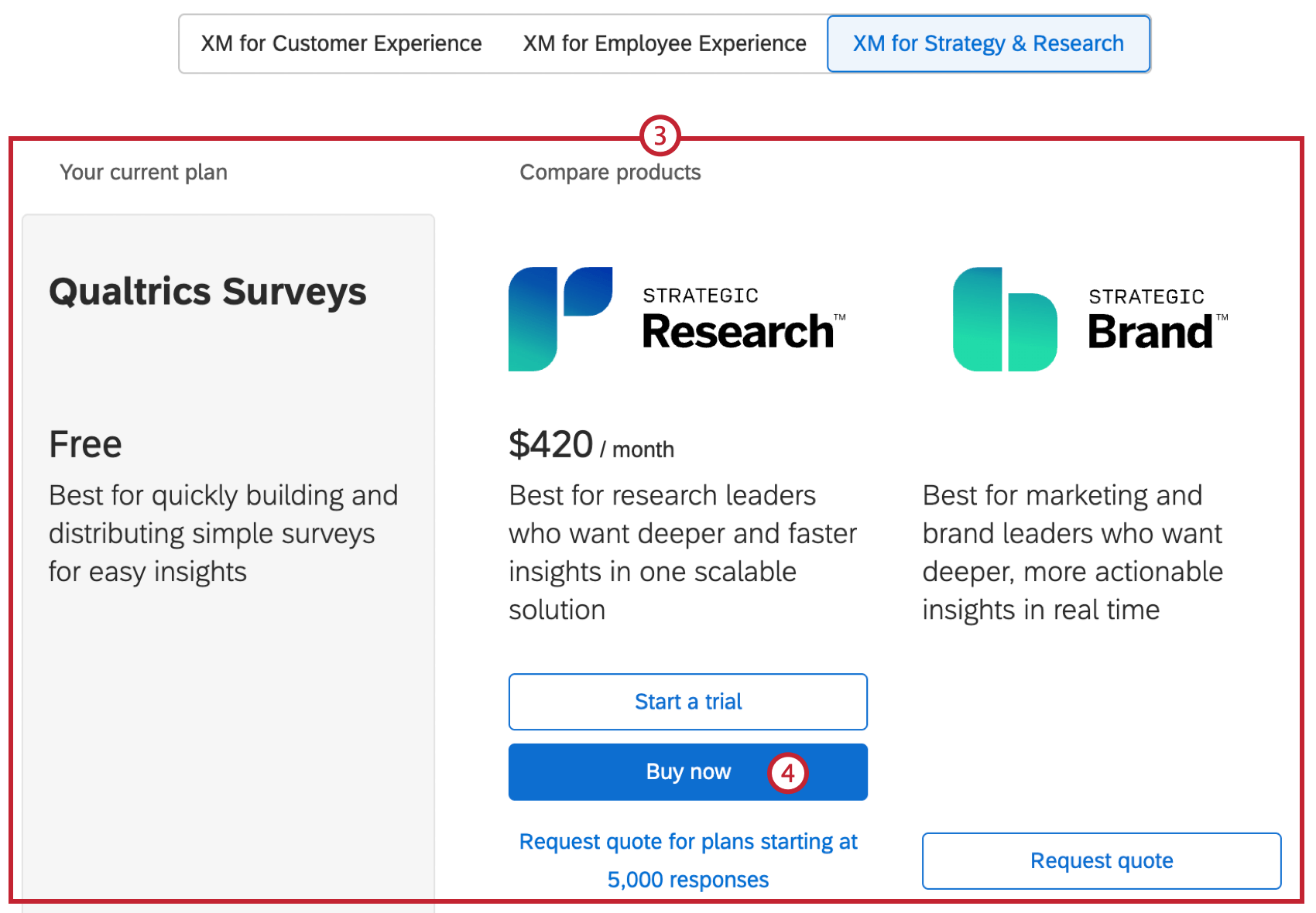
Qtip: If you anticipate needing a higher volume of responses than available in the direct purchase plan, or are interested in other Strategy & Research products, or other product suites, click Request quote to connect with our Sales team and learn more about different upgrade options.
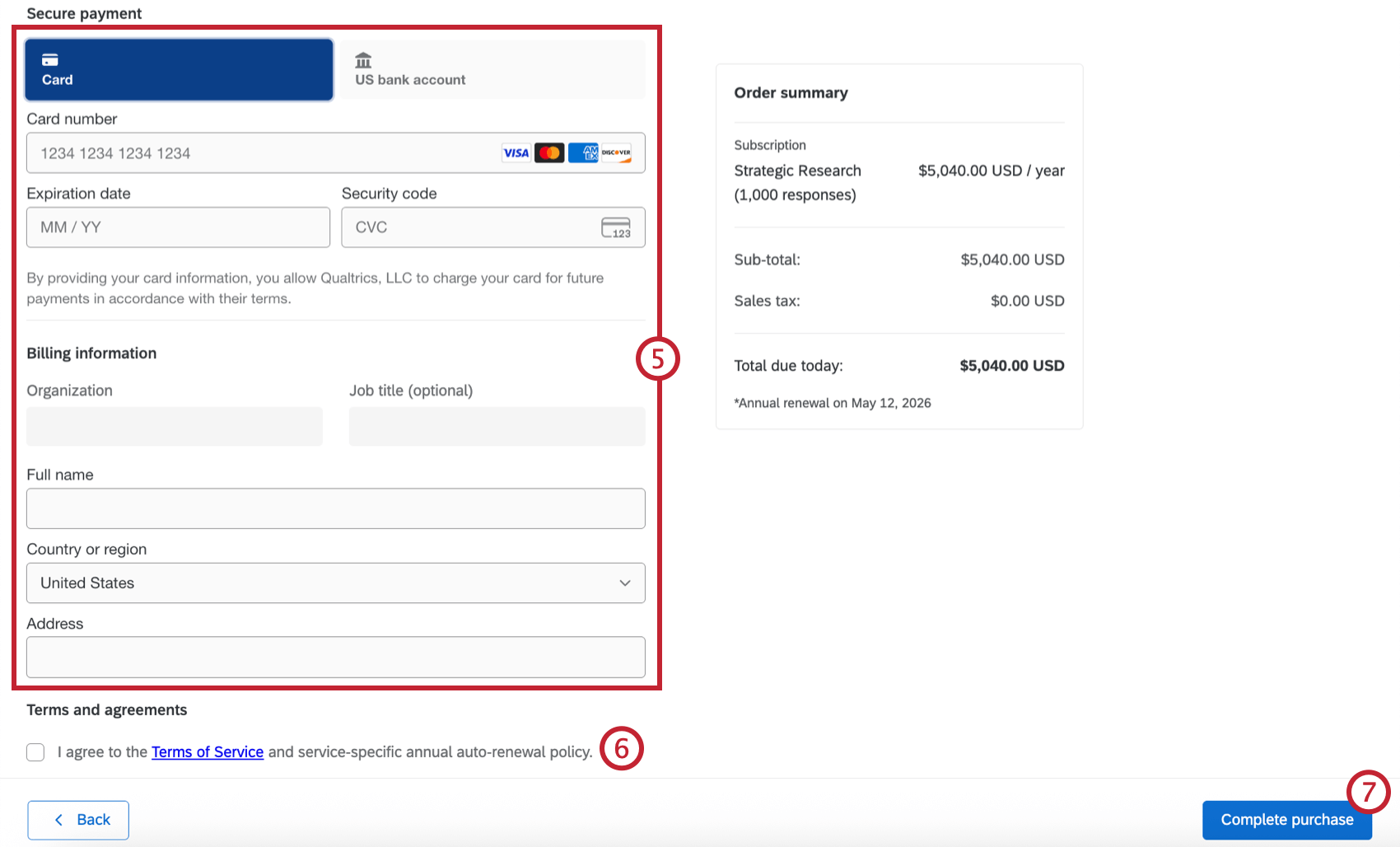
Qtip: Paying with bank information is only available for customers in the US and Europe. Paying by credit card is the only option for customers in other countries.
Qtip: The Plans and Billing tabs are only available in free or trial accounts, or accounts associated with a self-service subscription license. If you are accessing Qualtrics through an existing Qualtrics license that was not purchased through self-service, you will not see these tabs in account settings.
Qtip: See the FAQ for troubleshooting tips and information on how to request help when upgrading.
Buying a License without an Existing Account
If you have never signed up for a free or trial account, don’t have an existing Qualtrics license, and are ready to purchase a self-service license, you can buy directly from qualtrics.com/buy-online. This page provides a table that lets you compare the features and capabilities included in a self-service Strategic Research license versus a free account, or a license with a higher usage capacity.
To purchase, enter your email address in the form at the top of the page, and click Buy Now.
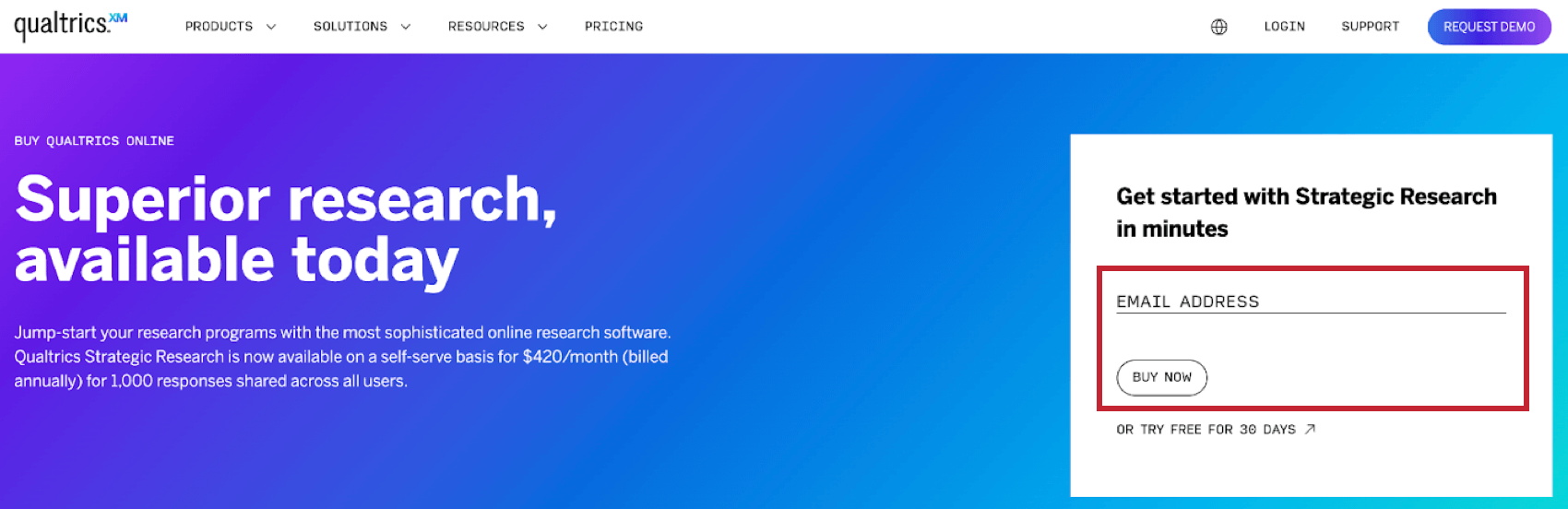
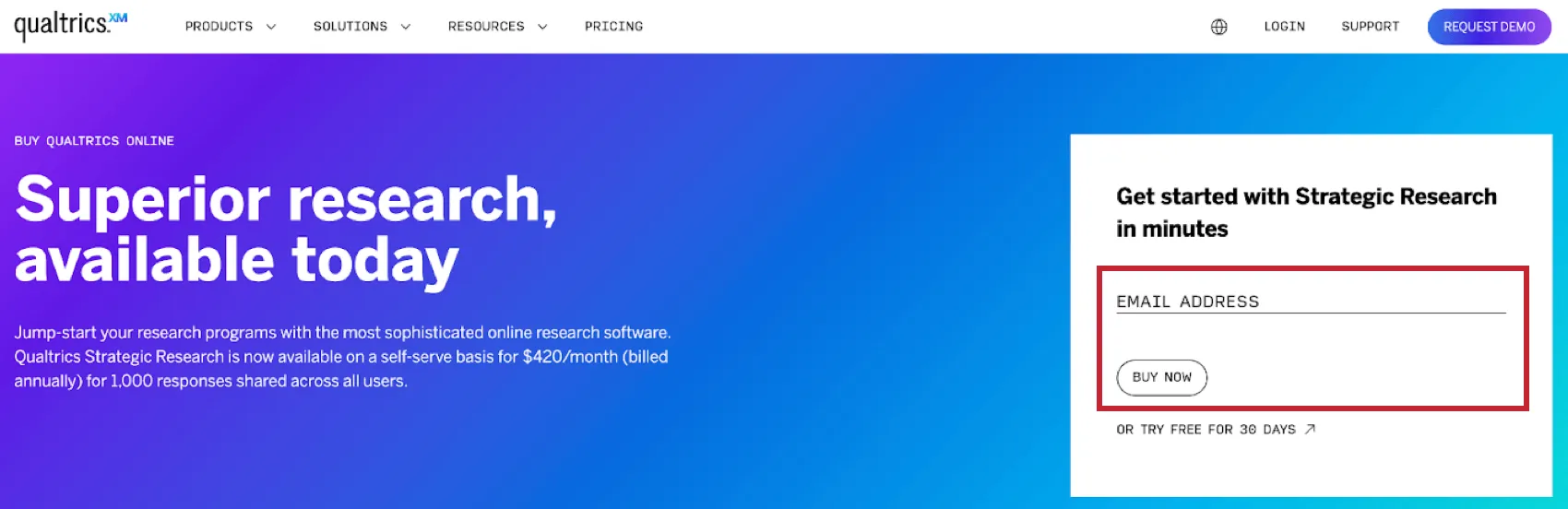
Qtip: If you have already signed up for a free or trial account, or have an existing Qualtrics license, you won’t be able to make a purchase through this web page. If the email address you entered is already associated with an existing account, log in to your free account and upgrade from there, contact your account team for assistance upgrading your existing license, or enter an email address that isn’t associated with any Qualtrics accounts.
You will then receive an email that will let you verify your email address and proceed to purchase. Enter the account details required to set up your new license, your credit card or bank account information, and agree to Qualtrics’ Terms of Service, Annual Auto-Renewal Policy, and Privacy Statement. When you click the Purchase button, your payment will be processed, and a new account will be created for you to use. Once your transaction has been completed, you will receive a purchase confirmation. Log in to Qualtrics to access your new license.
Managing Your License
Once you purchase a license, you will have access to self-service tools and resources to help manage your license. In addition to viewing information in the Billing section of Account Settings, the Billing Details section of the Customer Success Hub contains information about emailed receipts for self-service license payments, renewal information, and more.
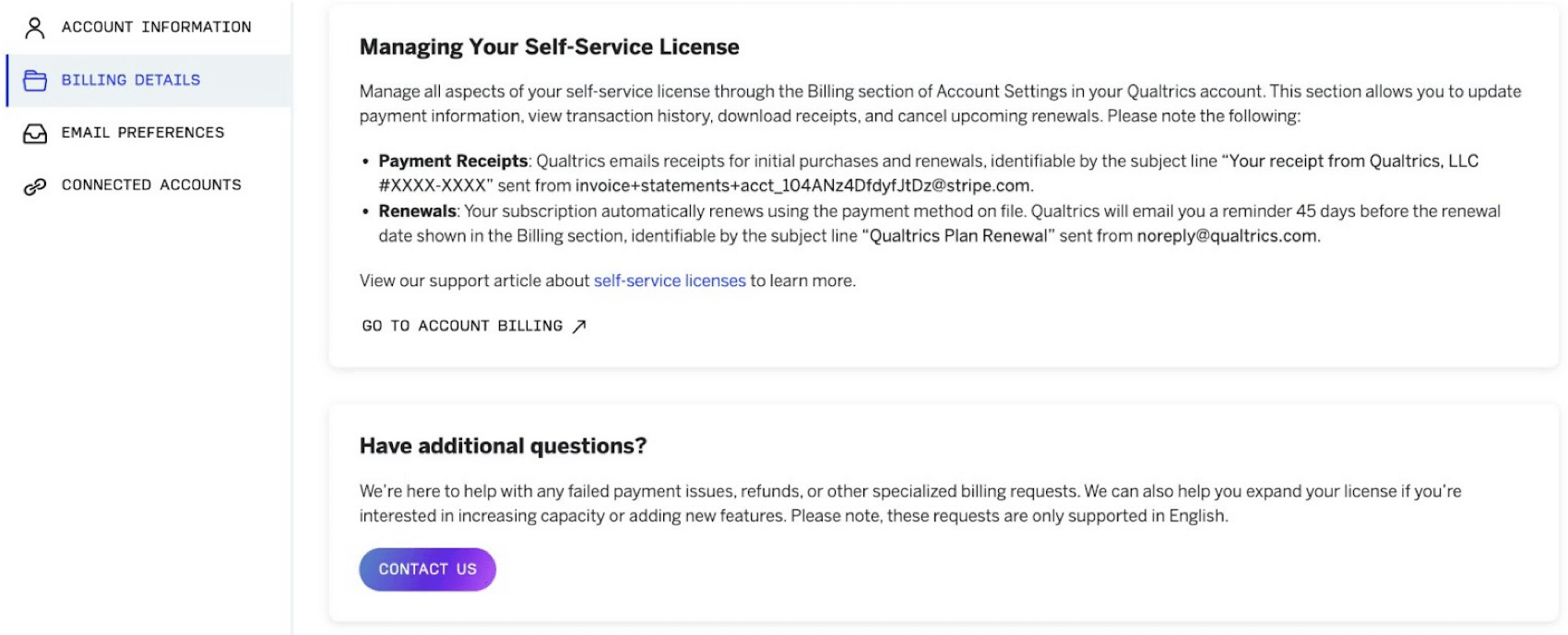
Viewing Your Subscription Information
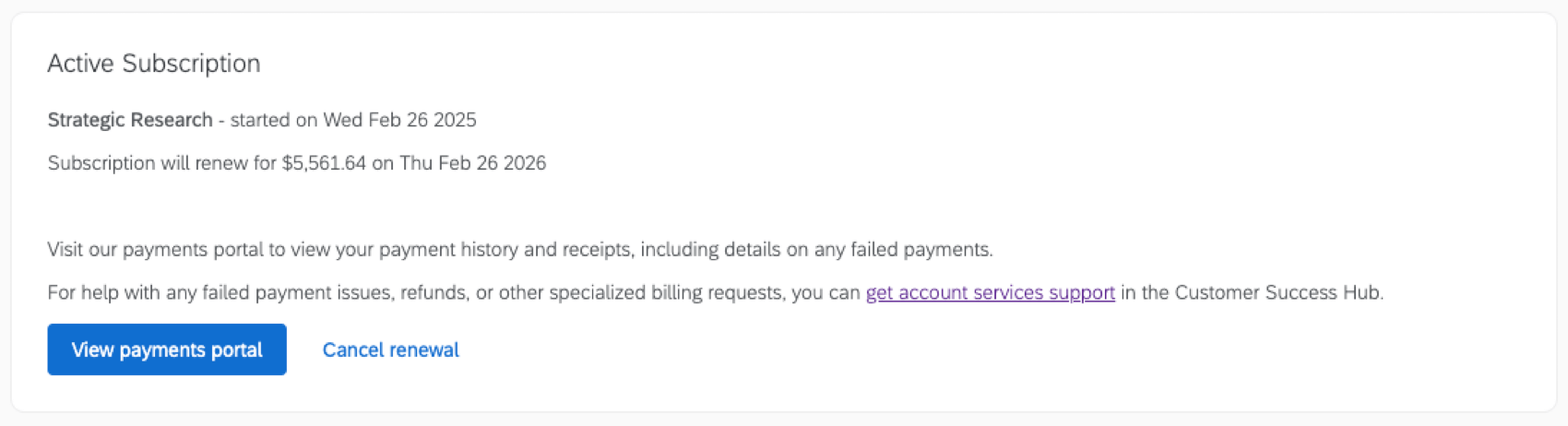
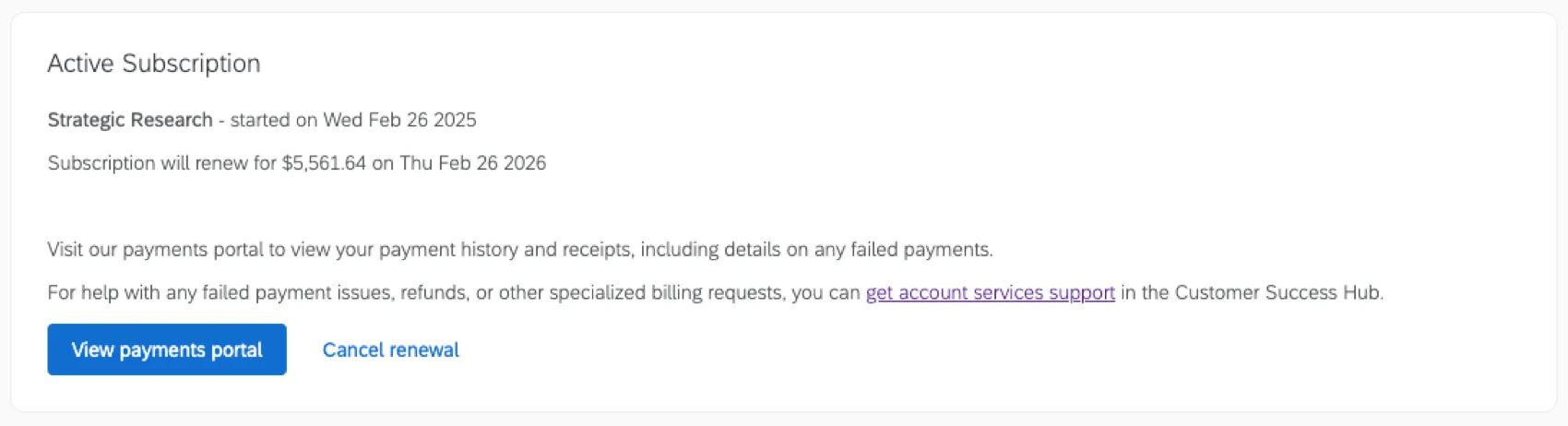
You can view information about your active subscription license in the Billing tab within Account Settings. The Active Subscription section will display the name of your plan, the date your current license term started, and your next renewal date and cost.
Qtip: For CoreXM licenses, this section will also include the number of user seats purchased.
Viewing Your Transaction History and Receipts
You can access a payments portal from the Active Subscription section within the Billing tab of Account Settings. The payments portal includes records of past self-service transactions, including completed and attempted payments. If you click a completed transaction, you can view and download receipts or the associated paid invoices.
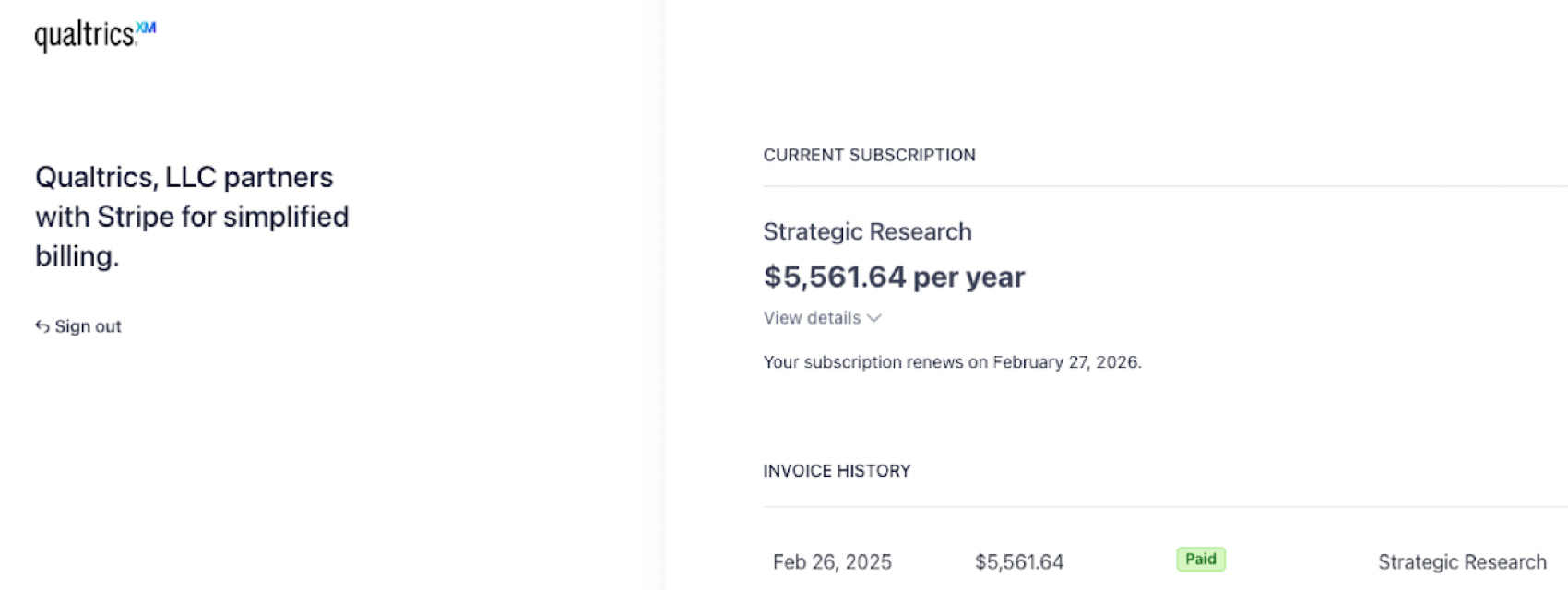
Qtip: Because self-service licenses require up-front payments, the invoices for self-service licenses are generated at the same time as the receipts, and reflect the payment that was already completed.
Updating Your Payment Card
Self-service subscriptions are billed annually, payable by credit card or bank account at the start of each annual term. Upon renewal, your credit card or bank account will be automatically charged, according to Qualtrics’ General Terms and Conditions.
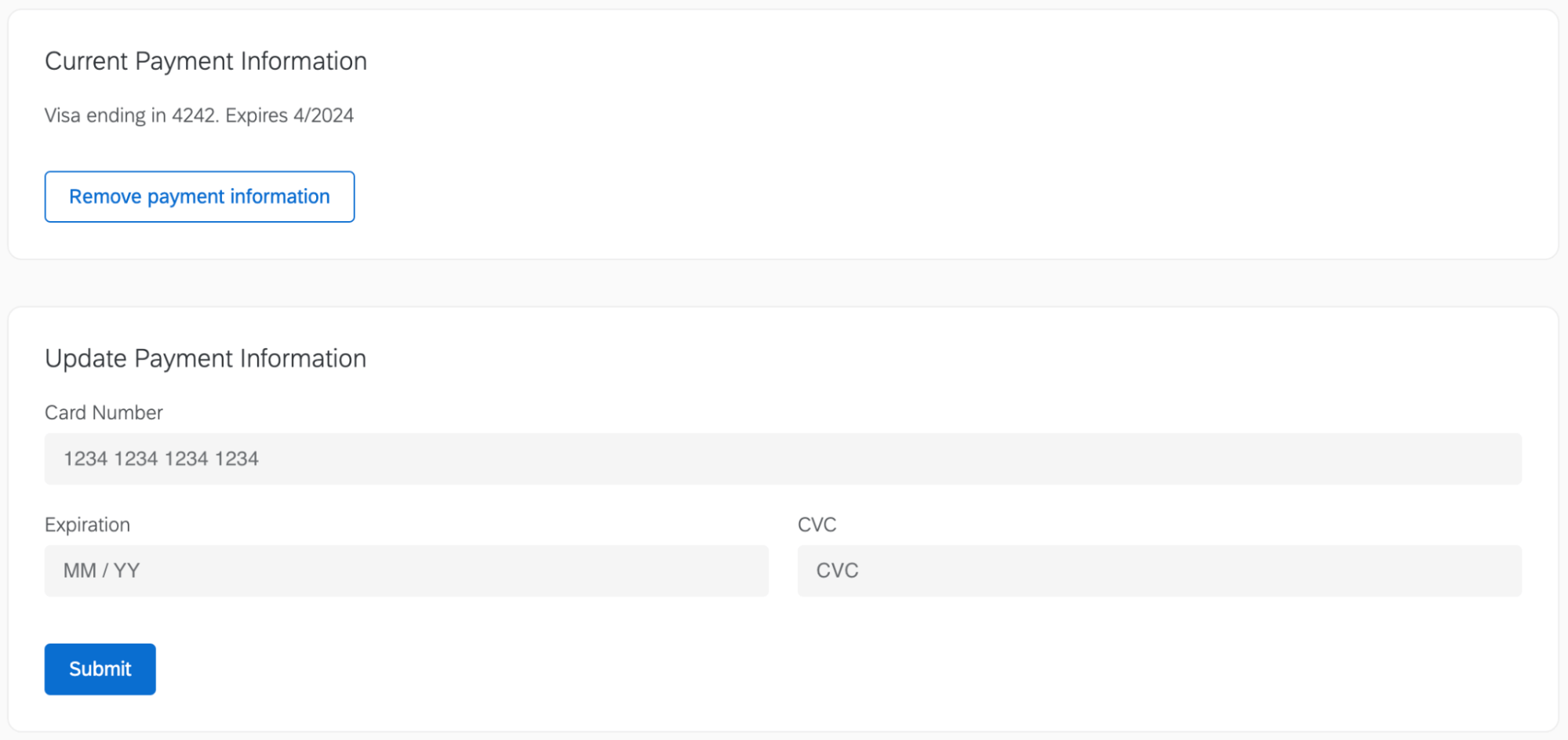
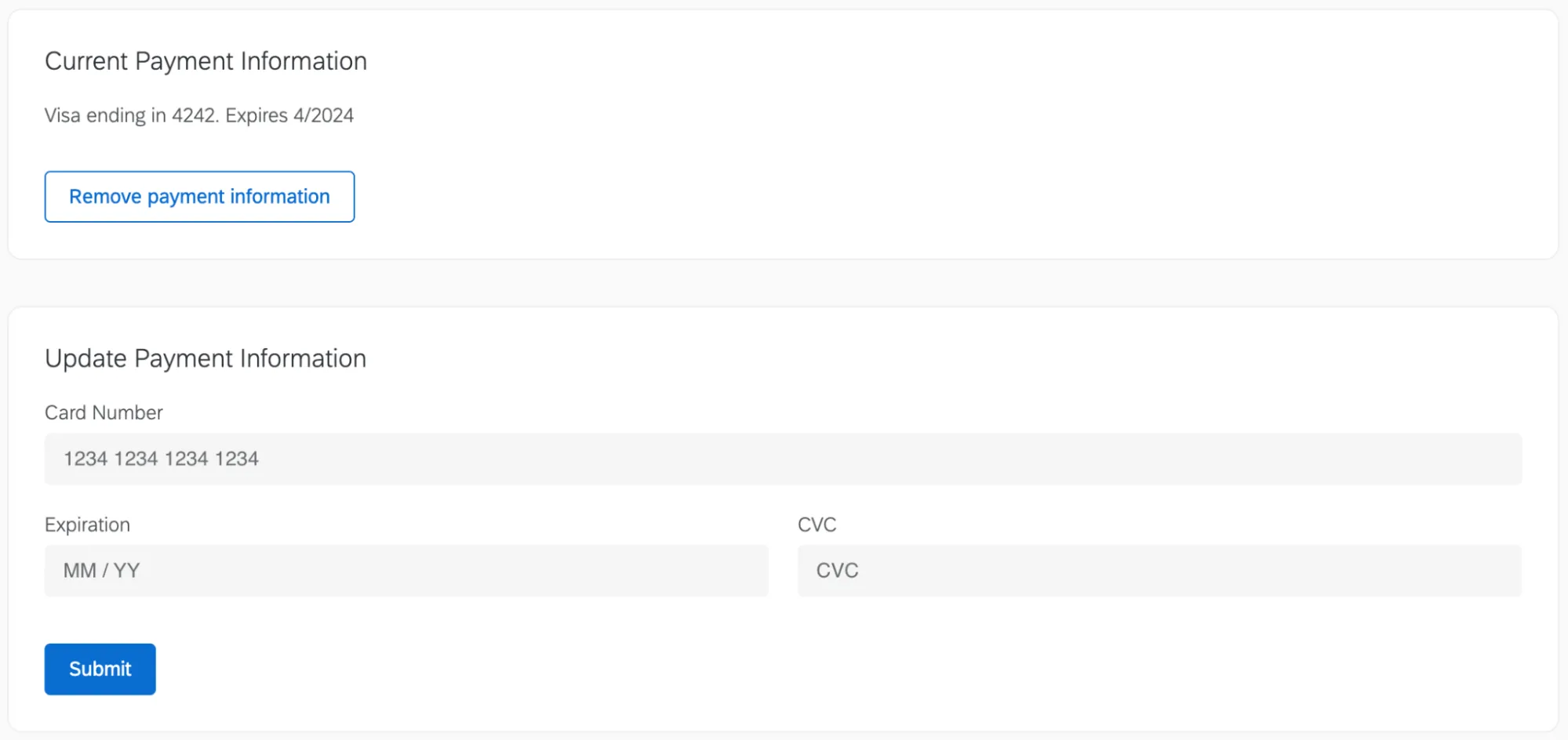
You can view the payment information you have on file in the Billing tab within Account Settings. If you need to remove your payment information, click Remove payment information in the Current Payment Information section. To add new payment information, enter the card information or bank account information and click Submit. This will replace the payment information on record, and the new payment will be charged upon renewal unless you cancel your subscription before the renewal date.
Canceling a Self-Service Subscription
You can view your subscription renewal date and price in the Billing tab of Account Settings. If you do not want to renew your subscription, click Cancel renewal in the Active Subscription section of the page. This will prevent your subscription license from renewing at the expiry date, and prevent your payment card from being charged. It will not cancel your active subscription.


You will continue to have access to your subscription license until your expiry date. Upon expiration of your active subscription term, your account will be downgraded to a free account. You will retain access to your surveys and any collected response data, but you will lose access to premium features included in your paid subscription license. You can export your surveys, response data, reports, or dashboards while you have access to them.
Upgrading a Self-Service Subscription
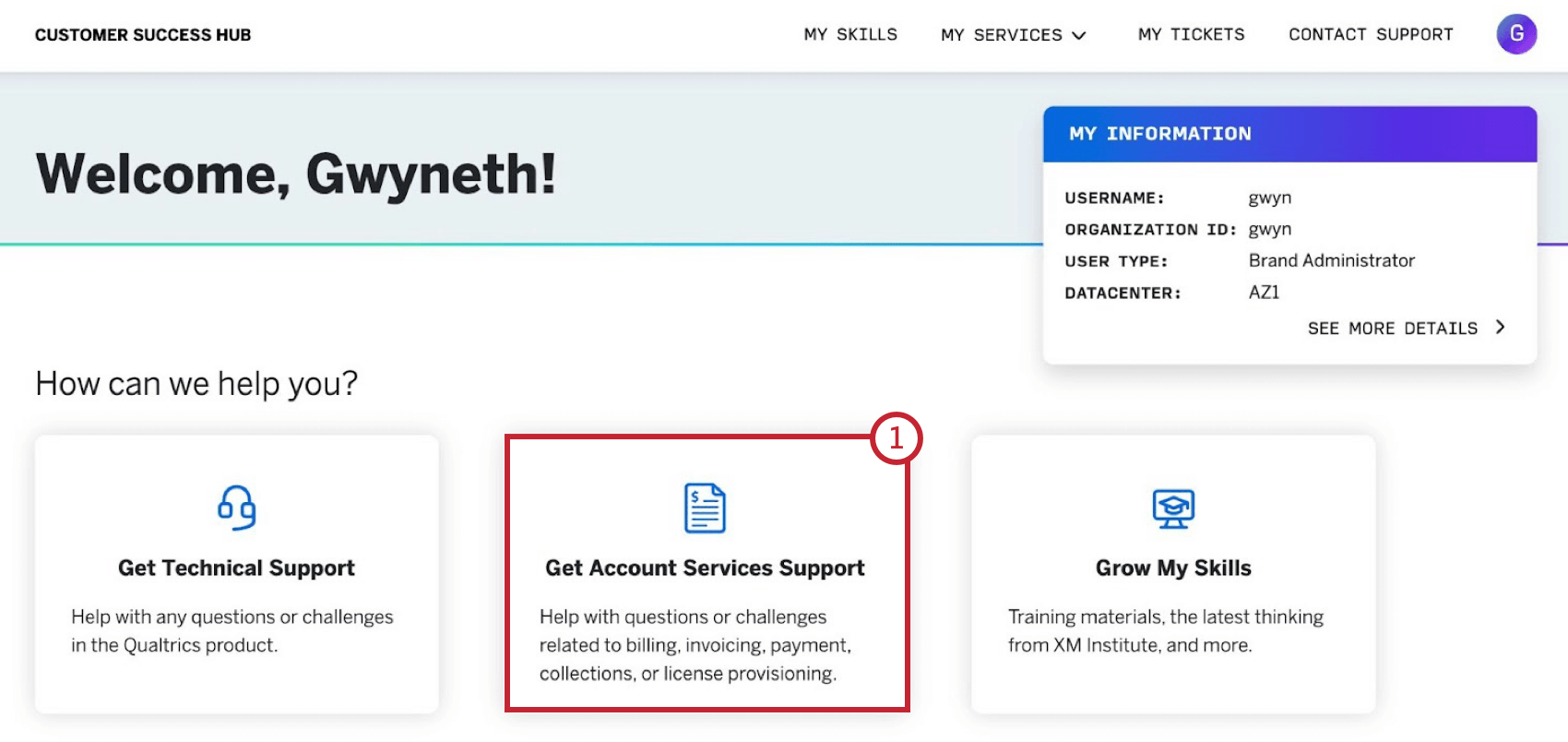
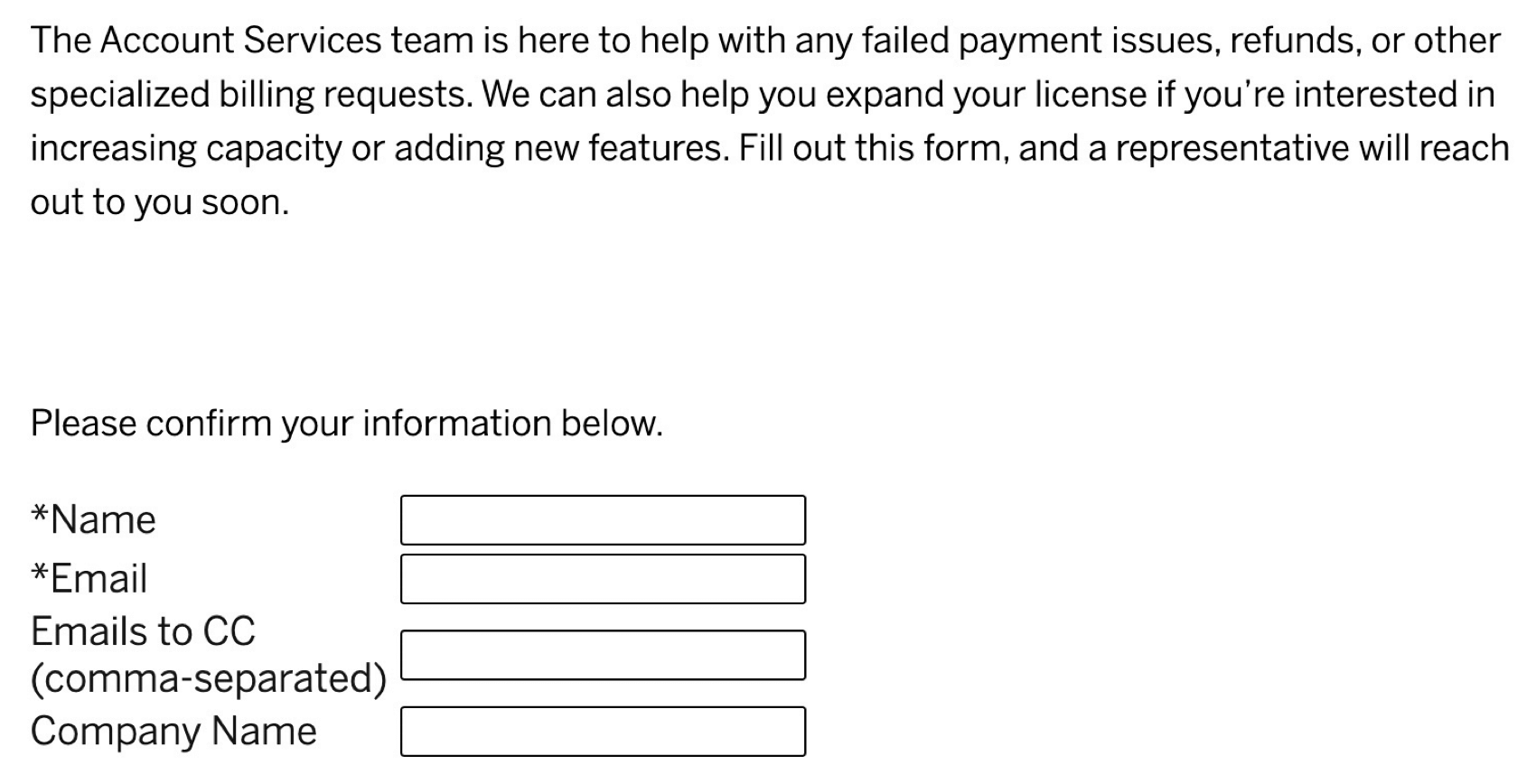
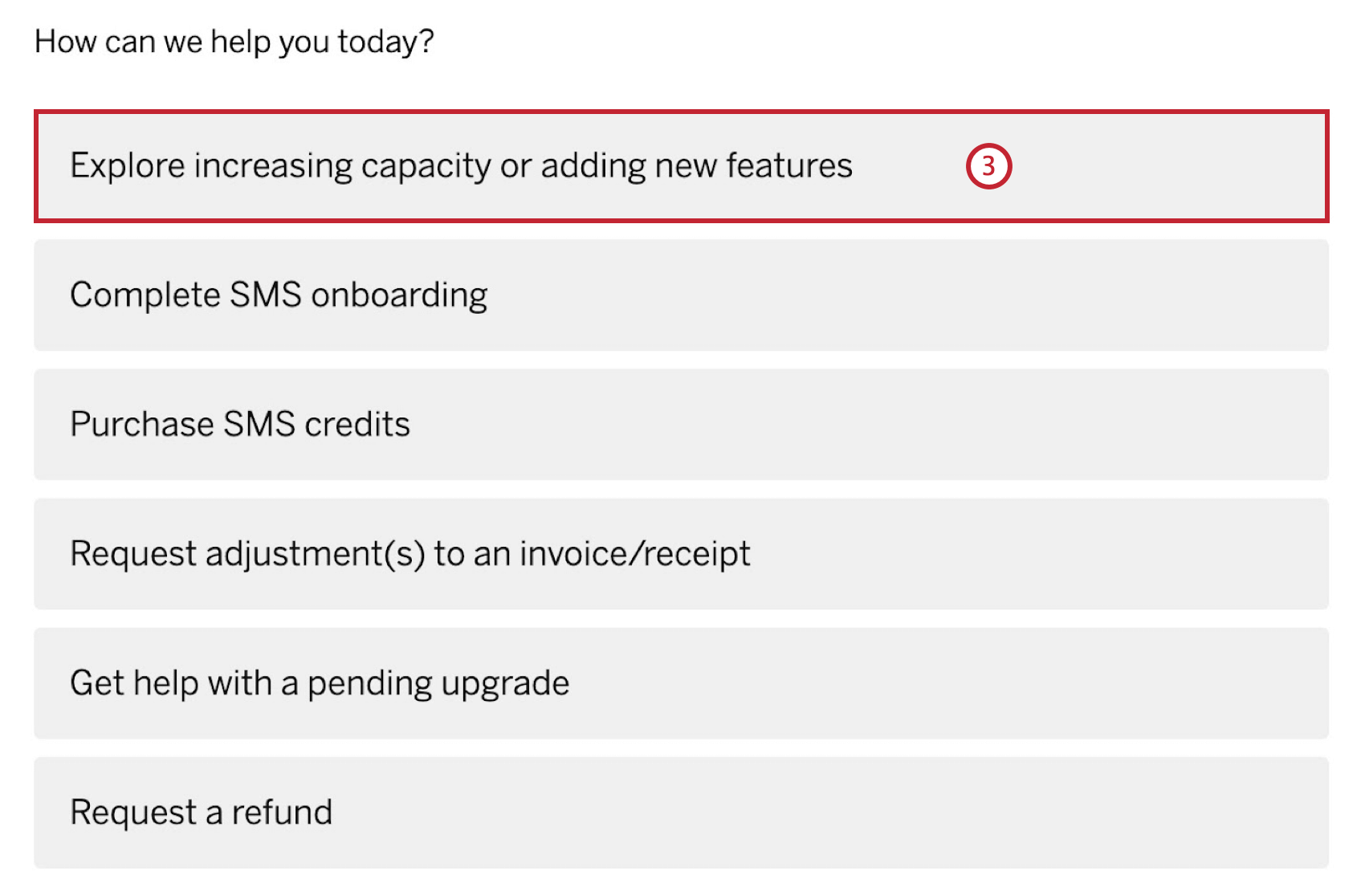
If you have reached maximum usage of your license, such as using all available responses or available user seats, or if you are just interested in getting more out of Qualtrics, you can upgrade your license. To learn about options and pricing for expanding your license, navigate to the Customer Success Hub.
Datacenters
Qtip: You can view your assigned datacenter in the Qualtrics IDs section of account settings, or in your Profile in the Customer Success Hub.
When you purchase a subscription license from qualtrics.com/buy-online, your account is created and your datacenter is set once the payment has been successfully processed.
By default, your regional datacenter will be set based on your IP address at the time of checkout. You can confirm or change your datacenter by following these steps before completing your purchase:
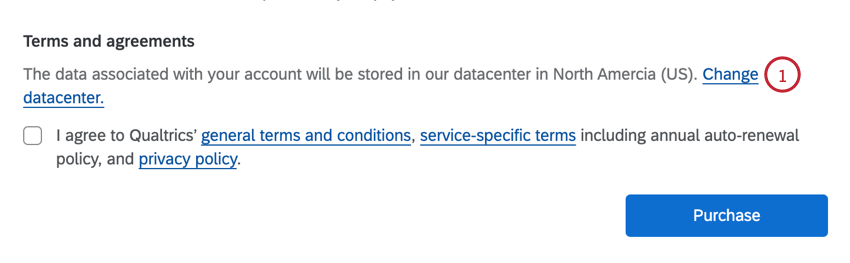
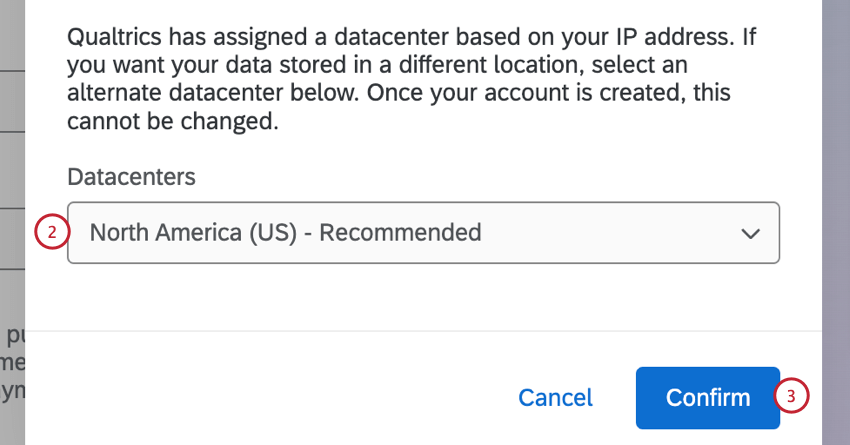
Warning: If you initially signed up for a free or trial account before deciding to upgrade to a self-service license, your account will have already been assigned to a datacenter based on your IP address when you originally signed up.
Attention: Self-service accounts are not compatible with Qualtrics’ FedRAMP environment, and cannot be moved into it.
Logging in to Qualtrics
Once you complete your purchase, either by upgrading a pre-existing free or trial account, or buying directly from the Qualtrics website, you can log in and begin using Qualtrics immediately. For more information, see Logging into Your Account.
Qtip: If you are having trouble logging in to your account, see Login Issues for more information on accessing your account.
FAQs
My company or organization already has a Qualtrics license. If I purchase a self-service subscription, can I get added to their brand/license?
My company or organization already has a Qualtrics license. If I purchase a self-service subscription, can I get added to their brand/license?
Can I combine my self-service subscription with another subscription?
Can I combine my self-service subscription with another subscription?
I already have a Qualtrics license, but I would like to move to a self-service subscription. How can I change my existing license to a self-service subscription?
I already have a Qualtrics license, but I would like to move to a self-service subscription. How can I change my existing license to a self-service subscription?
Which methods of payment can I use to buy a self-service subscription from the online store? Can I pay with an invoice or check?
Which methods of payment can I use to buy a self-service subscription from the online store? Can I pay with an invoice or check?
I tried to submit my email address to purchase from qualtrics.com/buy-online, but I did not receive a verification email. What can I do to complete my purchase?
I tried to submit my email address to purchase from qualtrics.com/buy-online, but I did not receive a verification email. What can I do to complete my purchase?
I tried to purchase a self-service subscription online but my payment failed. What can I do to complete my purchase?
I tried to purchase a self-service subscription online but my payment failed. What can I do to complete my purchase?
Will I get an invoice for my self-service license payment?
Will I get an invoice for my self-service license payment?
Can I choose my brand ID?
Can I choose my brand ID?
Can I choose my datacenter?
Can I choose my datacenter?
By default, your regional datacenter will be set based on your IP address at the time of checkout. You can confirm or change your datacenter by following the steps in the Datacenters section above.
If you’ve already enrolled in a free or trial account, your datacenter is set when your account is created and cannot be changed.
Are self-service subscriptions compatible with FedRAMP?
Are self-service subscriptions compatible with FedRAMP?
I purchased a self-service subscription but I need to add users or responses. Can I purchase additional user seats or responses through the online store?
I purchased a self-service subscription but I need to add users or responses. Can I purchase additional user seats or responses through the online store?
That's great! Thank you for your feedback!
Thank you for your feedback!