

Step 1: Defining Conjoint Features & Levels
What's on this page
Before you even open up the Qualtrics software, you need to determine the features and levels your conjoint will have. This means deciding what you’ll be testing as potential product bundles.Qtip: Conjoint projects are an additional purchase. Please contact your Account Executive if you are interested in learning more about this product.

Understanding Feature and Levels
Features are the overall concepts you are testing. If you are looking to determine the best vacation to offer, features might include duration, location, and price.
Attention: Features will be shown in the order they are created in and will not be automatically randomized.

Levels are the different choices for each feature. For the feature location, possible levels include Bermuda, Jamaica, and the Bahamas.
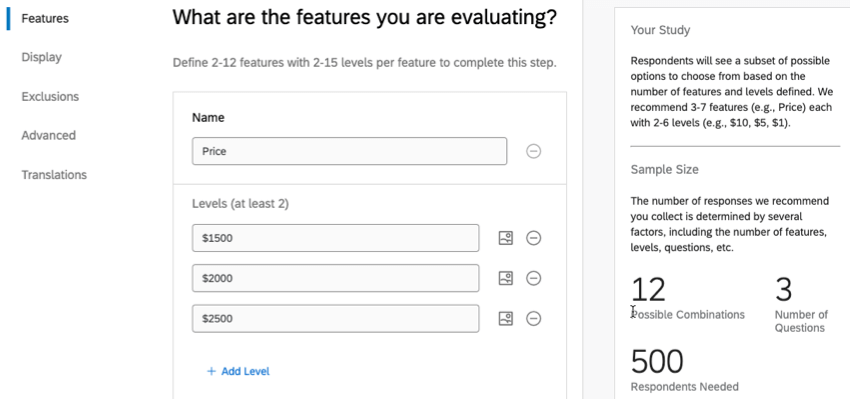
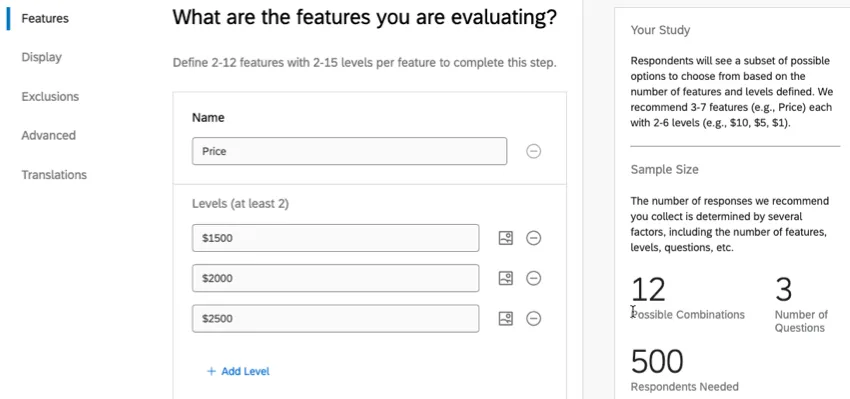
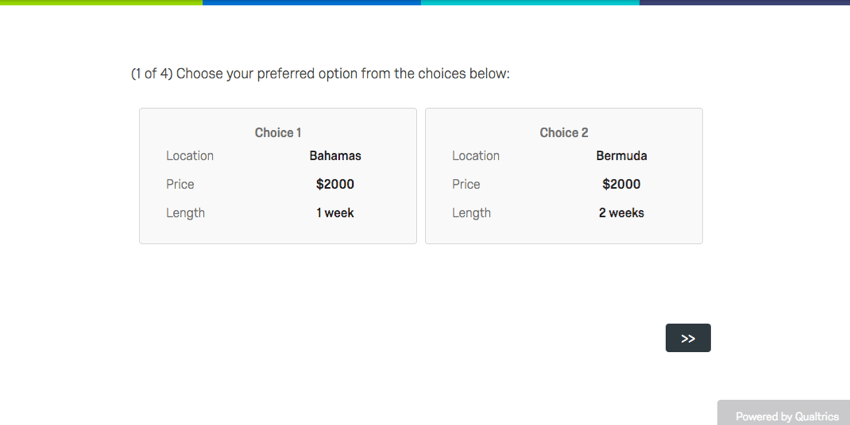
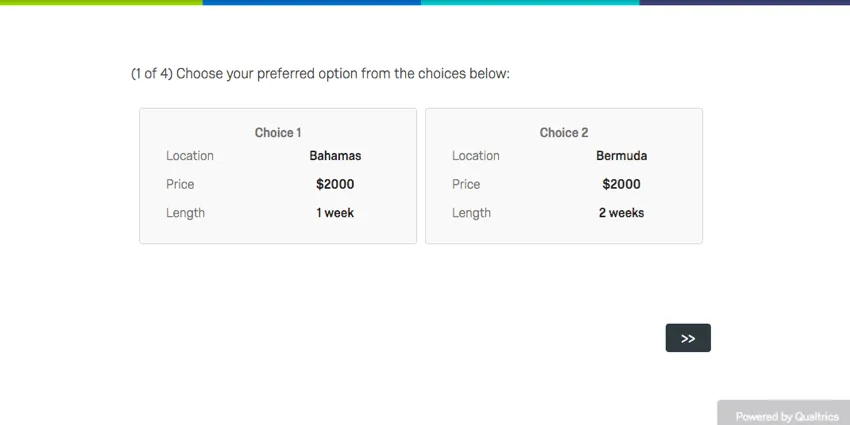
Within the survey, your respondents will be presented with 1 level per feature in different combinations.
How many features should I offer? How many levels?
For a choice-based conjoint project, you should have about 3 to 8 features. Each feature should have about 2 to 7 levels.
We don’t want too few options, because then there isn’t much to test. But if we include too many, the number of respondents you have to survey to produce significant results massively increases. Too many choices can also lead to an increase in the number of packages each respondent is asked to choose between, increasing respondent fatigue and decreasing the value of your data.
FAQs
How can I stay up to date on new Qualtrics features?
How can I stay up to date on new Qualtrics features?
To access these release notes, you need an XM Community account. These accounts are free for any users with a Qualtrics account. This support page contains information for how to register an XM Community account.
Once you're logged into the XM Community, head over to the Weekly Product Updates Introduction Post. This post contains all the information you need to get started with subscribing to product updates!
That's great! Thank you for your feedback!
Thank you for your feedback!