

Displaying Benchmarks in Widgets (EX)
What's on this page
About Displaying Benchmarks in Widgets (EX)
Benchmarks are a metric standard that enable you to understand how your organization’s overall experience compares against industry peers, and to establish overall customer experience, NPS, or digital experience goals based on company and industry comparisons. These benchmarks can be added to your EX dashboard for display in your widgets. Benchmarks can either be uploaded to the benchmark editor, or can be configured directly within a widget as a one-time benchmark.
Attention: Benchmarks are available in a few different types of dashboard. However, this support page only covers how benchmarks work in Employee Experience dashboards. For CX Dashboards, see Displaying Benchmarks in Widgets (CX).

Displaying Benchmarks from the Benchmark Editor
Qtip: See Widget Compatibility for the list of widgets you can add these kinds of benchmarks to.

Displaying Benchmarks in a Dashboard
After your benchmarks have been uploaded to the editor, you can add them to your dashboard widgets.
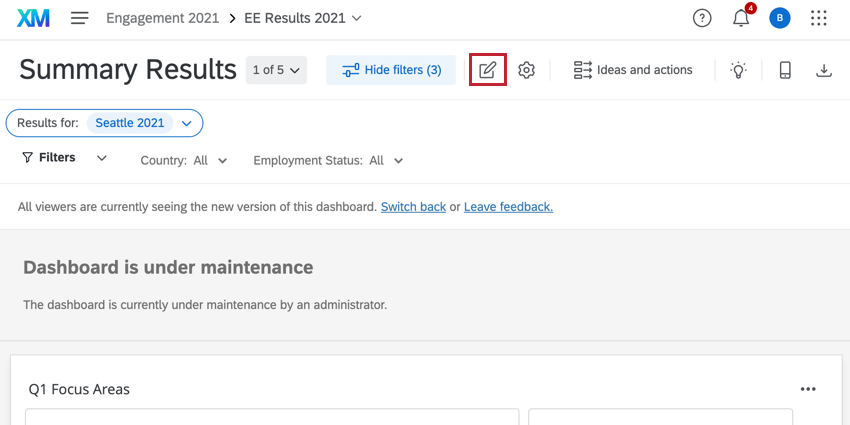
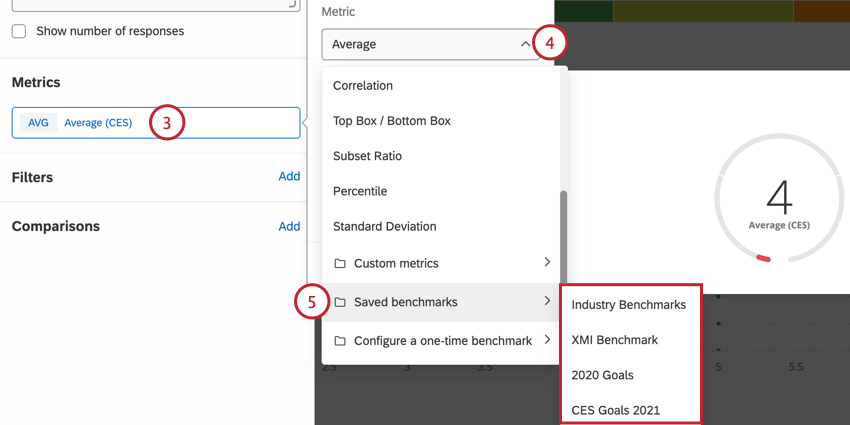
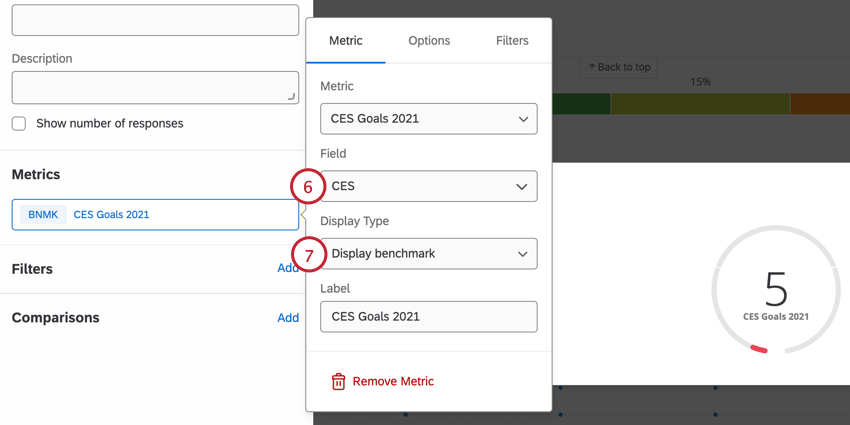
Example: For NPS benchmarks, the field you compare against should be a measure of NPS. For a CES benchmark, the field you compare against should be a measure of CES. Only Number Set and Numeric Value fields appear here.

- Display difference: Display the difference between the benchmark and the field being compared against it. The value will be negative if the benchmark is higher, and positive if your data’s value is higher.
- Display benchmark: Display the exact value of the benchmark.
Qtip: For more detailed instructions on comparisons in widgets or basic setup instructions, see Gauge Chart Widget or Number Chart Widget.
Displaying Benchmark Comparisons
Displaying Benchmark Comparisons in a Dashboard
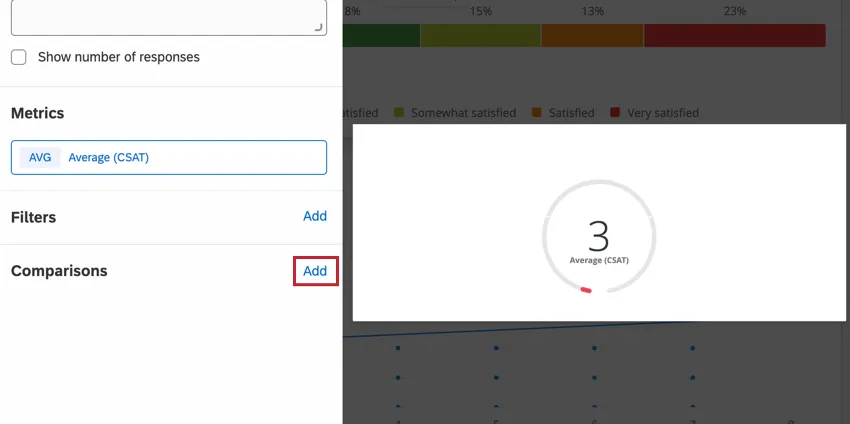
You can add benchmarks to your gauge chart widget so you can compare your data with benchmark data. To add benchmarks to your widget, you must first create benchmarks in the dashboard benchmark editor. Once you’ve created benchmarks in your dashboard, you can add them to the widget by clicking Add in the Comparisons section.
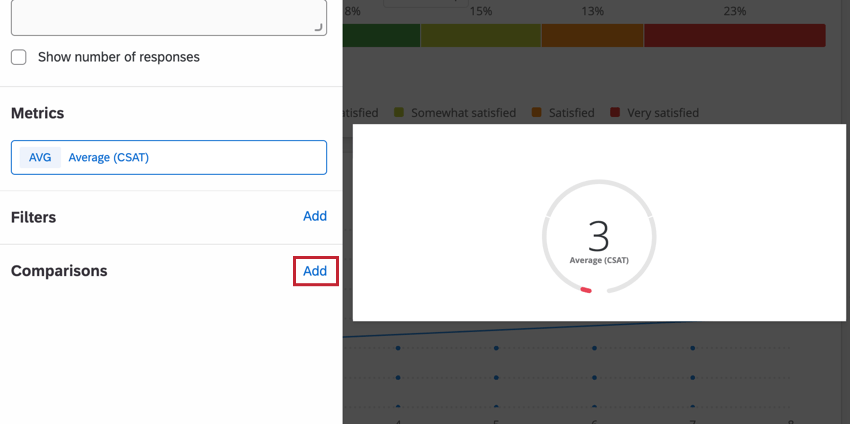
After you’ve added your benchmark, click the comparison to edit the benchmark. You can then select your desired benchmark using the Metric dropdown menu. Your dashboard benchmarks will be at the bottom of the list.
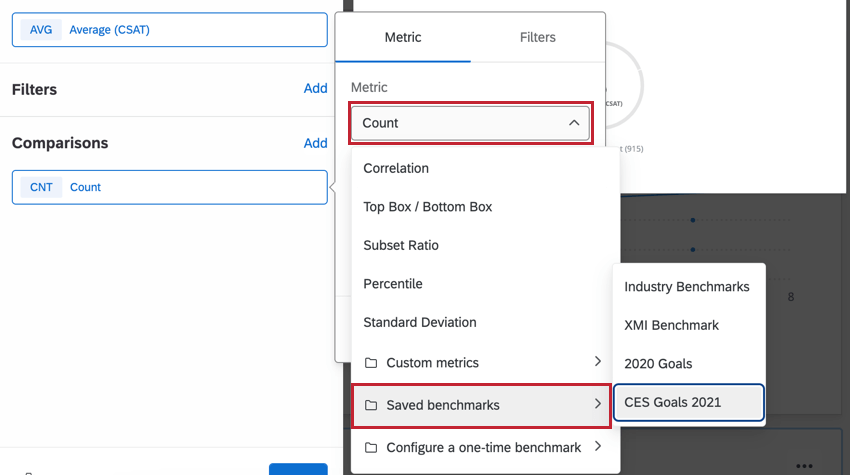
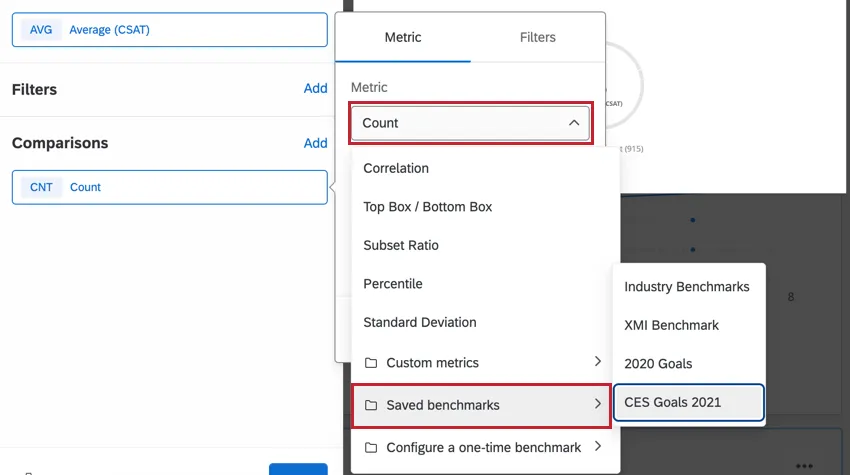
Qtip: You can add multiple benchmarks to your widget.
You can then customize the following aspects of your benchmark:
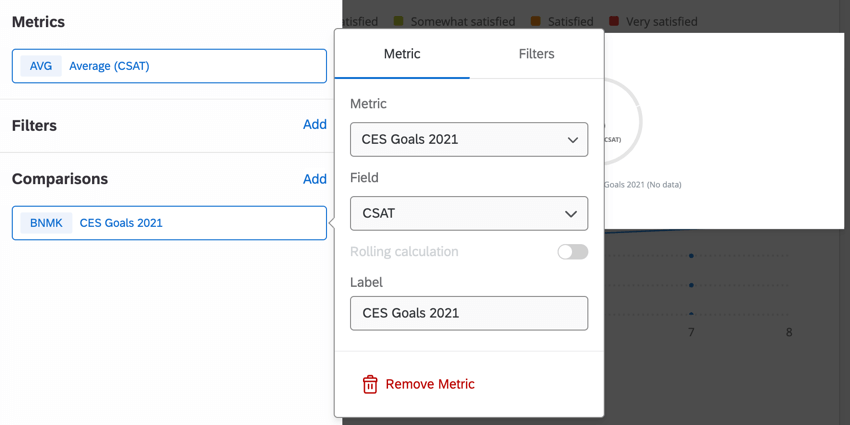
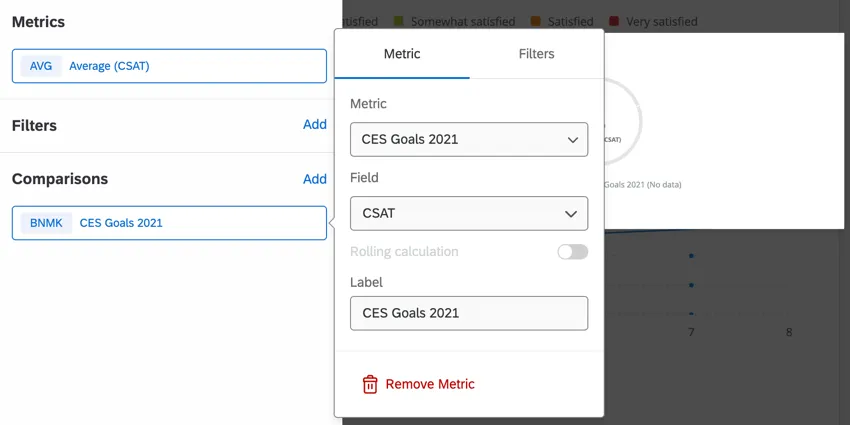
- Field: Select the field that is used for the benchmark data
- Label: Determine how the benchmark name appears in the widget.
Qtip: Comparisons are available within gauge chart and number chart widgets.
Displaying One-Time Benchmarks
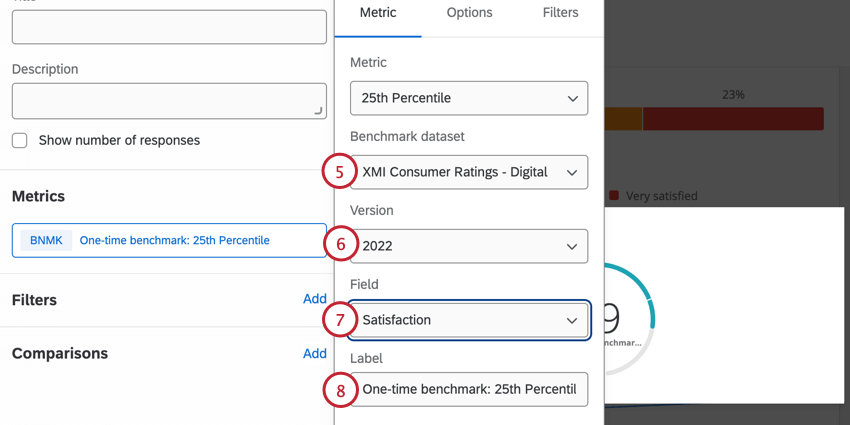
One-time benchmarks allow you to quickly visualize metrics from benchmark datasets without uploading a benchmark to your dashboard.
Qtip: One-time benchmarks are only compatible with number chart, gauge chart, table, line chart, vertical bar, and horizontal bar chart widgets.
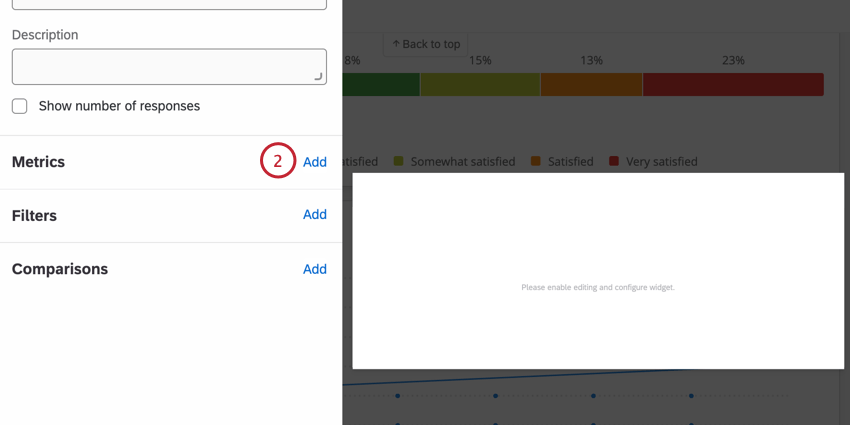
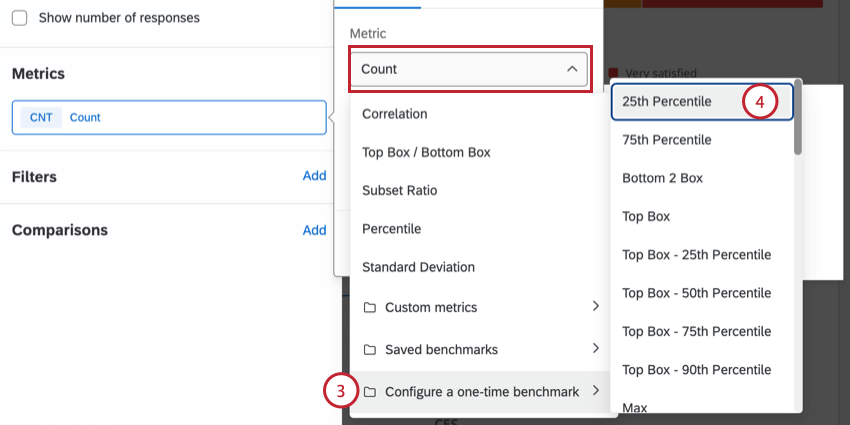
Qtip: If you selected Average, you can turn on Use percentile options. Select a percentile between 1-99 to display a specific percentile rank in the widget.
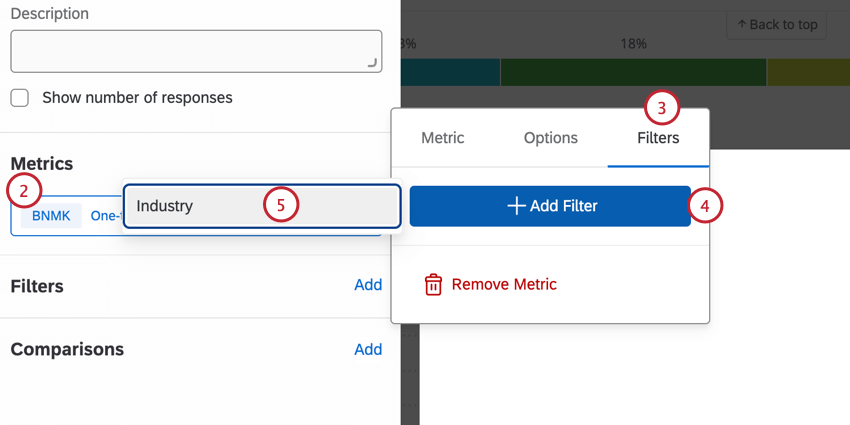
Filtering One-Time Benchmarks
Available Benchmark Datasets
See Benchmark Types.
Qtip: The EX Engagement Response Rate benchmark can only be added as a one-time benchmark to EX Dashboards. This is not currently available in response rate widgets.
FAQs
What are CX Dashboards?
What are CX Dashboards?
What are EX Dashboards?
What are EX Dashboards?
That's great! Thank you for your feedback!
Thank you for your feedback!