-

Qualtrics Platform -

Customer Journey Optimizer -

XM Discover -

Qualtrics Social Connect
Instructors (Course Evaluations)
About Instructors in Course Evaluations
In the Instructors section of the Directories tab within course evaluations, you can view instructor data, edit instructor data, and add new instructors. The instructor information is then used within instructor surveys, which are distributed to students to gather insight and feedback about their teachers.
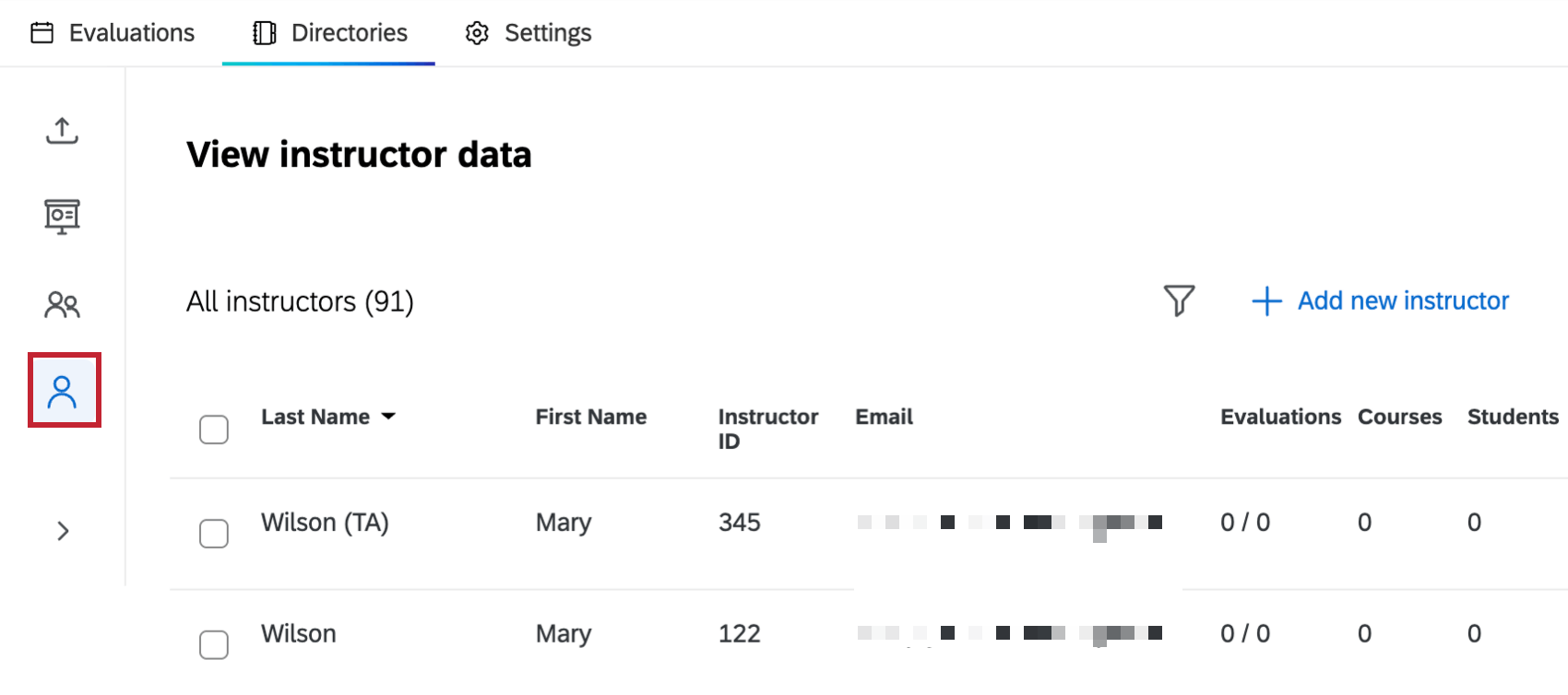
The options in this section are almost exactly the same as the options in the Students section, except where otherwise noted below.
Adding New Instructors
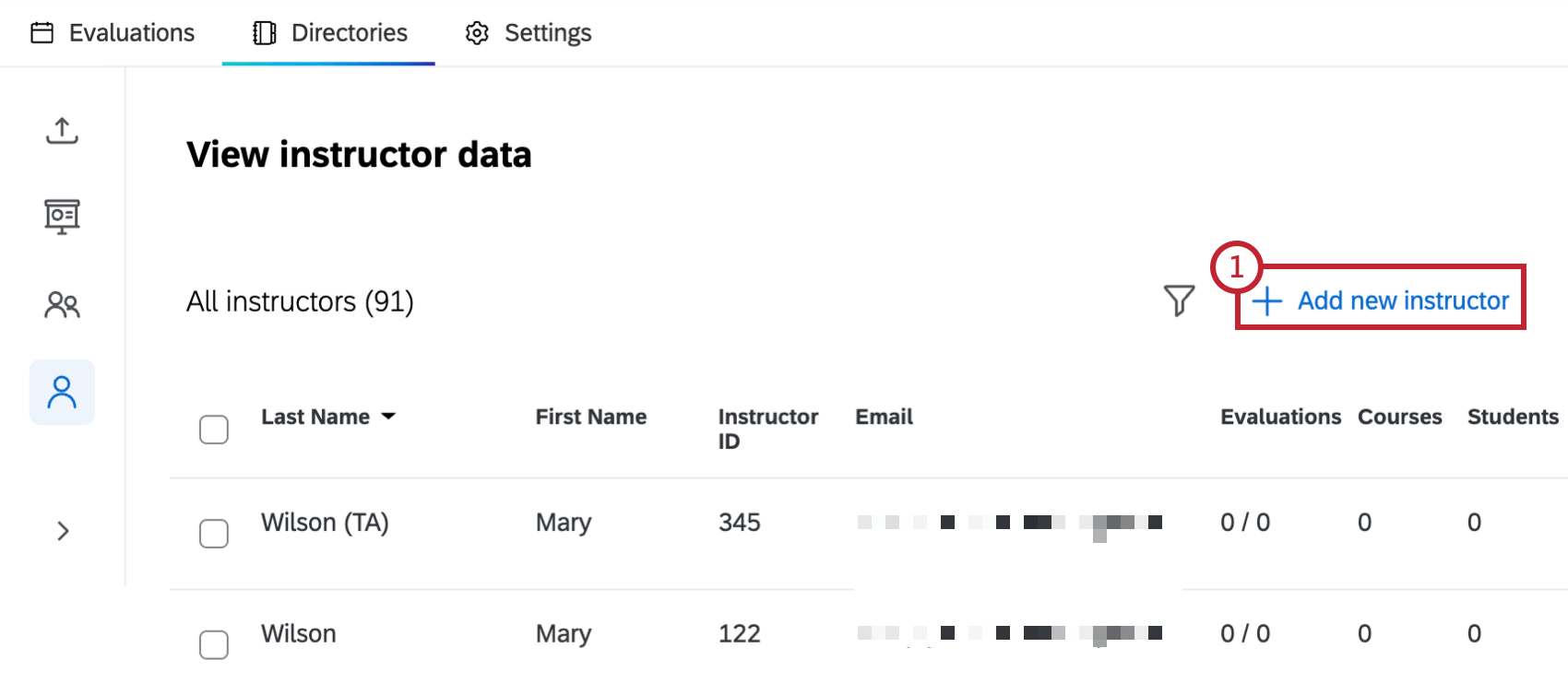
- Click Add new instructor.
- Enter the instructor information. Instructor ID is the only required field, and this value must be unique for each instructor.
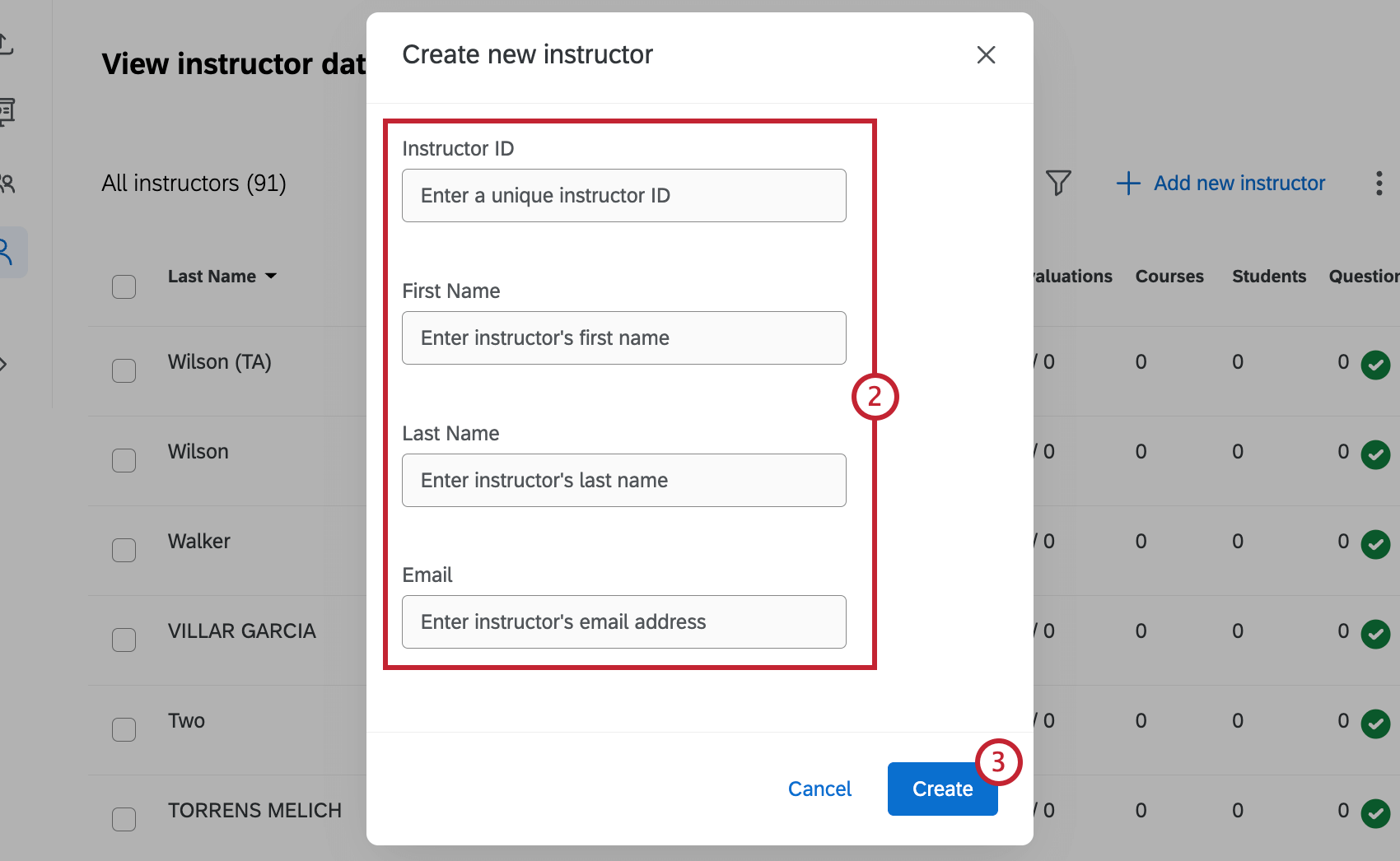
- Click Create.
Managing Existing Instructors
Once you’ve added instructors, you can search, view, and edit their data within the View instructor data table.
Viewing, editing, and filtering existing instructors is the same as viewing, editing and filtering students. The only difference is the available fields that you can view within the Instructors tab.
- Last Name: Instructor last name.
- First Name: Instructor first name.
- Instructor ID: Unique ID assigned to each instructor.
- Email: Instructor email.
- Evaluations: Number of evaluations that have been completed out of the number of evaluations an instructor has received.
- Courses: Number of courses an instructor is assigned to.
- Students: Number of students an instructor has been assigned to.
- Questions: The number of teacher questions added by that instructor.