-

Qualtrics Platform -

Customer Journey Optimizer -

XM Discover -

Qualtrics Social Connect
Action Planning Usage Rate Widget
About Action Planning Usage Rate Widgets
The action planning usage rate widget shows action planning usage across your organization hierarchy. You can see how many users in each hierarchy unit have access to action planning and how many users in that unit are actually using action planning, enabling you to find which areas of your organization may need additional support with action planning.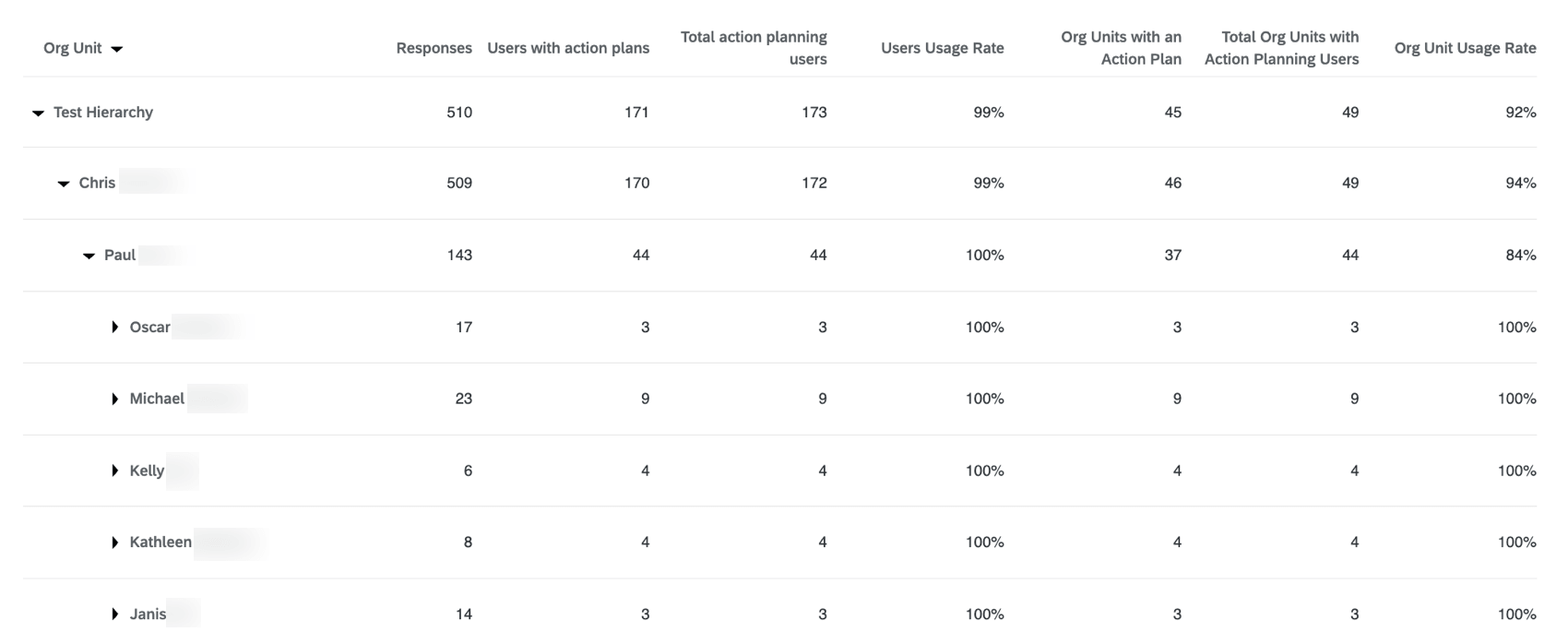
Widget Customization
This section covers the customization options that are unique to the action planning usage rate widget. See Editing Widgets for information on general customization options, like widget titles and styles.
Use these options to customize your widget:
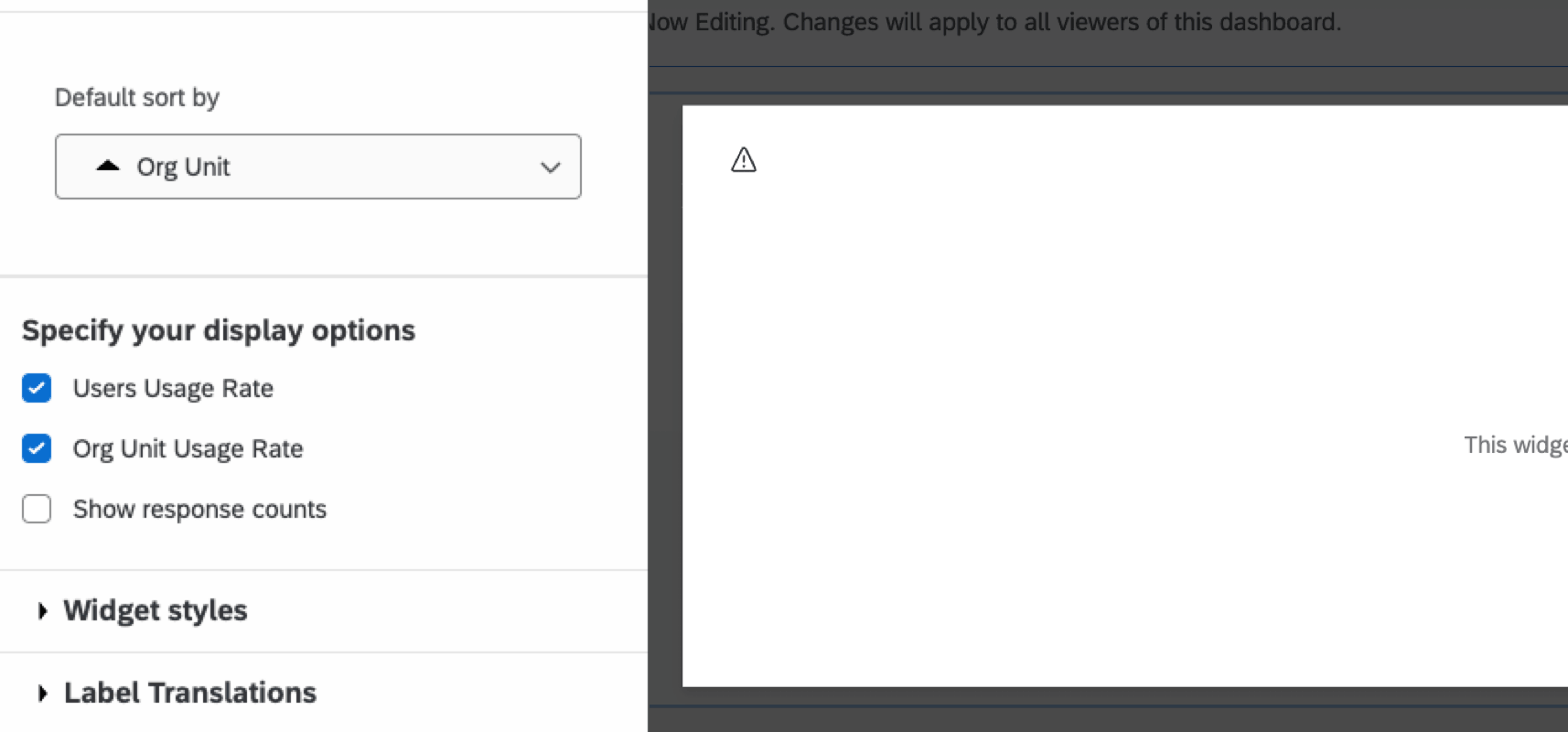
- Default sort by: Choose how you’d like your widget to be sorted by default. You can choose to sort by your org hierarchy, or by any of the widget metrics. When using the widget, dashboard viewers can still sort the widget by clicking any of the displayed metrics.
- Users Usage Rate: When enabled, the “Users Usage Rate,” “Total Action Planning Users” and “Users with Action Plans” columns are added to the widget.
- Org Unit Usage Rate: When enabled, the “Org Unit Usage Rate,” “Total Org Units with Action Planning users,” and “Org Units with an Action Plan” columns are added to the widget.
- Show response counts: When enabled, a “Responses” column is added to the widget that displays the response count for the org unit.
Understanding the Widget
The action planning usage rate widget contains metrics designed to help you understand how your organization uses action planning. This section covers each metric and their meaning.
The following metrics are available in this widget: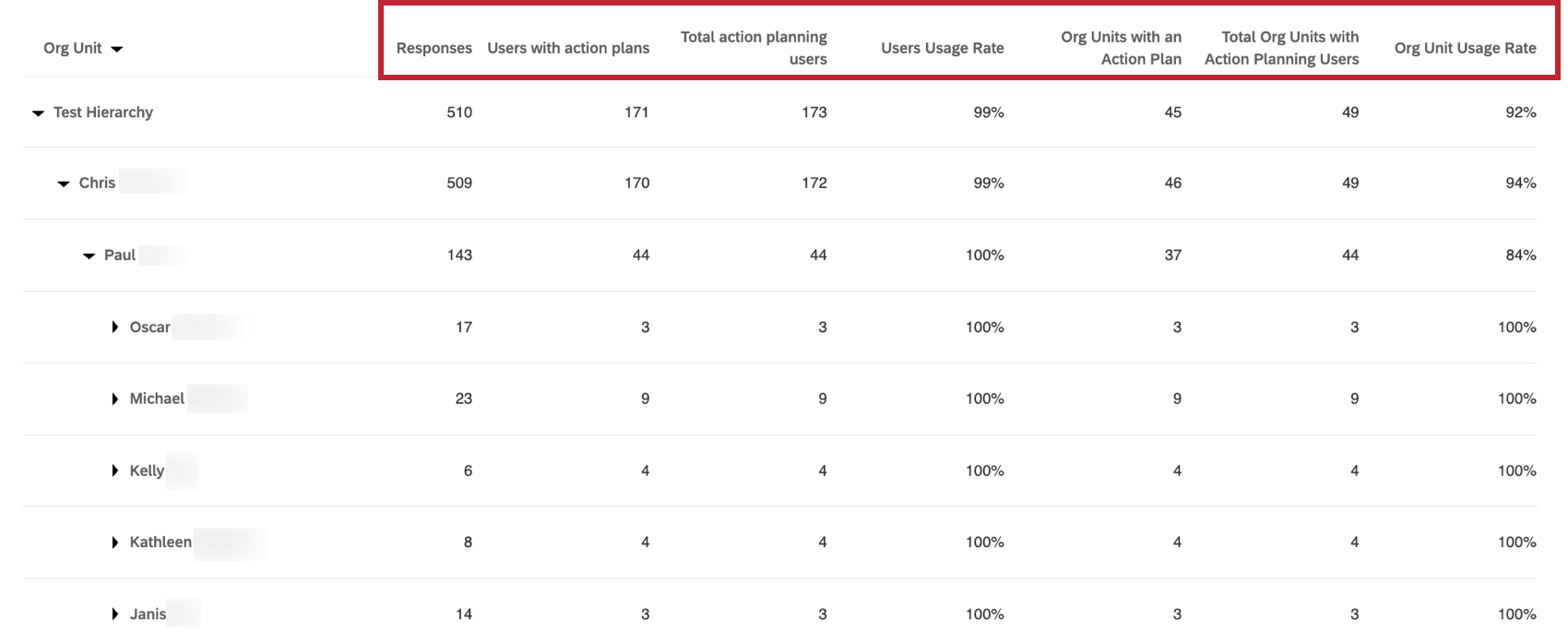
- Responses: The number of responses associated with the org hierarchy unit.
Qtip: This metric provides additional context on if a given unit should be expected to do action planning (e.g., if the response count is below your confidentiality threshold, then a usage rate of 0% would be understandable).
- Users with action plans: The number of users in the unit who are the owners of an action plan.
- Total action planning users: The number of users in the unit with the “Use action plans” permission enabled.
- Users Usage Rate: This metric is calculated by dividing “Users with action plans” by “Action planning users.”
- Org Units with an Action Plan: The number of org units that have users who own action plans.
- Total Org Units with Action Planning Users: The number of org units that have users with the “Use action plans” permission enabled.
- Org Unit Usage Rate: This metric is calculated by dividing “Org Units with an Action Plan” by “Total org units with action planning users.”